Bulk Disable Generative AI Features in Sprinklr
Updated
Sprinklr provides Generative AI (AI+) capabilities across multiple product modules. These capabilities are governed through centralized, partner-level controls to support compliance, security, and operational requirements.
This article explains:
How to disable all Generative AI features across your environment
How to prevent newly introduced GenAI features from being enabled by default
Where GenAI governance controls are located and how they behave
 Note: By default, these AI+ features are enabled for all environments post 20.7.1 release.
Overview of Generative AI Governance
Sprinklr supports two distinct but complementary governance controls for Generative AI:
Disable All Generative AI Features
A global kill switch that immediately suspends all GenAI functionality across the platform.Disable New Generative AI Features by Default
A global initialization control that ensures newly introduced GenAI features start in an inactive state and require explicit approval before use.
These controls are designed to support organizations with strict approval workflows (for example, regulated enterprises that require explicit sign-off before enabling AI features).
Permission Governance
Only Global Admins and Partner Admins with the required role-based access control (RBAC) permissions can access the Feature Settings Record Manager.

Permissions for Generative AI Settings are available under the Feature Settings bucket in Role Permissions.
Permission Name | When Present | When Absent |
View | Generative AI Settings are accessible in view-only mode. | The Generative AI Settings is not accessible. |
Edit | The Edit option is available in the ellipses menu (three dots), opening the form in edit mode. | The Edit option is not available. |
Access Features Settings
Follow these steps to access Feature Settings in your Sprinklr environment:
Go to All Settings from the Sprinklr Launchpad.
In the left navigation pane, select Global Features.

Note:
If your Sprinklr environment uses the Classic All Settings UI, follow these steps to access Features Settings:
Go to All Settings, select Manage Customer from the left navigation menu, and then click All Settings.

The Feature Settings Record Manager opens, displaying the available settings.
Use the Module filter to filter out the Platform level settings.

Disable Generative AI Features
The Disable All Generative AI Features setting acts as a global kill switch. When enabled:
All Generative AI functionality is suspended across the platform
AI+ Studio and Feature Access Management are inaccessible
All GenAI execution paths, backend services, APIs, and ML calls are blocked
Feature configurations remain intact and resume when the setting is turned off
This setting is non-destructive and does not delete or reset feature configurations.
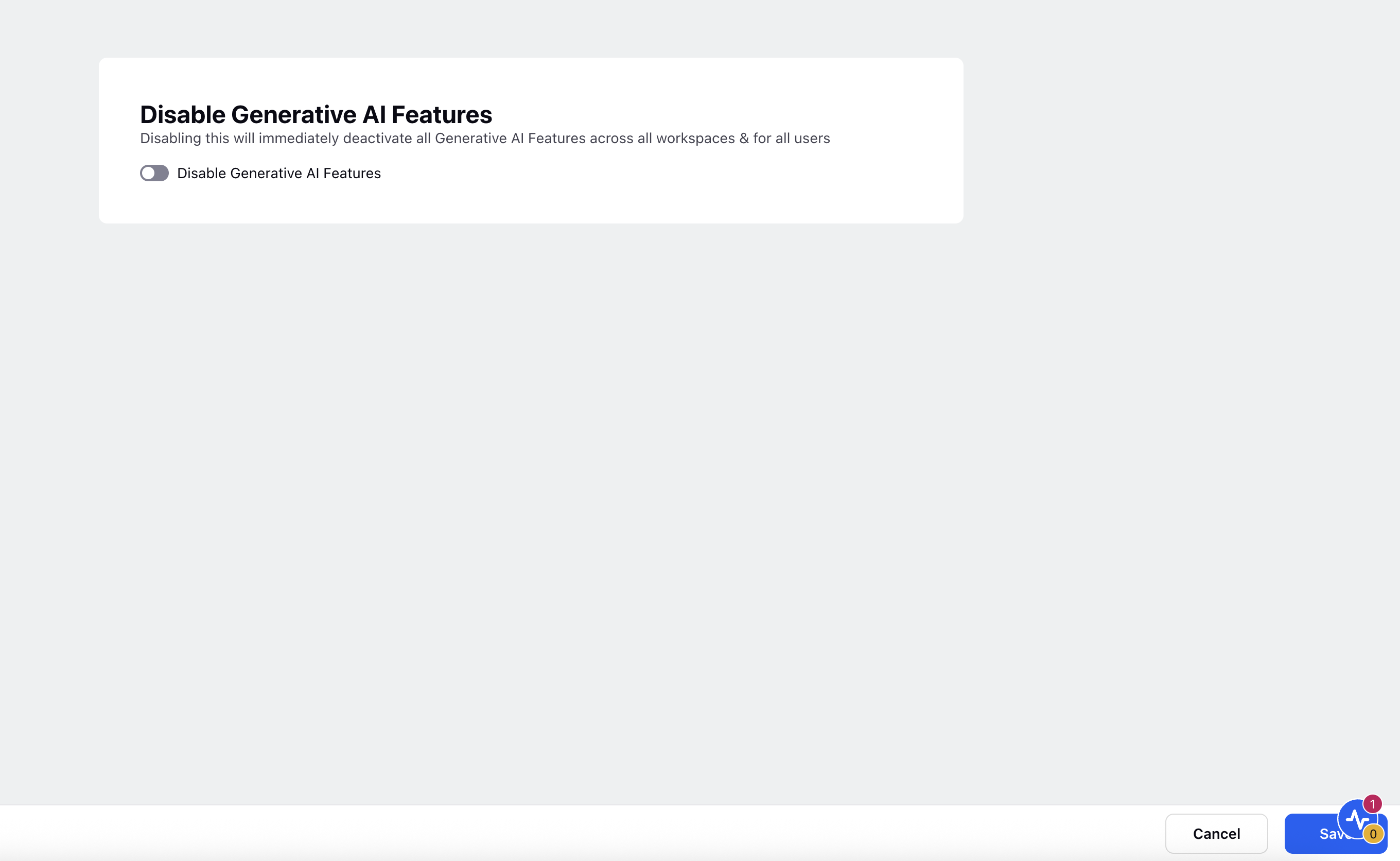
Note:
If Generative AI features are disabled in your environment, AI+ Studio won't be accessible in your Sprinklr environment.
The Disable Generative AI Features toggle also controls Generative AI features in Sprinklr iFrame.
Follow the steps below to change the setting:
Locate the record labeled Disable Generative AI Features.
Click the vertical ellipsis (⋮) next to the record and select Edit.
Turn on the Disable Generative AI Features toggle to disable AI+ features or vice-versa.
Click Save at the bottom right corner.
Note: You can switch the toggle back off at any time to re-enable Generative AI (AI+) features based on your requirements.
Disable New Generative AI Features by Default
Some organizations require that Generative AI features are not enabled by default and instead go through an explicit approval process before use. The Disable New Generative AI Features by Default setting addresses this requirement.
Setting Details
Attribute | Value |
Display Name | Disable New Generative AI Features by Default |
Description | When enabled, any newly introduced Generative AI feature starts in an inactive state and must be explicitly enabled through Feature Access Management in AI+ Studio. Existing feature states remain unchanged. |
Setting Type | Global (Partner-level) |
Default Value | Off |
Visibility | Visible only when Features Management is enabled |
Follow the steps below to configure the setting:
Locate the record labeled Disable New Generative AI Features by Default.
Click the vertical ellipsis (⋮) next to the record and select Edit.
Turn on the Disable Generative AI Features toggle to disable AI+ features or vice-versa.
Click Save at the bottom right corner.

Behavior and Interpretation
This setting is a one-time initialization control, not a runtime toggle.
It is evaluated only when GenAI features are:
Created for the first time
Introduced through migration
Initialization Behavior
Setting State | Result |
On | All newly created GenAI features are initialized as inactive, regardless of code-level defaults. |
Off | Features follow the default status defined in code or migration logic. |
Post-Initialization Behavior
Toggling this setting does not affect existing GenAI features.
Feature states after initialization are controlled only through explicit enable or disable actions.
The setting does not act as a live override.
Impact on AI+ Studio and Sprinklr iFrame
If Disable All Generative AI Features is enabled:
AI+ Studio is not accessible
Generative AI features in Sprinklr iFrame are also disabled
If only Disable New Generative AI Features by Default is enabled:
AI+ Studio remains accessible
New GenAI features require explicit enablement before use
Turn off the Disable Generative AI Features Toggle
If you already have the Disable Generative AI Features toggle enabled, follow these steps to turn it off and enable AI+ features:
- Go to All Settings from the Sprinklr Launchpad.
- In the left navigation pane, select Global Features.
- The Feature Settings Record Manager opens.
- Use the Module filter to display platform-level settings.
- Locate Disable All Generative AI Features.
- Select the vertical ellipsis (⋮) next to the record, and then select Edit.
- Turn off the Disable Generative AI Features toggle.
Controlling Generative AI features through the Feature Settings panel allows Admins to maintain control over AI+ functionality across key Sprinklr modules. Use this settings to align platform behavior with your organization’s compliance and operational policies. Always ensure appropriate permissions are in place before making changes to global configurations.