




Transform CX with AI at the core of every interaction
Unify fragmented interactions across 30+ voice, social and digital channels with an AI-native customer experience platform. Deliver consistent, extraordinary brand experiences at scale.




Contact Center as a Service (CCaaS): Everything You Need to Know in 2026

Contact centers can’t meet the expectations of real-time service, hyper-personalization, and omnichannel consistency. Most companies possibly research Contact Center as a Service to understand whether a CCaaS platform can reduce the drag created by disconnected channels, rule-based routing, manual quality checks, brittle integrations and AI experiments that still need too much human cleanup.
A modern CCaaS platform should help service leaders bring customer conversations, agent work, automation, reporting and governance into one operating layer.
This guide explains what CCaaS is, how it works, what features matter, where AI is shifting the category and how enterprises should choose the right provider in 2026.
- What is Contact Center as a Service?
- How does CCaaS work?
- CCaaS vs. UCaaS vs. CPaaS: What is the difference?
- Key CCaaS features to look for in 2026
- Benefits of CCaaS for enterprises
- Agentic AI and the future of CCaaS in 2026
- CCaaS migration challenges enterprises should plan for
- How to choose the right CCaaS provider
- What the CCaaS market looks like in 2026 and beyond
- Building a resilient, compliant, and scalable CX infrastructure with CCaaS
What is Contact Center as a Service?
Contact Center as a Service, or CCaaS, is a cloud-based software model that gives businesses the tools to manage customer interactions without buying, hosting and maintaining contact center hardware. The CCaaS provider hosts the platform, updates the software, manages infrastructure and delivers access through a subscription model.
A CCaaS platform helps agents handle customer conversations across phone, live chat, email, SMS, messaging apps and social media from one workspace. Instead of forcing agents to move across disconnected tools, modern CCaaS brings customer history, interaction context, routing, knowledge, AI assistance and reporting into the same service environment. This also spares customers from having to repeat themselves whenever they switch channels.
For enterprise leaders, the most important distinction is that CCaaS is purpose-built for customer-facing work. It is different from UCaaS, which supports internal team collaboration, and CPaaS, which gives developers APIs to build communication features into apps. We will dive deeper into the differences between all three in just a moment.
But the strongest way to understand CCaaS is this:
- A CRM stores customer data.
- A CCaaS platform manages live customer engagement.
- A workforce management tool helps plan staffing.
- A quality management tool reviews performance.
A modern CCaaS platform pulls these functions closer together so service teams can respond, resolve, measure and govern work from one layer.
That is why enterprise CCaaS decisions are rarely only about telephony. They affect customer experience, agent performance, IT architecture, compliance, service cost and AI readiness.
How does CCaaS work?
CCaaS can look simple from the outside because agents usually work inside one browser-based interface. Behind that interface, the platform coordinates channels, customer data, routing rules, AI, workforce needs, analytics and governance.
1. Cloud-hosted infrastructure
The CCaaS vendor manages all servers, networking, telephony, and storage in geographically redundant data centers. Your team accesses the platform online instead of running contact center systems through on-premise hardware.
This shifts the burden away from server rooms, hardware refresh cycles and fixed-capacity systems. It also gives distributed teams a way to work across regions, hubs, BPO partners and remote environments with the right access controls in place. Here’s how cloud and on-premises contact centers differ.
2. Channel capture across voice and digital touchpoints
Customer interactions enter the platform through phone, email, live chat, SMS, messaging apps, social channels, communities and other digital touchpoints. A good CCaaS platform does not treat these as isolated queues. It ties them back to the customer profile, case history and previous interactions.
This is the difference between “we support many channels” and “we understand the customer across channels.” The first gives customers more doors. The second helps the business remember what happened after they walk through one.
3. Identity and context resolution
Before the platform routes work, it needs to know who the customer is, what they are trying to do and what the business already knows. That context may come from CRM, order management, billing, loyalty, identity, knowledge base, prior tickets, consent records and previous conversations.
This layer is where many contact center failures begin. If identity and context are weak, even the best routing logic can send a customer to the wrong queue, ask the wrong question or trigger the wrong escalation.
4. Omnichannel routing and queue management
When a customer reaches out, the CCaaS platform routes the interaction based on factors such as intent, agent skill, language, priority, customer history, sentiment, SLA rules and real-time availability. Supervisors can monitor queues, wait times, contact volume and service levels through live dashboards.
For enterprise teams, routing is where service policy becomes visible. A high-risk billing complaint, a multilingual support request and a low-risk password reset should not move through the same path.
5. Agent workspace and guided resolution
Cloud contact center software often also helps agents work from a unified desktop that can bring together conversation history, customer profile, case details, knowledge articles, suggested replies, guided workflows, AI prompts and next-best actions.
The goal is to reduce the amount of mental tab-hopping agents do during live conversations. Every extra system an agent opens adds friction, delay and a fresh chance to miss context.
Deploy AI tools like Sprinklr Agent Assist, designed for leaders who need to scale expert-level service across global, multilingual agent teams, without expanding training budgets or compromising compliance.
For example, during a Tier-2 escalation in a regulated sector like telecom or healthcare, Sprinklr can instantly surface compliant resolution paths, recommend next-best actions based on customer history, and dynamically adapt messaging tone based on live sentiment — all within the agent’s unified console. This way, even newly onboarded or outsourced agents can deliver at par with seasoned specialists.
Enterprise-grade benefits:
Cuts new agent time-to-proficiency by up to 50%
Improves First Contact Resolution (FCR) through proactive content surfacing and precision scripts
Reduces Average Handle Time (AHT) without compromising personalization
Drives consistency across BPOs, LOBs and regions — crucial for maintaining brand equity at scale
Book a free demo now to learn more.
6. AI, automation and self-service
Modern CCaaS platforms use AI across the contact center. AI can classify intent, summarize interactions, recommend responses, detect sentiment, suggest knowledge articles, trigger workflows, power bots, support conversational IVR and automate after-contact work. Top CCaaS providers often layer AI in the very foundation of their solution stack, making it natively available instead of simply bolted onto capabilities.
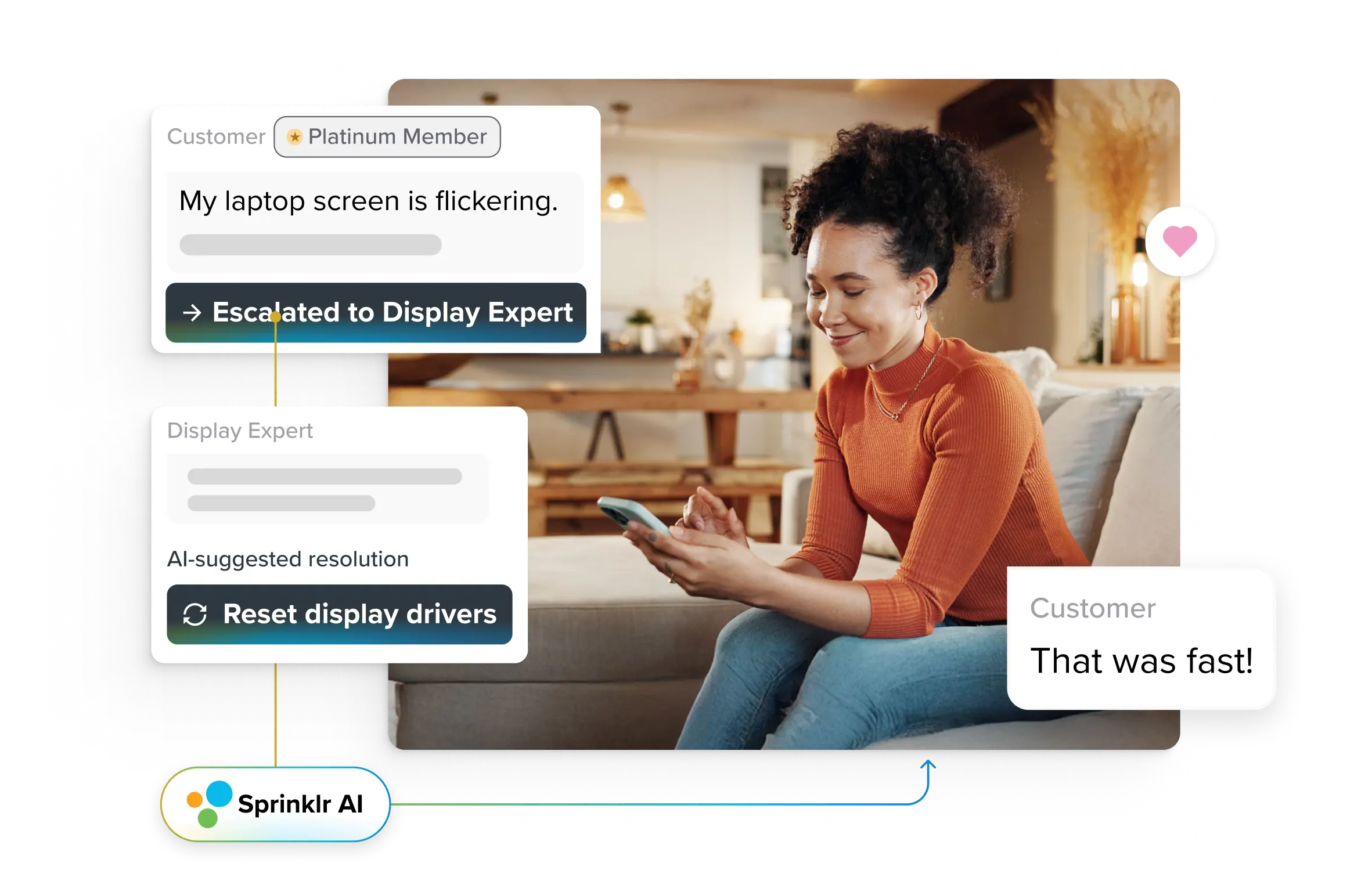
The next step is agentic AI. Instead of only helping an agent decide what to do, AI can complete selected service tasks within policy limits. That might include checking an order, updating an account, confirming eligibility, processing an approved refund or handing off to a human when risk rises.
7. Analytics, quality and governance
CCaaS platforms collect service data across conversations, channels, agents, bots and queues using APIs and pre-built connectors. Teams can use this data for reporting, quality management, workforce planning, compliance review, coaching and executive visibility.
This matters because contact centers are no longer judged only by call volume. Leaders need to know why customers contact them, which policies create repeat contacts, where agents need better guidance, where AI can safely absorb work and which issues point to product, billing or fulfillment gaps.
CCaaS vs. UCaaS vs. CPaaS: What is the difference?
These three cloud communication models get confused constantly. Here is what each does and who it is built for.
Dimension | CCaaS | UCaaS | CPaaS |
Full name | Contact Center as a Service | Unified Communications as a Service | Communications Platform as a Service |
Primary purpose | Managing customer-facing interactions | Internal team communication and collaboration | Building custom communication features into apps |
Built for | Customer service, sales, and support teams | All employees across departments | Developers and product engineering teams |
Core features | Omnichannel routing, IVR, call recording, AI analytics, workforce management | Voice, video conferencing, team messaging, file sharing | Communication APIs and SDKs for voice, SMS, video, chat |
Setup | Ready to use with pre-built tools | Ready to use with pre-built tools | Requires coding and development effort |
Key integrations | CRM, helpdesk, ticketing systems | Productivity apps (Google Workspace, Microsoft 365) | Enterprise apps via custom API connections |
Best analogy | A fully furnished contact center you can move into today | A unified office phone and meeting system in the cloud | A toolkit of building blocks for developers |
Many enterprises use CCaaS and UCaaS together. UCaaS helps employees communicate internally. CCaaS helps customer-facing teams manage interactions, routing, service workflows, AI, quality and reporting. CPaaS is usually a better fit when product or engineering teams want to embed communication features inside a custom app.
Key CCaaS features to look for in 2026
Some CCaaS platforms mainly modernize telephony. Others bring voice, digital service, social care, AI, quality, workforce planning, analytics, governance and reporting into a broader contact center platform. Enterprise buyers should evaluate the capabilities below as one connected system, not as separate capabilities.
1. Omnichannel contact center
A CCaaS platform should support customer conversations across voice, chat, email, SMS, messaging apps, social media and other digital channels. Agents should be able to work from a single interface with access to the customer’s interaction history.
What to look out for: Wide reach, context continuity, customer identity matching, case history, routing consistency and the ability to add new channels without heavy rework.
Did you know? Sprinklr Service’s omnichannel contact center offers one of industry’s broadest channel coverage, allowing service delivery on 30+ voice, social and digital channels.
2. Intelligent routing and queue management
Intelligent routing accounts for intent, language, customer history, urgency, agent skill, sentiment, SLA rules and live capacity. A billing dispute and a low-risk order update should not follow the same path. Good routing protects customer time, agent focus and service quality by moving each issue toward the right person or workflow earlier.
3. Agent copilot and real-time assistance
Agent assistance makes live chat support context-informed and simpler. Useful copilots summarize conversations, suggest replies, surface relevant knowledge, detect customer emotion, flag policy risks and draft after-call notes. This is especially valuable for new agents, outsourced teams and complex issue types where speed and accuracy both matter.
4. Workforce management
Workforce management should help leaders plan staffing around real demand, not yesterday’s averages. A CCaaS platform should support forecasting, scheduling, adherence and intraday adjustments across channels, regions and teams. This matters during product launches, outages, holiday peaks or campaign-driven volume. Cloud capacity alone does not protect service levels. Teams still need the right number of agents with the right skills in the right queues at the right time.
You can even automate shift planning and quality using AI with top WFM solutions.
5. Quality management and coaching
Quality management capabilities give supervisors a fuller view of how service is unfolding in real-time.
Manual review catches only a small sample of conversations. AI-supported QA can review more calls, chats and messages to identify compliance issues, missed steps, coaching themes and customer frustration patterns. These insights trigger auto-generated coaching plans and real-time feedback, customized to agent strengths and weaknesses. For example, Sprinklr Contact Center Quality Management auto-scores 100% of interactions and flags anomalies while AI-generated coaching plans personalize feedback for each agent.
6. Conversational analytics
A CCaaS platform should turn customer conversations into service intelligence. Speech and text analytics can reveal sentiment, intent, recurring issues, compliance risk, product complaints, policy confusion and agent knowledge gaps. It unifies CX, product, marketing and risk teams around shared customer intelligence, enabling closed-loop issue remediation directly from contact center data.
With Sprinklr’s Conversational Analytics, enterprises can analyze 100% of speech and text data to know emotional tones, compliance risks, and friction points in real time. This goes far beyond traditional QA or survey-based VOC.
7. AI agents and agentic automation
Agentic AI is becoming central to CCaaS evaluation because these AI agents can complete bounded service tasks, not only answer questions. That may mean checking a record, updating a case, confirming refund eligibility, sending a follow-up or escalating when risk rises. However, for this to work safely, the platform needs clear permissions, approval thresholds, audit trails, policy rules and human handoff paths.
In fact, Sprinklr AI Agents even retain complete context even if customers switch channels.👇
8. Knowledge base and guided workflows
A CCaaS platform is only as useful as the knowledge and process guidance sitting behind it. Agents and AI need approved answers, current policies and clear workflow steps to resolve issues consistently. Guided workflows help agents follow the right process during refunds, complaints, account changes, escalations or regulated interactions. This reduces dependency on memory, tribal knowledge and improvised fixes that vary from one agent to another.
AI-powered knowledge base platforms can even let you directly source insights from conversations and dynamically optimize your knowledge content using AI. Check out how.👇
9. Security, compliance and governance
Enterprise CCaaS needs governance built into everyday service work. That includes role-based access, encryption, consent handling, call recording controls, retention rules, data residency, audit logs and compliance support for frameworks such as GDPR, CCPA, HIPAA, PCI-DSS and SOC 2 where relevant. This becomes even more important as AI starts assisting or completing work.
10. Unified analytics and cross-functional visibility
Enterprise leaders struggle to reconcile data from multiple vendors, BUs, or regional silos, delaying responses to emerging issues. With Sprinklr’s Unified Reporting and Analytics, real-time dashboards consolidate performance data across agents, bots, channels, and geographies, providing a single source of truth for IT, CX, compliance, and operations.
This enables real-time, role-based insights that eliminate blind spots and silos. Cross-functional teams gain synchronized visibility into key performance indicators, improving forecast accuracy and operational alignment.
Benefits of CCaaS for enterprises
The strongest case for CCaaS is the way a cloud contact center platform can change how service work is routed, resolved, measured and governed. These are the top benefits of CCaaS.
1. Lower cost-to-serve
CCaaS reduces the need for on-premise hardware, separate server maintenance, rigid infrastructure and disconnected channel tools. Teams can move from large upfront technology costs to subscription-based spending.
The bigger savings often come from reducing tool sprawl. When voice, chat, social, reporting, QA, routing and analytics live in separate systems, the enterprise pays through licenses, integrations, admin effort and slower agent work.
2. More consistent service across channels
CCaaS helps agents see conversation history across channels. A customer who starts on chat and later calls should not have to repeat every detail. Agents should see the case, prior messages, customer profile and previous actions in one place.
3. AI that improves agent performance
A unified desktop, AI suggestions, knowledge recommendations and guided workflows help agents work with better context. This is especially important for new agents, outsourced teams, multilingual teams and regulated service environments.
4. Faster scaling during demand spikes
Cloud-based contact center platforms help teams add seats, adjust queues, open channels and shift routing paths faster than fixed on-premise systems. This matters during product launches, holiday rushes, outages, recalls or service disruptions.
5. Remote and hybrid work ready
CCaaS gives agents secure browser-based access to the same workspace, queues, customer context and supervisor support from any approved location. That makes distributed staffing easier across time zones, BPO partners and regional teams, while leaders keep visibility into adherence, quality and service levels without relying on office-bound infrastructure or fragile VPN setups.
6. Faster deployment
CCaaS shortens the path from decision to live service because teams configure a hosted platform instead of installing hardware, provisioning servers and coordinating long upgrade cycles. Faster rollout means new channels, routing rules, agent seats and AI support can be introduced in phases, so teams see value sooner while migration risk stays controlled.
Agentic AI and the future of CCaaS in 2026
Agentic AI is one of the most important shifts in CCaaS because it changes what AI is allowed to do inside the contact center.
Traditional contact center AI helps with the conversation. It suggests replies, summarizes calls, detects sentiment and routes inquiries. Your human agents still do most of the work.
However, agentic AI can complete selected service tasks within approved boundaries. It can interpret the customer’s request, check business systems, apply policy, take action, update records and escalate to a human when risk, uncertainty or policy requires it.
For example, when a customer emails about a duplicate charge, an agentic system can check transaction records, confirm the duplicate, validate refund rules, process the refund within policy limits and send the customer a confirmation. It can orchestrate multi-agent systems in which agents are each tasked with specific goals that together achieve a unified outcome.
However, agentic AI can only work safely when the CCaaS platform has the right conditions around it:
- Clear customer context
- Reliable system integrations
- Documented service policies
- Permission limits
- Approval thresholds
- Human handoff paths
- Audit logs
- Error handling
- Performance reporting
- Ongoing QA
The enterprises getting this right in 2026 are not the ones deploying the most AI. They are the ones whose processes are documented well enough for AI to act on safely.
For CX and IT leaders evaluating CCaaS platforms, the question is no longer "does this platform have AI?" It is "can this platform's AI actually finish work, and can I trust it to do so within clear guardrails?"
CCaaS migration challenges enterprises should plan for
A CCaaS migration can look simple in a slide: move from legacy contact center infrastructure to a cloud platform. The harder work sits inside call flows, integrations, reporting rules, compliance controls and agent habits built over years.
Hidden costs
Per-seat pricing is only one part of CCaaS cost. Enterprises may also pay for implementation, voice minutes, SMS usage, storage, AI features, WFM, QA, analytics, premium support, custom integrations, data migration and training.
Plan for total cost of ownership before vendor selection, not after procurement has already narrowed the field.
Call flow and IVR migration
Legacy IVR trees and routing rules often contain years of workarounds. Migrating them into a new platform forces teams to decide what to keep, what to retire and what to rebuild.
Audit queue logic, escalation rules, language paths, holiday routing, region-specific flows and exception handling before migration starts.
Data and integration gaps
Syncing historical interaction data, CRM records, and reporting configurations with the new platform rarely goes smoothly on the first attempt. And without those links, agents may still chase context across tools.
Build in a parallel-run period. Test data sync, field mapping, latency, system permissions and failure states before rollout.
Agent training and adoption
New interfaces, AI tools, guided workflows and routing rules require training. Undertraining can make a better platform feel harder than the legacy system it replaced.
Train agents on real customer service journeys, not only screens. Include supervisors, QA reviewers, admins and outsourced teams.
Compliance re-validation
If you are in a regulated industry, moving to a new platform means re-validating compliance controls, audit trails, and data residency requirements. Regulated teams should validate controls before go-live.
Bring legal, compliance, IT security and data teams into vendor review early. Their questions should shape the rollout, not arrive as late-stage friction.
Reporting continuity
A migration can break performance visibility if old and new reports define metrics differently. Teams still need to compare pre-migration and post-migration performance.
Map old and new definitions for FCR, AHT, SLA, abandonment, containment, QA, backlog and escalation rate before launch.
How to choose the right CCaaS provider
Choosing a CCaaS provider is a long-term service architecture decision. The right platform should fit your customer journeys, agent model, AI plans, compliance needs, integration stack and cost structure.
1. Start with the service work
Before comparing vendors, map the service journeys that create the most friction. Look at where customers repeat themselves, where agents switch tools, where escalations stall and where reporting does not explain the real issue.
Ask: which journeys create the most repeat contacts? Which channels carry the highest-risk issues? Where do agents lose context? Which tasks can AI safely complete? Which issues need human judgment every time?
2. Test real omnichannel depth
Ask the vendor to show a customer moving from chat to phone to WhatsApp to social. Watch whether the identity, case history, prior notes and service context move with the customer.
If the platform only shows separate channel tabs, it may be multichannel rather than truly omnichannel.
3. Evaluate AI maturity
Look beyond AI labels. Ask what the AI can actually do. Ask specifically: Is AI native to the platform or bolted on? Can it handle end-to-end task resolution (agentic), or only assist (copilot)?
Can it suggest replies? Can it summarize conversations? Can it update records? Can it complete tasks? What systems can it access? What approvals are required? How are actions logged? What happens when confidence is low?
AI maturity is capability plus control. One without the other simply adds to the risk.
4. Check integration depth
Your CCaaS platform should connect with CRM, ERP, helpdesk, ticketing, knowledge, workforce, identity, billing, order management and data systems. Ask which integrations are pre-built, which need custom work and what syncs in real time.
5. Verify security, compliance and data controls
Ask about role-based access, encryption, audit logs, consent management, data residency, retention, redaction, recording controls and compliance coverage for frameworks such as GDPR, CCPA, HIPAA, PCI-DSS and SOC 2 where relevant.
Do not accept generic security language. Ask how controls work by region, role, channel and AI action.
6. Calculate full cost
Compare more than the seat price. Include implementation, usage charges, voice minutes, SMS, AI add-ons, analytics, WFM, QA, storage, support tiers, integrations, admin time and training.
A lower headline price can cost more if the features your team needs most are sold as add-ons.
7. Validate rollout support
Ask how the provider supports migration planning, sandbox testing, call flow design, phased rollout, admin training, agent onboarding and post-launch tuning.
A CCaaS platform is only as good as the rollout that brings it into daily service work.
8. Look for proof from similar enterprise environments
Ask for customer examples from similar industries, regions, agent counts, channel mixes and compliance settings. A platform that works for a smaller support team may behave differently across thousands of agents, multiple languages, BPO partners and regulated data flows.
9. Test the vendor's support model
Is 24/7 support included or a paid tier? Do they offer dedicated onboarding? Check independent review sites like G2 and Gartner Peer Insights for feedback on support quality and billing transparency.
What the CCaaS market looks like in 2026 and beyond
The CCaaS market is large and still climbing, with estimates for 2026 ranging from about $8.3 billion to $11.3 billion and growth running above 20% a year for the rest of the decade. Those figures disagree because each analyst counts different things, so a single number tells you less than the trend, which points clearly upward, fastest in Asia-Pacific as more enterprises there move service to the cloud.
What buyers are actually choosing between has changed. The AI models inside these platforms now perform similarly, so the thing that sets one vendor apart is how well it connects to your knowledge base, CRM and billing systems — because AI can only resolve an issue if it can reach the data behind it. That shift is showing up in how platforms charge, too, moving away from a flat per-agent fee toward pricing tied to how much the AI actually does.
The change ahead is agentic AI, though, which completes tasks rather than just suggesting them. Gartner expects it to autonomously resolve 80% of common service issues by 2029, though teams usually see a short dip before it pays off, around four months in. So the question worth asking a vendor is no longer whether they have AI, but whether it can finish a job safely and show you the result.
Building a resilient, compliant, and scalable CX infrastructure with CCaaS
CCaaS gives enterprises a modular way to modernize contact operations—connecting agents, bots and channels through a single cloud platform. It integrates with existing systems like CRM, ERP and workforce tools and supports KPIs tied to cost, resolution speed and CSAT. Post-implementation, it enforces enterprise-grade controls like data encryption, geo-fencing and audit trails to meet compliance and security mandates across regions.
A next-generation CCaaS platform like Sprinklr offers a whole host of scalable solutions. It enables agents to resolve issues faster by providing immediate access to customer, order and policy data. It also strengthens compliance through continuous policy enforcement and full audit traceability. In addition, multinational teams benefit from multilingual capabilities, regional data hosting and scalable automation. Sprinklr Service also centralizes governance by consolidating channel, quality and performance metrics into a single, enterprise-wide system.
Request a demo now to see how to ensure secure, scalable and insight-driven customer service for your brand.
Frequently Asked Questions
Popular CCaaS platforms include Genesys Cloud CX, NICE CXone, Five9, Sprinklr Service, Talkdesk, and Webex Contact Center. Each offers cloud-based omnichannel routing, AI tools, and workforce management, though they differ in pricing models, integration depth, and AI maturity.
A traditional call center relies on on-premise hardware, typically supports only voice, requires significant upfront investment, and is difficult to scale. CCaaS is cloud-based, supports omnichannel communication, uses subscription pricing, deploys in weeks, and scales on demand.
Pricing varies massively depending on the vendor and feature tier. Enterprise contracts often involve custom pricing based on seat count, channel usage, and AI feature access. Always calculate total cost of ownership, not just per-seat price.
Yes. CCaaS removes the infrastructure barrier that historically made advanced contact center tools accessible only to large enterprises. Small teams can start with a handful of seats and scale as they grow.
Chatbots match customer intent to scripted responses. When the conversation goes off-script, they escalate to a human. Agentic AI perceives context, makes decisions, and executes tasks end to end, like processing a refund or updating an account, within defined policy guardrails. It acts on behalf of the business, not just on behalf of the conversation.
At minimum: SOC 2, PCI-DSS (for payment data), GDPR (for EU data), and HIPAA (for healthcare). Look for built-in data encryption (AES-256 at rest, TLS 1.2+ in transit), geo-fencing for data residency, role-based access controls, and audit-ready reporting.
Absolutely. CCaaS is inherently location-independent. Agents only need a browser and a stable internet connection. This makes it the practical choice for distributed teams, hybrid models, and organizations with agents across multiple time zones.
Start with a thorough audit of your current call flows, routing logic, IVR trees, and integrations. Map compliance requirements. Plan agent training well before the cutover. Run the old and new systems in parallel for a transition period. And calculate full TCO, including hidden costs like add-on features and integration fees.

