Manage Deactivated Accounts from Quick Publisher: Add, Re-Add, and Admin Notifications
Updated
Introduction
You can now add new accounts, re-add or notify the admin about deactivated accounts directly from Quick Publisher (QP).
Add Account in Quick Publisher (QP) Screen
We are introducing an Add Account button to the Selected Accounts field in the QP window. Clicking this button will take you to the standard account addition window, where you can fill in the required details to add the account of your choice.
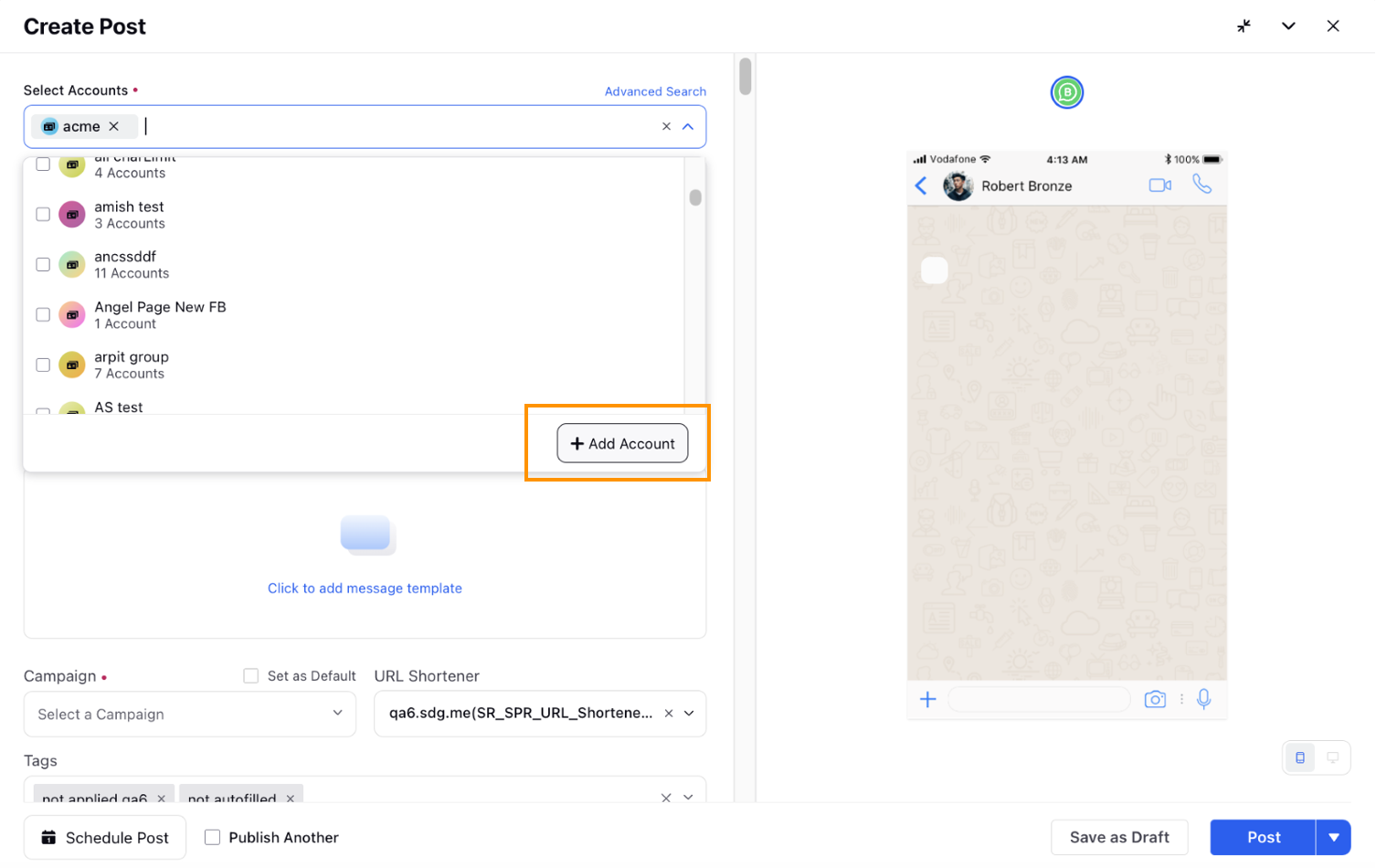
 Note: Access to the Add Account functionality is controlled by a dynamic property (DP): ADMIN_ASSETS_PERMISSIONS_ENABLED along with the Create Account permission. To enable this feature in your environment, reach out to your Success Manager. Alternatively, you can submit a request at tickets@sprinklr.com.
Actions on Deactivated Account
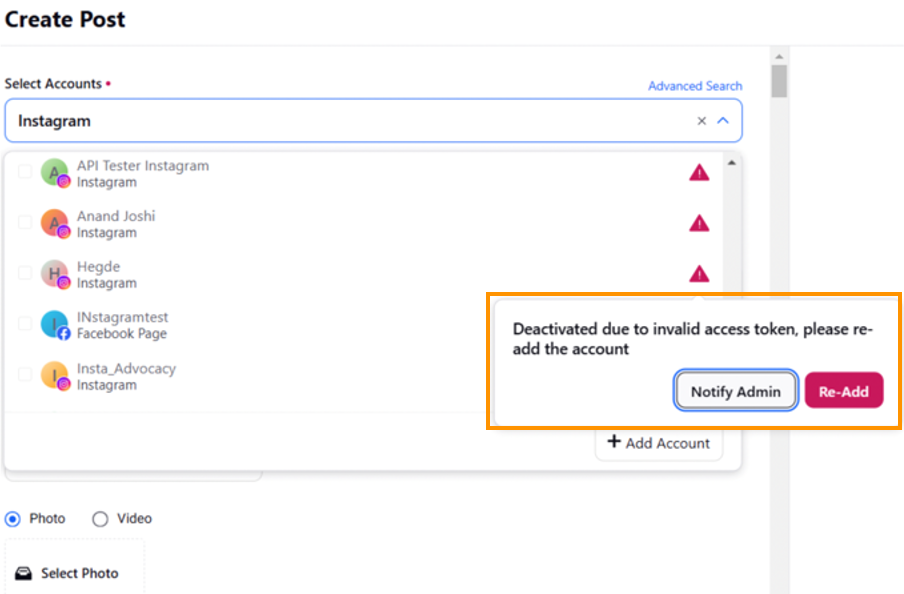
We are rolling out new actions — Notify Admin and Re-add — for Deactivated accounts in the QP window.
Prerequisites and Steps to Use the Notify Admin and Re-add Actions
To use these actions, simply click the red triangle icon
 next to the deactivated account listed in the Selected Accounts field.
 A pop-up (image below) will appear showing the reason for the account’s deactivation, and provide you with two options: Re-add Account and Notify Admin.
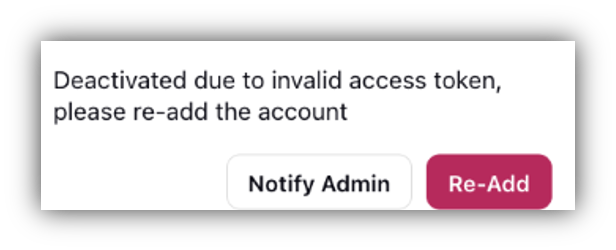
Re-add Account: When you click on Re-add, you will be redirected to the second screen. Here, you will follow the standard account addition process to activate the account.
Note: Access to the Re-add functionality is controlled by a dynamic property (DP): ADMIN_ASSETS_PERMISSIONS_ENABLED along with the Create Account permission. To enable this feature in your environment, reach out to your Success Manager. Alternatively, you can submit a request at tickets@sprinklr.com.
Notify Admin: When you click on Notify Admin, the admin will be notified that the deactivated account needs to be activated.
Note: This functionality of re-adding or notifying admin for deactivated accounts is available for select channels – Facebook Page, Google My Business, Instagram, LinkedIn, LinkedIn Company, Pinterest, TikTok Business, X (formerly Twitter), and YouTube.
This will eventually be extended to other channels.