Show Deactivated Accounts in Publisher
Updated
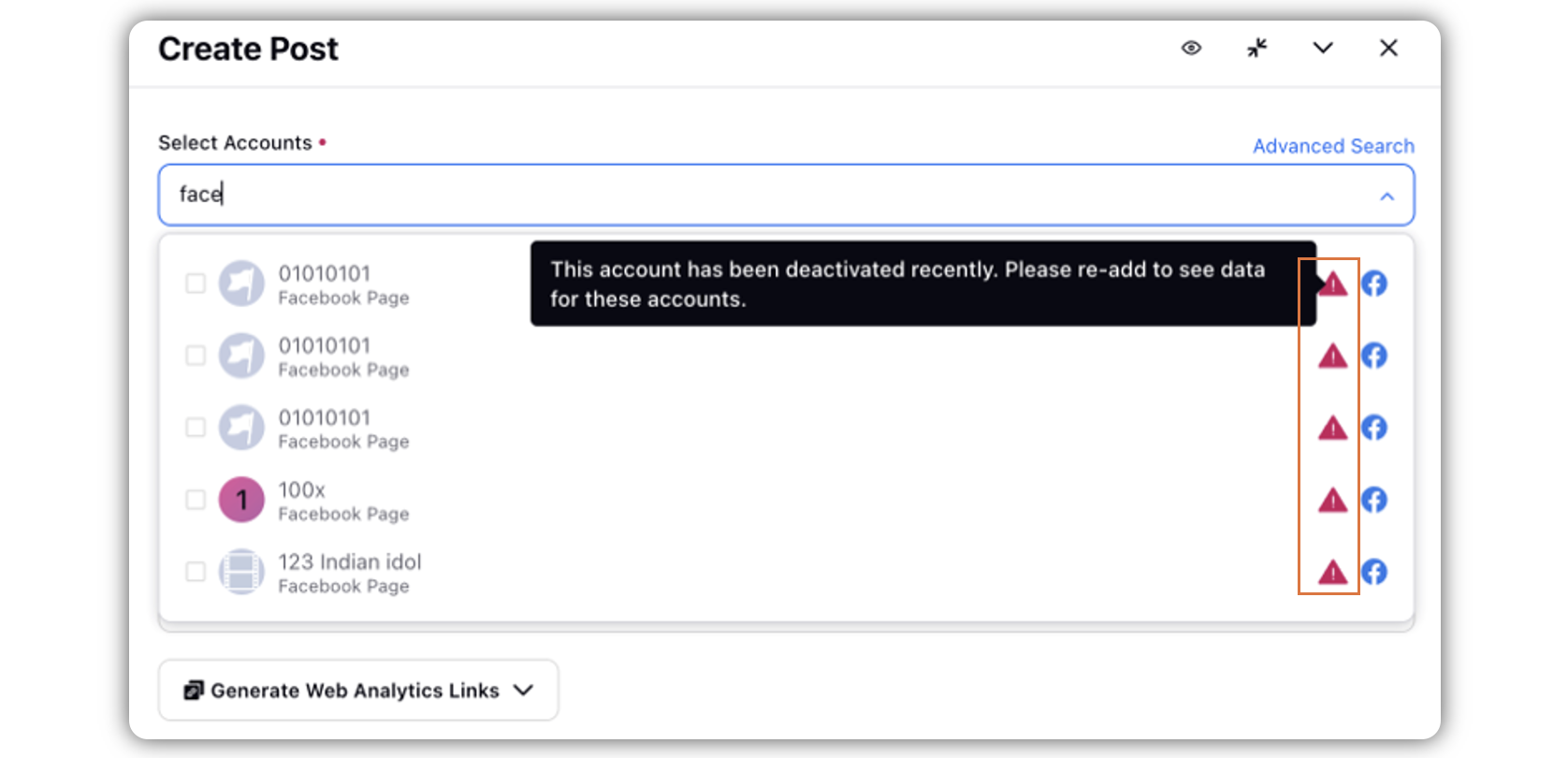
Sprinklr shows deactivated accounts while selecting account(s) in the publisher. These inactive accounts will also be shown in the advanced search results so that you are informed that the accounts are deactivated and cannot be selected for publishing.
 Note: Access to this feature is controlled by a dynamic property (DP): PUBLISHING_DEACTIVATED_ACCOUNTS_VISIBILITY_ENABLED. To enable this feature in your environment, reach out to your Success Manager. Alternatively, you can submit a request at tickets@sprinklr.com.
Steps to Show Deactivated Accounts in Publisher
Click the New Tab icon. Under the Sprinklr Social tab, click Quick Publish within Engage.
In the Create Post window, select your desired account(s) where you want to publish. You can also use Advanced Search to narrow your searches using different filters.
 Note: Along with the active accounts, you will also see deactivated accounts that you cannot select.