Macro Tool
Updated
The Macro Tool allows the AI Agent to execute predefined actions, automating tasks and streamlining workflows.
Steps to Configure a Macro Tool
Follow the steps below to configure the Update Properties Tool in AI Agent Studio:
1. Access the Macro Tool
Navigate to AI Agent Studio from the Sprinklr Launchpad.
Select the AI Agent you want to configure.
Expand the Build section and open Tools.
Click + Add Tool and select Macro Tool from the list.
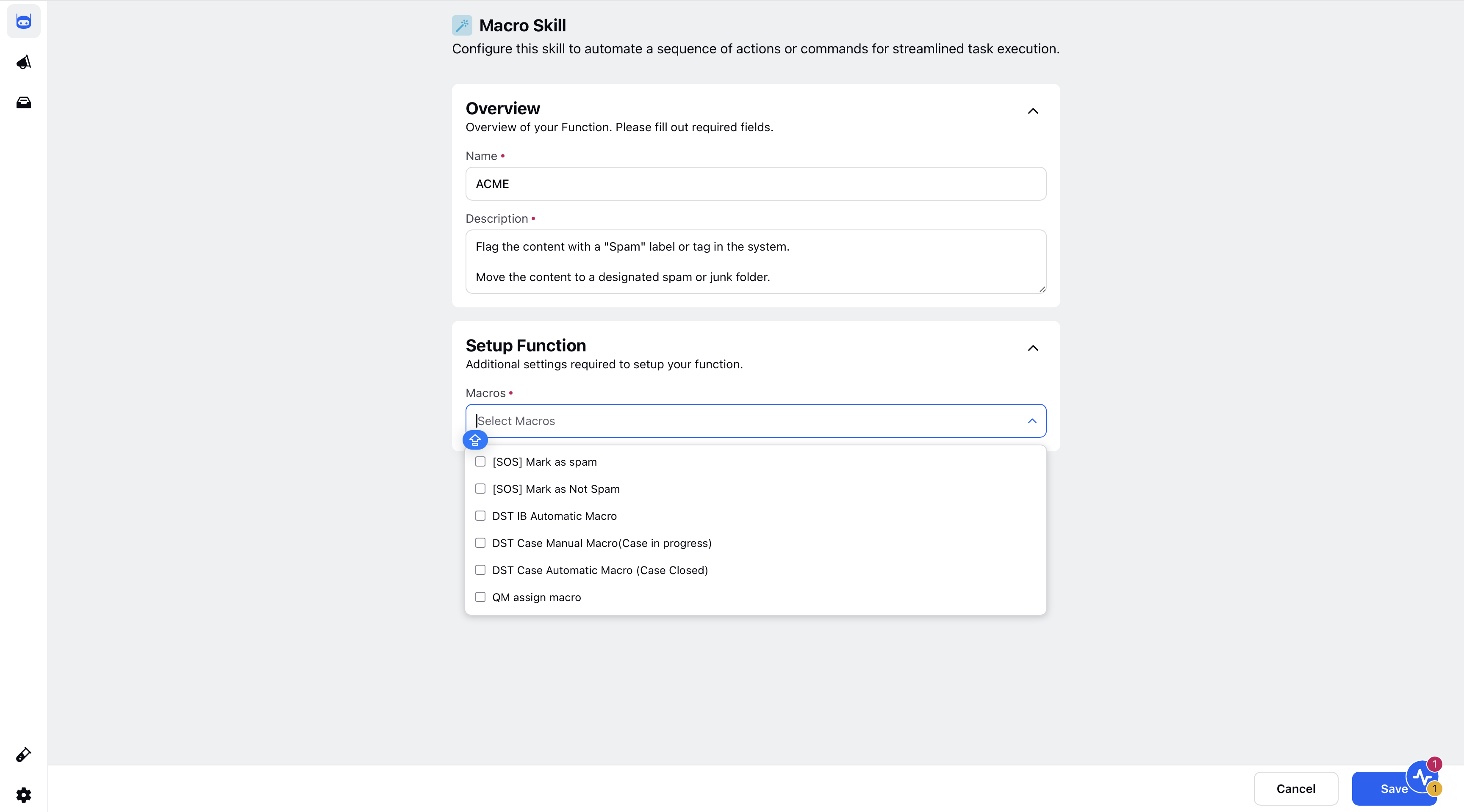
2. Define Basic Details
Name: Enter a unique name to identify the tool.
Description: Provide a brief description of the tool’s purpose.
3. Configure Setup Function
Macros: Choose the macros you want the AI Agent to perform from the available options.
Refer to this section for more details on Macros in Sprinklr.
Click Save in the bottom right corner.