How to view scheduled callbacks
Updated
Supervisors and agents can leverage the Callback Manager to monitor the callbacks scheduled by the agents or to reschedule the call if required. Once the callbacks are scheduled, the agents and supervisors can view them along with other critical information such as State of Callback, Case number, etc.
Agents they can check scheduled callbacks from My Schedule widget on Agent homepage:

Supervisors can view the summary of scheduled callbacks by clicking Callbacks on the left pane of the Supervisor Console:
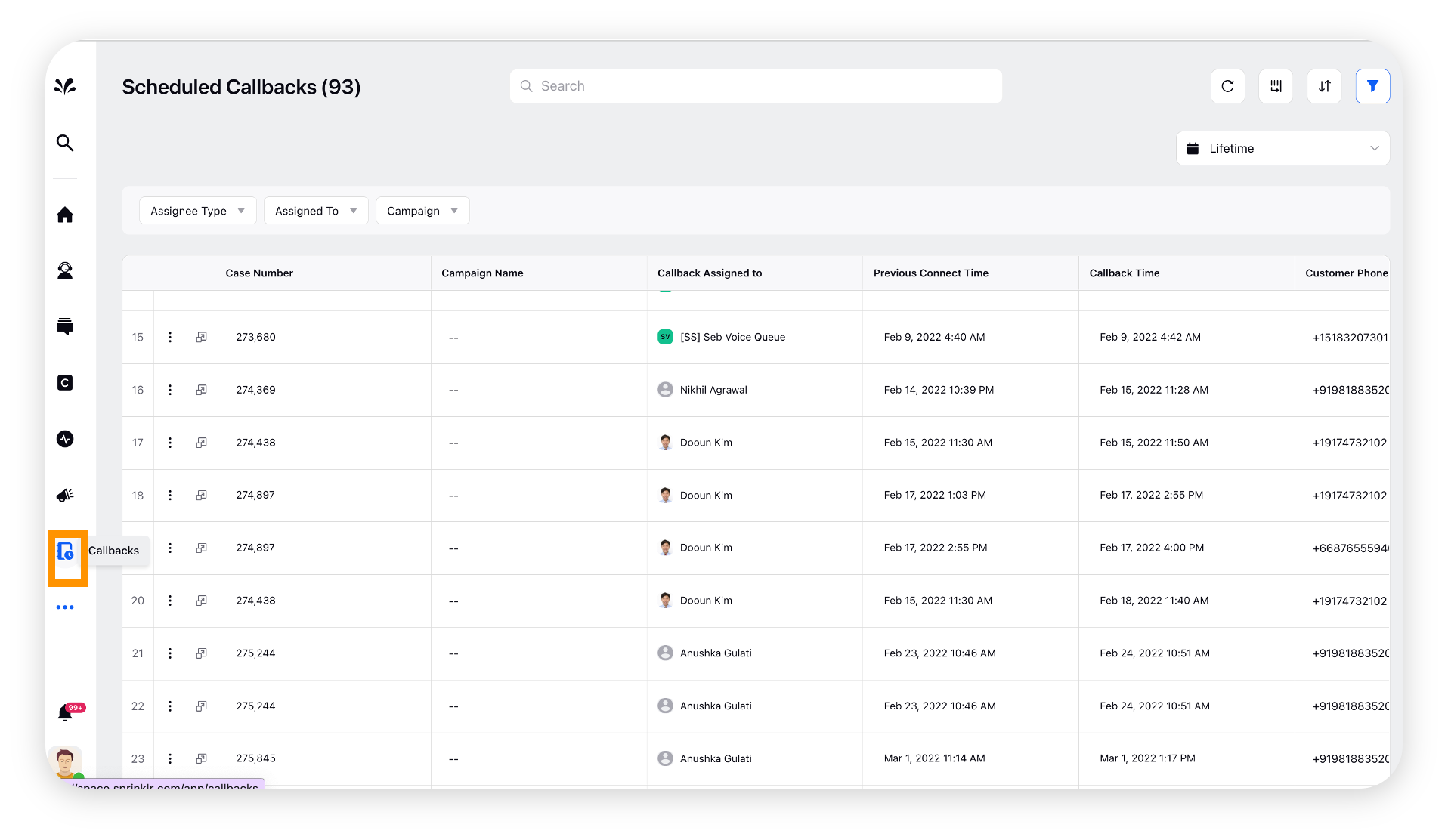
To learn more actions in Callback manager, refer to Scheduled Callbacks for Supervisor Persona
Callback Audit Log for End-to-End Visibility
Callback Audit Logs provide a complete and immutable history of all state-changing activities associated with a callback. Every callback event is automatically captured and recorded, ensuring full visibility and traceability across the callback lifecycle. The audit log is accessible through the View Callback Audit option within the Callback Manager.
When selected, a right-side pane opens for the specific callback, displaying the heading in the format: Task taskId, Schedule Callback for case casenumber. The audit view includes detailed event information such as timestamp, actor (agent, supervisor, or system), previous value, and updated value. Attempt-level events are also captured and linked to the callback for complete tracking.
By default, the most recent audit entries are displayed first, where you are able to scroll down to view older events. You can also sort events in ascending or descending chronological order and hover over entries to view the exact timestamp of each action.

 Enablement Note: View Callback Audit button should be added in callback manager. To get this added in your environment, reach out to your Success Manager. Alternatively, you can submit a request at tickets@sprinklr.com.
Note: You need the View Audit Logs permission under Sprinklr Voice Schedule Callback to access this feature.
.png "image (28).png")