Scheduler: Planner (Advocacy)
Updated
The 'Scheduler' feature on the menu bar present at the left of the advocacy site arranges posts published or scheduled by advocates in an easy-to-navigate calendar view.
Advocates can even edit the caption of the posts or reschedule the posts that are scheduled to be published from the advocacy site within the planner tab.
Importance
It enhances organization, facilitating coordinated and well-timed content distribution for a more effective advocacy strategy.

Date Range Calendar: The calendar feature offers both weekly and monthly views, providing a comprehensive and clear perspective of shared and planned posts, improving the ability to track post statuses and account details.
Filtering and Scheduling: Easily filter posts by channel, account, and status, and customize scheduling preferences directly within the calendar, including an efficient auto-schedule option for optimal post planning.
Customizable Display Options: Enhance your calendar usability with customizable legends to understand colour indexes at a glance ensuring a personalized experience.

Steps to Schedule Posts in Empty cells in Calendar / Scheduler
Log into the Advocacy site, and navigate to the Scheduler.
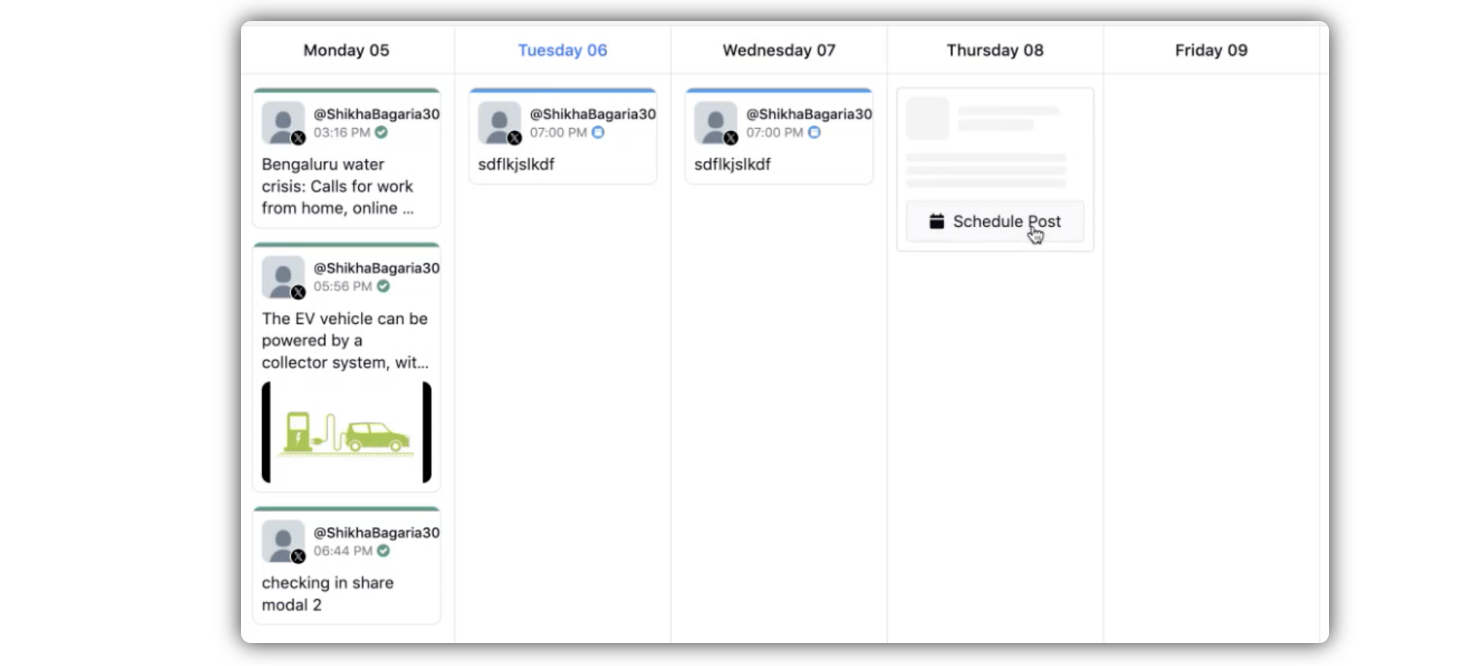
Hover over the empty cells of any future date, and click Schedule Post.
 Note:
Note:We have expanded the Advocacy Calendar experience to help administrators better plan and manage content published on the Advocacy platform.
Previously, administrators could view scheduled Advocacy posts only through the Content Management tab, where all posts were displayed in a list. While this provided visibility into scheduled content, it did not offer a calendar-based view for planning and tracking posts over time.
With this update, administrators can now view Advocacy platform posts in a dedicated calendar view, making it easier to visualize content schedules and manage publishing activities.
What's New
Added a dedicated Admin Calendar View for Advocacy platform posts.
Switch seamlessly between Advocate View and Admin View using a toggle within the Calendar tab.
View all scheduled Advocacy platform posts in a calendar format for improved planning and visibility.
Track post statuses directly from the calendar, including states such as pending approval, scheduled, and shared.
Schedule new Advocacy posts directly from the calendar without navigating to the Content Management tab.
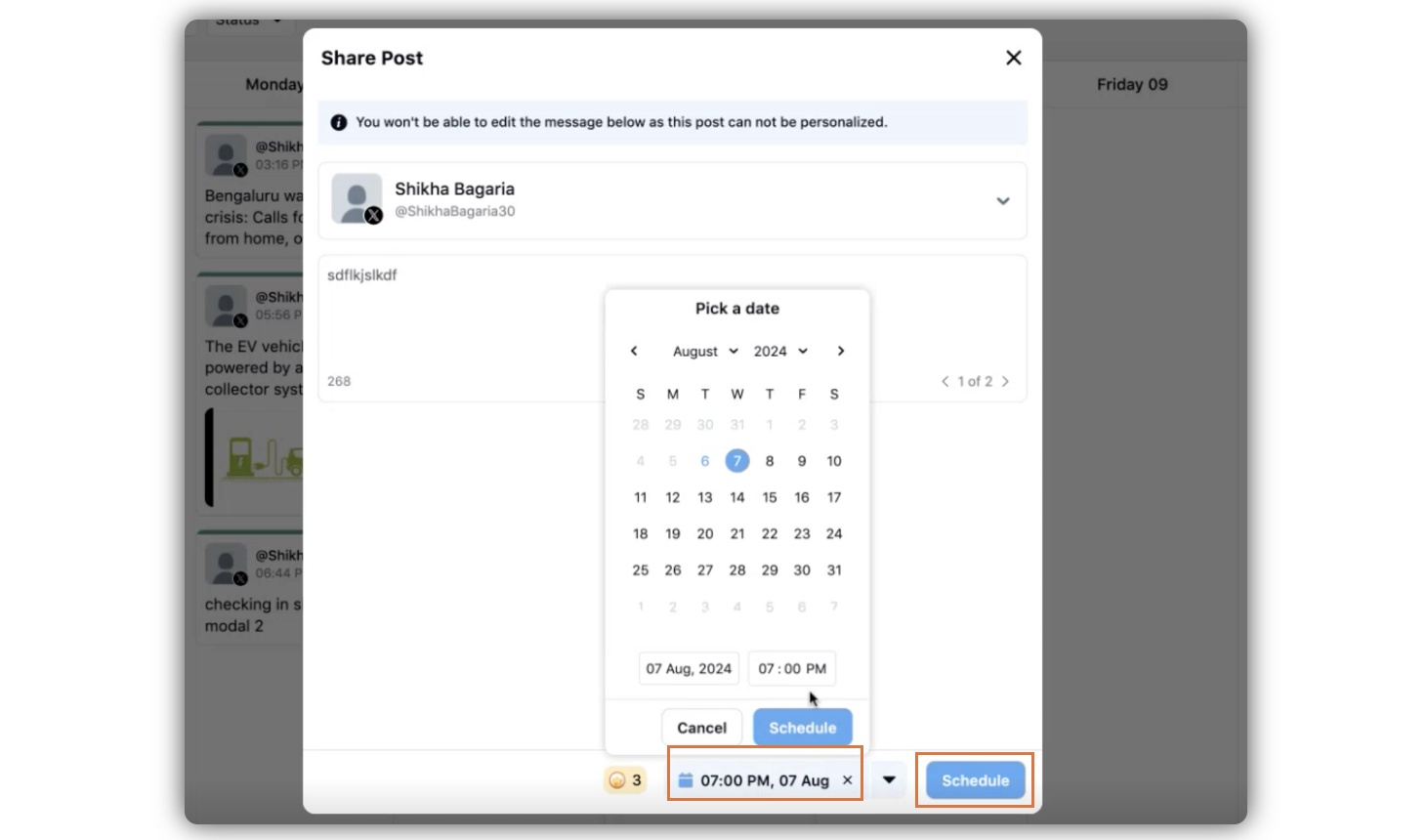
Click Share on your preferred content from the Recommended For You window.
In the Share Post window, select the time and date from the date and time picker, and click Schedule.
Schedule Posts in Planner/ Scheduler by Drag and Drop:
Advocates can efficiently reschedule their content by simply dragging and dropping the post to a new future date, streamlining the process without any hassle.
Log into the Advocacy site, and navigate to the Scheduler.
Select any post that you want to schedule for a leter time, drag the post and drop it on the intended slot.
The post will automatically be cloned, and the new post will be scheduled.
 Note: The new post is a clone/copy. The new post will be a duplicate. However, the original post remains the same.