Update user properties seamlessly using Macros
Updated
You have the ability to create macros for the new asset type “Users”. Additionally, you will be able to set/unset user properties in bulk in the user settings window using macros. Other bulk actions include the addition of static user groups, activating/deactivating users, setting user persona, enabling users for SSO login, etc.
To Create a User Macro
Click Launchpad
 or New Tab
 . Under the Platform Modules, select All Settings within Settings.
On the left pane, expand General Settings, and then select Macros.
Click Create Macro available in the top right corner.
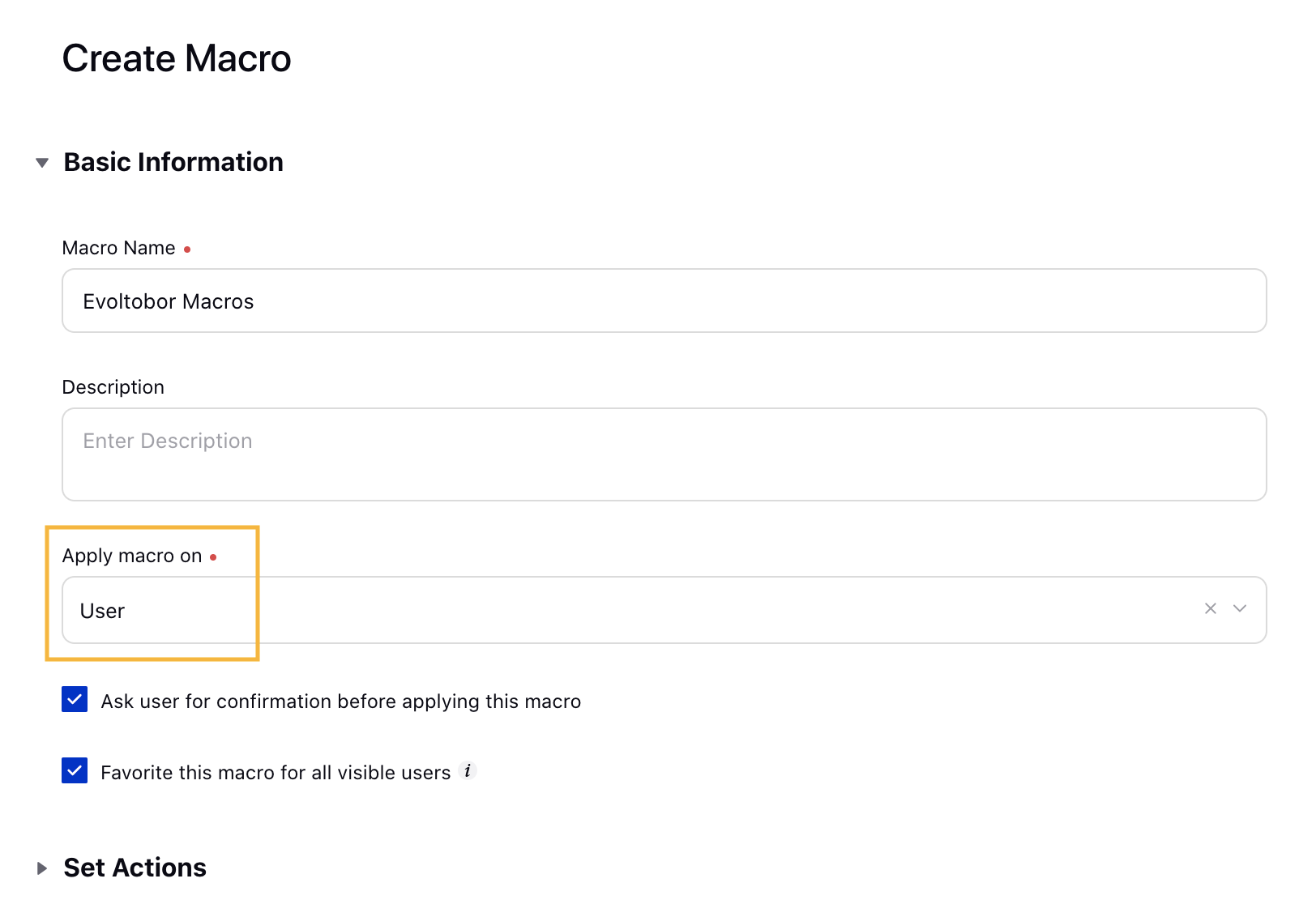
On the Create Macro window, fill in the required details. Make sure to select User in the Apply macro on option.
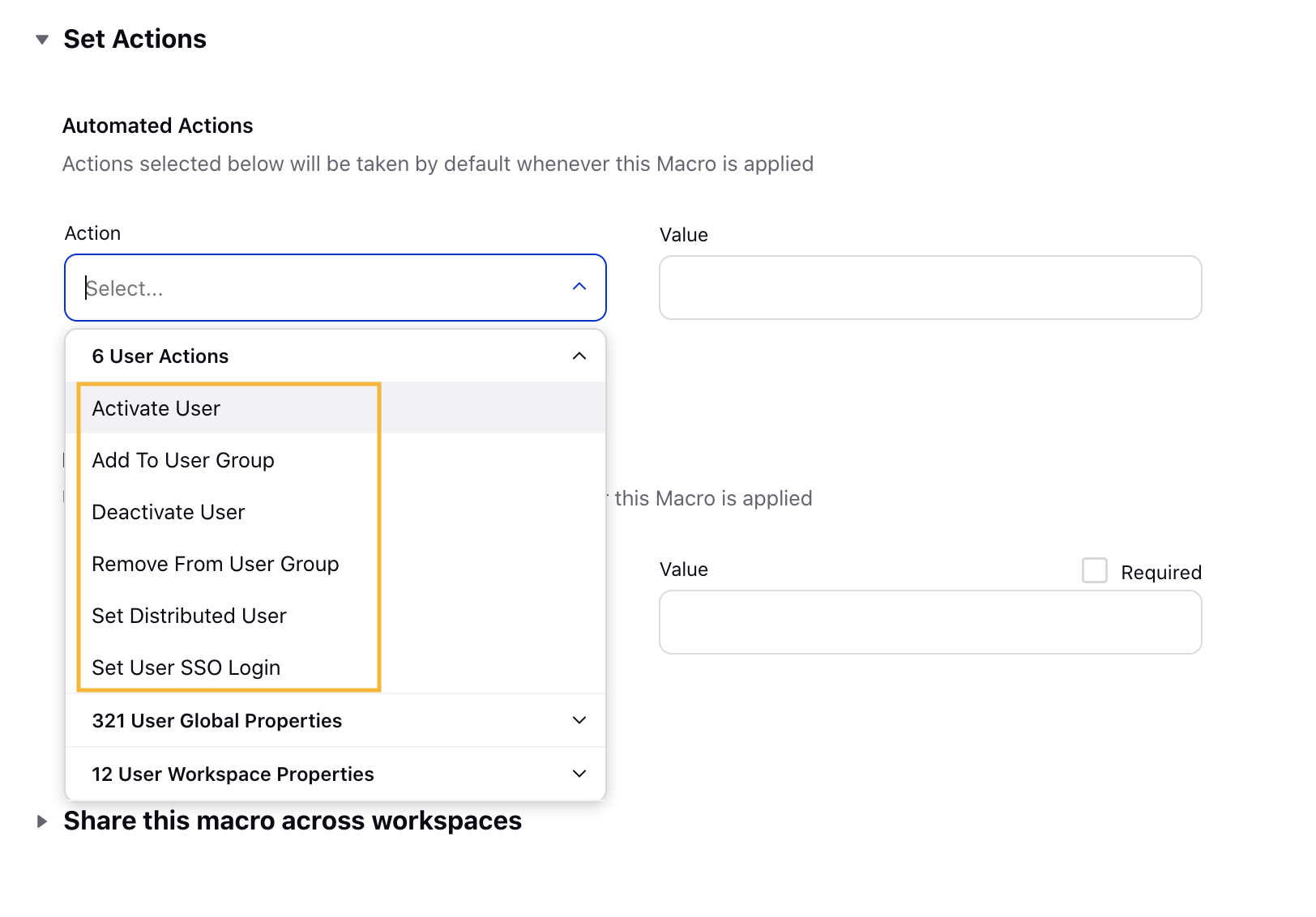
Under Set Actions, you will find user-specific actions available. For more information, see User Action Descriptions.
Click Save in the bottom right corner of the Create Macro window.
User Action Descriptions
Action | Description |
User Actions: Take user-specific action on the message the macro is applied to. | |
Activate User | Select the desired value as Yes from the drop-down menu. |
Add to User Group | Select the desired User Group(s) as value from the drop-down list. |
Deactivate User | Select the desired value as Yes from the drop-down menu. |
Remove from User Group | Select the desired User Group(s) as value from the drop-down list. |
Set Distributed User | Select the desired value as Yes from the drop-down menu. |
Set User SSO Login | Select the desired value as either Yes or No as per your requirements. |
 Note: Custom Properties and Workspace Properties may be available if User Custom Fields have been created.
To Apply a User Macro in User (Settings) window
Click Launchpad
or New Tab On the left pane, expand User Management. In the Users window, select the checkbox in the extreme right corner alongside the User Name for all the Inactive users.
Click Apply Macro available at the bottom of the Users window.

Select the created macro from the drop-down menu.
