How to Manage Ads Unique Metrics in Reporting
Updated
In this article we will cover how you can manage unique metrics in Ads reporting.
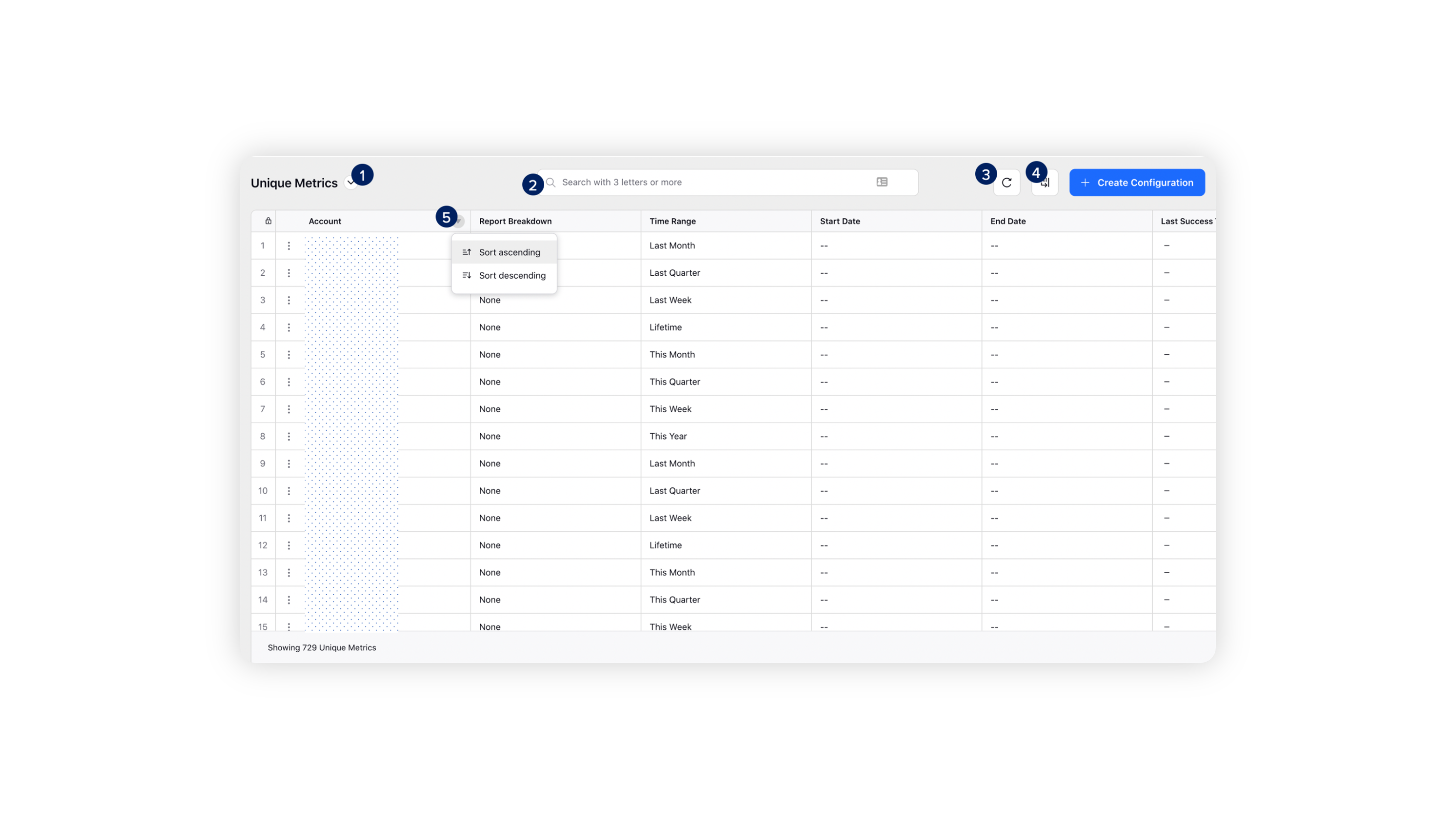
To delete an unique metric : On the Unique Metrics window, hover over the Options icon alongside an Account Name and select Delete to permanently delete the configuration.

You can also perform the following operations on the Unique Metrics window:
# | Terms | Description |
1 | Dashboard Switcher | Click to navigate between different Ads Reporting dashboards and Settings. |
2 | Search | Enter a keyword to search for your configuration. |
3 | Refresh | Click to refresh the Unique Metrics window. |
4 | Manage Columns | Click to configure the columns for your Unique Metrics window. |
5 | Sort | Sort the columns in ascending or descending order. |