Ads Composer Section 6: Optimization
Updated
Leverage Sprinklr's AI capabilities to optimize your bids, budgets and creatives.
On the Optimizations window, select one or more Strategy Group optimization(s) you want to apply to your campaign from the Strategy Group drop-down menu. Your selected Strategy Group(s) details will be displayed below.
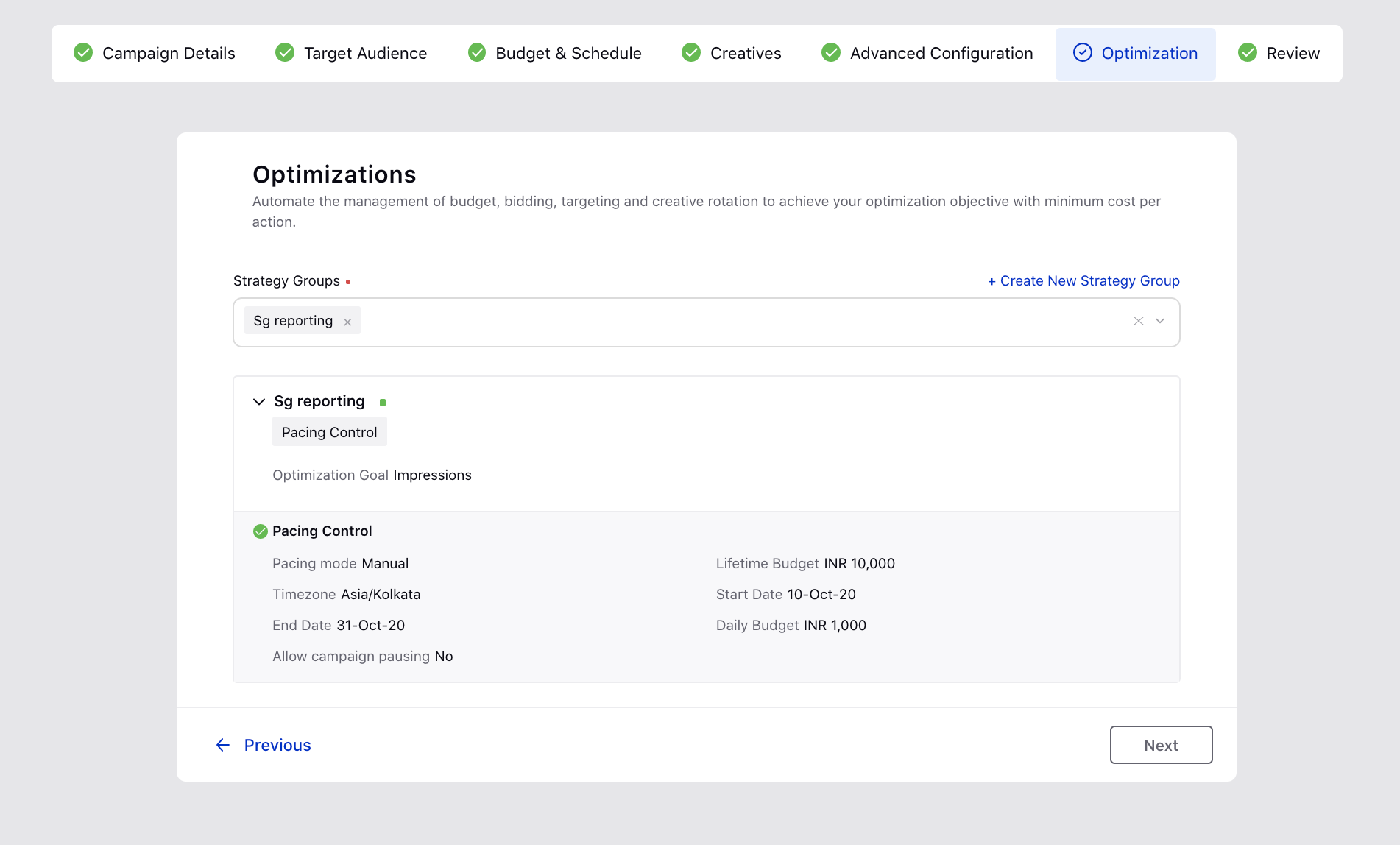
2. If you want to create your Strategy Group from scratch and then apply it to your campaign, click Create New below the drop-down menu or Create New Strategy Group in the top-right corner of the drop-down (when a Strategy Group is selected). This will open up the Strategy Group creation pane alongside and you will not need to leave Ads Composer.
To learn more about creating a Strategy Group, see Create a Strategy Group.
3. Click Next to proceed to the Review section for scheduling and publishing your campaign.