Agent Self Monitoring - Voice (Inbound)
Updated
The Agent Self-monitoring Reporting Dashboard (Inbound) is a standard dashboard created for agents to provide a quick summary of an agent's inbound call activity. As an agent, you use this dashboard as a self-evaluation tool and view your performance for the selected timeframe. The dashboard provides visibility into the number of calls you receive on a daily/monthly basis. It helps you quickly identify the gaps and shortcomings and thereby find measures to improve your productivity and performance.
Key Performance Index
Inbound Performance

This gives you an idea about basic call metrics like:
Total Calls Offered: Total number of customer interactions offered to the agent.
Total Calls Handled: Total number of customer interactions in which both customer and agent connected.
Calls not Accepted: Total number of customer interactions that were rejected or missed.
% Abandoned Calls: Calls not Accepted / Total Calls Offered.
Different Call Times
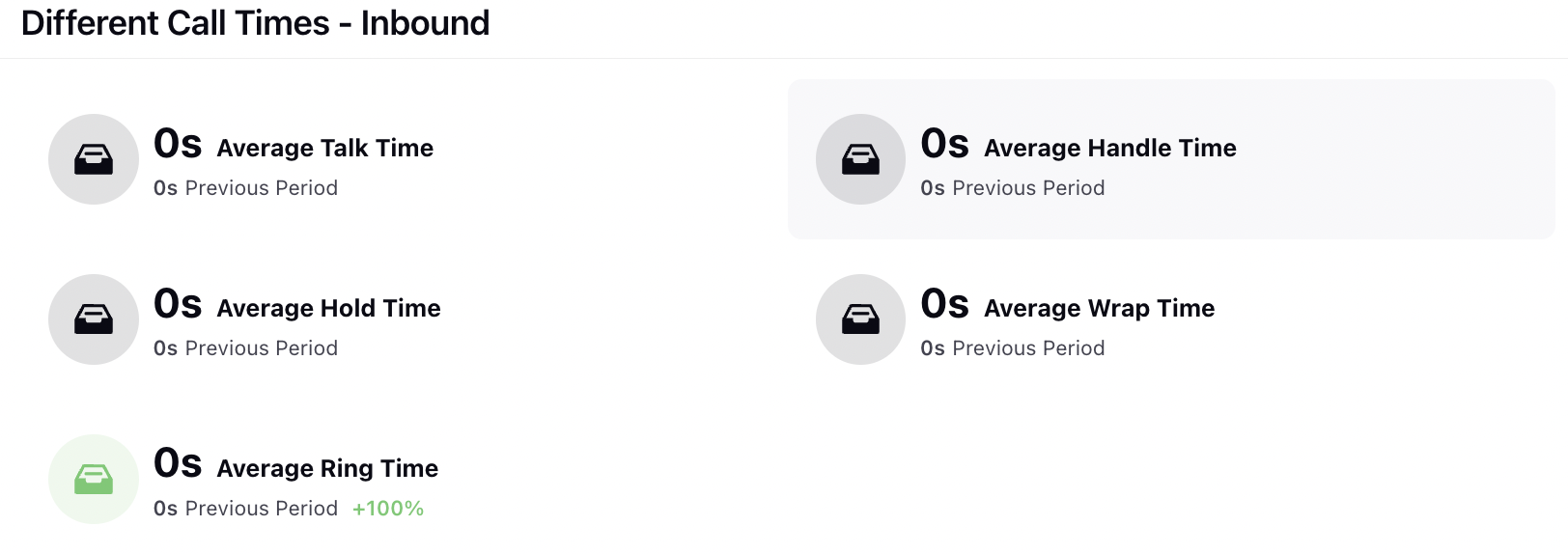
This widget provides an overview of the average time agents spend on calls and the activities they engage in during those calls. It includes the following metrics:
Average Ring Time: Average ring time maintained by an agent (Ring time - Agent / Calls taken)
Average Hold Time: Hold Time (Agent) / Total number of calls taken
Average Wrap Time: After Call Wrap-up Time (Agent) / Total number of calls taken
Handle Time (Agent): Overall call handling time (Talk time + Hold time+ Wrap Time)
Average Handle Time (CM): Handle Time (Agent) / Total number of calls taken
Time in Different Status
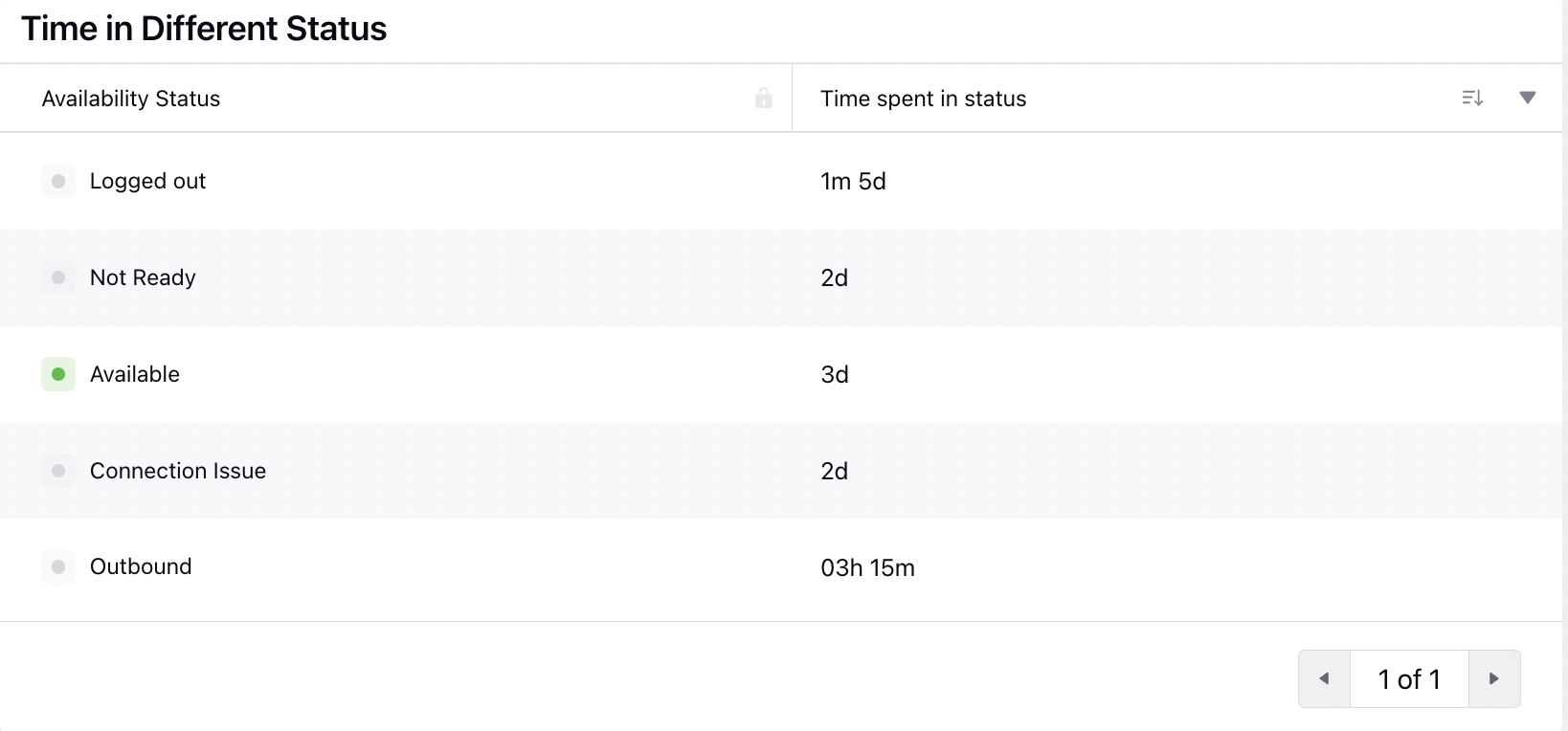
This metric measures the duration of time an agent spends in a specific status.
Time in status: Provides the time spent in a particular status (in that slot).
Availability status: States the agent's status (available/ unavailable/ manual/ ready/ busy/ aux time) that is marked into the console.
Agent Status Assignment & Removal Time
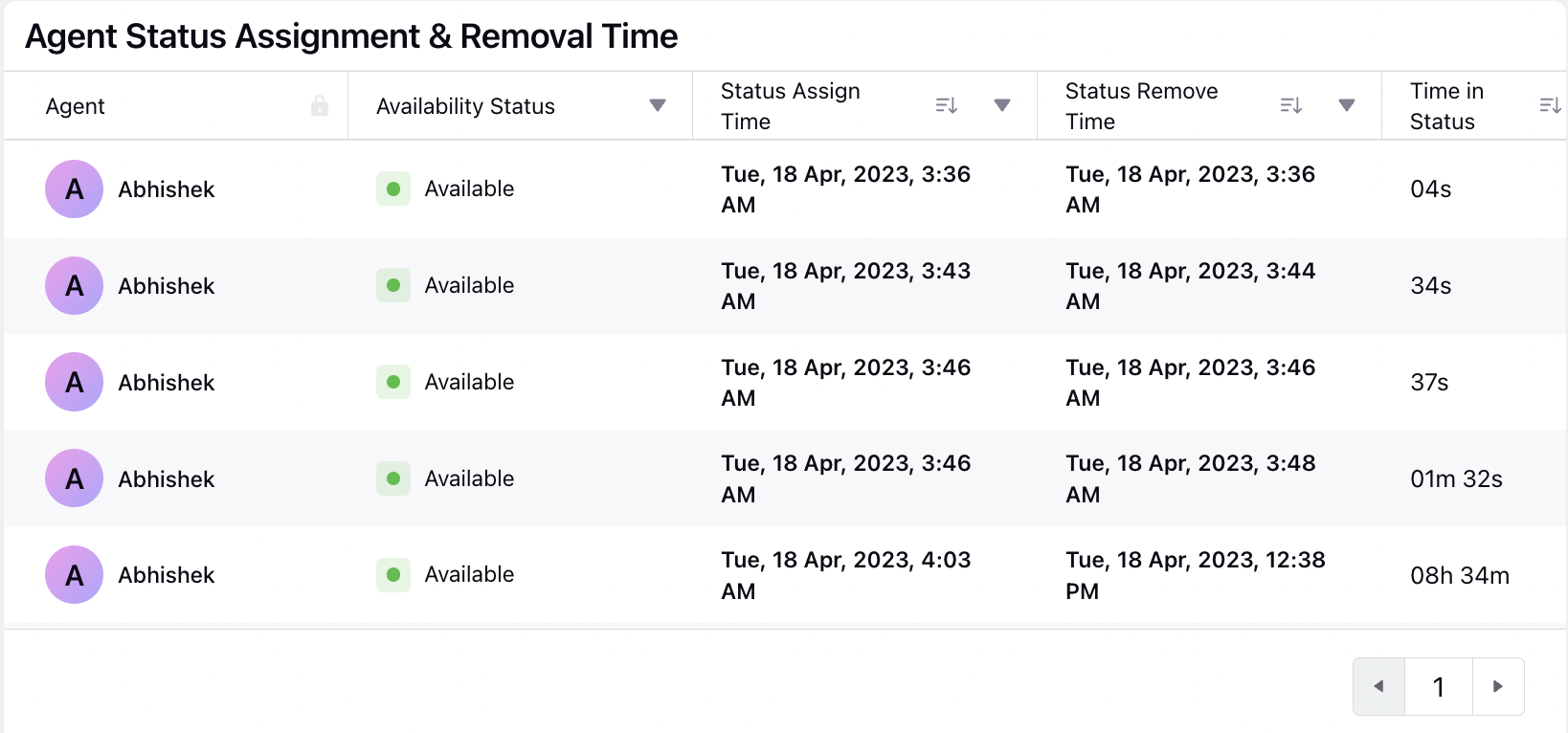
These metrics track the time-related aspects of agent availability and status changes:
Availability Status: States the agent's status (available/unavailable/manual/ready/busy/aux time) that is marked into the console.
Status Assign Time: Provides the particular status assignment time.
Time in Status: Provides the time spent in a particular status (in that slot).
Agent Log In - Log Out Report
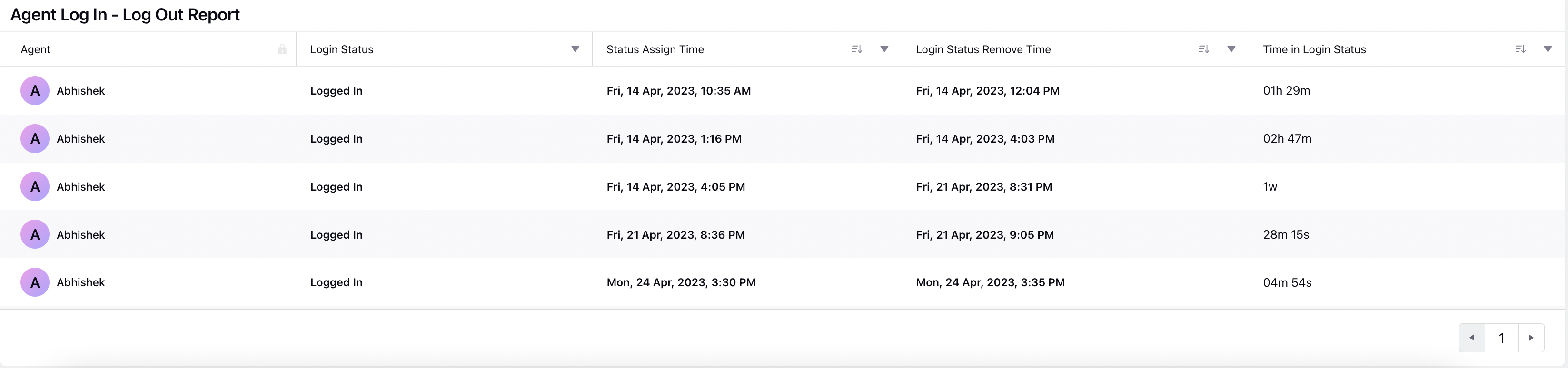
Login Status: States if the Agent has Logged In or Logged Out of the console.
Status Assign Time: Provides the Login/ Logout status marked time.
Time in Login Status: Provides the time spent in Login status (in that particular slot).
Call Summary
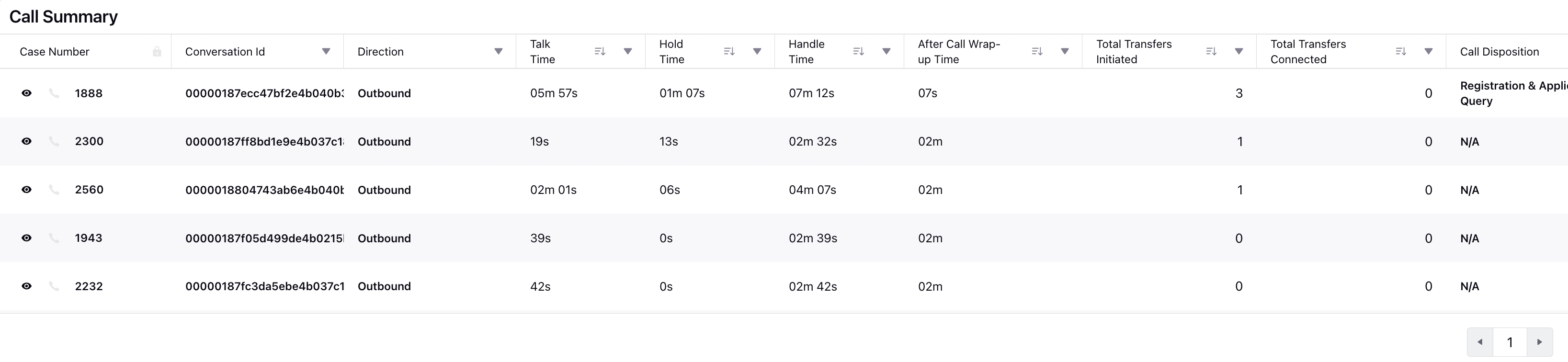
Conversation ID: Unique ID associated to the call.
Ring Time (Agent): Total time for which calls were ringing in console for an agent.
Talk Time (Agent): Total time spent by an agent in interactions with the customer.
Hold Time (Agent): Total time for which the calls were put on hold.
After Call Wrap-up Time (Agent): Total time spent in after call work/wrap-up.
Total Transfers Initiated: Number of times call transfer was initiated.
Total Transfers Connected: Number of times call transfer was connected.
Call Disposition: This will come from the call disposition screen (intent of the customer).
Daily Summary
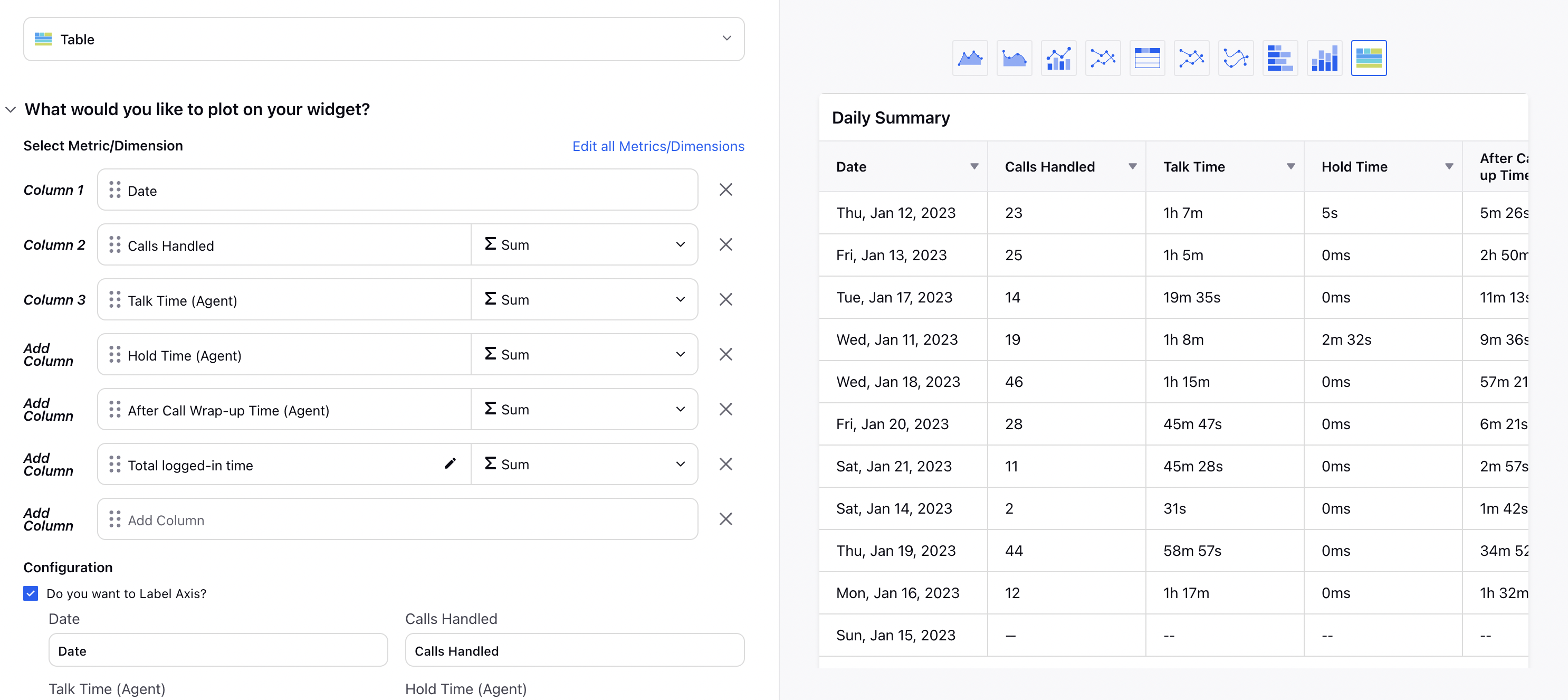
Date: Date of the summary
Calls Handled: Total number of calls where customer and agent were both connected
Talk Time: Total time spent by an agent in interactions with the customer
Hold Time: Total time for which the calls were put on hold
After Call Wrap-up Time: Total time spent in after call work/wrap-up
Total Logged-in: Total logged-in time for that date