Add a Facebook Page in Sprinklr linked to a Business Manager
Updated
If you manage a brand or business on Facebook, integrating your Facebook Page with Sprinklr helps you streamline publishing, engagement, analytics, and governance across platforms. Follow this step-by-step guide to find and add your Facebook Page in Sprinklr when it’s connected through Facebook Business Manager.
Prerequisites
Before you begin, ensure:
You have Admin access to the Facebook Page.
The Page is linked to a Facebook Business Manager account.
You are an Admin or Account Owner in Sprinklr with permission to manage platform settings.
You are logged into Facebook with the correct account in the same browser session.
How to Find the Facebook Page Linked to an Instagram Account
Open Meta Business Settings.
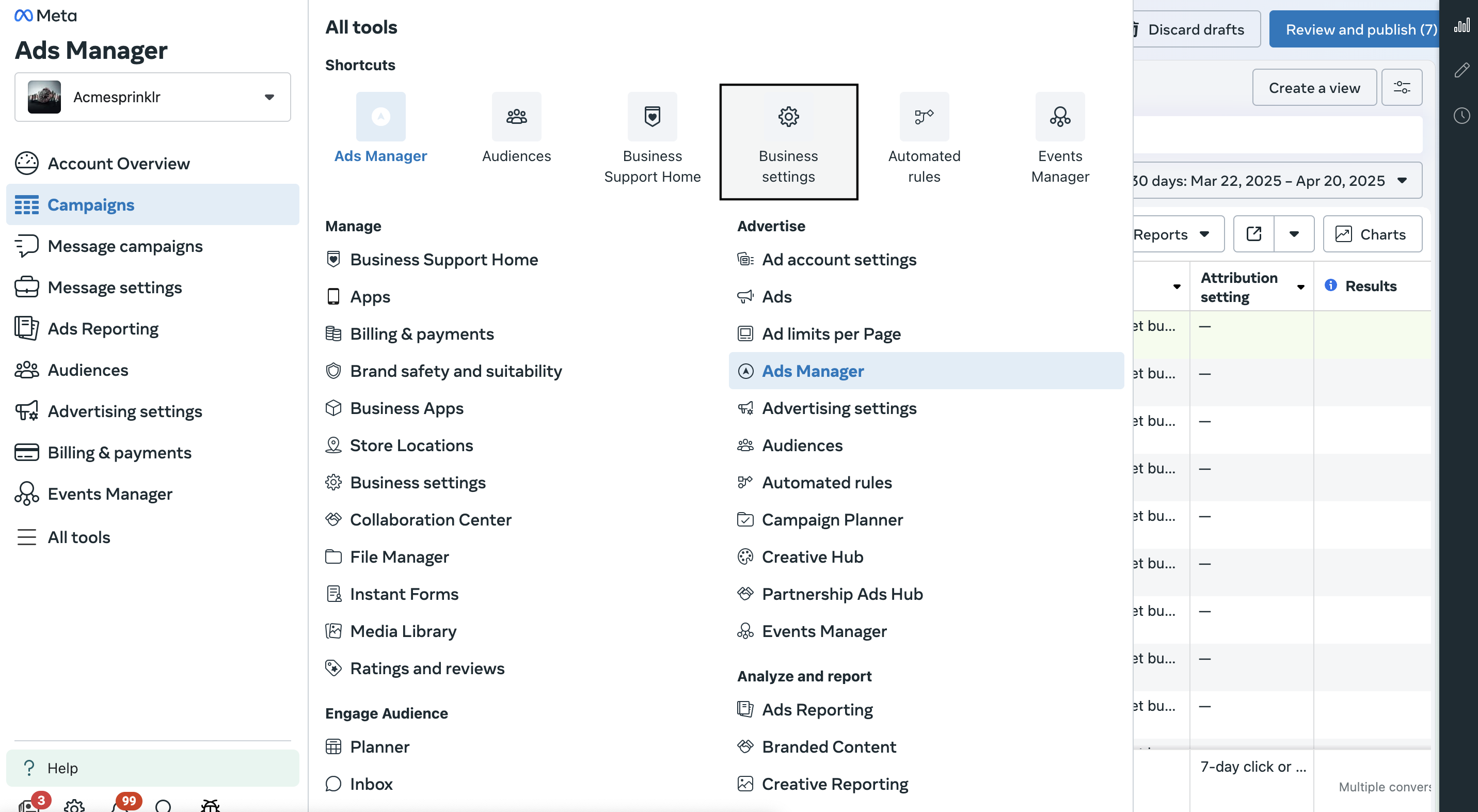
From the left-hand menu, go to Accounts > Pages to view all Facebook Pages linked to the Ad account.
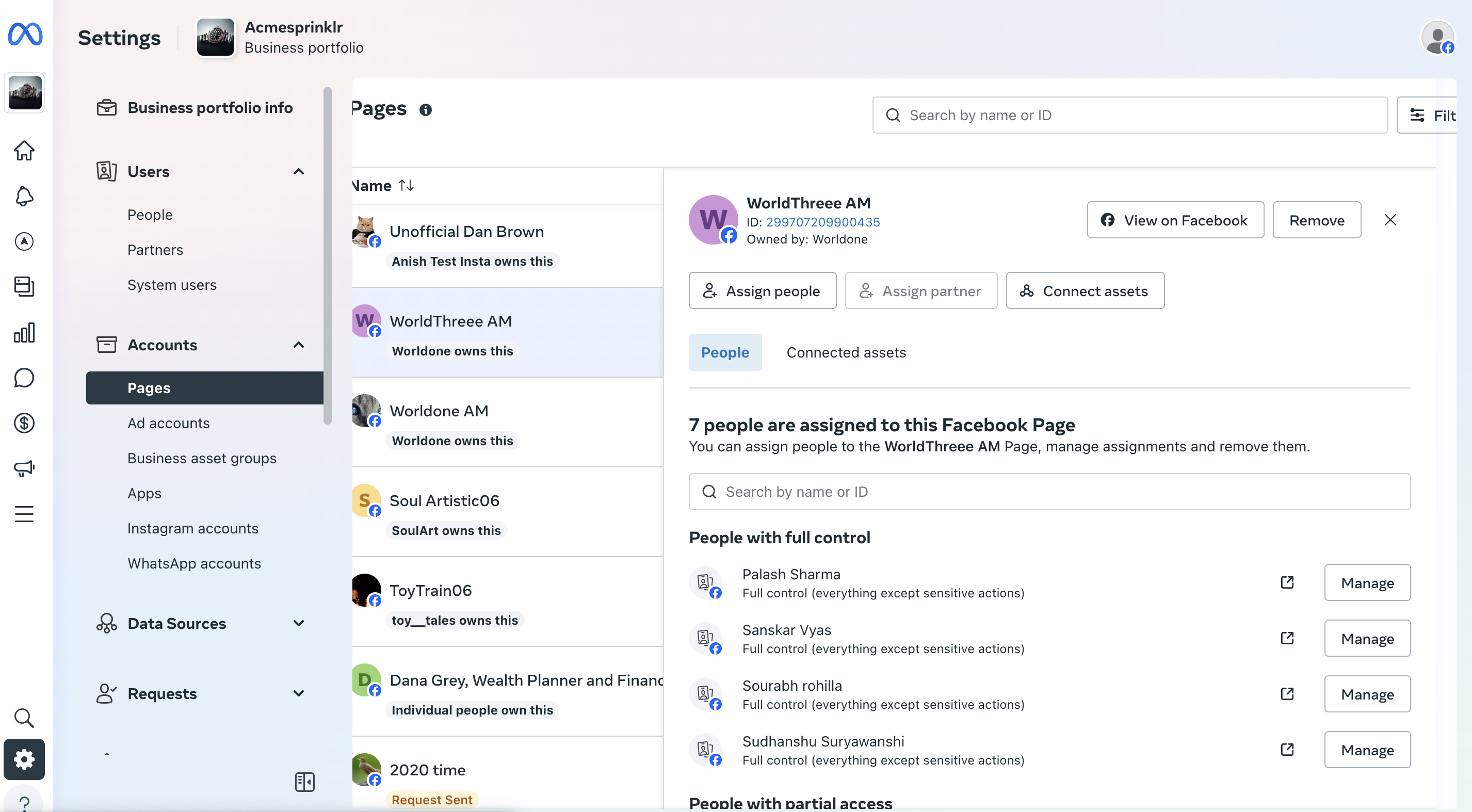
Select the relevant Page, then click the Connected Assets tab to see the Instagram account associated with that Page.
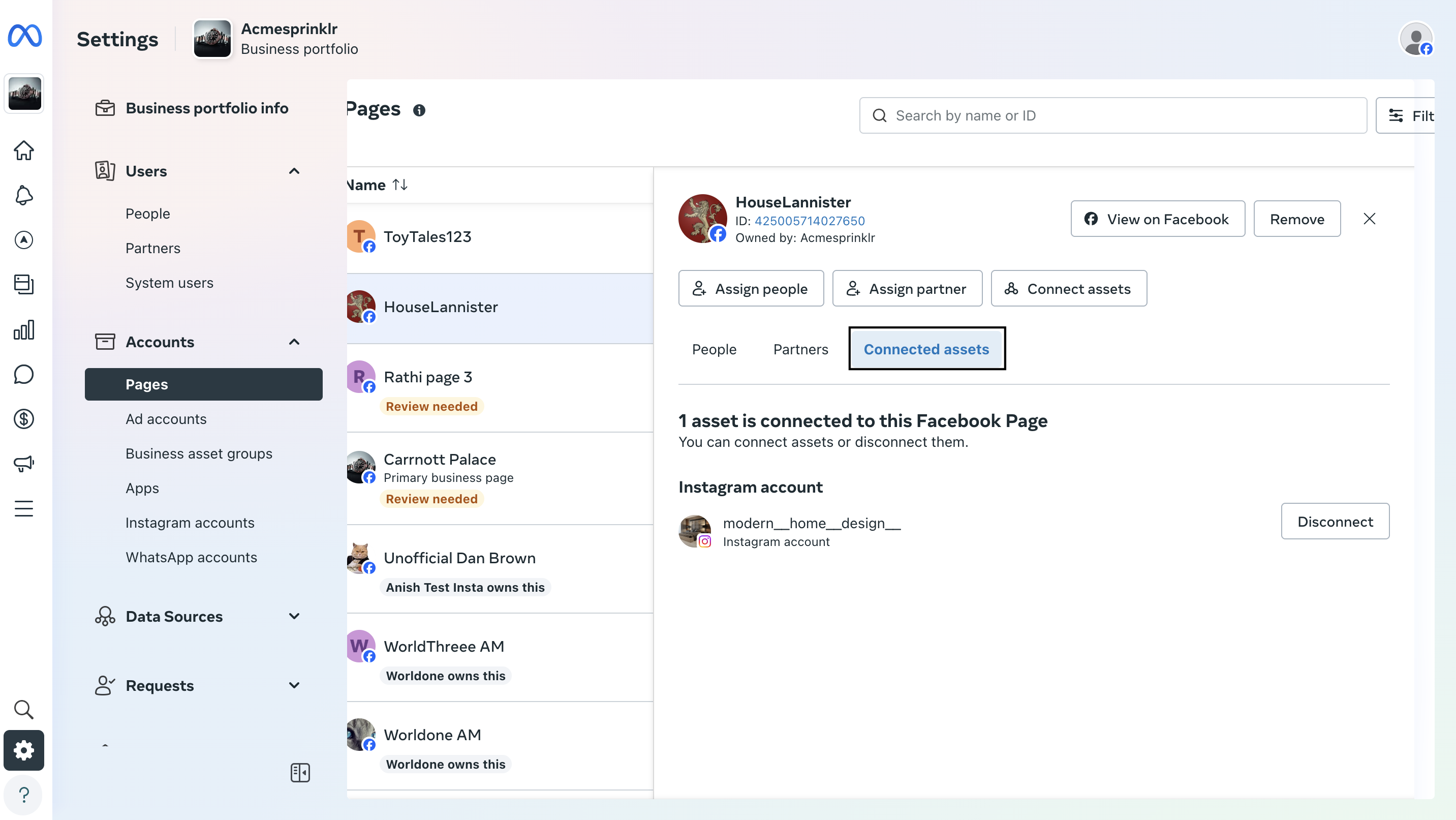
If you already have the Facebook Page ID, use the Search bar at the top to locate the Page and confirm the linked Instagram account.
Once you’ve identified the Facebook Page linked to your Instagram account, follow the steps in Add Facebook Page in Sprinklr to complete the integration.