IVR Troubleshooting Guide
Updated
Sprinklr IVR enables organizations to take customer inputs and resolve their queries through voice interactions. This document provides a step-by-step guide to troubleshooting common IVR issues effectively.
Issues such as sudden disconnection, prompt not being voiced, or inability to capture caller inputs can be diagnosed using the methods outlined below.
Identify Disconnection Nodes Using IVR Reports
Sprinklr IVR offers a Transaction report that helps track call flows. Follow these steps to detect the node causing the issue:
1. Access Transaction Reports
To view IVR Reports, follow these steps:
Open Voice IVR from Sprinklr Launchpad.
Locate the IVR workflow you want to analyze.
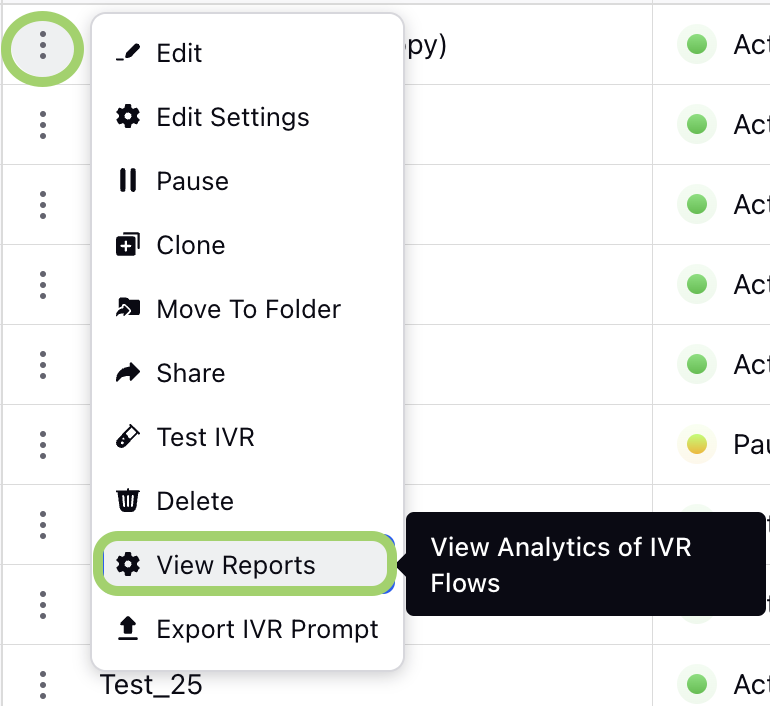
Click on the vertical ellipses (⋮) next to the workflow.
Select “View Reports” from the dropdown menu.
Refer to IVR Flow Reporting for more details.
2. Understand Node-wise Reports
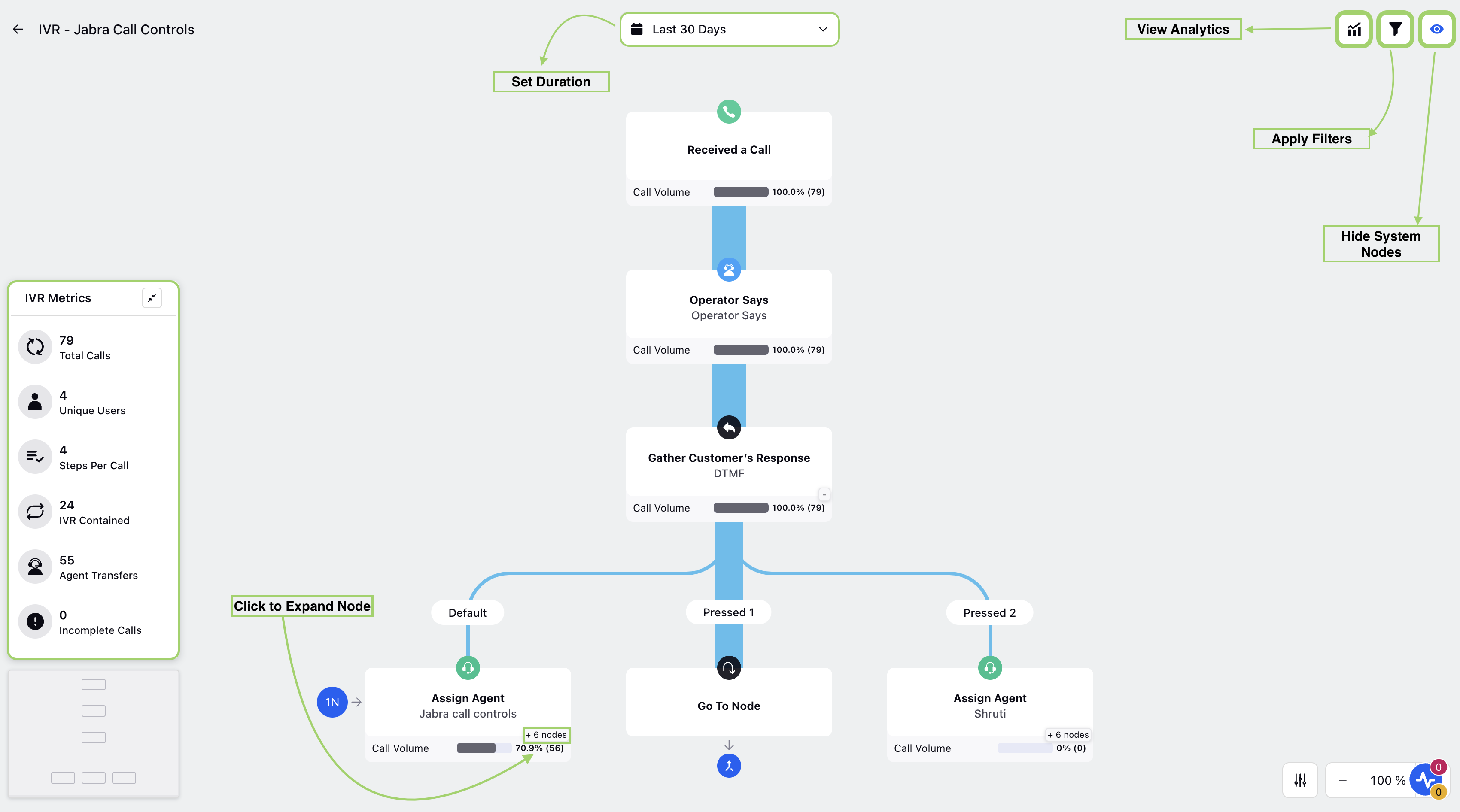
The transaction report displays a node-wise breakdown of executions within a selected time range.
Apply filters such as Case Number, Call Completed, Call Status, or Profile to narrow down results.
3. Trace the Call Path
Use the Case Number filter to track the specific call.
Follow the sequence of nodes executed during the call.
If the IVR ends at the Hangup/End Connection node, the issue is likely in the Parent IVR, not the current one.
If the flow stops at a specific node with no subsequent executions, that node is the source of the issue.
Key Limitations
Insights on Issue: The report identifies the problematic node but does not provide details on the exact cause.
Update Delays: Reports take 7-10 minutes to update, making them unsuitable for real-time debugging.
Important Considerations
New Nodes in Reports: If a new node is added to the IVR, it would not appear in the path for cases logged before the node was introduced.
Cross-check with Service Providers: Always verify with the telephony or cellular provider when cases are missing in Sprinklr.
Refer to IVR Best Practices for more details.
By following this guide, users can efficiently identify and resolve IVR-related issues. For unresolved issues or deeper investigations, contact the Sprinklr support team.