Publish to Reddit
Updated
When you've linked a Reddit account in Sprinklr, you can publish posts directly through the Sprinklr platform. You can publish posts either to a Subreddit or directly to a Reddit user profile. This guide walks you through the process of publishing posts to both destinations.
Steps to Publish to Subreddit
Click the New Tab icon
.png) . Under the Sprinklr social tab, click Quick Publish within Engage.
. Under the Sprinklr social tab, click Quick Publish within Engage.On the Create Post window, select your Subreddit account where you want to publish. You can also use Advanced Search to narrow your searches by a series of different filters.
Select the Type of Message you want to publish from the drop-down menu. You have 3 options - Text, Image/Video, Link.
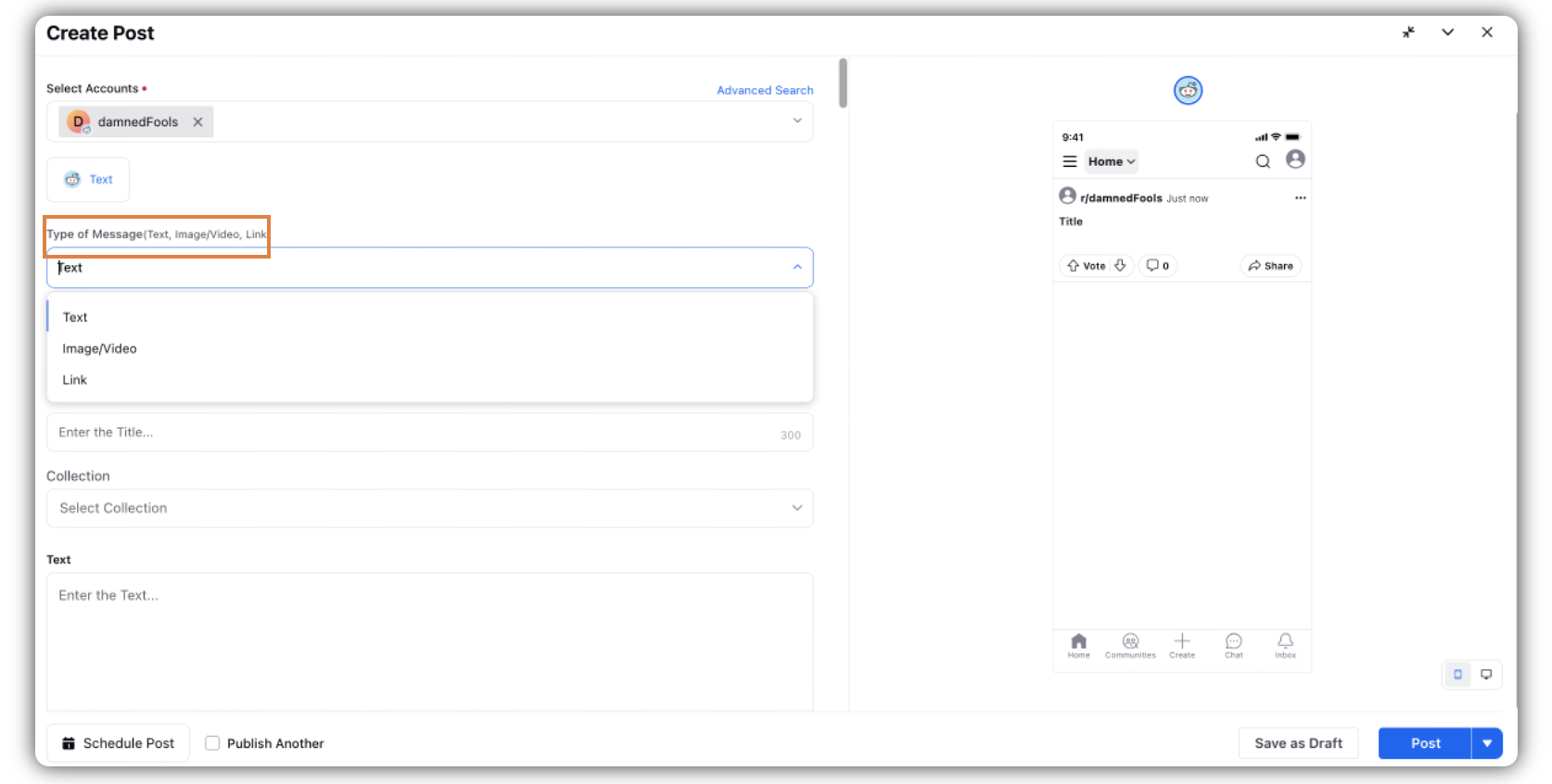
Under Select Author, select the author for the post from the dropdown.
Under Collection, select the collection from the dropdown.
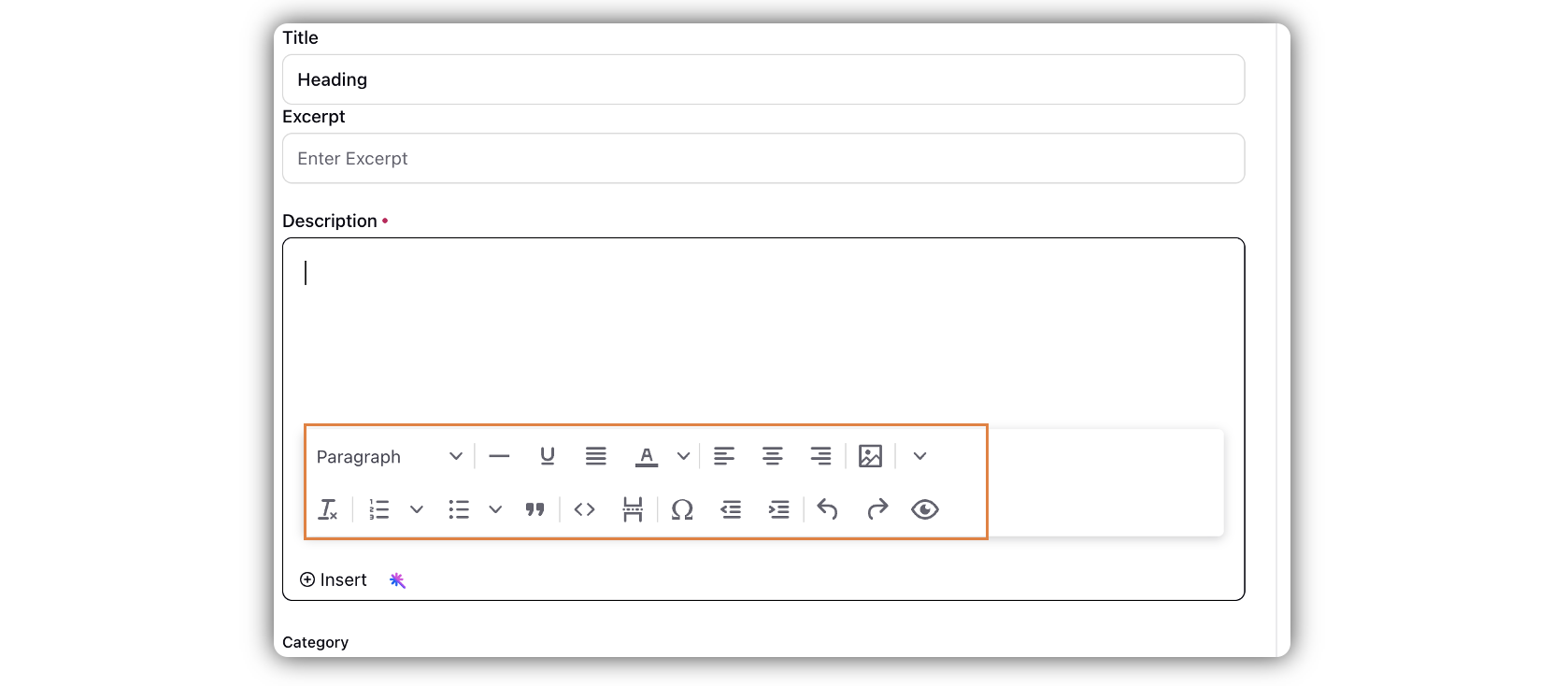
If you have selected Text as the Type of Message, you will find a text box with Rich Text capability(helping you format the text based on your preference). Enter the text in this given field.
If you select Image/Video or Link, you will find the option to upload the image/video from the media uploader, or enter the link in the given field.
Select a campaign from the Campaign drop-down menu to associate your post with. You can also set your campaign as default by clicking Set as Default.
You can select URL Shortener to shorten every link that you paste in your message. This helps you make the most of the character limit.
Users can now also access some features which were previously present only on native Reddit, represented as checkboxes:
Rich Text Support in Comments:
You can now use rich formatting such as bold, italics, and other text styles in Reddit comments to communicate more clearly and effectively.
Pin Posts in Subreddit:
Important posts can now be pinned within a subreddit, ensuring higher visibility for all community members.
Mark MOD Posts:
Moderators can mark posts as MOD to highlight important announcements and distinguish them within the subreddit.
Reply Notification Controls:
Authors can now manage reply notifications for their posts, choosing whether they want to receive alerts for incoming replies.


Apply Properties to the post.
Under Approval, set an Approval Type for your post. You can also add an Approval Note.
The preview of the post will render on the right pane. Also, you can click the Preview icon
in the bottom left corner if you have minimized the Create Post window.
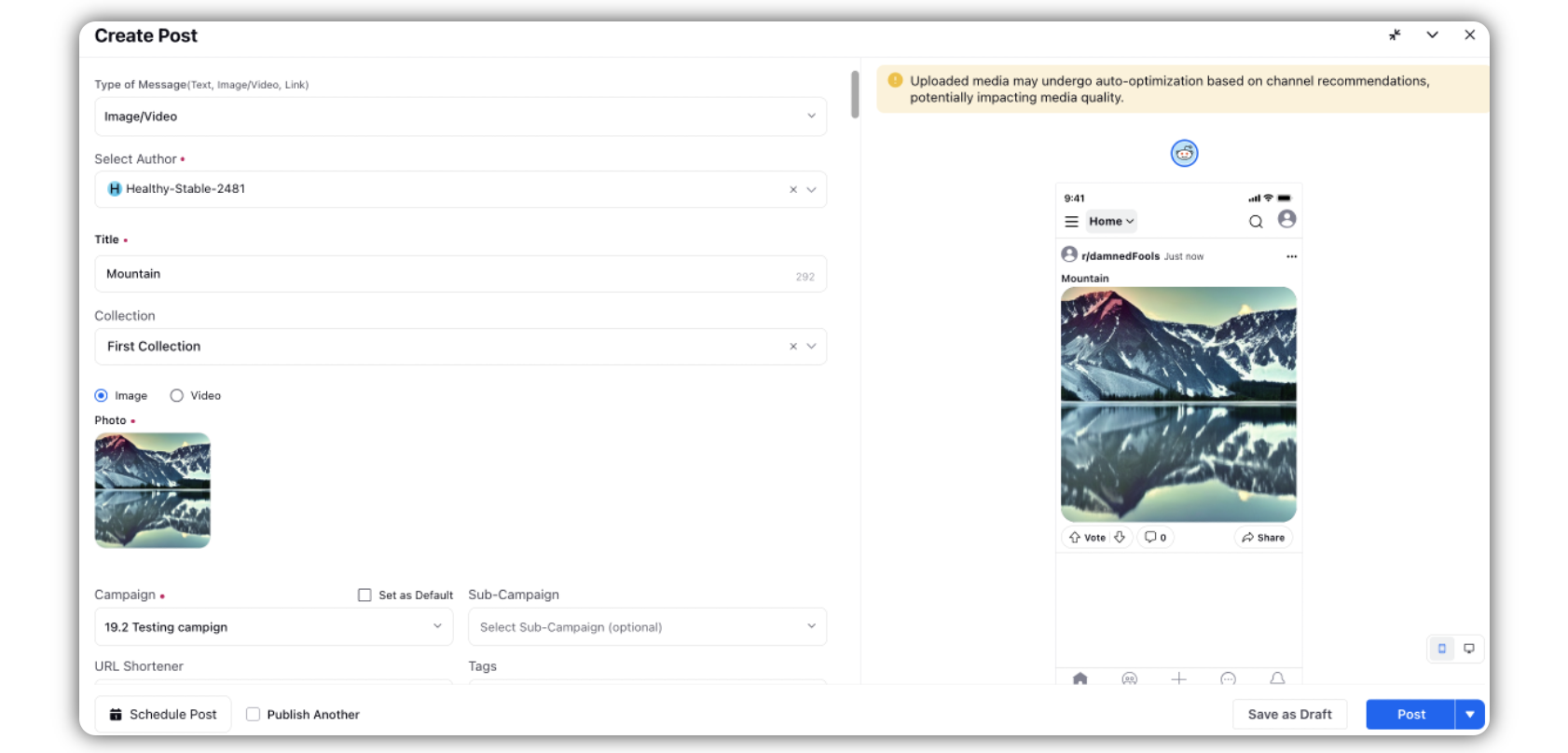
Tip : Both Mobile & Desktop preview is available for the Subreddit post
Click Post in the bottom right corner to publish the post on the selected Subreddit account immediately. If you are not ready to publish and want to save your post as a draft, click Save as Draft.
You can also schedule your post for a future date and time by clicking
the Schedule Post in the bottom right corner. Select the month, date, and time of publishing. Click Apply to save your changes.
To continue publishing the post, check the given Publish Another box in the bottom.
Steps to Publish to Reddit Profile
You can also publish posts directly to a Reddit user profile without selecting a Subreddit as the destination. The post creation and publishing steps remain the same as publishing to a Subreddit, with the exception of the destination and author selection.
Click the New Tab icon. Under the Sprinklr social tab, click Quick Publish within Engage.
- On the Create Post window, select the Reddit user/profile where you want to publish. You can also use Advanced Search to narrow your search by a series of different filters.
- Select the Type of Message you want to publish from the drop-down menu. You have 3 options: Text, Image/Video, and Link.
- Under Collection, select the collection from the dropdown.
If you have selected Text as the Type of Message, enter the text in the given field. You can use the available Rich Text capabilities to format your post.
If you select Image/Video or Link, upload the image/video using the Media Uploader or enter the link in the given field.
- Select a campaign from the Campaign drop-down menu to associate your post with. You can also set your campaign as default by clicking Set as Default.
- You can select URL Shortener to shorten every link that you paste in your message.
- Apply Properties to the post.
- Under Approval, set an Approval Type for your post. You can also add an Approval Note.
The preview of the post will render on the right pane. You can also click the Preview icon in the bottom-left corner if you have minimized the Create Post window.
Tip: Both Mobile and Desktop previews are available for the Reddit post.
- Click Post in the bottom-right corner to publish the post immediately to the selected Reddit profile. If you are not ready to publish and want to save your post as a draft, click Save as Draft.
- You can also schedule your post for a future date and time by clicking Schedule Post in the bottom-right corner. Select the month, date, and time of publishing, and click Apply to save your changes.
- To continue publishing another post, select the Publish Another checkbox.
Author selection: When publishing to a Reddit profile, the selected Reddit user is automatically the author. The Select Author field is therefore not required.
Post limits: The Reddit post title can contain up to 300 characters, and the post content can contain up to 40,000 characters.
Apart from these character limits, there are no additional limitations specific to Reddit profile publishing.
The published post appears on the selected Reddit user's profile rather than within a Subreddit.
 Note: Unlike publishing to a Subreddit, you do not need to select an author when publishing to a Reddit profile. The selected Reddit user/profile is automatically the author of the post.
Important Notes:
Message Type — Field Descriptions
Functionality | Sprinklr Supported |
Image/Video | |
Select Author | Select a desired author from the drop-down menu. |
Title | Enter a title for the post. |
Image or Video | Either select Image or Video to select/upload an attachment using the Media Uploader. |
Text | |
Select Author | Select a desired author from the drop-down menu. |
Title | Enter a title for the post. |
Text | Enter the content of your message in the message box. |
Link | |
Select Author | Select a desired author from the drop-down menu. |
Title | Enter a title for the post. |
URL | Enter the URL for the post. |