Re-share LinkedIn Posts on Distributed
Updated
You can now reshare LinkedIn posts from the Distributed environment. Add your thoughts to fan posts and reshare them on company pages or brand profiles.
 Note: Access to this feature is controlled by a dynamic property (DP): LINKEDIN_RESHARE_PUBLISHING_ENABLED("linkedin.reshare.publishing.enabled", BOOLEAN, PARTNER). To enable this feature in your environment, reach out to your Success Manager. Alternatively, you can submit a request at tickets@sprinklr.com.
Steps to Reshare LinkedIn Posts from Sprinklr
Log in to the Distributed platform.
Go to the posts and use the filter to find the LinkedIn posts.
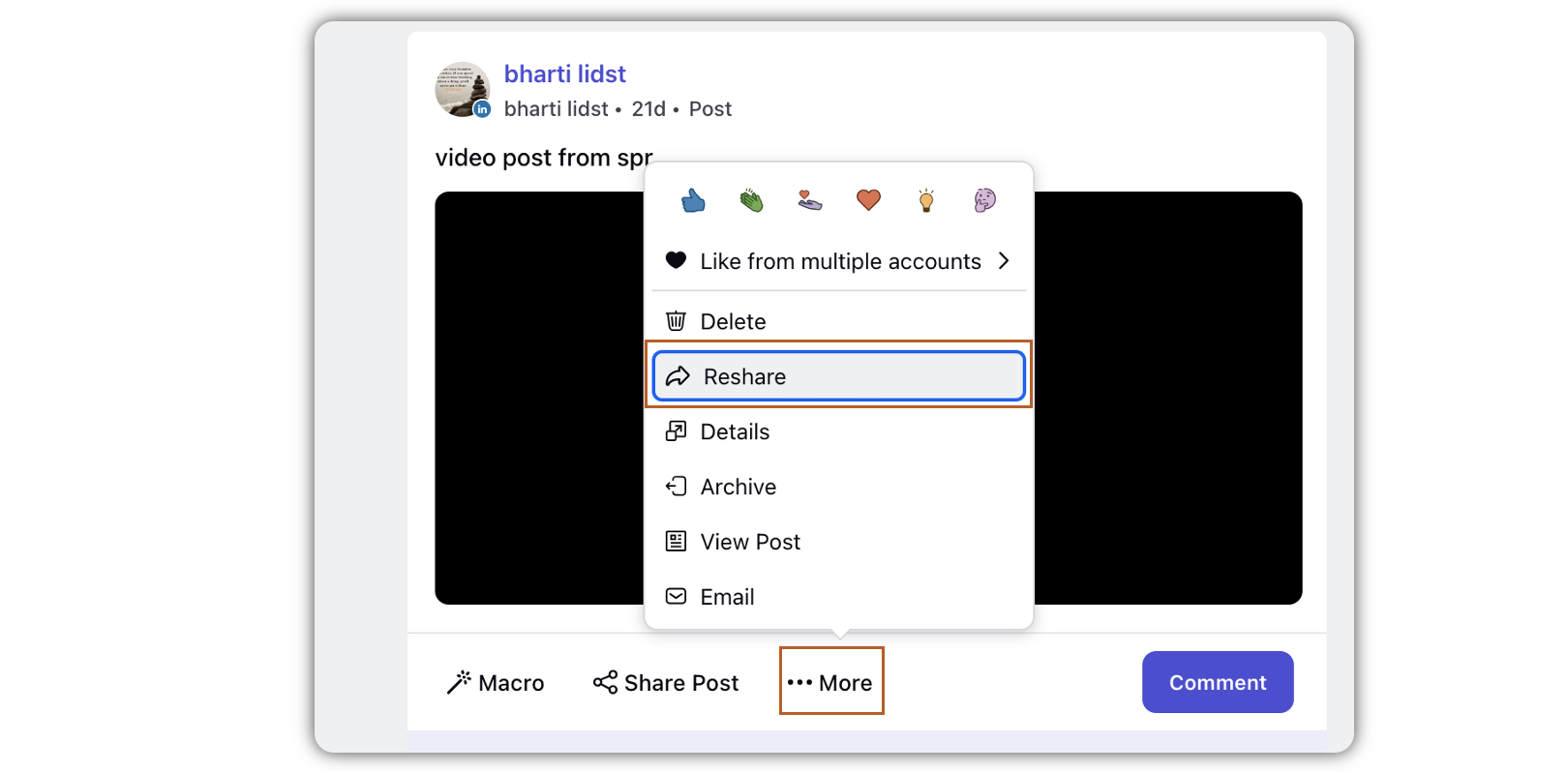
Click More on the post you want to reshare, and select Reshare.
In the Create Post window, select the account in the given field.
Under Message, add your reshare post content.
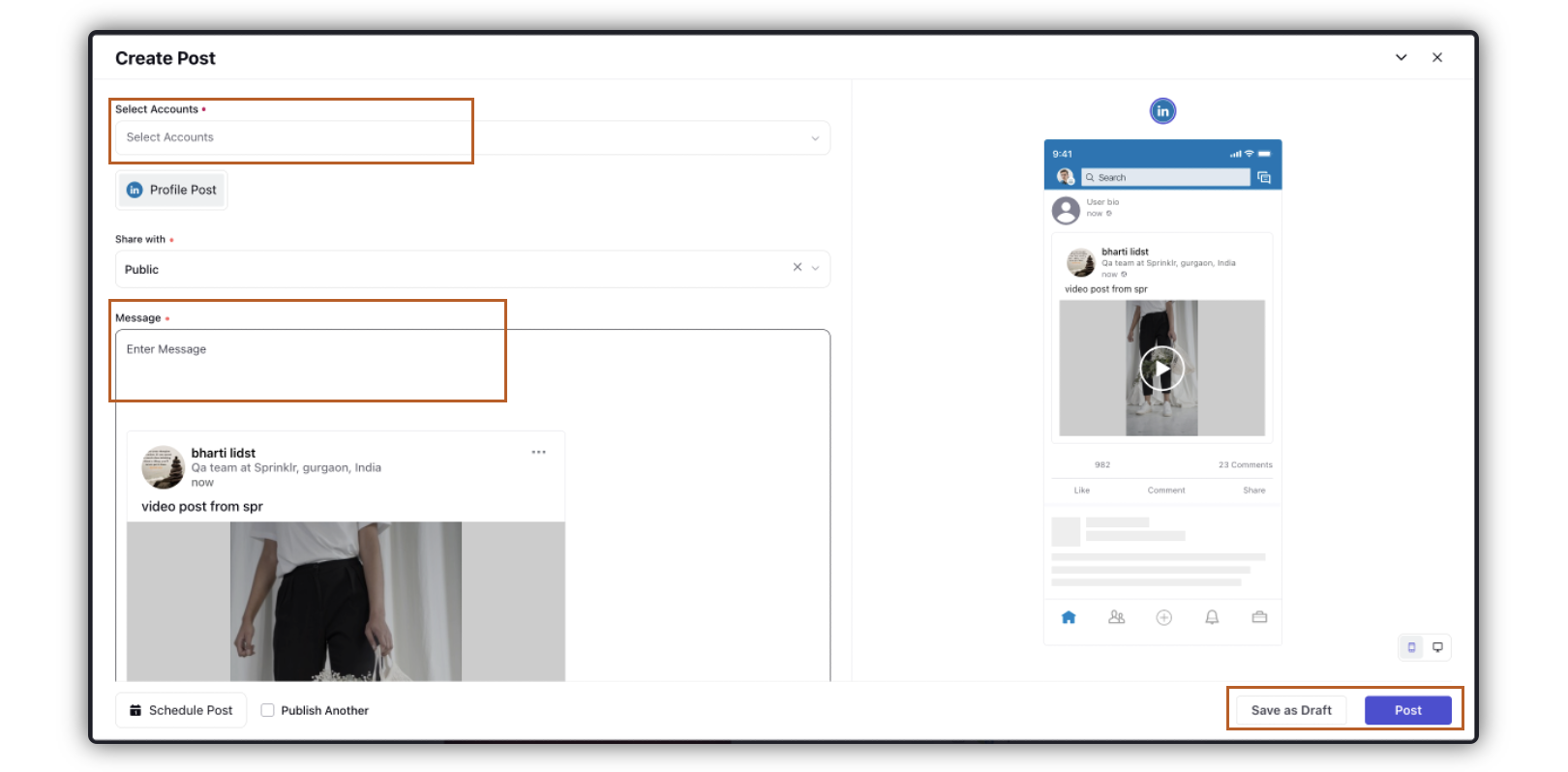
 Note: You will not be able to modify the original content or remove/add any media.
Complete the rest of the steps for publishing the post.
Click Post in the bottom right corner.