Profile Management Feedback Loop
Updated
Overview
Sprinklr’s Profile Management feature allows distributed users to manage key aspects of their account, such as First Name, Last Name, and Headline. With the new Compliance Management Feedback Loop, users can now make granular edits to individual fields and receive targeted feedback, streamlining the approval process.
What's New
Previously, users needed to re-submit all profile fields for admin approval - even if only one field required an update. Now, users can:
Edit upto a single field within their profile.
Submit only the updated fields which have been rejected previously.
View specific feedback or comments added by the admin for that field.
Field-Level Approval Workflow
Here’s how the enhanced flow works:
User Initiates an Edit
A distributed user updates one or more profile fields (e.g., changes their headline).Admin Reviews Individual Fields
Each field is reviewed independently. If admins provide feedback, the field is marked as 'Rejected (Needs Rework)'. In the absence of feedback, the field is automatically considered approved.
Note - No additional approval is required from administrators after a task is approved. Once all requested changes have been addressed and the task is approved, the approved profile updates are automatically published to the native platform.
Visual Feedback for Rejected Fields
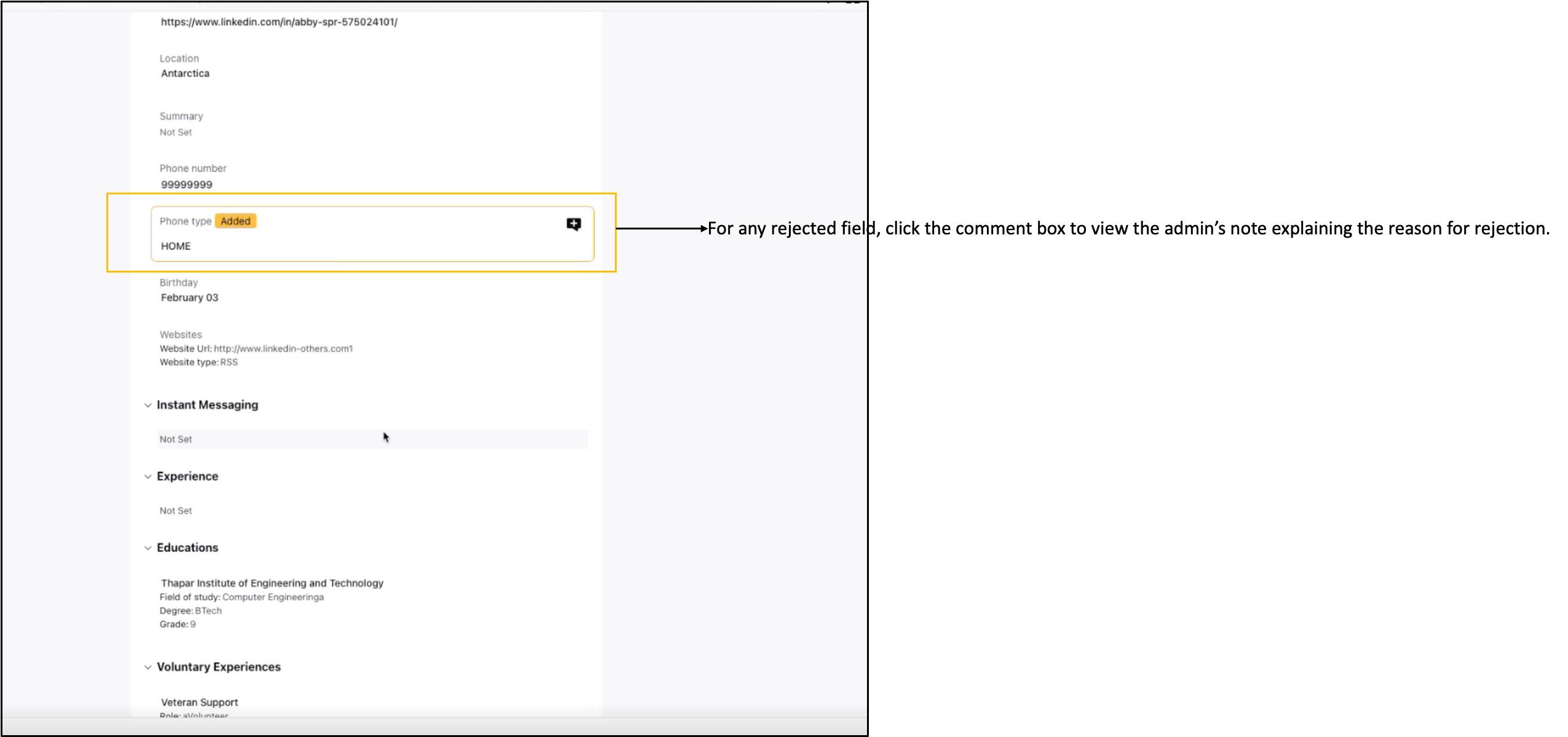
If a field is rejected, then on the View and Edit Profile Screens: Users can see exactly which field has been rejected, along with a comment box citing the reason for the rejection.
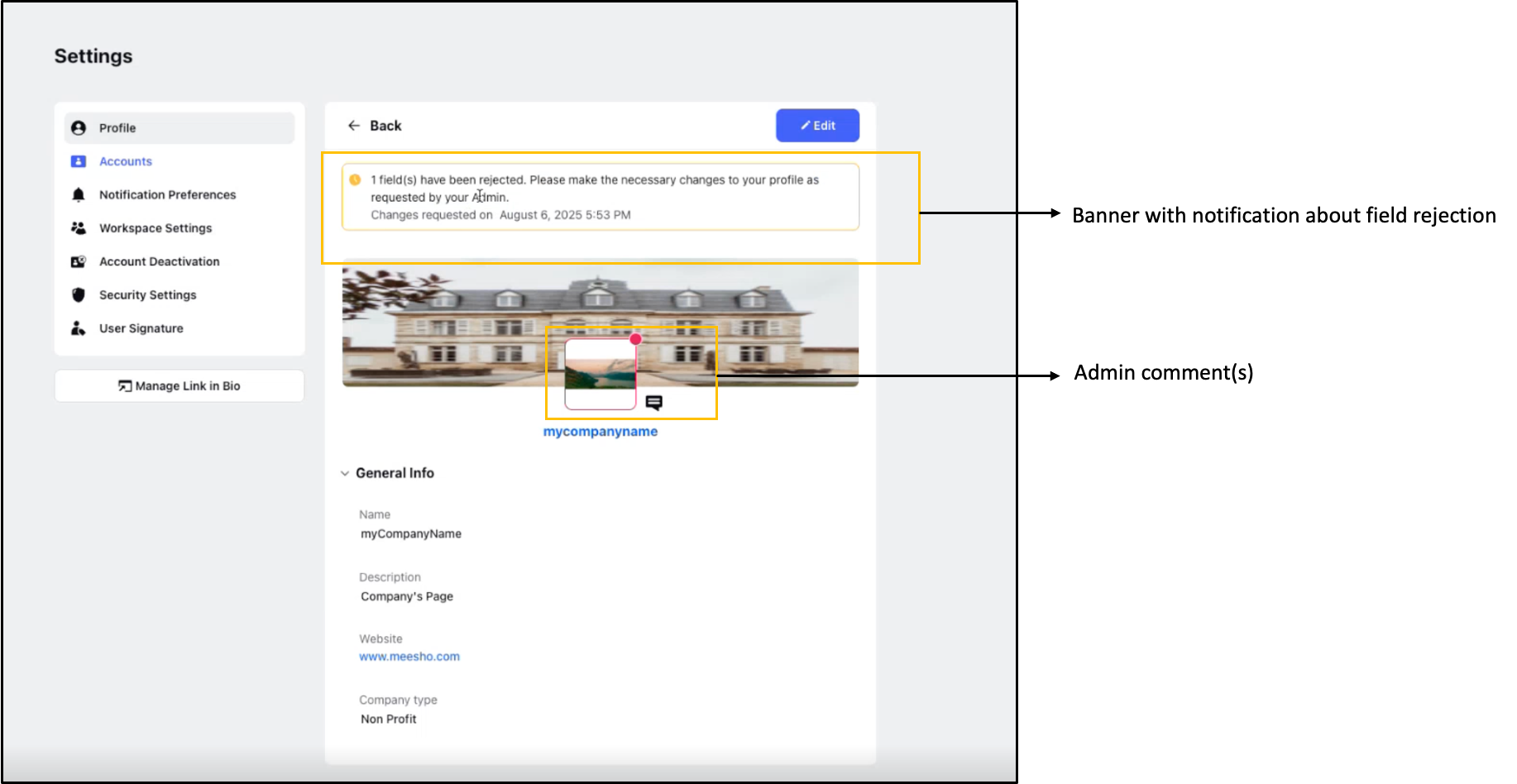
If a field is rejected, then on Settings > Profile: A banner appears highlighting the rejected field(s) and a note to make the required changes. You can also see the comment(s) added by the admin.
User Resubmits Edited Fields
When feedback is provided, tasks are automatically generated for the Distributed user to review and update the profile fields accordingly. All feedback must be resolved before the profile can be resubmitted for approval. Users are free to modify any field; however, any changes will turn the field yellow, indicating that it requires re-review by an admin.
Admin Review and User Rework Flow
Below is a short clip showing the complete flow between the Admin and the User. It covers:
Reviewing profile fields: How the Admin reviews the fields a User submitted and adds comments to any field that needs correcting.
Visual indicators: Fields with comments get a red border, and fields with no changes get a yellow border.
Admin actions: Until a comment is added, the Admin can Approve or Reject. Once a comment is added, the option changes to Submit for Rework.
User rework: The User goes to Settings → Profiles, updates the flagged fields based on the comments, and resolves each comment with the tick icon. They can only save their changes after doing this.
Re-approval: The updated profile goes back to the Admin for final approval.
Why the Feedback Loop is Important
This granular approval mechanism helps:
Reduce redundancy by avoiding full resubmissions.
Improve compliance with brand or legal guidelines.
Speed up the profile update cycle, benefiting both users and admins.