How to Configure Icebreakers?
Updated
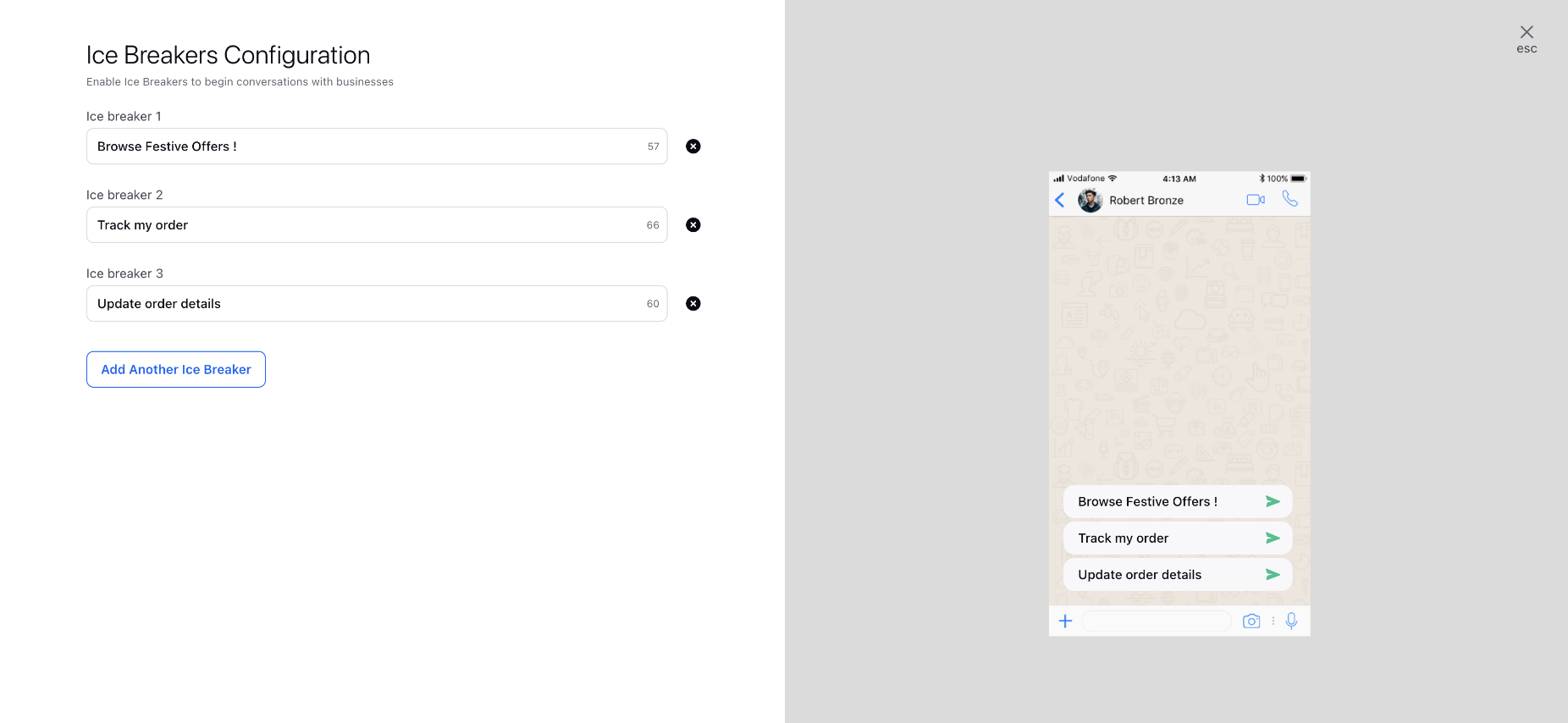
Ice Breakers are customizable, tappable text strings that appear in a message thread the first time you chat with a user. For instance, examples like "Plan a trip" or "Create a workout plan" can be configured. You can set up to 4 ice breakers per business phone number, with each ice breaker limited to a maximum of 80 characters. Emojis are not supported in ice breakers configurations.
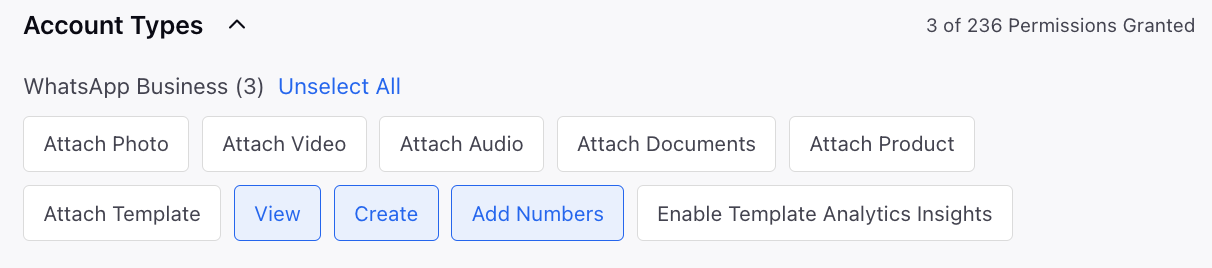
 Note: Users must have the View, Create and Add Numbers permissions under WhatsApp Business to utilize this feature.
To Add Ice Breakers
Open a new tab and scroll down to Platform Modules.
Click All Settings under Settings.
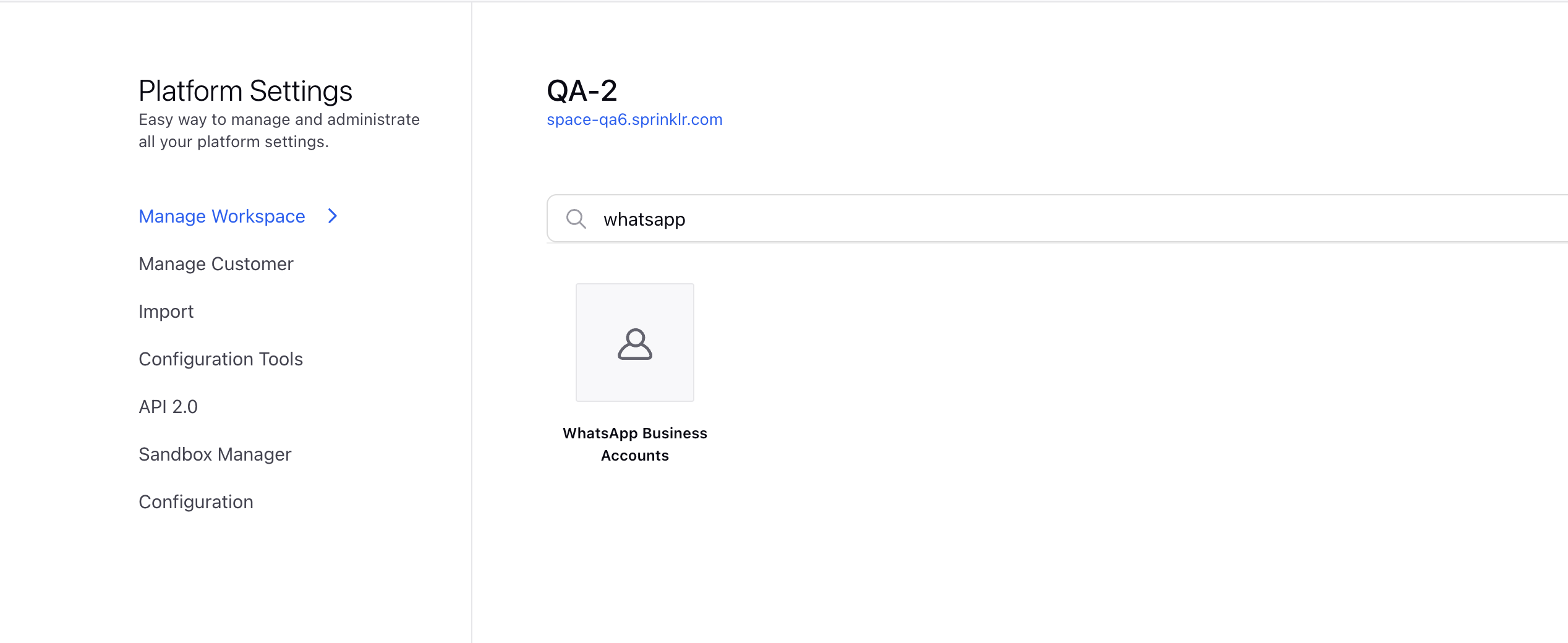
Click Manage Workspace on the left sidebar and search for WhatsApp Business Accounts.
Click the View Numbers icon for the desired account on the WhatsApp Business Accounts window.
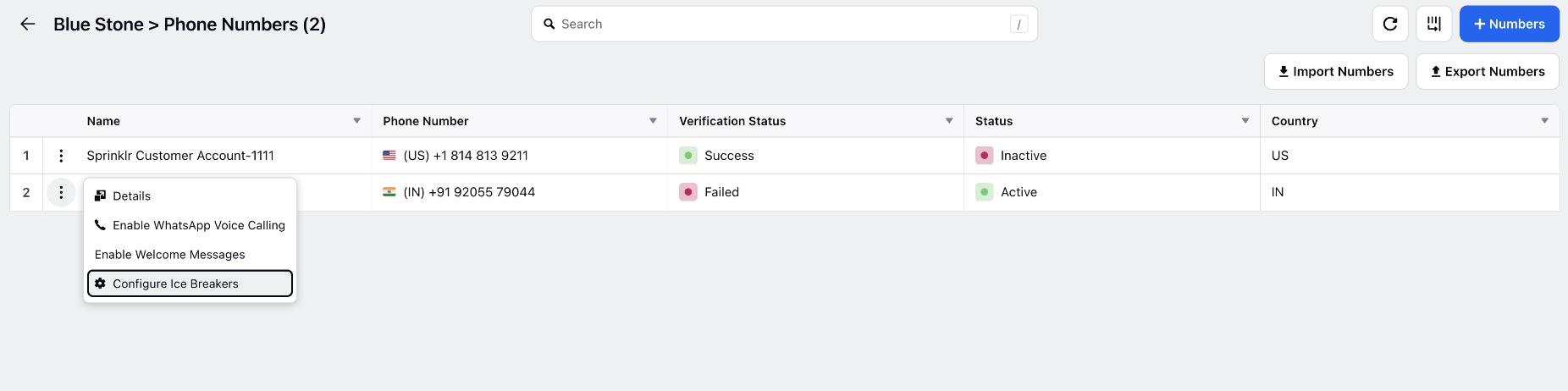
Click on the vertical ellipsis (⋮) next to the required number and select Configure Commands.
You can add up to four custom Ice Breakers for a specific WhatsApp Business phone number on the Ice Breakers Configuration window.