Backup Eligibility Parameters for Work Queues
Updated
The Backup Eligibility Parameters define when a work queue can be used as a backup for another queue. By configuring minimum operating thresholds, supervisors can ensure that agents are shared only when their primary queue has sufficient capacity to maintain its own performance levels.
Supported eligibility metrics include:
- SLA
- Active agent count
- Customer wait time
- Agent capacity
A queue becomes eligible to provide backup support only when it meets the configured threshold values. If the eligibility criteria are not satisfied, agents continue handling interactions within their primary queue.
Example
If Product Delivery uses Product Warranty as its backup queue, the Warranty supervisor can configure eligibility thresholds such as SLA, active agent count, customer wait time, or agent capacity. Warranty agents assist the Delivery queue only when the configured conditions are met, ensuring that the Warranty queue continues to operate within its defined service targets.
 Enablement Note: Access to this feature is controlled by DP - ACD_ENHANCED_BACKUP_QUEUE_ROUTING_ENABLED dynamic property. To enable this feature in your environment, reach out to your Success Manager. Alternatively, you can submit a request at tickets@sprinklr.com.
Configuring Backend Eligibility for Work Queues
Perform the following steps to add the Backend Eligibility for the work queues.
Click the New Tab icon. Under Sprinklr Service, select Unified Routing within Route.
Select Queues on the left panel.
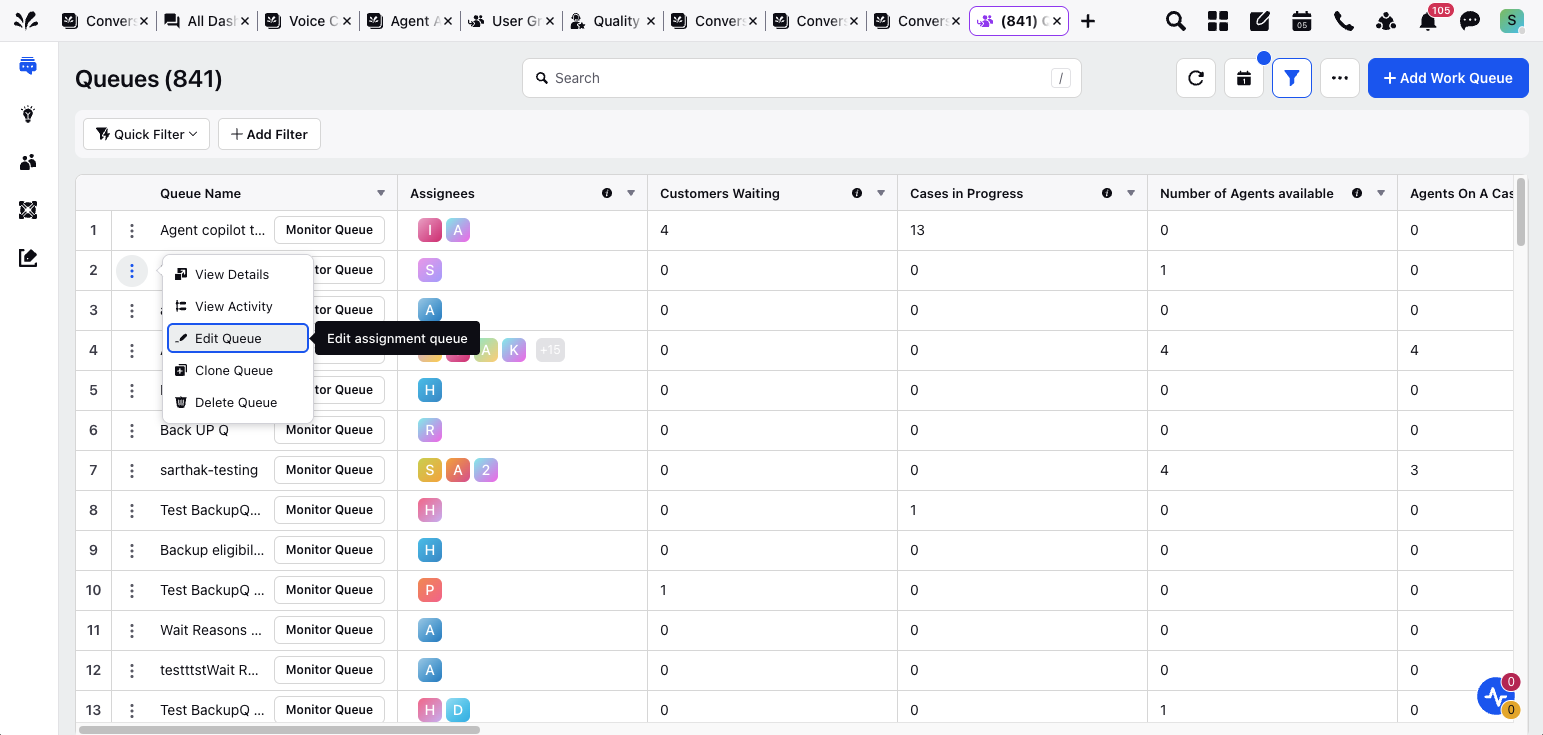
Hover over the work queue you want to act as a backup and click Edit.
The General Settings screen is displayed.
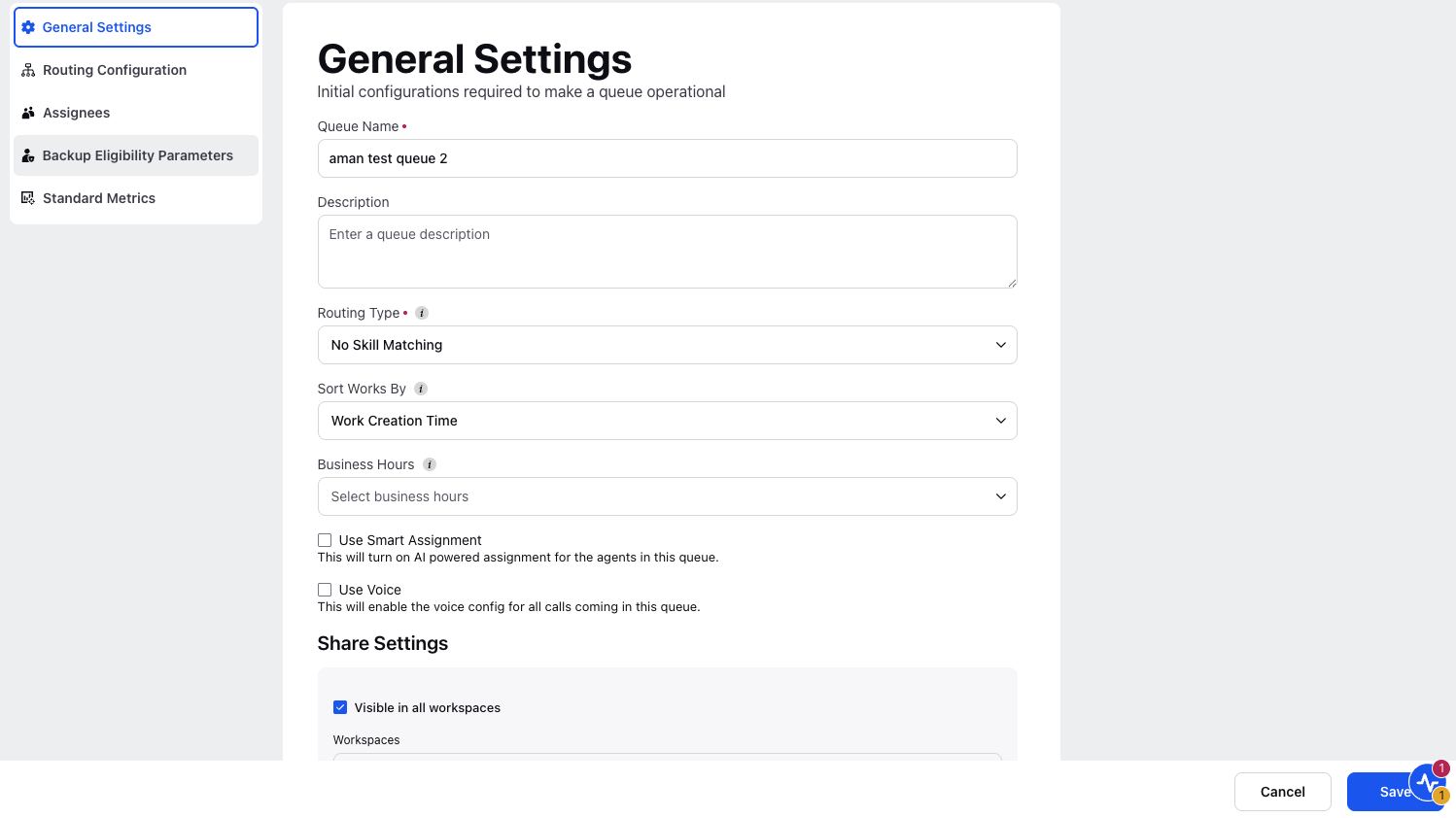
Click on Backup Eligibility Parameters.
The Backup Eligibility Parameters screen is displayed.

Select an Attribute from the dropdown list.
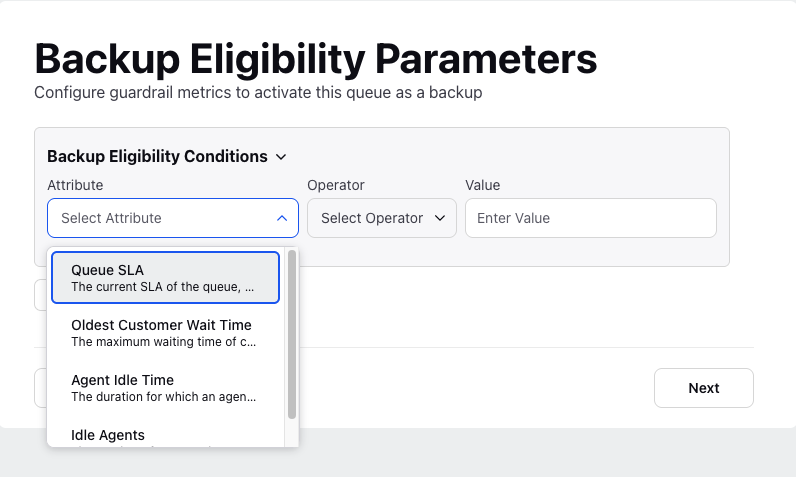
Enter the Value for the selected attribute.
Note: When configuring multiple eligibility conditions, you must select either AND or OR logic to apply uniformly across all conditions. Combining both AND and OR operators is not supported.
Click Save.
The following table lists the description of the Parameters of the Backup Eligibility Parameters screen.
Parameter Name | Parameter Description |
Attribute | The Attributes of the Backup Eligibility Parameters include:
|
Value | The value of the Attributes. The values are entered in units like, percentage, minutes, seconds, or hours. For example: Select SLA, then set Queue SLA > 20%, SLA Calculation Duration = 90 mins, and SLA Target Time = 90 seconds. This means the queue becomes eligible if more than 20% of cases are assigned within 90 seconds over the past 90 minutes. |