Engaging with TikTok Accounts
Updated
In the Engagement column on TikTok, you can select a post to interact with.
Steps to Engage with a Post
Choose the post you want to engage with from your preferred engagement column.
The actions available for engagement are macros, assign, comment, archive, or more options (i.e., Channel actions and Sprinklr actions).
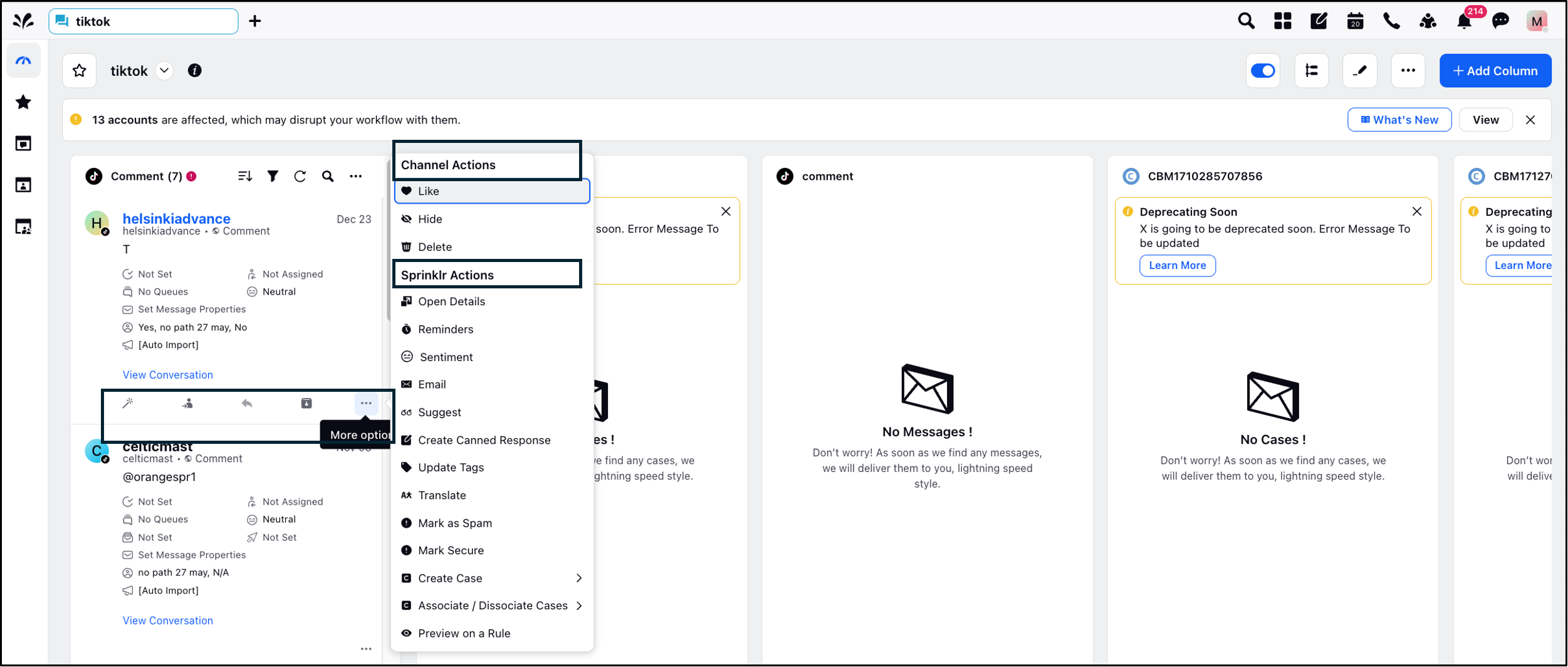
Engagement Capabilities
Content Management - Engagement Columns
Type of TikTok Column Content Grabbed | Sprinklr Support |
Brand Posts | Yes |
Comments on Brand Posts | Yes |
Replies on Brand Posts | Yes |
Brand Reposts |
No |
Liked Videos | No |
Mentioned Videos | Yes |
Mentioned Comments | No |
Mentioned Hashtags | Yes |
Direct Messages | Yes |
Message-Level Actions
Types of TikTok Column Content Grabbed | TikTok Support | Sprinklr Support |
Brand Posts | Comment | Yes |
Comments on Brand Posts | Like | Yes |
Report | No | |
Reply | Yes | |
Hide | Yes | |
Replies on Brand Posts | Like | Yes |
Report |
No | |
Reply | Yes | |
Hide | Yes | |
Brand Reposts | Comment |
No |
Liked Videos (if not private) | Comment | No |
Mentioned Videos
| Comment | Yes |
Like | No | |
Add to Favorites | No | |
Repost | No | |
Embed | No | |
Share on Social Media Channels | No | |
Report | No | |
Mentioned Comments
| Like | No |
Report | No | |
Reply | Yes | |
Direct Messages
| Reply | Yes |
Like | No | |
Delete | No | |
Report | No |
Read our other engagement articles to know more.