Reporting on Co-browsing
Updated
You can create a report to get insight into co‑browsing activity and configure widgets to refine how the data is displayed. For detailed steps on setting up widgets, see the Widget Configuration article.
The metrics/dimensions that are available for reporting on co-browsing as well as some sample widgets are as follows:
Supported Metrics and Dimensions
Co-browse Session Funnel Reporting
Co-browse reporting tracks intermediate session states in addition to final session outcomes. This provides greater visibility into the co-browsing journey, helping organizations understand how sessions progress, identify drop-off points, and analyze the path from session initiation to completion.
 Note: Access to Co-browse Session Funnel Reporting is controlled by the CO_BROWSE_FUNNEL_STATES_ENABLED Dynamic Property.
To enable this feature in your environment, reach out to your Success Manager. Alternatively, you can submit a request at tickets@sprinklr.com.
You can create a report to get insight into the intermediate co-browse session states and configure widgets to refine how the data is displayed. For detailed steps on setting up widgets, see the Widget Configuration article.
When configuring the widget:
Set Data Source to Social Analytics.
From Select a visualization for your widget, select Funnel.
From What would you like to plot on your widget?, select the required metrics and dimensions.

Supported Funnel Metrics
Metric | Description |
Co-Browse Initiated Count | Number of sessions that were initiated. |
Co-Browse Accepted Count | Number of sessions accepted by customers. |
Co-Browse Pending Count | Number of sessions that entered the Pending state. |
Co-Browse Authorizing Count | Number of sessions that entered the Authorizing state. |
Co-Browse Active Count | Number of sessions that reached the Active state. |
Co-Browse Completed Count | Number of successfully completed sessions. |
Define Advanced Options
When creating a custom widget for co‑browsing reports, you can configure advanced options to refine the data displayed.
Field | Description |
Filters | Set to Co-Browse Type. Supported Values:
|
Additionally, you can configure display, sorting, date, and drilldown options.

Example Widgets
All co-browse sessions
See all co-browsing sessions along with the profile of the customer who engaged in co-browsing, no. of co-browsing sessions on the case and the status of the last co-browsing session
.png)
Co-browsing sessions rejected
See instances where customers rejected co-browse requests made by agents.
.png)
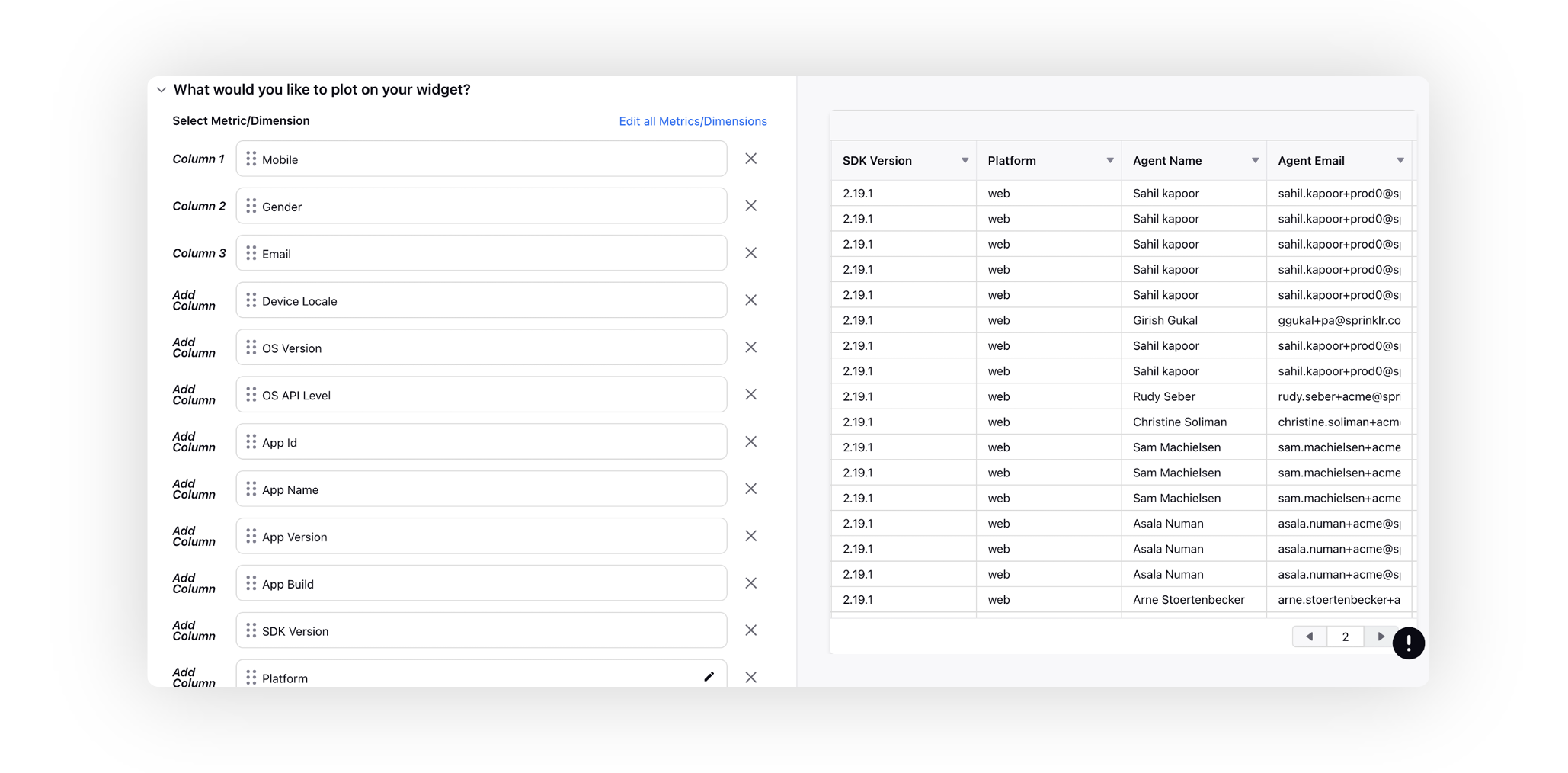
 Note: For more advanced metadata reporting, contact Sprinklr Support at tickets@sprinklr.com. This enables you to capture and generate a comprehensive report of co‑browsing session activity.
The report can include data points such as Mobile, Gender, Email, Device Locale, OS Version, OS API Level, App ID, App Name, App Version, App Build, SDK Version, Platform, Agent Name, Agent Email, Session ID, Session Created, and Session Ended.