Configure Set Priority Rank Node in Sprinklr IVR
Updated
The Set Priority Rank node lets you prioritize certain customer calls within your IVR flow. Some brands need to give faster attention to customers with urgent issues or specific characteristics. By assigning a priority value to a path in the IVR, you can ensure that callers with critical needs reach an agent sooner, reducing wait times and improving customer satisfaction.
Prerequisites
Before configuring this node, ensure the following:
Sprinklr Voice is enabled in your environment.
Your user role has IVR View, Edit, or Create permissions.

Add a Set Priority Rank Node
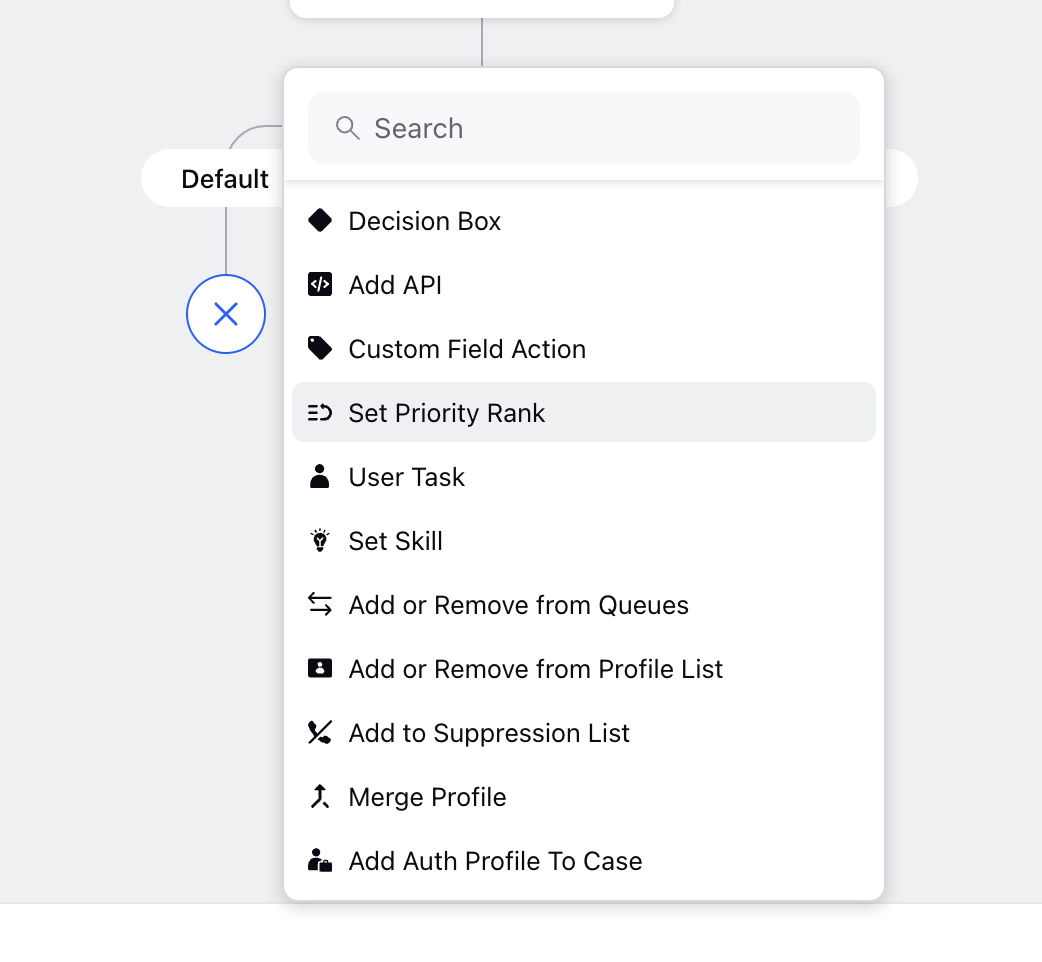
In IVR Builder, navigate to the path where you want to set a priority.
Click the Add (+) icon
Select Set Priority Rank under the System Nodes section.
Below is a sample configuration for the Set Priority Rank node:
You can assign a priority rank from 1 to 100, where:
1 → Lowest priority
100 → Highest priority
Higher‑priority calls are moved ahead during routing, helping ensure they reach an agent faster than standard calls.
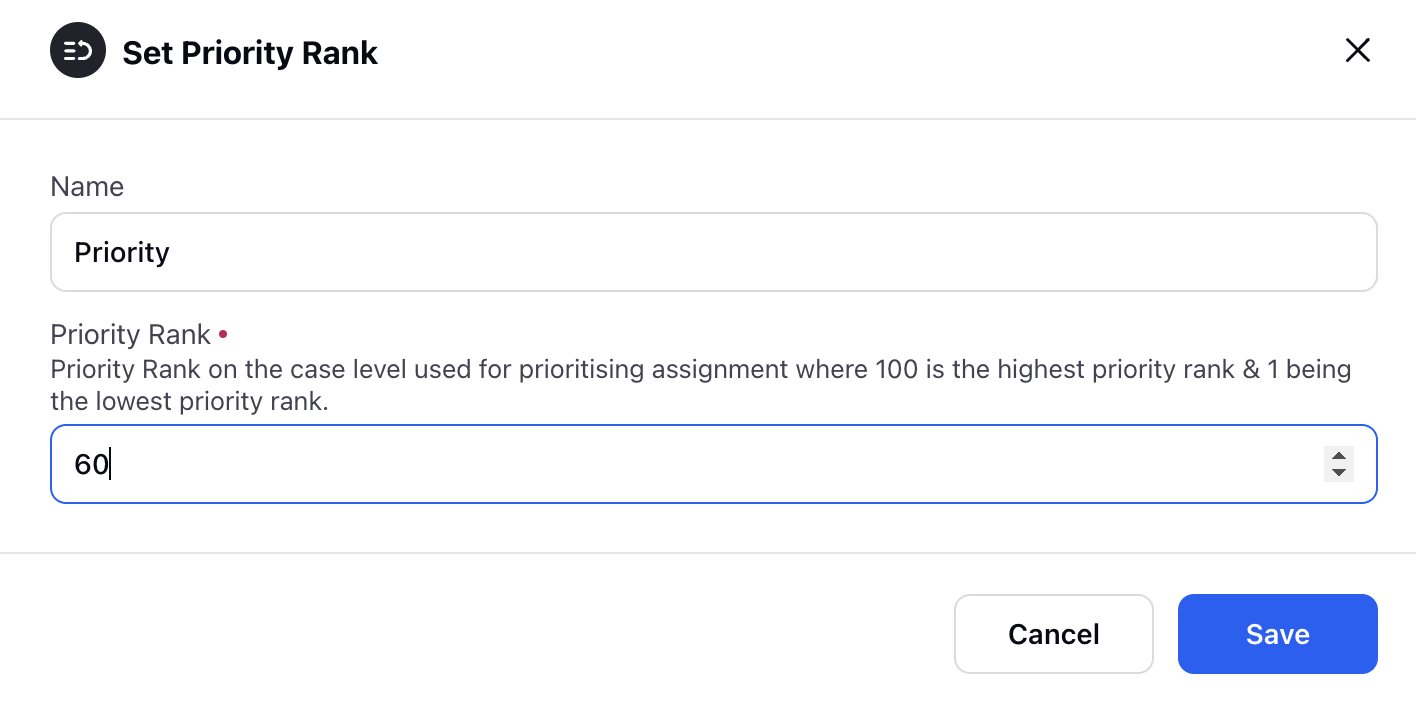
The value you configure is used by the routing engine when distributing calls to agents. When multiple calls are waiting, callers on paths with higher priority ranks are served first even if they entered the queue later.
Common Use Cases
Here are typical scenarios where brands use the Set Priority Rank node:
1. Prioritizing Calls Based on Issue Severity
Urgent issues often require the shortest wait times.
Examples:
Fraud or suspicious activity reporting
Account breaches
Safety or emergency reports
2. Prioritizing High‑Value Customers
Organizations may prioritize VIP or loyalty‑tier customers who expect faster support.
3. Handling Potential Escalations
If a customer has called multiple times recently, they may need quicker resolution.
Example:
Customers who have called more than 10 times in a week
4. Prioritizing Callers with Unresolved Issues
If a customer’s last interaction was NFCR (Not First Call Resolution), they can be routed with higher priority to reduce frustration.
Best Practices for IVR Priority Assignment
To ensure your IVR priority strategy remains effective:
Define clear criteria for what qualifies as high, medium, or low priority.
Review and update priority paths regularly based on changes in customer behavior or business needs.
Monitor IVR performance to confirm that priority assignment is improving wait times and service quality.