Add Content Sources - Documents
Updated
Enhance your AI Agent’s capabilities by adding content sources. Uploading documents allows the AI Agent to reference them and provide accurate answers to user queries. Before you begin, review the setup process for creating an AI Agent.
When to use documents
Use the Documents content source when your AI Agent must answer questions based on specific files or text. Typical use cases include:
Internal knowledge bases
Product manuals
Policy documents
Training materials
Steps to upload documents
In the AI Agent dashboard, go to Training Content. In the Documents section, select View All.

In the Documents window, select Add Documents in the upper‑right corner.
In the Add Content window, upload the files you want to include.
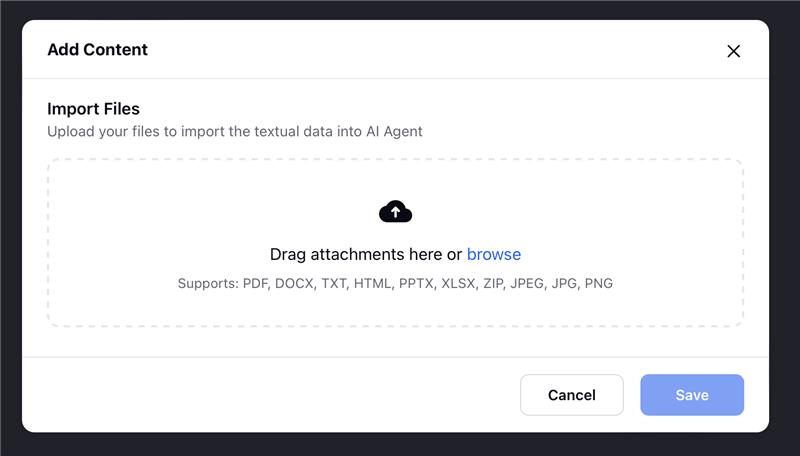
Select Save to sync the documents with your AI Agent.
After syncing, the AI Agent can reference the uploaded documents to deliver more accurate, context‑aware responses.