Share Reporting Dashboards with Persona Apps
Updated
Reporting Dashboards in Sprinklr give supervisors a streamlined way to access and monitor performance insights. By sharing dashboards with the Supervisor Console persona app, supervisors can easily view key metrics and track team activity in one place without navigating elsewhere.
Share Reporting Dashboard with Persona Apps
Prerequisites for sharing Reporting Dashboards with Persona Apps:
Access to the relevant Reporting Dashboard(s).
Share permission under the Dashboard Permissions section in the Reporting module.
Follow these steps to share a Reporting Dashboard with a Persona App:
Go to Care Reporting in the Analyze column on the Launchpad to open the Reporting Dashboards Record
Manager.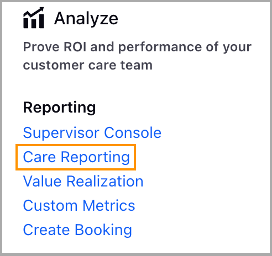
Open the Dashboard in the Reporting Dashboard Record Manager that you want to share.
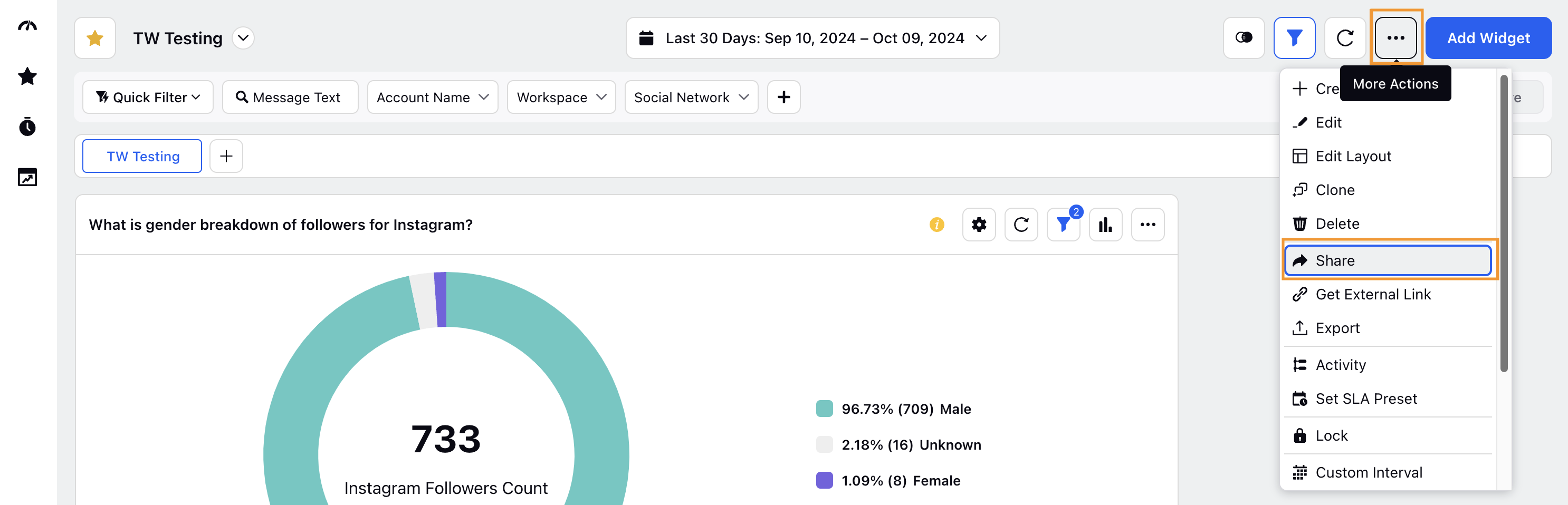
Click the More Actions button (represented by an ellipsis (⋯) icon) at the top right of the Dashboard to view a list of options.
Select Share from the list of options to open the Dashboard dialog box.
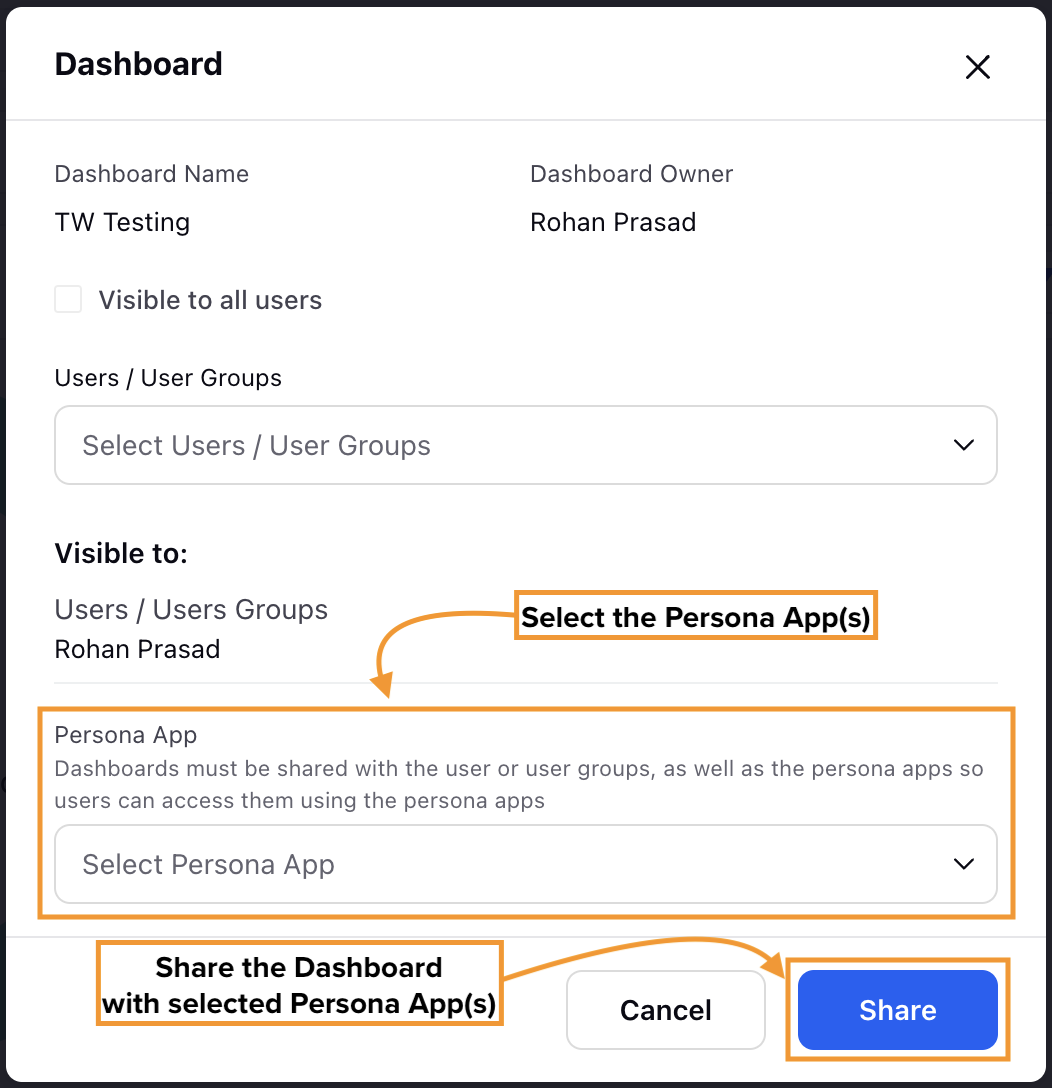
Click the Persona App field to display a dropdown list of available Persona Apps. From this list, select the Persona App(s) with whom the Dashboard needs to be shared.
Click the Share button at the bottom right of the dialog box to share the Dashboard with selected Persona App(s).
This completes the process of sharing the Reporting Dashboard with selected Persona Apps.
View Reporting Dashboards Within Persona Apps
Prerequisites for viewing Reporting Dashboards in Persona Apps:
Access to the relevant Persona App.
Existing Reporting Dashboard(s) shared with the Persona App.
Follow these steps to view Reporting Dashboards within Persona Apps:
Go to the relevant Persona App on the Launchpad.
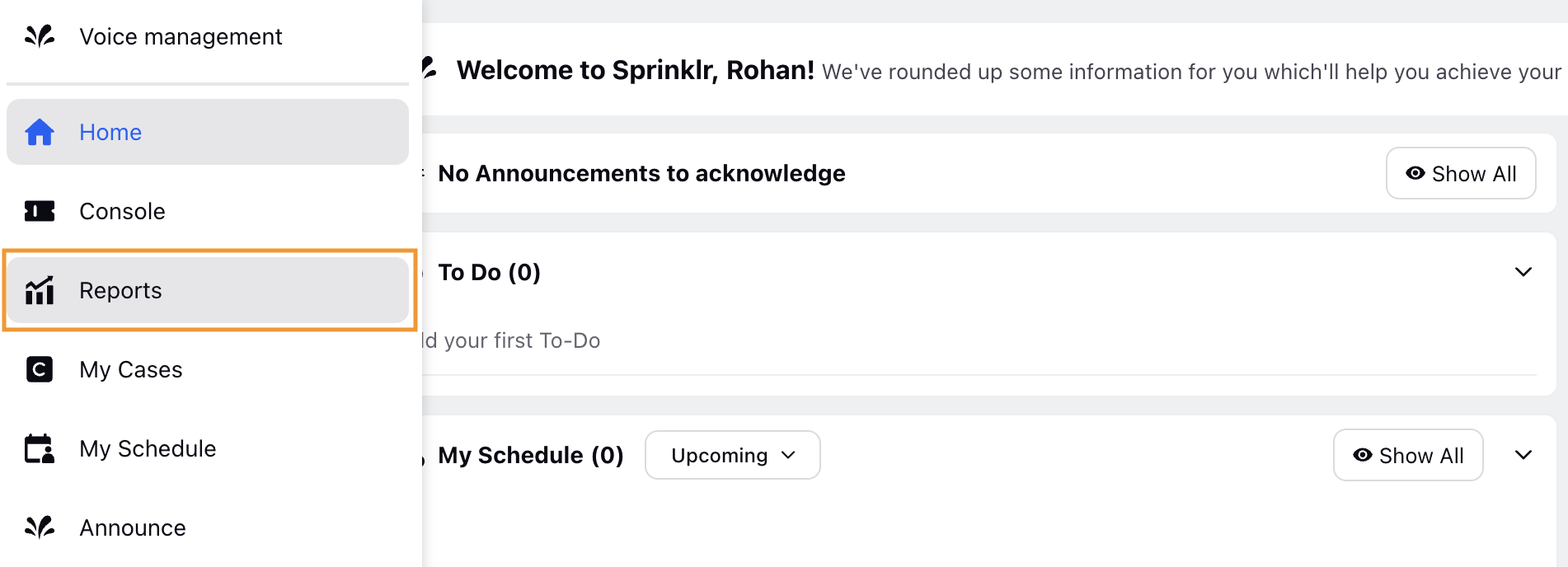
Select Reports from the Left Pane to open the Reports page.
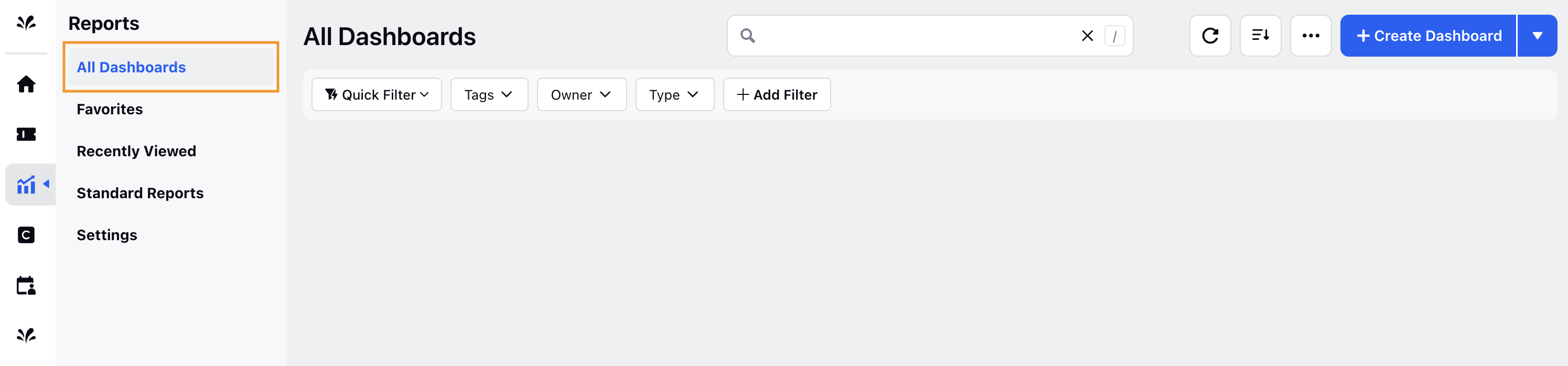
Select All Dashboards to show all the Reporting Dashboards available within the Persona App. The shared Reporting Dashboard will be visible on this page.
Open the Dashboard to view the Widgets it contains.
This completes the process of viewing Reporting Dashboards within Persona Apps.
Retain order of widgets
Auto‑align widgets in the same row: Widgets placed in a single row automatically align with equal vertical sizing, even if their original widths differ.
Retain order when no space is available: If the row has no white space left and the layout is fully occupied, the widget order stays the same and all widgets remain in their original positions.
Reflow widgets when space is available: When space exists, the system checks whether the next widget (or widget group) can fit in the same row. If it cannot, the widget moves to the next row and expands to take the full width.
Embedded Agents View in Reporting Dashboard
The Agents view from the Supervisor Console can be embedded into a Reporting Dashboard. This setup enables supervisors to access both high‑level analytics and live agent data within a single interface.
 Note: To have the Agents view embedded in a Reporting Dashboard, contact Sprinklr Support at tickets@sprinklr.com.
