Skill-based assignment in voice campaigns
Updated
With the skill-based assignment, you can ensure the assignment of calls/cases to agents equipped with particular skill-set as in real life, thus, reducing the AHT by 5% to 10%.
Skill-based assignment works in the following way:
1. Assign skills to agents: Seamlessly assign skills to the agents or a user group under Unified Routing.
2. Create a queue: Create a queue containing a list of agents with different skills using Unified Routing.
3. Assign required skills in the campaign: Create a campaign and dialer with the particular queue and assign the required skills.
4. Easily override the skills in different segments: While activating a segment within a campaign, you can easily override the required skills and thus route the calls to different sets of agents from different segments.
Enablement note: To learn more about getting the skill-based assignment capability enabled in your environment, please work with your Success Manager. |
To create skills to assign them to agents (users) or user groups
Click the New Tab icon. Under the Sprinklr Service tab, click Unified Routing within Route.
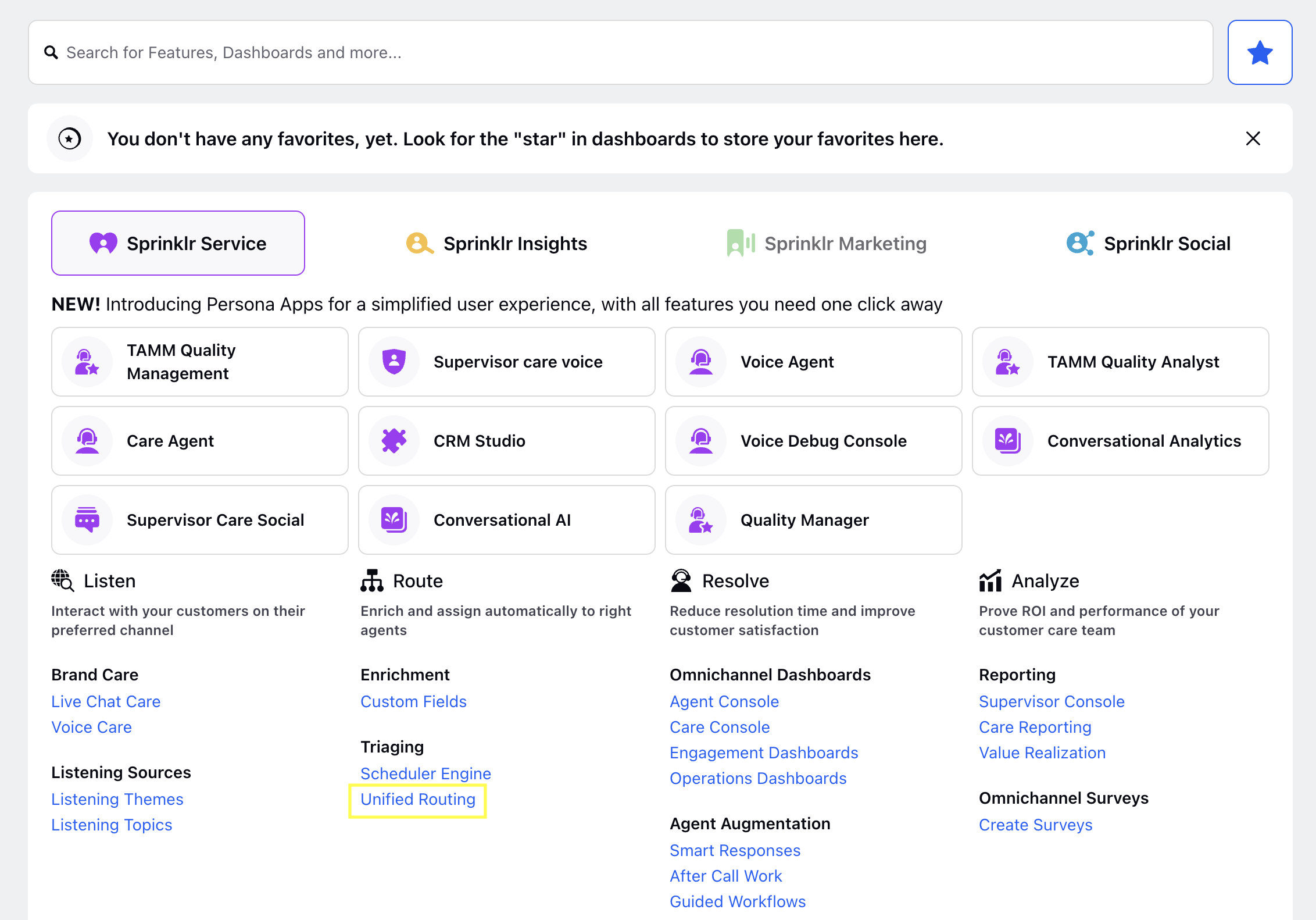
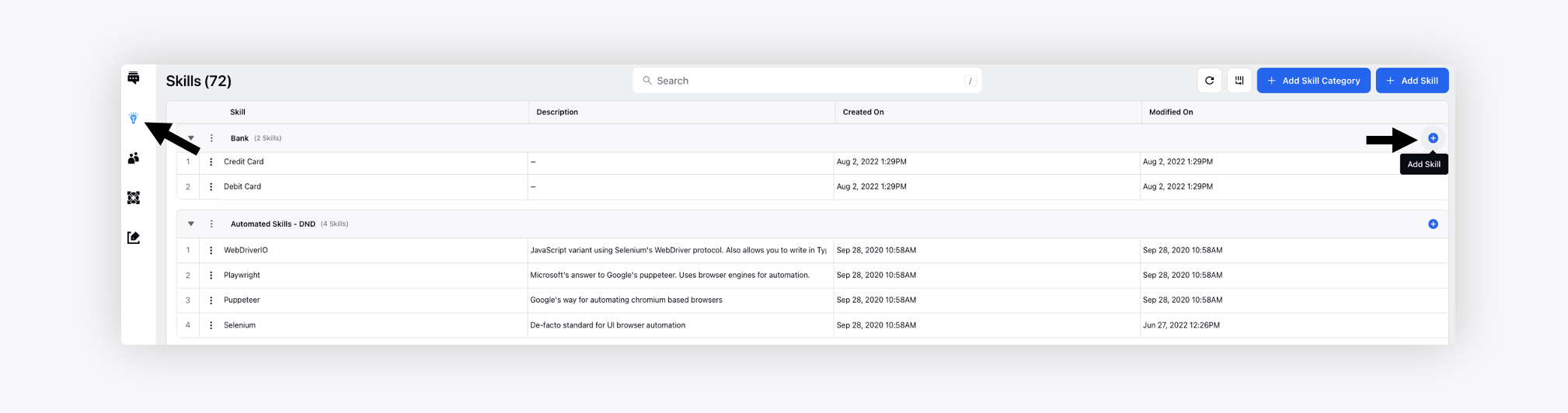
Switch to the Skills tab on the left. Click the Add Skill icon on the extreme right of the skill category name.
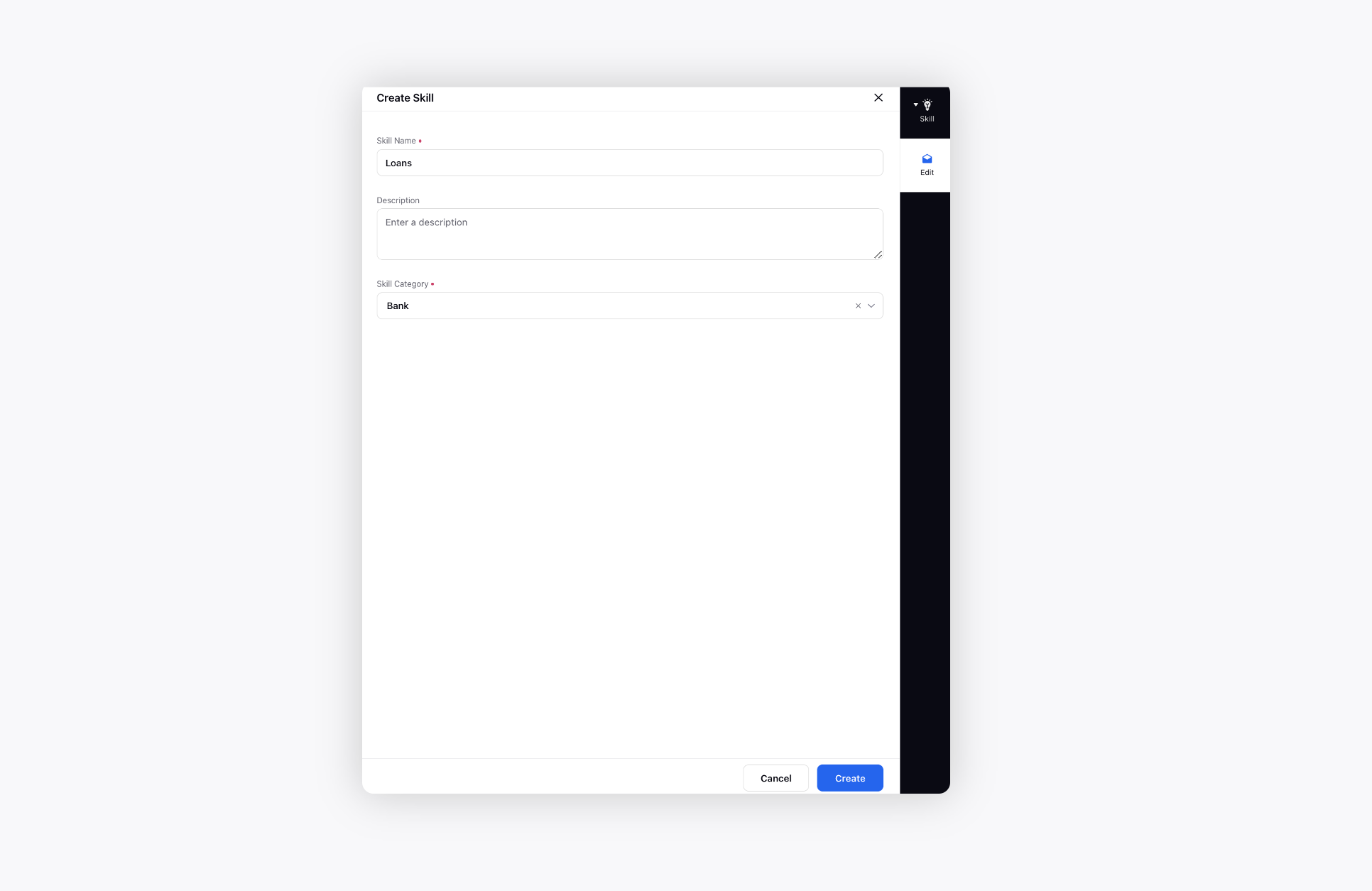
On the Create Skill window, add the skill name and description and click Create.
To add skills to the user group associated with the campaign
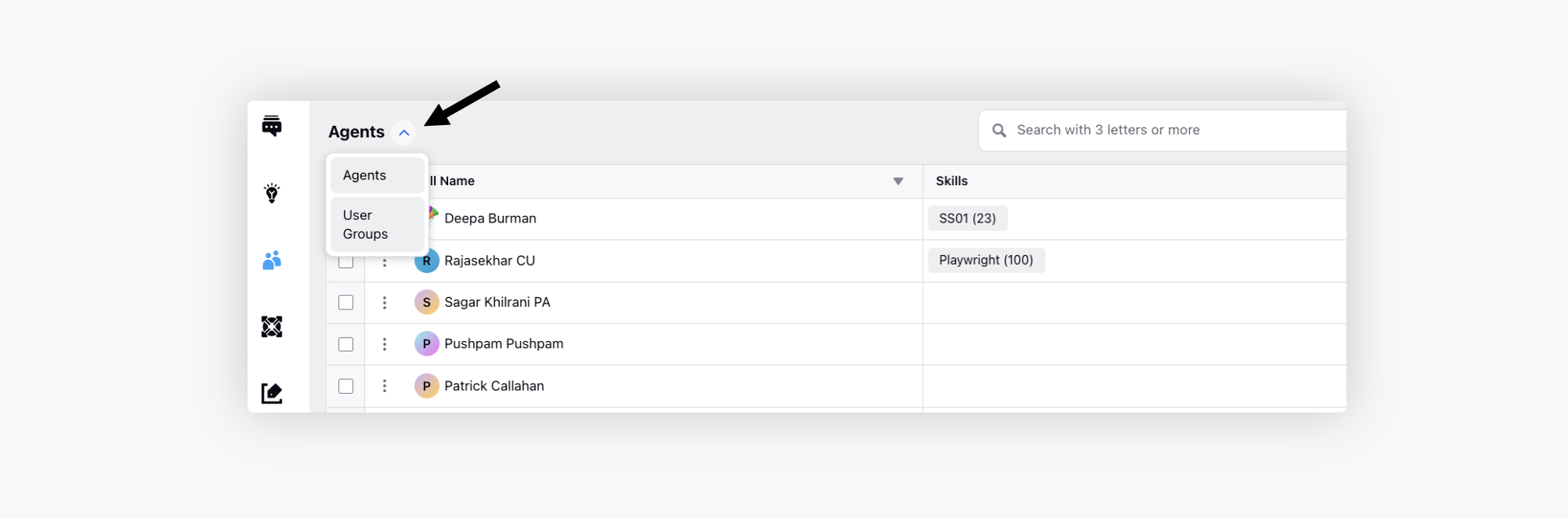
Switch to the Agents tab.
Change the view from Agents to User Groups from the top left. You can also edit the skills of any particular agent.
Edit the desired user group by hovering over the Options icon.
Add the skills created in the previous step and click Save.
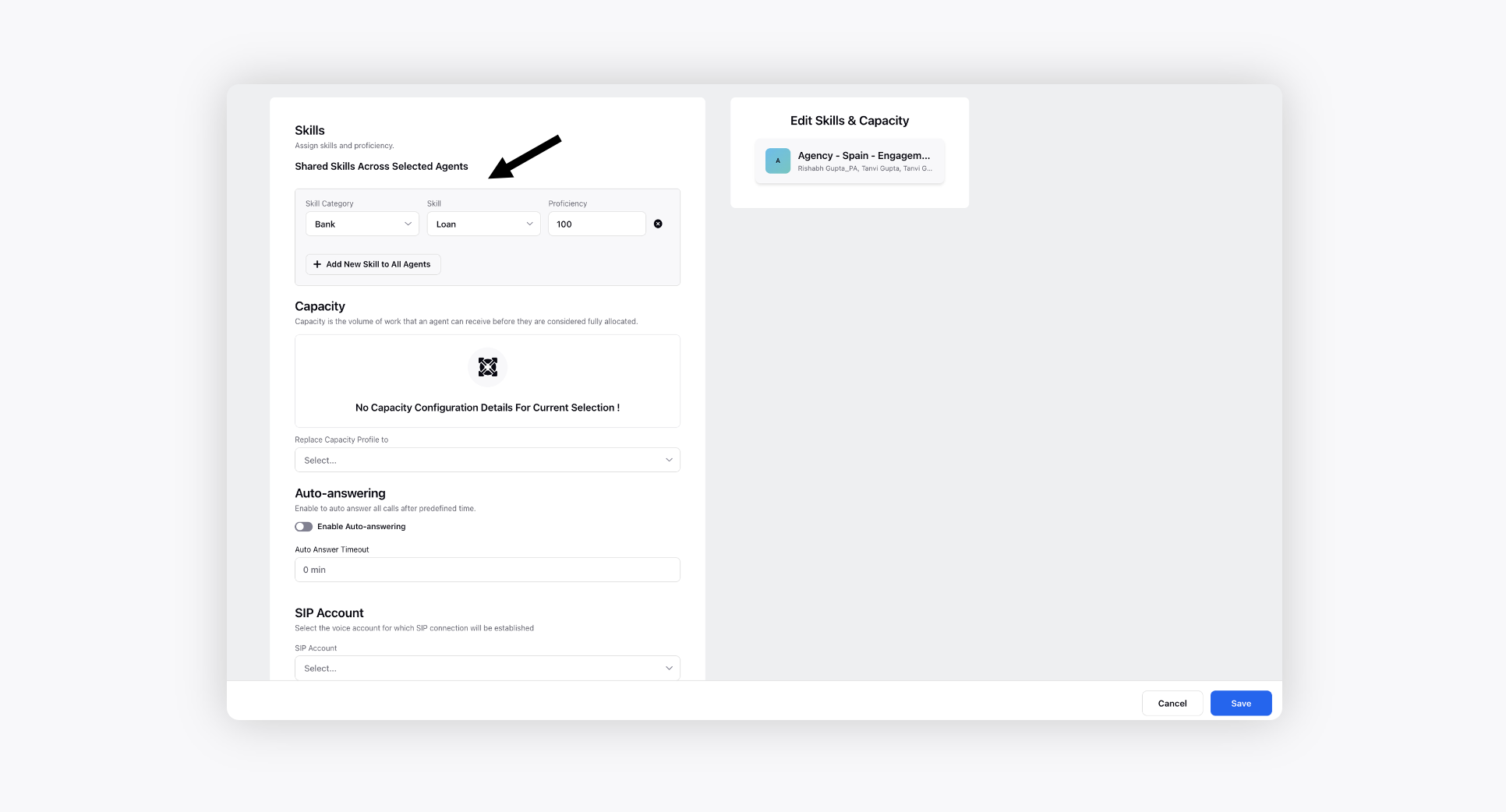
To add the user group/agents with desired skills to the queue
Switch to the Queues tab.
Edit the desired queue by hovering over the Options icon.
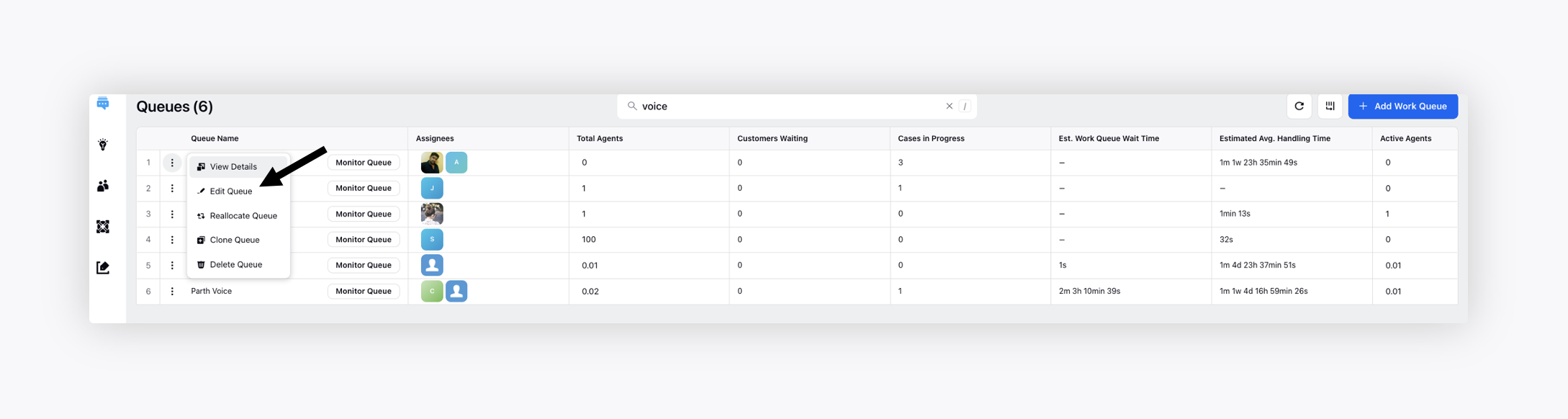
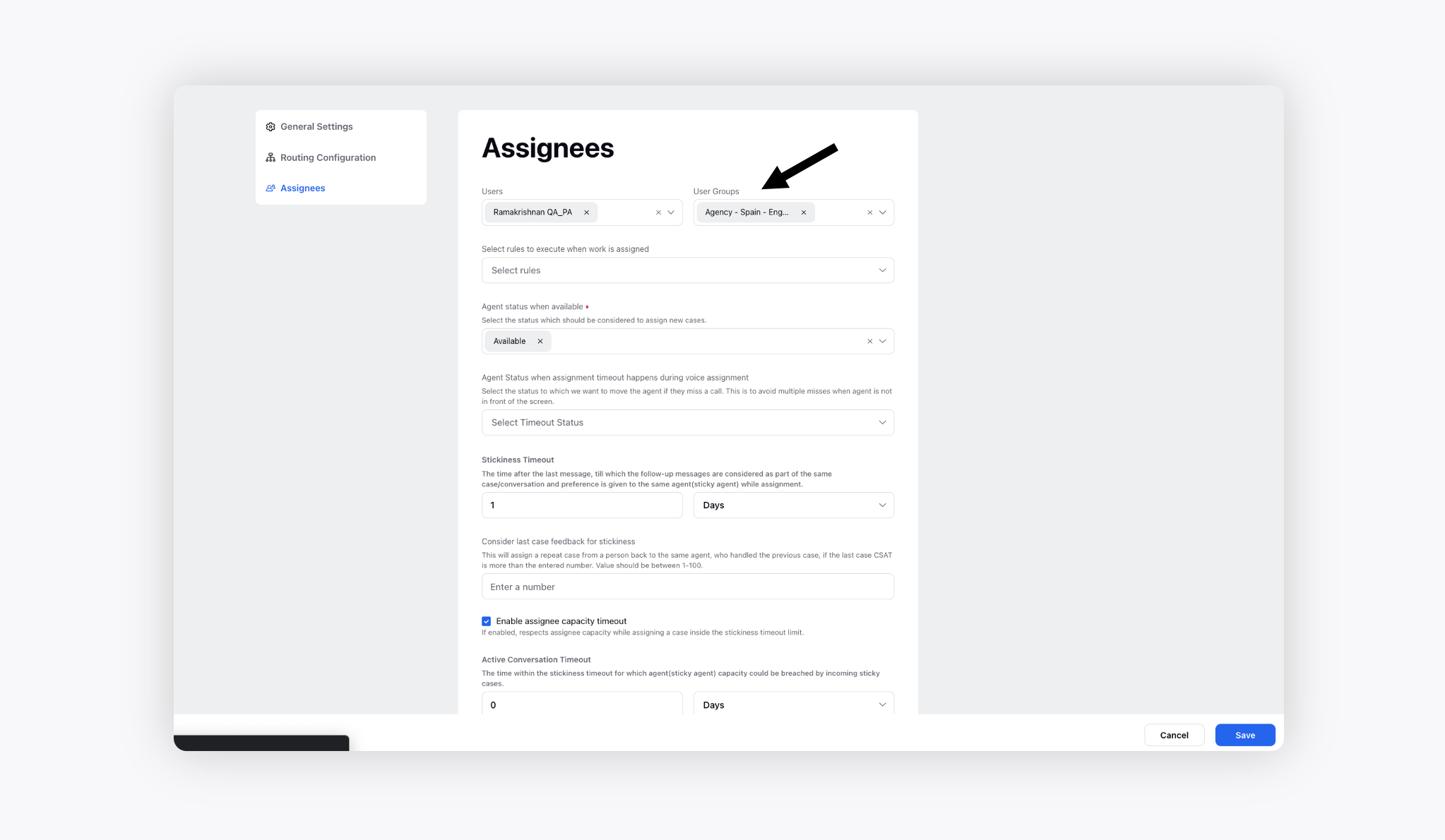
Switch to the Assignees section on the right, add the abover user group with desired skills and click Save.
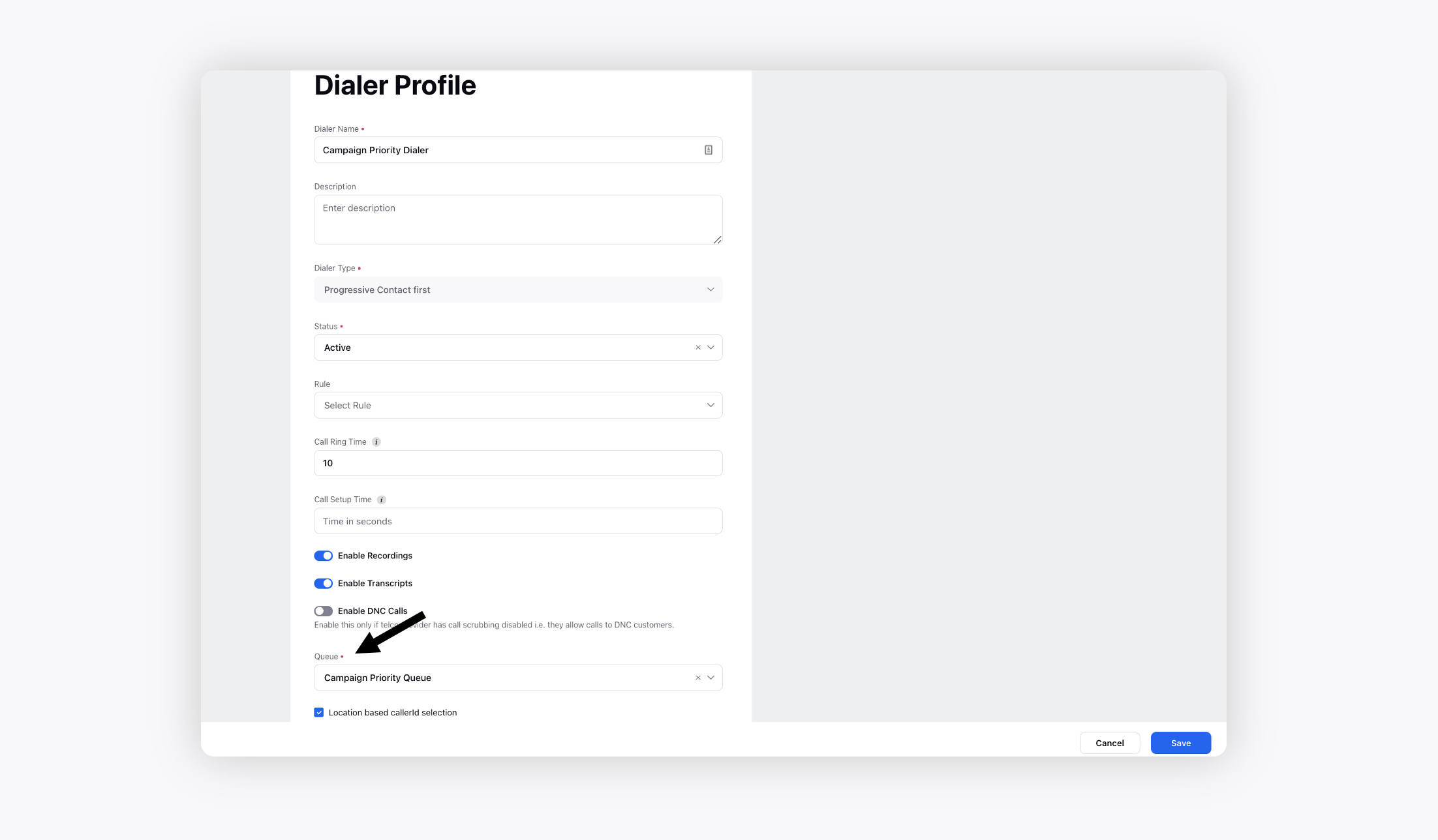
To add the queue in a dialer profile
Click the New Tab icon. Under the Sprinklr Service tab, click Voice Care within Listen.
Navigate to Dialer Profiles from the left pane.
Edit the desired dialer profile and add the above created queue. Click Save.
To set dialer profile and skills in the campaign
Click the New Tab icon. Under the Sprinklr Service tab, click Campaigns within Resolve.
On the Voice Campaign Management window, edit the desired campaign.
Add the dialer profile and skills created in the earlier steps and click Save.
E.g., in Campaign A, the dialer has the agent queue with 5 skills, and in required skills, only 3 skills are mentioned, so only those agents would get the calls who have any of those 3 skills.
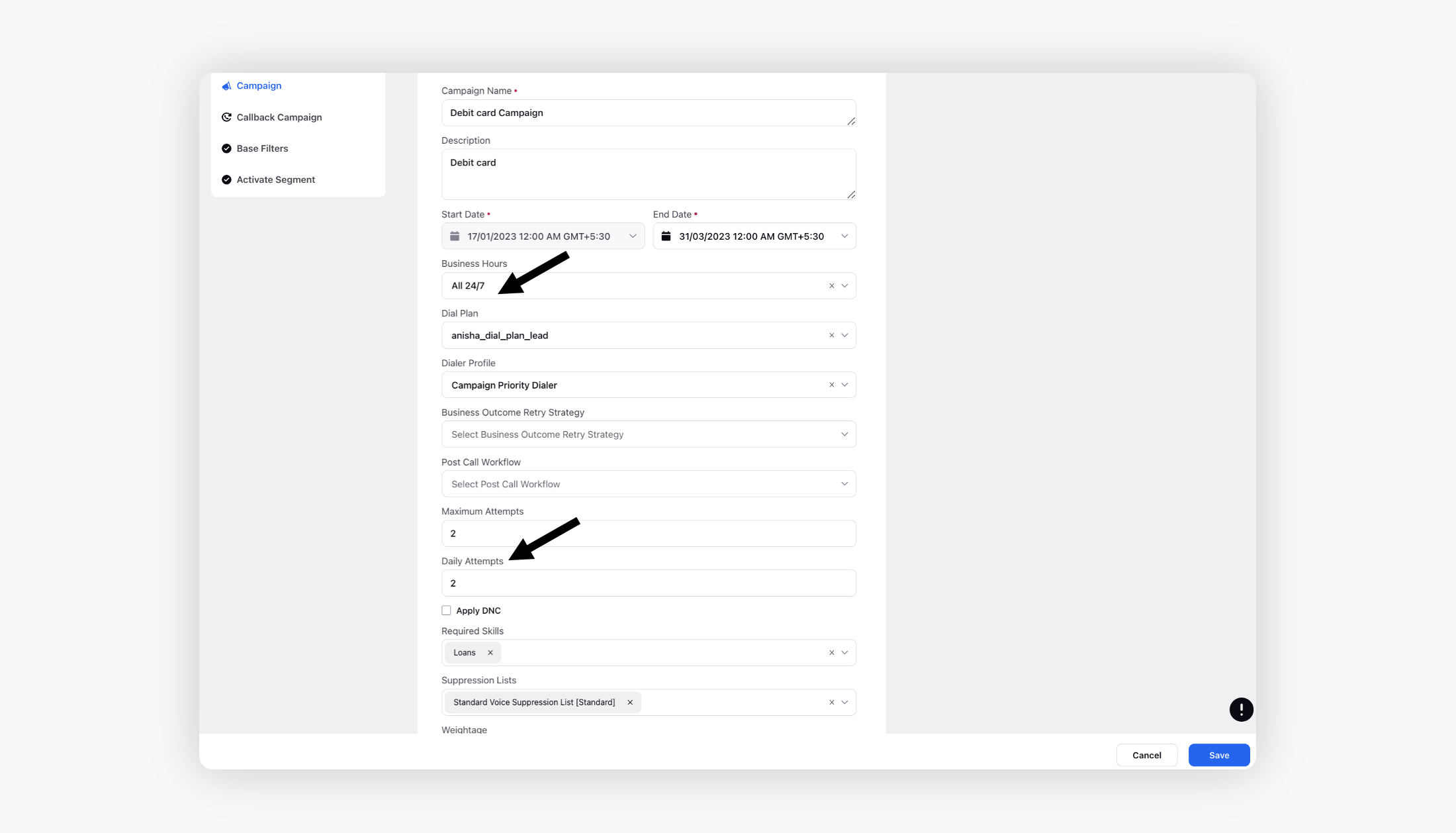
To override skills at segment level
While activating a segment within a campaign, you can easily override the required skills to define agents with which skills should be assigned calls from this segment.
Click the New Tab icon. Under the Sprinklr Service tab, click Campaigns within Resolve.
On the Voice Campaign Management window, edit the desired segment.
Check the box alongside Override the intial configuration and add the Required Skills.
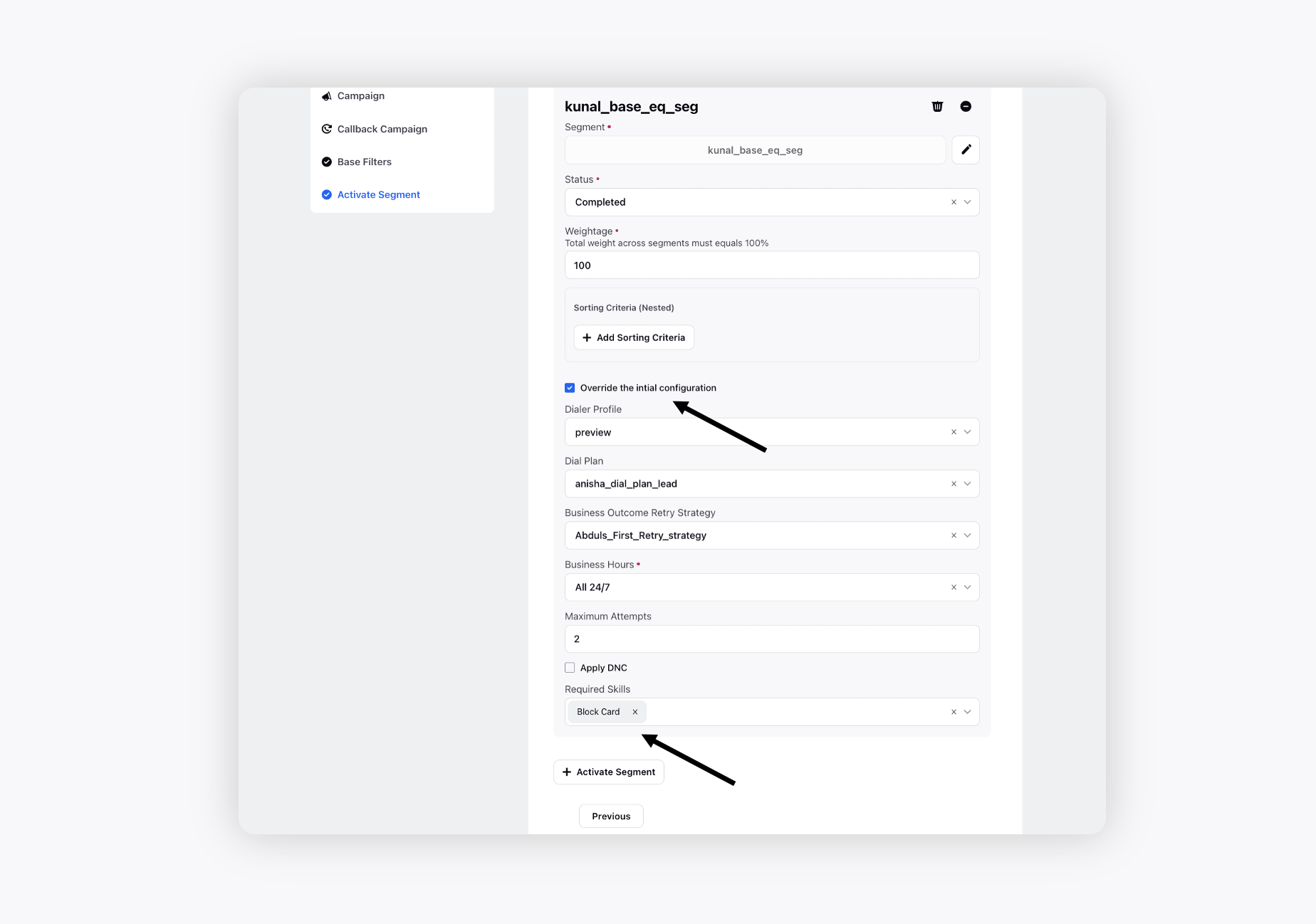
Click Save in the bottom right corner.
Enhanced Skill-Based Routing
The Enhanced Skill-Based Routing feature enhanced the skill-based routing system to provide greater flexibility and reduce administrative overhead in managing outbound campaigns and segments. Previously, admins had to create and manage complex composite skill combinations (For example, America_English_A) to route calls to agents with specific skill sets. With this update, admins can simply tag the relevant skills on the campaign/ segment and the system will automatically route calls to the agents who have all the required skills. These changes streamline the routing process, reduce complexity, and allow campaigns to scale more easily, improving both the efficiency of skill management and the accuracy of agent call assignments.
The Skill Based Routing has the following behaviour:
Default Behaviour - All calls are routed to agents who possess any one of the skills added to the campaign or segment.
Enhanced Behavior - Calls get routed to agents possesing all the mentioned skills in the campaign or segment.
 Note: Access to the Enhanced Behaviour is controlled by DP (dynamic property) - VOICE_ALL_SKILL_MATCHING_BASED_ASSIGNMENT (True - Enhanced Behaviour or False - Default Behaviour). To enable this feature in your environment, reach out to your Success Manager. Alternatively, you can submit a request at tickets@sprinklr.com.
Assigning calls based on skills and proficiency to the most eligible agent
Agent-First and Customer-First dialing has been enhanced to improve skill matching and ensure calls are assigned to the most eligible agents across a common agent pool. This could result in suboptimal routing when the selected group did not contain the best-fit agents. The updated approach enables cumulative skill scoring across the entire eligible agent pool while ensuring that all qualified agents are considered during assignment and calls are routed more accurately and fairly without unnecessary group-level restrictions.
 Note: Access to this feature is controlled by DP - ASSIGN_CALLS_TO_MOST_ELIGIBLE_AGENT_CONNECTION_STRATEGIES dynamic property. To enable this feature in your environment, reach out to your Success Manager. Alternatively, you can submit a request at tickets@sprinklr.com.
DP Values: CUSTOMER_FIRST, AGENT_FIRST
Example 1: Skill-Based Call Routing Across Segments
Campaign Configuration
Campaign: Campaign 1
Segments defined in the campaign:
Segment 1:
Skills: English, Lucknow
Segment 2:
Skills: Hindi, Delhi
Agent Queue Details
The queue contains 10 agents, grouped as follows:
Agent Group | Skills (Proficiency) | Status |
GP1 | English (80), Lucknow (80), Hindi (50) | Occupied |
GP2 | English (100), Lucknow (70) | Occupied |
GP3 | English (90), Delhi (80) | Available |
GP4 | English (100), Mumbai (80) | Available |
Call Routing Scenario
Assume that GP1 and GP2 are currently occupied. In this case, incoming calls are routed to the next available agent, which is GP3.
The backend selects calls from the eligible segments based on skill matching and sends them to the ACD (Automatic Call Distributor). While routing, the system applies the intersection of segment skills to determine agent eligibility.
Skill Tagging Logic
Calls picked from Segment 1
Tagged with the English skill.
These calls are eligible for all agents who have the English skill.
Calls picked from Segment 2
Tagged with the Delhi skill.
These calls are eligible only for agents in GP3, as it is the only available group with the Delhi skill.
When primary agent groups are unavailable, the system dynamically routes calls based on available skills and segment‑level skill intersections. This ensures that calls are delivered to the most appropriate available agents while maintaining skill‑based accuracy.

Note: Difference between all skill matching and Best skill matching
All Skill Matching: All Skill Matching only checks whether an agent has the required skill(s). If the skill is present, the agent is considered eligible—proficiency levels are not evaluated.
Best Skill Matching: Best Skill Matching goes a step further by considering the proficiency level of the required skill(s) on each agent. Each eligible agent is scored based on skill proficiency, and the call is routed to the most suitable (highest-scoring) agent. For further details, see Using Proficiency (Best Skill Matching) for Routing.