Standard Analytics on Text Question Types
Updated
Text analytics enables the quantification of open-ended data by identifying key phrases and assigning them to relevant categories. These categories are structured in a hierarchical and interrelated manner. The complete set of these categories, organized by their levels, is called a taxonomy.
 Note: Due to the limited control over the taxonomy and the system’s requirement to assign each response to a category as soon as it’s received, we end up with an increasing number of categories with each new response. To address this, the team is developing a new approach that will establish a static taxonomy once a predefined response threshold is reached.
Key phrases from open-text feedback are identified, with each phrase being tagged to a relevant category and assigned a sentiment label (Positive, Negative, or Neutral). The text analytics process includes a two-level taxonomy to organize and categorize the responses effectively.
Text Analytics supports the following languages:
English
French
German
Spanish
Italian
Portuguese
Arabic
Hindi
Thai
Business Use Cases
Understanding customer sentiment for deeper insights: Open-text questions allow customers to share their thoughts and emotions in their own words, offering deeper, more nuanced insights than fixed-response options can provide.
Identifying pain points to address specific challenges: Open-ended questions help businesses identify specific challenges or frustrations that customers experience—insights that might be overlooked with predefined response options.
Gathering suggestions for targeted improvements: Text question types help gather valuable customer suggestions and ideas for improving products, services, or processes, enabling businesses to innovate and adapt more effectively based on direct input.
Contextualizing reasons behind survey scores: Open-text questions allow respondents who give low scores on measures like NPS or CSAT to explain their reasoning, providing valuable context that helps businesses understand the root causes and make meaningful improvements.
Open-ended responses provide rich, qualitative insights that go beyond numbers, helping businesses uncover hidden patterns, customer motivations, and opportunities for growth. They reveal unanticipated issues that closed-ended questions may miss, exposing blind spots in products, services, or operations. By understanding individual needs and pain points, businesses can offer more personalized experiences. These responses also capture actionable ideas for innovation and enable sentiment analysis to better gauge customer emotions. Ultimately, they support customer-centric decisions by highlighting the improvements that matter most to customers.
Prerequisites
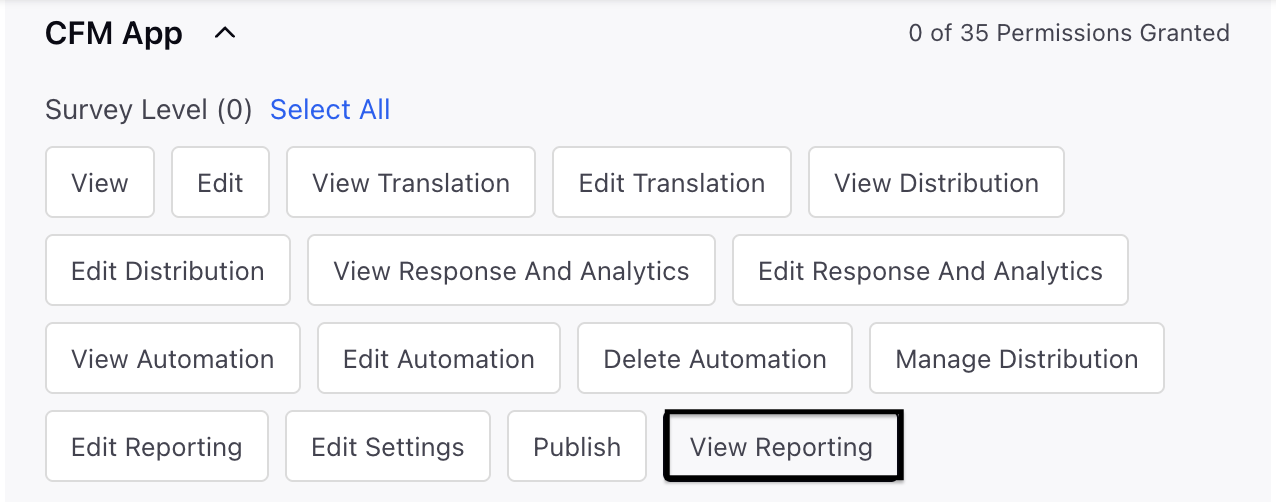
You would need permissions to access View Reporting under Survey Level in CFM App.
View: You can access the Survey Builder and view existing surveys.
Setting up Text Question Type
Survey Analytics is a system-generated report that automatically updates as soon as responses are received, allowing you to see the widgets populated in real time. For text question, AI driven text analytics is also incorporated in the widgets.
How does it work?
Text Analytics
Text analytics helps quantify open-ended responses by detecting meaningful phrases and organizing them into categories. These categories are interconnected and follow a hierarchical structure known as a taxonomy.
Understanding Phrases, Taxonomy and Attributes
A phrase is the meaningful part of a sentence that relates to the subject, while an attribute is the relevant category or tag associated with that phrase. A taxonomy is the organized collection of all these attributes.
Example: Let us say we have the following text “It has an impressive camera, I take many pictures of my cat with this“ In the above phrase attribute noted will be camera, the relevant phrase will be “has an impressive camera“ and the broader taxonomy can have attributes about camera, display, battery etc.
If you are using our surveys tool, you can create surveys for multiple use cases like employee feedback, customer feedback, grievance redressal, and more, which makes it impractical to rely on a single, pre-made taxonomy. That is why you need to create a taxonomy specific to each survey.
Auto-Discovery Mode (Default)
The current text analytics utilizes Gen AI-powered capabilities (using GPT-4o) for detecting phrases, generating categories, and analyzing sentiment in open-text inquiries. The model collects 500 responses, and once these responses are gathered, we establish our foundational two-level taxonomy.This taxonomy is used to assigned attributes to future responses.
If the taxonomy has not been created, users will have access to a response stream widget and a response distribution widget.
This feature operates without requiring user involvement; once 50 responses are collected, we initiate the text analytics process.
Custom Taxonomy Mode
Enterprise customers can now establish and upload their own taxonomy frameworks.
Upload & Ingestion:
A template (XLS/CSV) is provided by the ML team.
Taxonomy must include both L1 and L2 categories.
Applied at the individual question level.
Override Behavior:
When a custom taxonomy exists, enrichment utilizes it rather than relying on auto-discovery.
Auto-discovery will not activate for that question.
Historical Backfill (Optional):
Customers can choose to reprocess already collected responses with the new taxonomy.
This setting is configurable and can be applied by the Sprinklr team upon request to prevent unnecessary reprocessing.”
Persistence & Isolation:
Custom taxonomy persists across survey republishes unless explicitly replaced.
Enrichment is applied per question, one question’s taxonomy does not impact another’s.
Switching Behavior:
If no taxonomy is uploaded, the system continues using the default AI-discovery pipeline.
Response distribution widget (word cloud)
Standard word cloud widget for text responses as present in Sprinklr.

Response Stream widget
Each response appears in a stream widget, with each card displaying a single response. If text analytics is enabled, you can view the detected sentiment and have the option to edit the sentiment for any response.

You can edit attributes directly using the response stream widget. To update the response quality, simply click on a phrase and select “Edit.” A window will open where you can modify both the sentiment and the attribute for any response.

Keyword Query Filters
You can search or filter text-based survey responses using keyword queries combined with Boolean operators, just like in other areas of Sprinklr.
Steps to access the Keyword Query filter:
Navigate to the dashboard-level or widget-level filters.
Click on the Survey Questions bucket and select the relevant text-based question to which the keyword query filter should be applied.
Click on the Survey Questions bucket and select the relevant text-based question to which the keyword query filter should be applied.
Select Text Response option within the selected sub question's sub bucket. Here, you can enter a keyword query to filter responses, which will directly impact the metrics generated from the filtered data.


Highlight Matched Phrases
To highlight a keyword query within a text-type widget, you first need to select "Keyword Query" from the Highlight options available in the three-dot menu inside the widget. By default, the sentiment identified by text analytics is highlighted in the response stream.

Attribute Categories (Column Graph)
Attributes are displayed on the X axis, with the corresponding number of responses for each attribute shown on the Y axis. Each column is color coded to reflect the sentiment, negative, positive, or neutral, associated with the responses for that attribute.

Text analytics is currently supported only for multi-line text responses. It is not available for single-line text responses, as these usually contain structured information like name, address, or phone number, which do not offer meaningful insights for sentiment or theme analysis.
 Key points to note:
Taxnomoy enrichements are generated only after 500 repsonses for a specific text question are captured for an open field text question. This is to ensure development of holisitic taxonomy.
Taxonomy generation threshold is customized to 100 responses for demo environments - Louvre Lab and Louvre Analyst
Taxonomy cannot be updated in the current setup.
No user input is currently supported to tweak the taxonomy.
Text analytics is not supported for in progress resopnses in the survey unless the response is marked as autocomplete
Both L1 and L2 levels must be provided for custom taxonomy ingestion.
Backfilling in case of custom taxonomy, must be explicitly enabled; it is not applied by default.