WhatsApp Account Green Tick Badge
Updated
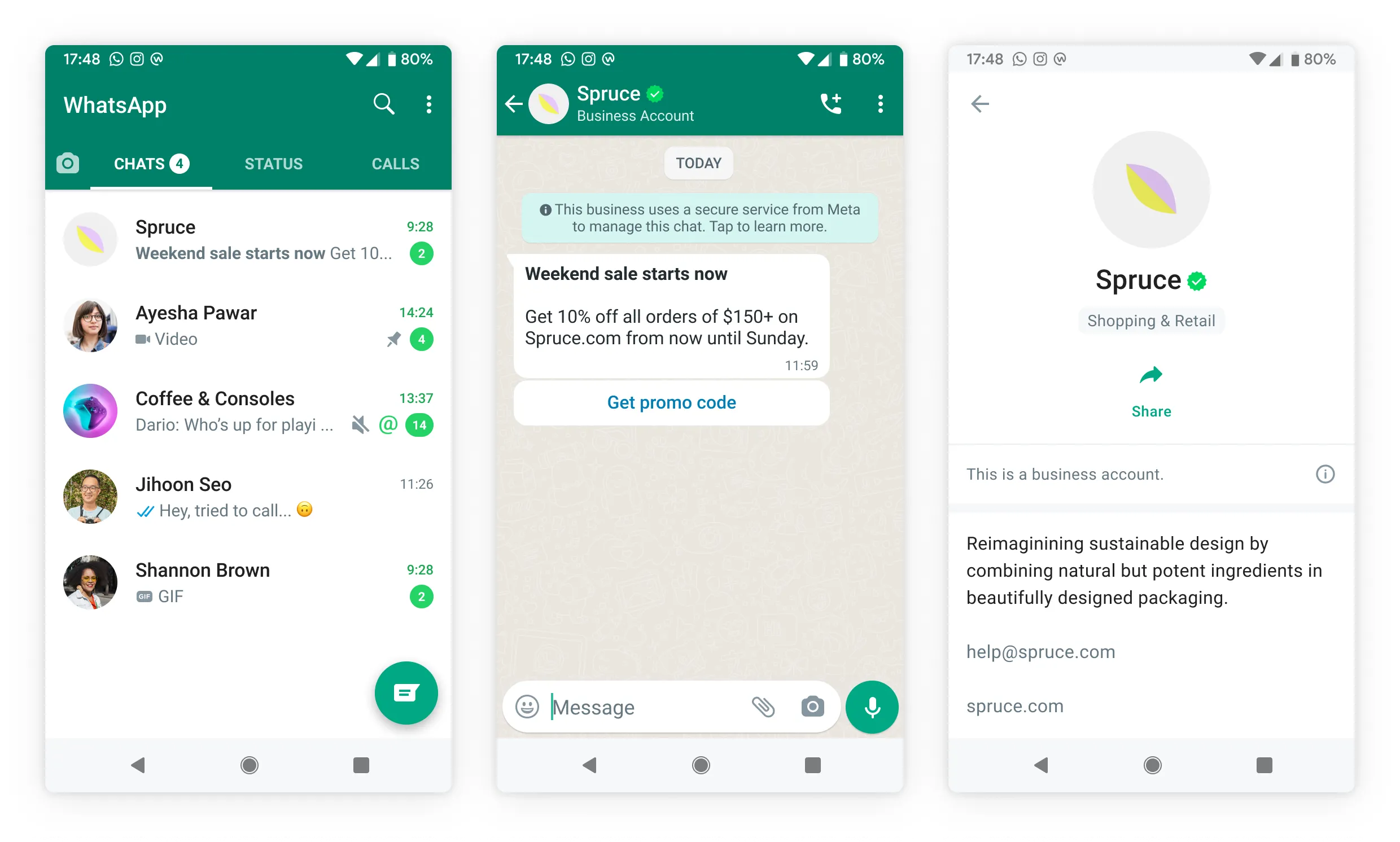
The WhatsApp Green Tick badge is an official Green Checkmark that WhatsApp offers to demonstrate the Brand’s legitimacy and reliability. It’s an indication from WhatsApp that the company trusts the name. Green Tick-equipped accounts are referred to as official WhatsApp Verified Accounts.
If your WhatsApp account is an Official Business Account (OBA), there will be a green checkmark beside the displayed name in the contacts view.
Eligibility Criteria
To be eligible for OBA, business must meet the following criteria:
The business must comply with the WhatsApp Business Messaging Policy.
The business must be registered on the WhatsApp Business Platform for at least 30 days.
The business represents a notable, well-known, and frequently searched for business, brand, or entity.
The business portfolio that owns the number has been verified through Business Verification.
The business phone number has enabled Two-Step Verification.
The business phone number’s display name has been approved.
For more details, see WhatsApp Business Eligibility Criteria.
Get a Green Checkmark Badge
To get a Green Checkmark, follow these steps:
1. Click the New Tab (+) icon. Under Governance Console, click Social Accounts within Listen.
2. On the Accounts window, select Whatsapp Business as the desired channel.
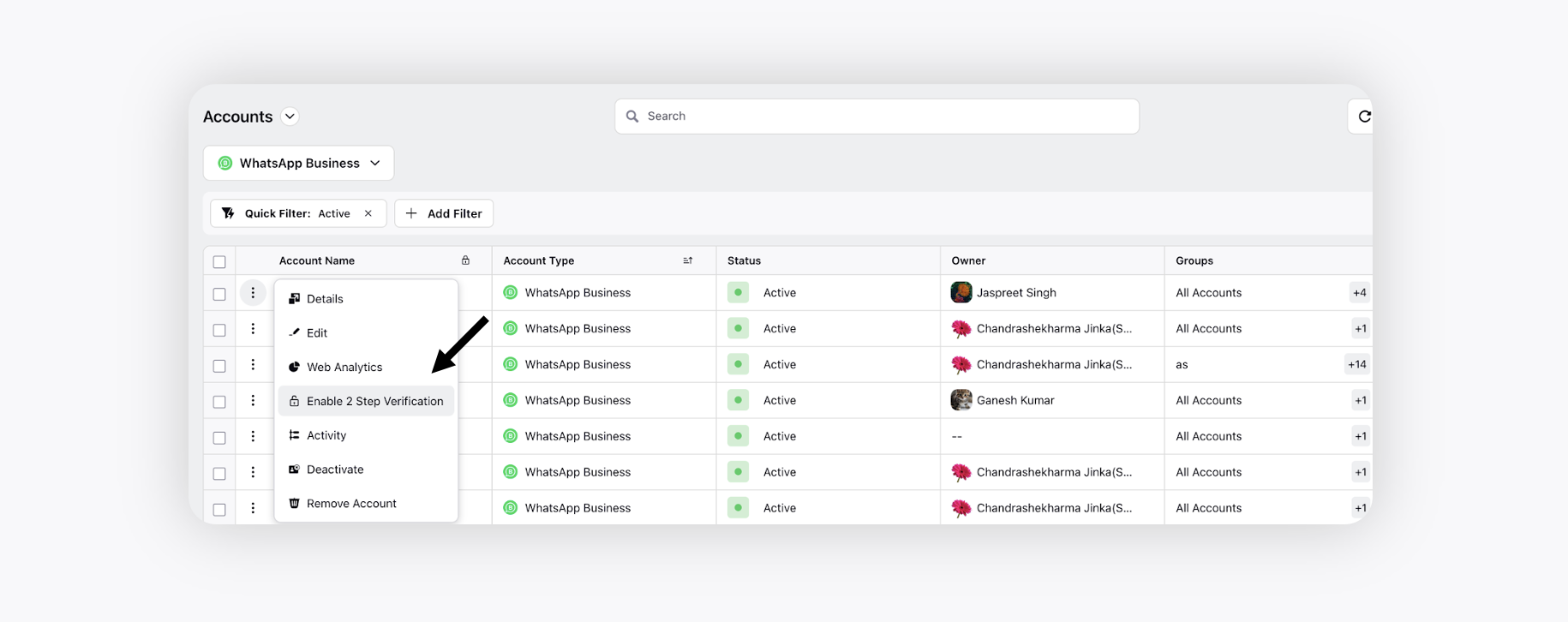
3. Click on the three-dot icon next to the required WhatsApp account and select Enable 2 Step Verification.
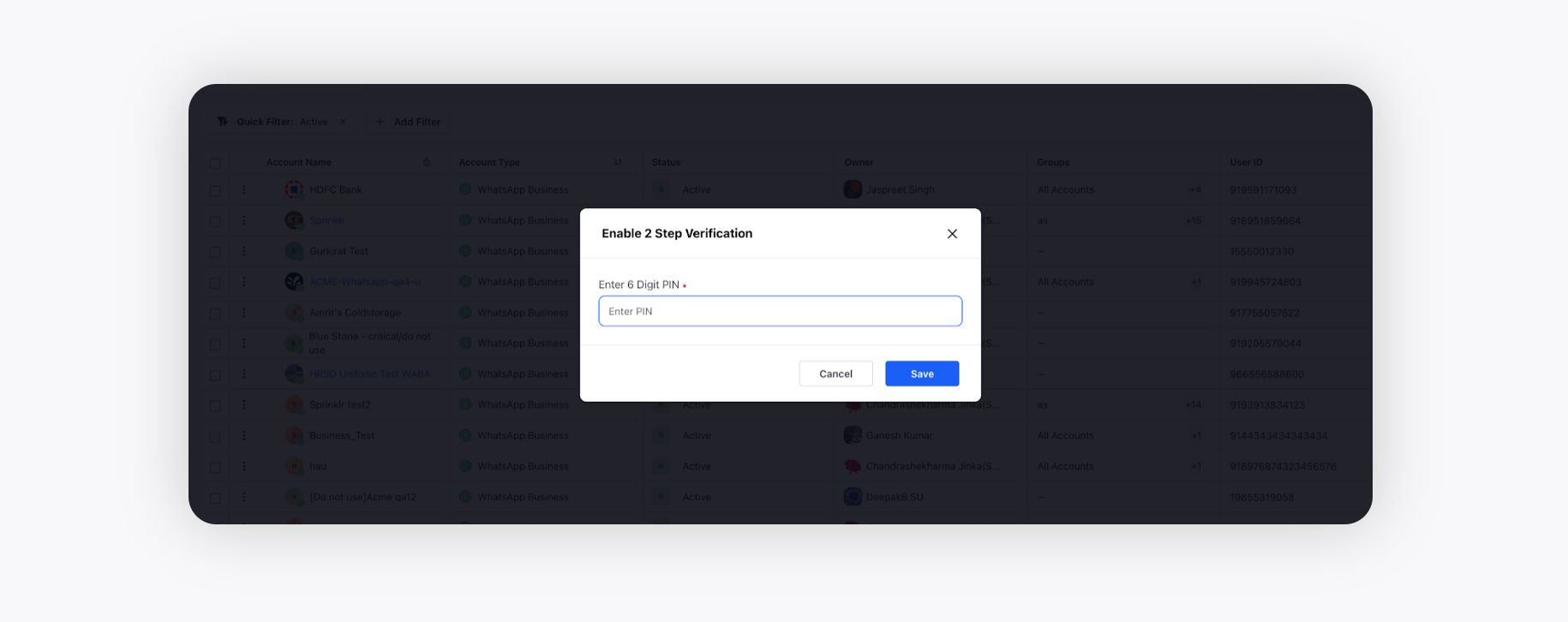
4. Enter any random 6-digit PIN, for example, 123456 and click Save.
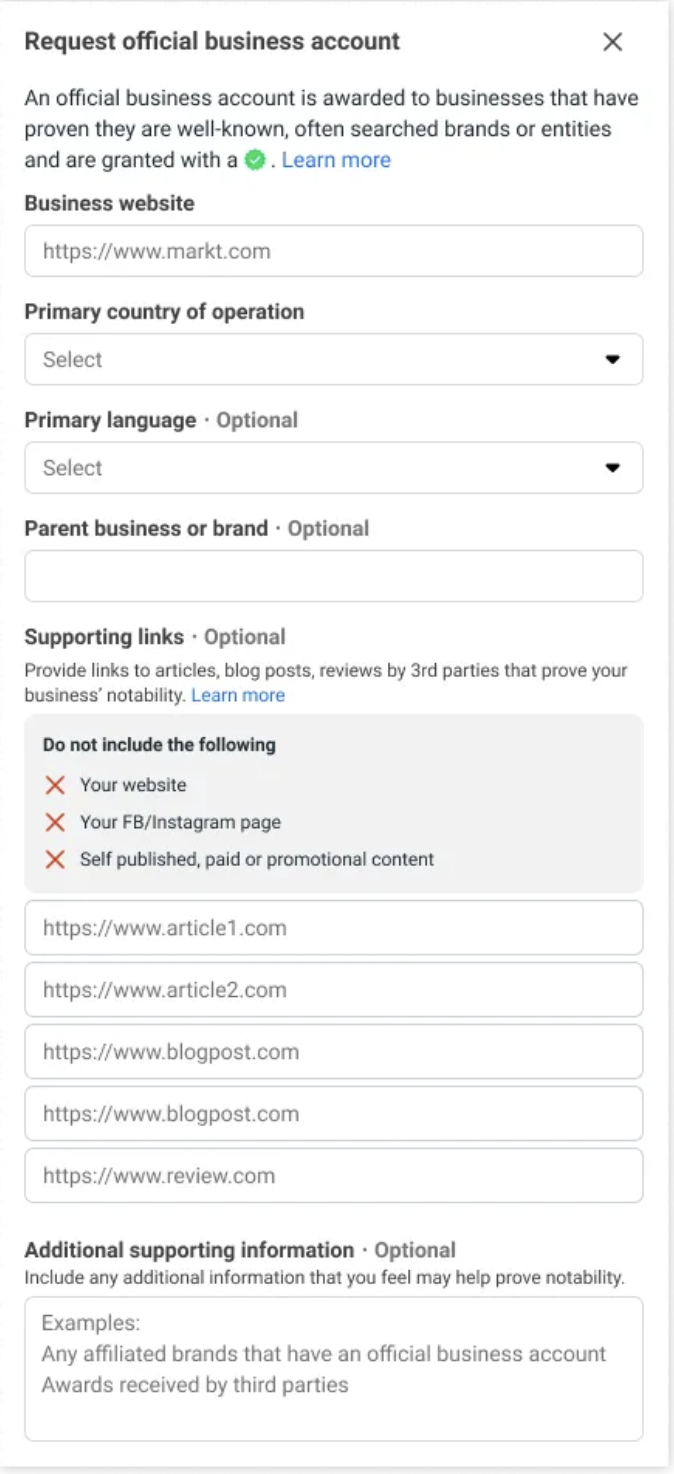
5. Next, raise a support ticket to Sprinklr at support@sprinklr.com to request an official business account:
Business website
Reason for request
Links to articles, other social media accounts to show that you are a well-known account.
Name in original language (optional)
Facebook page (optional)
6. It is recommended that you submit up to 5 supporting links especially from renowned publications (for example, India Today, Economic Times, Wall Street Journal, Reuters, Wikipedia, Business Insider) to show that the business is notable, which helps us determine notability.
Fields like Country(s) of operation, parent business or brand (esp. if it is a well-known brand) and Primary language helps to further legitimize your brand and eligibility for OBA
 Note:
Note:
Once WhatsApp reviews your request, you will receive a notification letting you know if your account has been granted green tick or not.
If your request is rejected, you can submit a new request after 30 days.