




The global leader in enterprise social media management
For over a decade, Sprinklr Social has helped the world’s biggest brands reimagine social media as a growth driver with a unified platform, industry-leading AI and enterprise-grade scale.




Social Media Automation Tools for 2026: Tools by Buyer Intent

The best social media automation tools unify publishing, listening, engagement, and reporting into a single workflow, giving leaders visibility, control, and speed without sacrificing governance. With dozens of solutions promising similar outcomes, identifying the ones that actually drive results can feel overwhelming.
This guide breaks it down. Here are the best social media automation tools of 2026 and beyond, built to help you scale efficiently, stay consistent globally, and turn social into a true growth engine.
- What are social media automation tools?
- Best overall social media automation tools
- Social media automation tools for agencies/multi-client management
- Social media automation tools for small businesses
- Use Sprinklr Social platform to automate everything
- What to look for in social media automation tools (decision framework)
- Real-world use cases
- Final thoughts
What are social media automation tools?
Social media automation tools are platforms that take over the repetitive, manual parts of managing social; from scheduling posts and routing approvals to monitoring conversations and generating performance reports.
They’re now unified platforms that automate the full lifecycle of social media management — from publishing and engagement to listening, reporting, and compliance.
For leaders, the real value isn’t just time saved; it’s control and clarity. With social data fragmented across teams, markets, and channels, automation tools bring it all together into one intelligent system. They turn social into a coordinated, insight-driven operation instead of a patchwork of tools and tasks.
Key benefits:
- Orchestrated publishing: Automate post scheduling, localization, and approval workflows across brands and markets.
- Unified engagement: Route DMs, comments, and mentions to the right teams in real time — no message lost in the noise.
- Active listening: Track brand sentiment, competitor activity, and crisis signals without manual monitoring.
- Integrated reporting: Automatically pull performance data into dashboards tied to business KPIs.
- Built-in governance: Enforce permissions, approval paths, and audit trails to reduce risk in regulated industries.
- Continuous optimization: Use AI to identify best-performing content, timing, and channels, and apply those learnings automatically.
Social media automation tools simplify your repetitive tasks; saving hours, keeping your presence consistent, and making scaling across channels possible.
That said, many still wonder:
Do automation tools risk account bans or reduced organic reach?
Not if you’re using legitimate, API-compliant platforms. Social media networks penalize spammy or bot-like activity, not responsible automation. The risk comes from third-party tools that overload posting, ignore platform limits, or mimic fake engagement.
Enterprise-grade tools like Sprinklr Social, Hootsuite, or Buffer maintain direct API partnerships, ensuring automation stays within approved parameters. In fact, when used correctly, automation can improve reach by ensuring consistent posting and faster engagement response times.
Best overall social media automation tools
The market is full of “timesaving” tools, but most just move the chaos around. The real value comes from platforms that bring structure.
We filtered out the noise and focused on what enterprise teams really need: control, intelligence, and scale. These are the social media automation tools that deliver all three.
Sprinklr
Sprinklr is a unified, AI-powered enterprise-grade platform designed to automate the entire social media ecosystem for global enterprises. It consolidates publishing, customer engagement, and listening across 30+ social and messaging channels into a single platform, moving far beyond basic scheduling.
At its core is Rules & Automations, the engine that makes Sprinklr a true automation platform rather than a simple social tool. It lets teams set up custom workflows that automatically route messages, assign tasks, apply tags, or trigger alerts based on defined conditions like sentiment, keywords, or engagement type. This ability to move in real time without human intervention keeps social operations fast, compliant, and always on brand.
Governance and compliance are where Sprinklr differentiates sharply from most other platforms. Features like Smart Approvals and Media OCR Compliance prevent errors before they go live.
- Smart Approvals uses AI to automatically flag issues — from profanity or brand tone deviations to missing legal disclaimers — before posts are submitted for publishing.
- Media OCR Compliance goes a step further by scanning text embedded in images and videos to detect regulatory violations or unapproved language, a critical advantage for financial services, pharma, and other regulated industries.
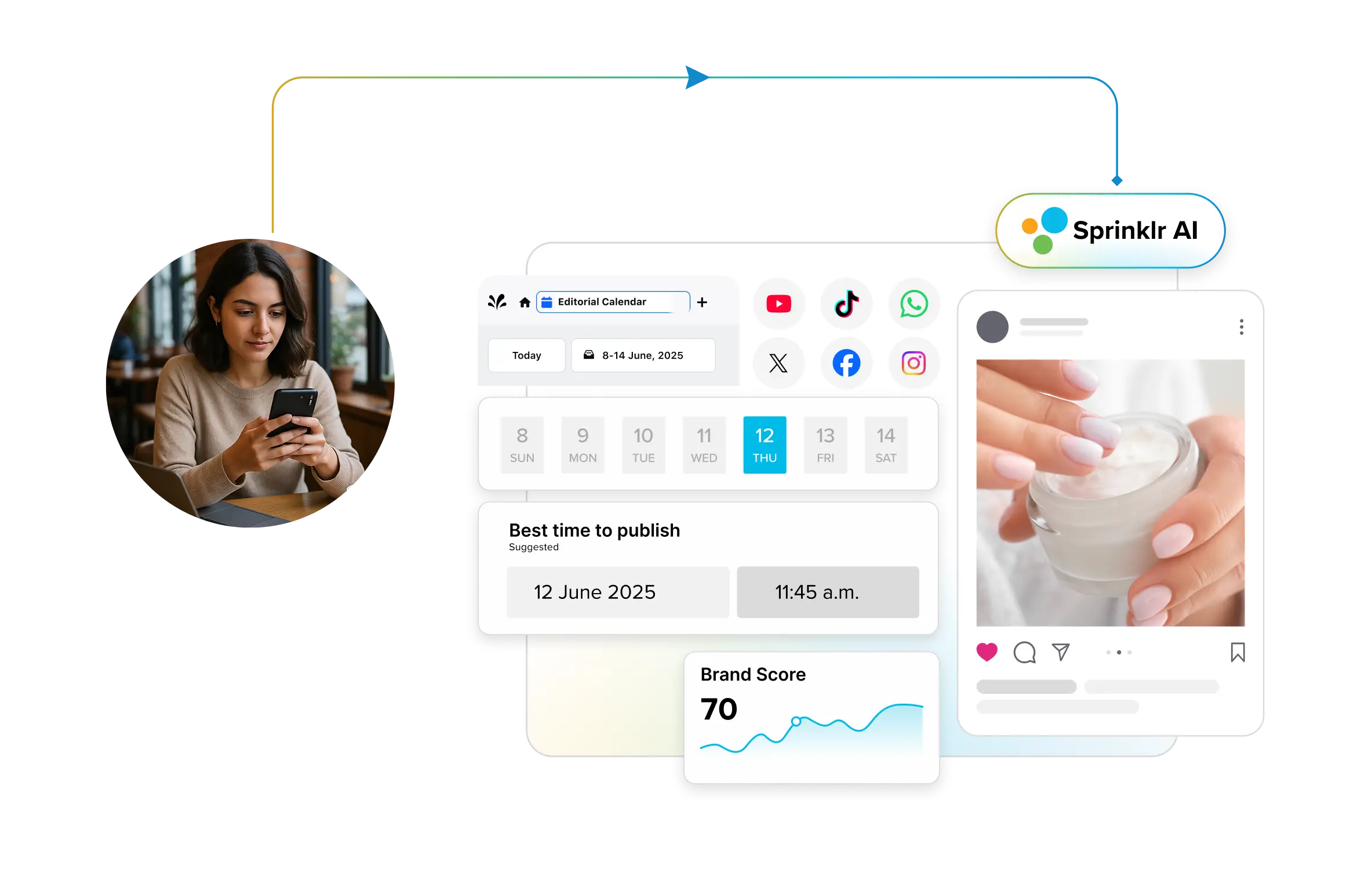
For publishing, the Omnichannel Publisher handles scheduling, optimization, and distribution across 30+ social and digital channels. It supports bulk uploads, per-platform customization, and AI-based timing suggestions to maximize reach and engagement.
Finally, Sprinklr brings intelligence into the automation loop through its AI Summarizer and analytics automations. The AI Summarizer processes thousands of customer messages, mentions, and comments to deliver concise insights, surfacing what matters most without requiring analysts to dig through endless dashboards. Meanwhile, automated dashboards and alerts feed decision-makers with real-time campaign, engagement, and sentiment data, reducing latency between social activity and business response.
Put simply, Sprinklr doesn’t just automate posts — it automates performance, governance, and growth. It’s the top pick for enterprises that need speed and scale without losing precision.
Trusted by: Uber, Microsoft, Wells Fargo, the Prada Group, Boston University, IKEA, SantanderUK, Shell, Stage Entertainment, Northwestern Mutual, and many more.
Hootsuite
Hootsuite has long been a go-to for social teams that need a solid blend of scheduling, listening, and analytics under one roof, and its automation capabilities have steadily grown to meet enterprise demands. With publishing, engagement, and insight functionalities all integrated, it supports broad social strategies across multiple brands and platforms.
In the publishing space, Hootsuite automates bulk uploads, post scheduling across 35+ networks, and uses AI to recommend the best posting times. With OwlyGPT (its AI assistant), you get suggestions for post ideas, captions, hashtags and visuals based on real-time social conversations and your brand voice.
On the engagement and monitoring front, Hootsuite consolidates public comments, DMs, and mentions into one dashboard. It supports automation like saved replies, auto-responses, and rule-based message routing, helping teams stay on top of high volumes of engagement and brand mentions without manual triage.
For listening and analytics, Hootsuite offers its Listening product (powered by Talkwalker) that tracks brand mentions, sentiment, image and video references, and trends across 150+ million online sources in 187 languages. Automated alerts, forecasting, and AI-summarized insights let teams respond to crises, capitalize on trends, or track competitor performance faster.
Sprout Social
Sprout Social stands out as an enterprise-grade social media automation platform built to manage, engage, and analyze at scale. Its AI-powered Smart Inbox centralizes all social conversations, from Instagram DMs to LinkedIn comments, into one unified dashboard, streamlining engagement and routing messages automatically to the right team. The AI Assist feature accelerates content creation by suggesting post variations, adjusting tone, and recommending optimal send times.
For automation, Sprout enables auto-publishing, bulk scheduling, and campaign calendar management across networks, while Smart Scheduling uses engagement data to post when audiences are most active. The Bot Builder automates FAQs and responses, and Social CRM integrates with Salesforce, Zendesk, and HubSpot for personalized care. On the analytics side, Listening and Premium Analytics deliver automated sentiment analysis, competitor benchmarking, and paid campaign reports in one dashboard.
More recently, Sprout added AI-powered listening that surfaces trends, audience sentiment, and influencer insights in real time. For large enterprises, these tools combine to offer proactive engagement, consistent brand voice, and intelligent automation that saves hours of manual work.
Brand24
Brand24, best known as an AI-driven social listening platform, automates the tracking and analysis of online conversations across a vast range of sources. It collects public mentions from over 25 million sources, including major social platforms like Facebook, X (Twitter), Instagram, TikTok, and YouTube, as well as non-social sources like news sites, blogs, forums, podcasts, and review sites. This makes it a powerful tool for enterprises that need a holistic view of their digital footprint and brand health.
The platform's automation is centered on its sophisticated AI analysis. It automatically performs sentiment analysis, categorizing mentions as positive, negative, or neutral, and can even detect specific emotions like joy, anger, or admiration. Key AI features include the AI Brand Assistant, a chatbot you can query for instant insights about your data, and the AI Anomaly Detector, which automatically flags unusual spikes or drops in mention volume that could signal a brewing crisis or a viral opportunity. It also provides automated, real-time alerts (called Storm Alerts) for these spikes, allowing your team to react swiftly.
Brand24 is built for marketing, PR, and customer service teams in agencies and enterprises that need to protect their reputation and make data-driven decisions. It excels at turning massive amounts of unstructured online data into structured, actionable intelligence, helping you manage crises, identify influencers, track campaigns, and understand market sentiment without manual effort.
Zoho Social
Zoho Social is an all-in-one social media management platform that helps businesses plan, publish, monitor, and analyze their content from a single dashboard. Designed for brands, agencies, and growing teams, it simplifies multi-platform management across networks like Instagram, Facebook, LinkedIn, X, YouTube, and more. Users can schedule unlimited posts, monitor mentions, and generate in-depth analytics to measure social engagement and performance.
Its Flexible Scheduling feature lets users choose the best posting times using AI-powered predictions, ensuring maximum audience visibility. Its Content Calendar gives a clear visual overview of upcoming posts, making campaign planning effortless. Meanwhile, the Monitoring Dashboard tracks conversations, mentions, and trends in real time so brands can engage instantly with their audience.
For insights, Zoho Social Analytics offers detailed reports on reach, impressions, and engagement. Users can create custom dashboards or use pre-built reports to track KPIs that matter most. Integrated collaboration tools make teamwork smoother — marketing teams can assign roles, approve posts, and communicate directly within the platform.
Zoho Social also integrates seamlessly with Zoho CRM, allowing teams to connect social interactions with customer data and sales opportunities. This fusion of marketing and CRM helps brands turn social engagement into qualified leads and measurable business growth.
Loomly
Loomly is a social media management platform built for teams that want to simplify content planning, publishing, collaboration and performance tracking across multiple brands, platforms and calendars. It supports traditional networks and allows you to customize workflows and channels as needed.
At the heart of its automation capabilities is its content calendar and scheduling engine. Users can create posts (or repurpose content), schedule in bulk, receive optimization suggestions (e.g., best times to post, trending hashtags), and set up approval workflows to streamline collaboration. The platform also enables custom channels via Zapier and supports role-based access and multilingual content calendars.
On the engagement and monitoring side, it offers a unified inbox (Interactions Dashboard) where comments, messages and replies across connected platforms are aggregated. While its listening features may not match some enterprise tools, it supports saved replies, team assignments and filters to drive faster responses and better team coordination.
In terms of analytics, Loomly provides automated reporting on post performance, campaign labeling, and exports in multiple formats. Its library of assets, templates, and post ideas helps teams fill the content calendar while avoiding creative blocks. For mid-sized marketing teams or agency work managing multiple brands or clients, Loomly offers a balanced mix of automation, collaboration and tracking without the complexity or cost of full-scale enterprise systems.
With so many options claiming to be "enterprise-ready," a key question arises:
What features truly indicate an automation tool is enterprise-grade?
Enterprise-grade tools go far beyond post scheduling. They centralize publishing, engagement, analytics, and governance within one AI-powered platform. Look for scalability (multi-brand, multi-region support), integration depth (CRM, listening, BI), and strong governance (approval workflows, audit trails, and access controls). Most importantly, they use AI for predictive scheduling, real-time insights, and compliance automation — essentials for managing social at enterprise scale.
Social media automation tools for agencies/multi-client management
Agencies juggle dozens of clients, each with their own tone, calendars, and approval layers, and it’s easy for things to slip through the cracks. The tools that matter here are built on three pillars: clarity for your clients, collaboration for your team, and scalability for your bottom line.
Here are the top platforms built to help agencies manage social at scale, without the chaos.
Sendible
Sendible is designed for agencies and multi-client teams that need a social media automation tool built around scalability, collaboration, and client-facing workflows. Beyond scheduling posts, it centralizes content creation, approval, reporting, and monitoring for dozens of brands under one roof.
In publishing and workflow terms, Sendible offers bulk scheduling, automated content queues, CSV imports, and Smart Queues that recycle high-performing content at set intervals without manual intervention. It also supports integrations with Canva, Google Drive, Dropbox, and even RSS feeds to pull in content automatically, making it easier to maintain a consistent publishing rhythm across client accounts.
Collaboration and client management are standout features. Sendible allows team members to assign roles and permissions, set up client dashboards with white-label branding, and enforce approval workflows so every post aligns with brand guidelines. Agencies managing multiple clients say this structure significantly reduces errors and streamlines handoffs. Reporting is equally tailored: you can generate automated, scheduled client reports in PDF or Excel, build custom content libraries (hashtags, saved replies), and track key metrics across profiles, all from a centralized dashboard.
For agencies or firms handling many brands across markets, Sendible delivers automation built for volume, client transparency, and workflow discipline. It’s a tool that allows you to focus less on managing the mechanics and more on growing your client portfolio.
Agorapulse
Agorapulse positions itself as an agency-friendly social media automation tool, built to handle the volume, workflow, and multi-client complexity that comes with managing many brands at once. Its platform offers unified inboxes, publishing queues, listening capabilities, and automated reporting all in one place.
One of its standout automation features is the Inbox Assistant (also called Automated Moderation Rules). You can build rule sets like: if a comment contains “support request” or a URL, then assign it to the support team, hide spam, or label it for follow-up. This kind of automation saves agencies hours by turning routing and triage into a system instead of manual triage.
In publishing, its Publishing Queues enable teams to add posts into themed buckets (e.g., product updates, evergreen content, client-promotions) instead of scheduling each item individually. You can also bulk upload content, set optimal posting times based on audience behavior, and recycle evergreen content automatically.
For agencies focused on measurement and multi-client reporting, Agorapulse offers a live ROI Dashboard and scheduled reporting features — tracking conversions, UTM tagged campaigns, comparing performance across clients and delivering white-label reports without extra manual effort.
HeyOrca
HeyOrca is built specifically for agencies and teams managing multiple clients, offering a streamlined platform for content creation, approval workflows, inbox management, and reporting in one place. It’s designed so external stakeholders (clients) don’t need full system access yet can still provide input by way of shareable links.
Its publishing and collaboration capabilities are strong: you can create content calendars per client, schedule posts across platforms like Instagram, Facebook, LinkedIn, TikTok, X, and Google Business Profile, and manage client feedback without endless email threads. Features like “Best Times to Post” and built-in Canva integration help teams move from planning to publishing with fewer bottlenecks.
On the automation side, HeyOrca stands out with its social inbox and community management tools — messages, comments, and mentions from multiple brands come into one feed, where you can set up bulk actions (resolve, hide, assign) and automated DMs triggered by keywords. These features reduce manual triage and speed response time across brands.
It also facilitates agency-grade reporting: you can automate report generation across channels, include competitor insights, export in client-friendly formats, and offer custom branding so your tool appears branded to your agency, not a third-party platform.
Best for agencies or consultancies managing multiple client brands who need trusted workflows, from content creation through approval and reporting, without building internal tooling from scratch.
Managing multiple clients is all about delivering precision, transparency, and consistency at scale. That’s where the right automation tools change the game.
Which social media automation tools are best for an agency managing 50+ client accounts?
For agencies handling dozens of clients, tools like HeyOrca, Agorapulse, and Sendible stand out. Agorapulse centralizes publishing, monitoring, and reporting across clients while keeping permissions tight and transparent. HeyOrca simplifies collaboration through shareable calendars, feedback links, and client-specific approval workflows. Sendible offers bulk scheduling, white-label dashboards, and smart queues that make it easier to manage campaigns in parallel without losing focus.
Each of these platforms supports high-volume management, role-based permissions, and workflow automation — essentials when you’re running 50+ accounts without losing control.
Social media automation tools for small businesses
For a small business, every minute and every dollar counts. They don’t need bloated enterprise software — they need automation tools that save time, simplify content planning, and help them stay consistent across channels. The right platform acts like an extra pair of hands, handling scheduling, engagement, and insights so owners can focus on growth.
Here are the best automation tools built to make social media easy, efficient, and impactful for small teams.
Buffer
Buffer is a popular social media automation tool, especially strong for small businesses, solopreneurs, and marketing teams that value simplicity without sacrificing capability. Its clean interface and effective core functionality make it ideal for managing multiple accounts, scheduling content, and analyzing performance, without the steep learning curve of enterprise tools.
On the automation front, Buffer delivers several distinct features. Its AI Assistant can generate captions, repurpose existing posts, and tailor content by channel or audience type, designed to ease content creation and reduce writer’s block. Additionally, its publishing workflow allows you to set up scheduled posts in advance by connecting multiple channels, grouping them for quick selection, and planning via a visual content calendar or “board view”.
For automation of content tracking and workflow, Buffer offers features such as Channel Groups (so you can draft one post and publish to multiple channels), Hashtag Manager, and “Best Time to Post” suggestions derived from engagement data. The analytics side supports scheduled reporting, custom dashboards, and performance exports, helping teams make data-driven decisions without manual aggregation.
In short: if your team needs a capable, efficient automation tool for publishing, content creation, scheduling, and basic reporting, Buffer fits the bill. It may lack the deep governance or enterprise-scale workflows of some bigger platforms, but for smaller teams focused on consistency, speed, and clarity, it’s a very strong option.
Later
Later is a social media automation tool built for visually-driven brands — creators, small businesses, and e-commerce teams that focus heavily on Instagram, TikTok, Pinterest and similar networks. It brings together content planning, scheduling, and analytics in one place.
When it comes to automation, it shines in its Visual Planner and scheduling workflow. You can drag-and-drop posts into a calendar, preview your Instagram grid (or any visual feed), and set posts to auto-publish across multiple platforms, including Instagram, Facebook, Twitter, Pinterest, LinkedIn and TikTok. It also automates posting time recommendations, letting you publish at optimal engagement windows without guesswork.
The platform also automates a number of supporting tasks: built-in Hashtag Suggestions that pull in good fit hashtags based on your content and the brand context, and a Link in Bio tool that turns your Instagram or TikTok bio into a clickable mini site. From there, you can track clicks and drive conversions from social posts. Analytics are part of the automation story too — it pulls in engagement data, highlights best performing content, and integrates to help you understand what’s working and when.
If your social strategy depends on strong visuals, multiple posts across platforms, and simplicity without heavy complexity, Later is a smart pick. It may not offer the full enterprise automation features of some platforms, but for a small business or brand that prioritizes visuals and consistency, it gets the job done.
SocialBee
SocialBee is built for small businesses, solopreneurs, and marketing teams that need more than just scheduling; they need automation that keeps their social presence consistent without constant manual effort. It supports content creation, scheduling, publishing, and basic analytics across major platforms, all from a single dashboard.
The platform’s strength lies in its Content Categories & Recycling system. You can create themes like “Testimonials,” “Behind-the-Scenes,” or “Promotions,” assign each theme a posting schedule, upload or generate posts in bulk, and let SocialBee automatically post them at the right intervals. It also supports multiple variations of the same post for different channels, so you don’t have to manually tweak each one.
SocialBee also incorporates AI-powered assistance — an AI Assistant (Copilot) for generating captions, images, and hashtags based on your brand voice and platform needs. Plus, their scheduling tools include post timing recommendations and automatic expiry of posts after a set number of shares or date, which helps keep your mix fresh without manual check-ups.
The platform also nails content recycling. Evergreen posts don’t disappear after one run; SocialBee automatically re-shares them at intervals you define. For lean teams, that means less scrambling for fresh content and more consistent engagement.
⚠️ Important Note for Readers:
While the tool list above isn’t exhaustive, we invested significant time in research and consulted with customers to put it together. Their insights have contributed to this compilation of social media automation tools, allowing you to choose the software that best aligns with your social media requirements.
The above tools are in no particular order of ranking or popularity. They are independent picks by Sprinklr’s editorial team based on our research and publicly available information on review sites. It is crucial to note that software or platforms may evolve over time, and the company may address some of these concerns in newer updates or versions.
Use Sprinklr Social platform to automate everything
Sprinklr Social redefines enterprise automation. It’s not a collection of features, but an AI-native operating system that transforms social media from a manual, reactive task into a predictive, strategic engine. For a global brand, this is the difference between managing social media and commanding it.
Here are the core automation capabilities that make this possible:
1. End-to-end unification
Unlike point solutions, Sprinklr connects social media automation with customer intelligence, marketing, and service; all within one AI-native platform. That means insights discovered through social engagement can instantly inform ad strategy, service delivery, or product innovation.
2. Automation meets intelligence
At the core is the Rule Engine & Automations feature — you can set conditions (e.g., specific keywords, sentiment changes, content types) and trigger actions (hide a post, route it, escalate) automatically. It reduces manual triage and ensures your social team focuses on strategy, not firefighting. This is backed by documentation on automated alert summaries and analytics.
3. Publishing and optimization at scale
Sprinklr automates publishing across all channels through its Omnichannel Publisher combined with AI suggestions. The platform recommends the best times, content formats and customizations by region or audience. The Social Copilot feature helps you navigate your calendar or dashboard using natural language: ask “Show posts that under-performed last week” and it surfaces answers instantly.
4. Insights and health monitoring that run themselves
With Sprinklr AI+ and Insights Copilot, large volumes of data become actionable automation. It summarizes dashboards, detects anomalies, and suggests the next steps.
Add Account Health Alerts and you have proactive signals when account performance or configurations degrade — letting your team respond before issues ripple.
5. Governance built-in
Sprinklr automates approval workflows, access controls, audit trails and compliance flags. When posts cross global, regional, or regulated boundaries, you’re covered. Features like OCR-based image/video checks and automated escalation far exceed basic scheduling.
Can I use social media automation tools to repurpose content across platforms?
Yes — most modern automation tools make content repurposing far more efficient. You can now take a single long-form post and automatically generate variations suited for different platforms and audiences. AI-powered tools can adapt tone, format, hashtags, and even visuals to match what performs best on each channel.
For example, you might turn a LinkedIn thought leadership post into a short X thread or a quick Instagram carousel — all without rewriting from scratch. Enterprise platforms like Sprinklr Social take this further with AI that personalizes content by audience segment and region, ensuring every version feels native while staying on-brand.
What to look for in social media automation tools (decision framework)
Here’s what to look for when choosing social media automation tools. Use it as a checklist so you evaluate platforms strategically.
- Scale & team size: Can it handle dozens of channels, thousands of posts, and global teams without breaking? Look for multi-brand, multi-region support with role-based access. Ensure the tool supports your current breadth and growth over time.
- Integration depth: Does the tool connect with your CRM, DAM, analytics stack, listening tools and ad platforms? Bigger value comes when you plug social into your broader tech ecosystem.
- AI capabilities: Look for features like smart scheduling, caption/hashtag suggestions, best time to post recommendations, and predictive insights. These matter more than ever in 2026 and beyond.
- Workflow & governance: Can you build approval paths, control access per user/brand/region, and embed compliance checks? It’s especially important if you operate globally or in regulated industries.
- Connectivity & platform coverage: Are all the major social, messaging and emerging channels supported (e.g., TikTok, WhatsApp, Threads)? Missing a key channel means missing conversations.
- Analytics & reporting: Does the tool move beyond “likes” to link social activity to conversions, leads or business impact? Does it offer automated reports, dashboards, and anomaly-alerts?
- Support, pricing & hidden costs: Understand onboarding, training, service-level agreements (SLAs) and potential extra costs (users, profiles, add-on modules). A cheaper plan isn’t always less expensive in total cost of ownership.
- Usability & adoption: Even the best platform fails if teams avoid using it. Intuitive design, mobile access and collaborative features (comments, tasks) boost adoption and ROI.
- Security & data governance: For enterprises and agencies: make sure the tool offers audit trails, role-based access control, data encryption, and meets your region’s privacy standards.
Once you’ve narrowed down your shortlist, the next logical step is to test them in action.
How should I test a social media automation tool during a 30-day free trial?
Use the trial to simulate real operations — connect multiple accounts, run scheduling tests, and assign team roles. Track ease of collaboration, governance controls, and AI recommendations. Test integrations with your CRM or analytics stack, and compare publishing speed, approval flow, and reporting depth. The goal: confirm if the tool saves real time and scales without chaos.
A structured test like this helps you validate every item on your decision checklist — from usability to long-term scalability, before making the call.
Real-world use cases
Here are three real-world case studies showing how social media automation tools deliver impact.
Northwestern Mutual
For its “Museum of Recent History” Instagram takeover, the team used Sprinklr to plan, approve, publish, and automate community management at scale (rules-based moderation during a 50k+ engagement spike). Result: a 10× jump in engagements in seven days and the most liked Instagram post in company history.
Why it matters: Demonstrates how automation + unified tooling can scale a global brand’s social output while maintaining control.
Unilever
Unilever used AI to automate aspects of influencer content creation and adaptation, taking influencer assets (hundreds of them) and using generative AI to remix formats, lengths and platforms. Their campaign for a limited-edition product garnered 3.5 billion social impressions.
Why it matters: The automation here is about scale + optimization — automation of creative adaptation and distribution helped maximize reach without linear effort.
Zoom
Zoom leveraged Grammarly's AI to automate the enforcement of brand voice and clarity across its rapidly expanding global marketing and communications teams. The AI-powered tool provided real-time writing recommendations, ensuring consistency and correctness in all customer-facing content without manual, line-by-line reviews.
Why it matters: The automation here is about governance and efficiency — it scaled quality control and brand compliance across a distributed team, drastically reducing editing time and maintaining a unified brand voice during a period of hyper-growth.
Real-world examples show that when automation is used strategically, it amplifies creativity and efficiency, not replaces it.
Does scheduling posts in bulk hurt engagement, and how can I avoid it?
Not if it’s done intelligently. Bulk scheduling can actually improve consistency and reach when paired with real-time optimization. The key is to avoid a “set it and forget it” approach. Use automation tools that analyze engagement trends, audience activity, and sentiment to adjust timing or content dynamically. Platforms like Sprinklr Social and Later now include AI-driven recommendations that flag underperforming posts or suggest better publishing windows, so your calendar stays agile even when pre-scheduled.
In short, bulk scheduling only hurts engagement when it replaces listening, not when it’s powered by it.
Final thoughts
You've seen the landscape. From simple schedulers to AI-powered command centers, the range of social media automation tools is wider than ever. The right choice isn't about finding the tool with the most features, but the one that truly fits your team's size, goals, and need for intelligent control. It's the difference between just keeping your calendar full and building a strategic asset that drives real business results.
Your next step is clear. You need a platform that grows with you, automates complex work, and turns social data into a competitive advantage.
Stop evaluating and start transforming. See how Sprinklr Social delivers the unified, AI-powered platform enterprise leaders rely on.
Frequently Asked Questions
Ensure the tool integrates with your CRM, email marketing software, analytics platforms, and all major social media channels. This enables smoother workflows, centralized data access, and better campaign tracking. Also consider compatibility with content creation tools and approval workflows for team collaboration.
Assess features like bulk scheduling, smart posting times, drag-and-drop calendars, and cross-platform support. Compare user interfaces, automation depth, and analytics dashboards. Use free trials or demos to test how quickly and intuitively you can plan, edit, and publish content across multiple channels.
Start with hours spent on manual tasks (scheduling, approvals, reporting). Match that against vendor-claimed savings. Then estimate freed bandwidth and improved team morale/inventory of higher-value work to assess cultural impact.
Yes, platforms like Sprinklr use AI to tailor content based on audience behavior, sentiment, and engagement history. These tools can dynamically adjust messaging, timing, and format to match user preferences, improving relevance, and boosting interaction rates in real time.
Buying offers faster setup, vendor support, and lower initial costs. Building allows full customization but demands significant time, technical expertise, and maintenance. The right choice depends on your budget, scalability needs, and whether your team can support long-term development and updates.