


The global leader in enterprise social media management
For over a decade, Sprinklr Social has helped the world’s biggest brands reimagine social media as a growth driver with a unified platform, industry-leading AI and enterprise-grade scale.


Getting Started with Social Media Automation: A Practical Guide

Managing social media manually often results in inefficiencies, inconsistent messaging, and difficulty scaling across teams or regions. Social media automation simplifies these challenges by streamlining workflows, maintaining brand consistency, and enabling real-time oversight at scale.
This guide explains what social media automation is and where modern teams use it. You'll also learn actionable steps to start automating your social media operations effectively.
What is social media automation?
Social media automation extends far beyond scheduling posts. It orchestrates end-to-end workflows, including publishing, engagement, listening, and analytics, all powered by AI, rules, and triggers.
Automation removes repetitive manual tasks and enables intelligent systems to execute processes efficiently, at scale, and with fewer errors.
Its key components:
- Publishing Automation: Batch, queue, and auto-optimize posts while approval workflows enforce brand, legal, and compliance reviews across multiple markets seamlessly.
- AI Engagement and Routing: Automatically handle common inquiries, prioritize high-value interactions, and route urgent conversations precisely.
- Listening and Alerting: Monitor brand mentions, detect anomalies, and flag emerging issues before they escalate.
- Rule Engines: Smart triggers such as “If sentiment drops below 50%, alert PR” run quietly to safeguard reputation.
- Analytics and Insights: Deliver real-time, cross-channel ROI, competitive benchmarks, and campaign outcomes beyond vanity metrics.
For large organizations, this means faster content approvals, consistent messaging tailored to local markets, and smarter workflows that reduce costly errors and bottlenecks. Beyond operational efficiency, social media automation plays a critical role in preventing employee burnout and enabling teams to scale global engagement without increasing headcount or sacrificing quality.
How teams use social media automation in practice
Social media automation enables teams to orchestrate complex campaigns, align global and local efforts, and respond to market shifts with precision. These five use cases illustrate how automation supports smarter, faster decision-making across digital touch points:
1. Scheduled publishing across channels
One of the most effective and impactful uses of social media marketing automation is scheduling posts for publication. Instead of manually logging in to each platform and hitting “Post” at the right time, you can:
- Queue content: Line up posts weeks (or months) in advance so you never miss a slot.
- Set recurring posts: Ideal for regular updates, such as reminders, product launches, or weekly tips
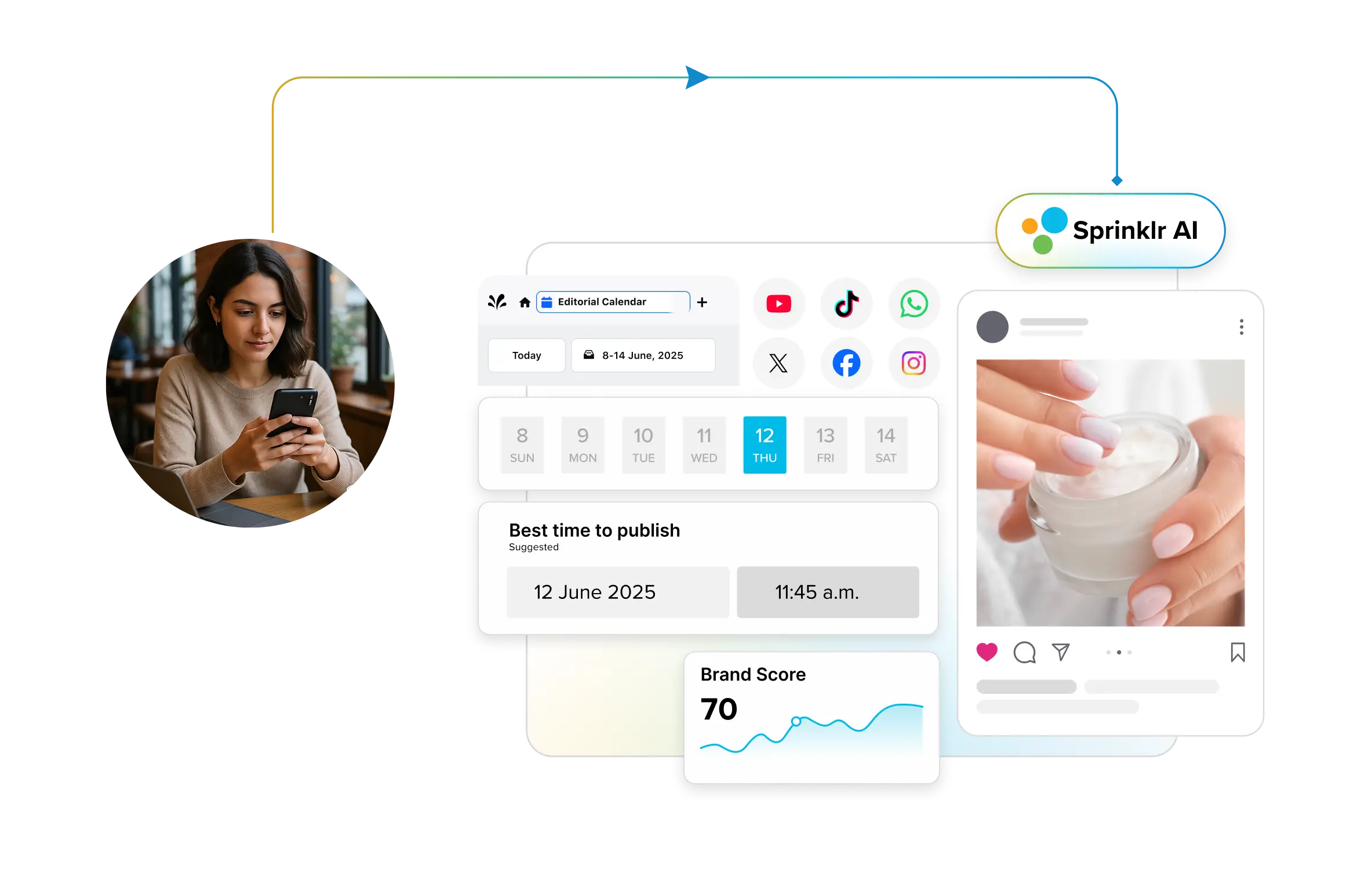
- Utilize best-time-to-post suggestions: Many social media automation platforms and tools analyze your audience’s behavior and recommend the optimal time to post for maximum engagement.
- Run approval workflows: Before content goes live, it can be automatically routed to managers, legal, or compliance teams for a quick check. This means peace of mind for enterprises managing sensitive campaigns.
Instead of juggling multiple logins or guessing posting times, your team sees everything in one shared calendar. That’s less chaos and more consistency.
How can I schedule posts for 10 accounts with different audiences?
Managing multiple social accounts requires efficiency and precision. With platforms like Sprinklr Social Publishing and Engagement, simplify multi-account scheduling by:
- Bulk scheduling: Upload posts via CSV, assign them to different accounts and approve in one workflow.
- Audience targeting: Customize language, tone or offers per account and use filters like age, location or interests.
- Time-zone mapping: Automate posting times to match peak engagement hours in each region.
- Real-time optimization: Use dashboards to track results and refine future schedules.
This can reduce scheduling time, enhance engagement rates through improved audience alignment and increase conversions, delivering a stronger ROI without requiring additional headcount.
For example, Capital University leveraged Sprinklr Social and Sprinklr Insights to centralize its content publishing, scheduling, and listening across all its social channels including Facebook, Instagram, LinkedIn, X, and TikTok. Within just two months of implementation they saw dramatic improvements — Instagram engagement rose 8.23 % per post, followers grew by 2.04 %, TikTok engagement jumped 163.69 %, and average likes on TikTok increased by 173.91 %. The platform’s dashboards also equipped their small team with real‑time performance metrics, enabling transparent reporting to leadership and faster strategic adjustments.
2. Social customer care and crisis detection
Customer queries and brand mentions come in 24/7, and ignoring them can quickly hurt your brand reputation. Social media marketing automation helps lighten the load by:
- Chatbots: Instantly reply to FAQs like “What are your store hours?” or “How do I track my order?”
- Autoresponders: Acknowledge messages right away, even outside business hours, to ensure customers feel heard.
- Smart routing: Use sentiment and SLA-based rules to send urgent issues (like complaints or crises) straight to the right team.
- Using AI-powered automation: Tools such as Sprinklr AI-powered customer service can detect sentiment in incoming messages, instantly tag high-risk posts, and route them to customer care teams. Routine questions are answered automatically with brand-approved templates, keeping the experience fast and on tone.
Is there a way to automate social media replies while maintaining tone?
Yes. With a social media automation platform, you can train AI responders on your brand guidelines. Utilize automation for routine FAQs, while maintaining human oversight for sensitive or nuanced conversations.
3. Campaign planning and tracking
Managing social media campaigns across platforms, teams, and time zones can lead to inefficiencies and missed opportunities. Social media automation simplifies this process by unifying campaign calendars, automating multi-channel scheduling, and providing real-time performance tracking — all from a single, integrated dashboard.
How it helps:
- Omni-channel coordination: Plan and launch campaigns across Instagram, LinkedIn, Facebook, X, and TikTok from a single workspace.
- Post sequencing and reminders: Schedule posts to go live in the right order and set reminders for approvals or last-minute updates.
- Real-time dashboards: Get a unified view of campaign performance across all channels, highlighting top-performing content, engagement trends, and ROI indicators.
This means teams spend less time juggling spreadsheets and more time refining content strategies that actually work.
For example, HP utilized Sprinklr to monitor its "Get Real" campaign in real-time, conducting daily pulse checks and adjusting targeting, messaging, and media strategy based on live sentiment data. This agile approach improved engagement quality, optimized ad spend, and ensured the campaign resonated with the right audience.
Additional Read: Social Media Campaign 101: A Complete Guide
4. Compliance and governance in regulated industries
Industries such as banking, healthcare, and pharmaceuticals operate under strict legal and regulatory frameworks. A single misstep in social communication can lead to compliance breaches, fines, or loss of trust.
Social media marketing automation makes it manageable by:
- Pre-approved content libraries: Ensure teams only use compliant assets.
- Audit-ready reporting: Maintain records of posts, approvals, and edits for regulatory review.
- Role-based permissions: Limit who can approve or publish sensitive content.
- Real-time monitoring: Detect and address potential compliance risks before posts go live.
- Build a unified system: Sprinklr’s governance tools provide automated workflows, pre-set approval chains, and centralized compliance checks. Teams can collaborate across regions without sacrificing adherence to industry regulations.
Pro tip: Strengthen your compliance posture by integrating Sprinklr’s enterprise-grade security features—like audit logs, data retention policies, access controls, and region-specific data governance. With SOC 2 Type II, ISO 27001, GDPR, and CCPA support built in, your teams can operate confidently within regulatory frameworks while maintaining operational speed.
5. Automate content generation
Staring at a blank screen, trying to come up with the perfect caption, hashtag, or post idea? You’re not alone. Content creation is one of the most time-consuming parts of social media marketing, and automation can make it lighter.
Here’s what automation brings to the table:
- Caption drafts: AI tools generate first drafts, so you’re never starting from scratch.
- Hashtag suggestions: It can generate hashtags based on what’s trending and relevant to your industry.
- Repurposing posts: Turn a LinkedIn update into a Twitter thread or an Instagram caption into a TikTok script, without rewriting from zero.
- Creative brainstorming: Input a simple prompt (e.g., “back-to-school sale”) and get multiple content angles instantly.
- Leveraging AI social media automation: Sprinklr’s AI capabilities help teams generate copy variations, suggest hashtags, and repurpose existing content across multiple channels. Teams save hours while still keeping final creative control.
More to read: Top AI Tools for Social Media Content Creation in 2025
What’s the best way to automate content and still engage personally?
Use automation for the first draft, captions, hashtags or snippets, then add your brand’s unique tone and context. Think of it as 70% automation, 30% human creativity. That balance keeps content authentic while saving time.
Getting started with social media automation
Successful social media automation starts with a systematic approach: understanding existing workflows, identifying opportunities for automation, and implementing processes in a controlled and scalable way.
The process begins with a clear assessment of your current social media operations.
1. Audit your current manual workflows
Understanding where time is spent is the first step toward optimizing social media operations. AI-driven marketing platforms now make this process faster and more precise by automatically mapping daily, weekly, and monthly tasks across publishing, engagement, and reporting workflows.
Instead of relying on manual tracking, these systems identify repetitive actions, detect bottlenecks, and highlight where automation can save hours of manual effort. For example, if campaigns repeatedly stall in approval queues or community teams handle routine inquiries, AI pinpoints those inefficiencies so leaders can streamline reviews, reallocate resources, and scale performance efficiently.
To structure this process, leaders should focus on three key questions:
- Repetitive tasks: Are you manually scheduling posts every morning? Are you copy-pasting reports into spreadsheets?
- Approval bottlenecks: Where does work stall? Perhaps every post requires three email approvals before it is published.
- Tools used: Are you juggling three different platforms for publishing, listening and reporting?
By blending human awareness with AI-driven analysis, your audit moves beyond guesswork. It becomes a quantified business case for automation, one that shows both the time you can reclaim and the risks you can mitigate.
2. Choose the right automation platform
Every social media automation tool is different. Some only focus on publishing (scheduling posts). Others specialize in engagement (managing replies, DMs, and mentions). Then there are tools built for listening (tracking brand mentions, sentiment, and trends).
For small teams, a lightweight scheduler might be enough. However, for enterprises, it’s better to opt for a unified solution that handles everything. This is also where AI-based tools excel. They can:
- Generate hashtags and captions based on your campaign theme, saving creative teams hours of brainstorming.
- Auto-draft replies to FAQs, so customers get instant responses while your team focuses on high-value conversations.
- Analyze sentiment in real-time, flagging negative spikes before they escalate into PR issues.
- Recommend the best posting times for each audience segment, based on historical engagement data.
For example, Sprinklr's social media management tool brings these AI-driven capabilities together within a unified platform that supports publishing, engagement, listening, and reporting at enterprise scale. This allows teams to coordinate campaigns, automate responses, and analyze performance seamlessly from one environment.
3. Set rules, schedules, and roles
Once you’ve chosen your platform, the next step is to define the guardrails that keep automation running smoothly. Without structure, even the best tools can create confusion or risk.
AI makes this easier by suggesting posting cadences, flagging off-brand content and even spotting unusual activity that may need an extra layer of review. Instead of relying solely on human oversight, you gain an intelligent safety net that maintains consistent and efficient workflows. To do this, you should focus on:
- Publishing calendars: Map out posts on a weekly or monthly basis to keep stakeholders up-to-date.
- Templates: Use brand-approved templates for captions, responses or visuals to maintain consistency.
- User permissions: Define who can draft, approve or publish; this prevents accidental or unauthorized posts.
Governance is key here. Without rules, automation can become messy. The goal is to expedite the process while maintaining safety and brand consistency.
Can I set rules to prevent my team from duplicate posting?
Yes. A social media automation platform like Sprinklr has built-in duplicate detection. If a post has already been scheduled or published, the system automatically blocks duplicates.
4. Monitor and optimize regularly
Automation is not a one-time setup. To sustain impact, social media and marketing teams must regularly review performance and make data-informed adjustments. For example, Sprinklr’s AI-driven optimization helps them benchmark content, refine publishing schedules, and detect emerging trends in real time. Rather than pulling manual reports, marketing leaders receive timely insights that guide smarter decisions and faster campaign improvements.
To structure this process, leaders should focus on three key questions:
- Check post performance: Are your automated schedules hitting the right times?
- Review rules: Are approval chains still necessary, or can they be simplified?
- Update alerts: Are your listening triggers picking up the right conversations?
- Review: Run monthly reviews for tactical tweaks (e.g., timing, templates) and quarterly audits for strategic improvements (e.g., rules, workflows, or even rethinking tools).
By combining regular human reviews with AI-powered insights, your automation system evolves in tandem with your business. This way, your automation grows with your business, rather than holding it back.
Can Sprinklr be the ideal social media automation solution?
There’s no shortage of point solutions for social media automation out there, from lightweight schedulers to niche listening platforms. But if you’re looking for an advanced tool that needs scale, governance, and intelligence all in one place, Sprinklr Social stands out as the clear choice.
Here’s what makes Sprinklr the ideal social automation partner:
- Unified publishing, listening, and engagement: Instead of juggling three different tools, Sprinklr consolidates everything into one dashboard. That means less tool-hopping, faster workflows, and cleaner data.
- AI-powered rule engines: Build smart triggers like “if sentiment <50%, alert PR” or “route customer complaints tagged as urgent to support within 5 minutes.”
- Auto-tagging: Let the system categorize content, campaigns, and conversations automatically so reporting becomes effortless.
- Cross-team collaboration: Role-based access and approval workflows mean global teams can work together without stepping on each other’s toes.
Conclusion
Companies can no longer manage social media as a collection of manual tasks. Automation has become critical for maintaining consistency, reducing operational overhead, and enabling teams to respond quickly. Whether coordinating global campaigns or protecting brand integrity across markets, automation gives organizations the structure and scale they need to perform with confidence.
Sprinklr Social powers this transformation with a unified platform that brings publishing, engagement, governance, and analytics into one integrated system. By streamlining workflows and surfacing real-time insights, it helps teams operate more efficiently and deliver a consistent customer experience at scale. For brands navigating complexity and growth, Sprinklr turns social media into a coordinated, high-impact function.
Frequently Asked Questions
Scheduling posts, managing approvals, content distribution and monitoring social mentions are key areas. Automating these tasks saves time for strategy and engagement.
Automation frees up time for personalized interactions by handling repetitive tasks. It ensures consistent posting without sacrificing authentic conversations.
Tools vary by function, publishing, engagement and listening. Enterprise-grade platforms, such as Sprinklr, integrate all three to provide a unified workflow.
Yes, major platforms support automation through APIs and approved tools. However, spam-like behavior can result in restrictions or penalties.
Utilize automation for smart scheduling and reporting, while maintaining human-led responses for community engagement. Personalization should always remain a priority.