





The strategic AI-native platform for customer experience management
Unify your customer-facing functions — from marketing and sales to customer experience and service — on a customizable, scalable, and fully extensible AI-native platform.




Customer Experience Automation in 2026: A Practical Enterprise Guide
Aksheeta Tyagi is an experienced content marketer specializing in customer service, customer experience, contact center technology and AI-powered customer support. She writes in-depth guides on customer feedback management, conversational AI, agentic AI and enterprise service transformation to help businesses deliver better customer experiences at scale.
Key Takeaways
- Treat customer experience automation as journey orchestration, not a chatbot project. Value shows up when systems, not just interactions, are connected.
- Assess your maturity honestly (reactive, operational, strategic, predictive) before buying anything new. Most enterprises overestimate where they sit.
- Fix data and integration first. Automation built on disconnected systems fails at activation, not at the demo.
- Design the human handoff deliberately. The moment automation passes context to an agent is where trust is won or lost.
- Measure beyond deflection. Tie automation to resolution, satisfaction, and retention so it survives budget scrutiny.
- Know what not to automate. Emotional, high-stakes, and legally complex moments are where automation costs you trust.
Most enterprise CX teams have plenty of tools. They are short on connective tissue. Support sits in one system, marketing signals in another, and voice data somewhere nobody in service can see, so agents rebuild context on every contact and customers repeat themselves. Customer experience automation is the discipline that closes that gap: using AI, orchestration, and connected data to run interactions end to end across channels. This guide covers what customer experience automation is, how it works, where it applies, how to gauge your maturity, where teams get stuck, and how to evaluate CX platforms.
What is customer experience automation?
Customer experience automation (CXA) uses AI, intelligent workflows, and orchestration to manage and personalize customer interactions across every channel and stage of the journey, with minimal manual effort. It coordinates action across systems and teams rather than automating one channel in isolation.
It sits inside the broader practice of customer experience management, and it is broader than customer service automation. A quick disambiguation, because these terms get used interchangeably:
Term | Scope | Primary goal |
CRM | Stores and organizes customer data | System of record |
Customer service automation (CSA) | Reactive support (bots, ticketing) | Resolve incoming issues faster |
Customer experience automation (CXA) | Proactive, end-to-end journey across marketing, sales, service | Consistent, personalized customer experience at scale |
Cloud contact-center infrastructure | Channel delivery and routing |
The practical difference: CSA answers the question that arrived; CXA anticipates the next one and acts across the systems needed to resolve it.
How does customer experience automation work?
Customer experience automation works across four connected layers: a data layer that resolves who the customer is, an intelligence layer that reads what they want, an orchestration layer that decides and acts across systems, and a human layer that takes over when judgment is required. Most failed deployments are missing one of them.
- Unified customer data. Identity is resolved across service, marketing, commerce, social, and voice so every system reads the same profile and history. Everything downstream inherits the quality of this layer.
- Intent and context detection. Natural language models interpret what the customer is asking, in what language, with what sentiment, and against what has already happened on the account.
- Decisioning and orchestration. Rules and models determine the next best action and sequence it across systems rather than within a single channel. This is the difference between a bot and an automated journey.
- Execution in the system of record. The automation completes the task where the task actually lives — issuing the refund, changing the plan, rescheduling the delivery. Automation that stops at the conversation layer defers work rather than removing it.
- Human handoff. Confidence thresholds and sensitivity rules route the interaction to an agent, carrying the full history, detected intent, and sentiment with it.
- Measurement and feedback. Every interaction produces signal that tunes intent models, knowledge content, and routing logic over time.
Why customer experience automation matters now
The pressure is measurable. Ninety-one percent of customer service and support leaders report pressure from executives to implement AI, according to a Gartner survey of 321 service and support leaders conducted in October 2025. At the same time, US customer experience quality fell to an all-time low in 2025, its fourth consecutive annual decline, per Forrester’s CX Index. The gap between what brands intend and what customers feel is widening.
Customer expectations have moved in the opposite direction. McKinsey research finds 71% of consumers expect companies to deliver personalized interactions, and 76% get frustrated when that does not happen. Personalization at that scale is not a staffing problem you can hire your way out of.
Automation is where leaders are turning to serve that expectation at scale. Gartner projects agentic AI will autonomously resolve 80% of common customer service issues by 2029 without human intervention, alongside a 30% reduction in operational costs.
POV: Is more automation actually the answer, or is your data the real bottleneck?
Practitioners keep learning this the hard way. Ambitious experience strategies routinely stall at activation — not at design, and not at the demo — because the data underneath them is fragmented and the delivery systems are not connected. Buying another bot rarely fixes an integration problem. The enterprises that get value from customer experience automation usually do the unglamorous work first: unify the data model, connect the systems, then automate on top. Automation amplifies whatever it sits on, including the mess.
The four stages of customer experience automation maturity
Customer experience automation does not arrive fully formed. It matures in stages, and each stage changes what your team can automate, how personal the experience feels, and where the business value shows up. Read each stage as a description of capability, not ambition, and be honest about which one reflects your actual operation today.
Stage 1: Reactive
At the foundation, automation is limited to basic, post-issue workflows: FAQ bots, canned auto-responses, simple email acknowledgements. The system waits for the customer to reach out, then handles the surface-level request. This stage buys you deflection on the simplest, highest-volume queries and frees a little agent time, but interactions stay transactional and generic, and the customer feels the seams. The ceiling is low because scripted containment only ever covers the narrow band of questions someone anticipated in advance, which is why so many teams plateau here.
Stage 2: Operational
Automation now spans routine customer service workflows across chat, email, and social, and is embedded in day-to-day support processes rather than bolted onto one channel. You have standardized responses and reduced manual effort, and this is where efficiency becomes real and measurable: cost per contact drops and consistency improves. The limitation is that interactions still feel one-size-fits-all because the automation executes rules rather than reading intent. Most enterprises live here and mistake it for maturity. The tell is that your bot can answer a question but cannot recognize the customer asking it.
Stage 3: Strategic
Automation turns proactive and personalized. AI and unified customer data tailor interactions, predict intent, and deliver the right message on the right channel in real time, so a sentiment dip or a lingering cancellation-page visit can trigger a contextual action automatically. This is the stage where customer satisfaction and loyalty start to climb, because the brand shows up with relevance before the customer has to ask, and where automation begins influencing retention and revenue rather than only cost. Reaching it requires a connected data model, which is exactly the step most teams skip.
Stage 4: Predictive/autonomous
AI anticipates customer needs before they are voiced and orchestrates end-to-end journeys across systems with minimal human intervention, coordinating action across service, billing, loyalty, and operations. At this stage, automation becomes a durable competitive advantage rather than an efficiency play, absorbing demand surges, resolving multi-step issues end-to-end, and improving with every interaction. Today, AI is moving from automating tasks to automating outcomes: owning the full journey from initiation to resolution, even when it spans multiple systems and teams.
POV: Which stage are you actually in, and how would you know?
Most teams place themselves a stage higher than the evidence supports. Use three questions to locate yourself honestly.
- Can your automation recognize a returning customer and inherit full context, or does it start from scratch every time? If it starts fresh, you are Stage 1 or 2 regardless of how many bots you run.
- Does automation ever act before the customer reaches out, triggered by a signal rather than a request? If not, you are pre-Stage 3.
- When an issue needs backend action (a refund, a plan change, a cancellation), can automation complete it, or does it hand off to a human to finish the job? If it stops at the interaction layer, you are not yet autonomous.
Your stage is set by your data foundation, not your tooling budget.
Where customer experience automation applies across the journey
Customer experience automation is usually discussed as a support capability, but its value compounds when it runs across the full lifecycle. These are the stages where enterprises most commonly apply it.
- Discovery and pre-purchase: Answering product, pricing, and eligibility questions, guiding selection, and routing qualified interest to sales with the conversation history attached.
- Onboarding and activation: Sequenced setup guidance, with a nudge triggered automatically when a customer stalls partway through a step rather than waiting for them to ask for help.
- Everyday service: Order status, account and address changes, billing questions, appointment scheduling, password and access issues, guided troubleshooting. This is the highest-volume, lowest-risk band and where most programs start.
- Proactive intervention: A delayed shipment, a service outage, a failed payment, or an expiring plan triggers outbound contact that resolves the issue before the customer notices it — the clearest expression of the difference between customer service automation and customer experience automation.
- Retention: Churn signals such as a sentiment drop, a usage decline, or a cancellation-page visit trigger a retention path, either an automated offer or a routed conversation with a human.
- Post-resolution and feedback: Close the loop after an interaction, capture feedback in the channel where the conversation happened, and feed recurring contact drivers back into knowledge content and product teams.
How to operationalize customer experience automation: a five-step rollout
A sequence that survives contact with a real enterprise environment. Each step has a clear entry condition, a defined action, and a signal that tells you it is done.
Step 1: Unify the data before automating anything
Connect service, marketing, social, voice, and CRM into one model so a bot can identify a customer and an agent inherits full interaction history. Do this first, because automation built on disconnected systems fails at activation, not in the demo. Concretely: map every system that holds customer data, resolve identity across them (one customer, one profile), and establish a real-time sync rather than nightly batch exports. You are done with this step when a single customer record shows a complete cross-channel history that both a bot and an agent can read.
Step 2: Map and triage your high-volume journeys
Pull your top contact drivers and sort them into three buckets: automate now (repetitive, low-complexity, low-emotion, such as order status, account updates, billing questions), assist (agent plus AI), and keep human (emotionally sensitive, high-value, or legally complex). This triage decides where automation earns trust and where it destroys it. Prioritize the automate-now bucket by volume times resolvability, so your first wins are both high-impact and achievable. You are done when you have a ranked list of five to ten journeys with a target metric attached to each.
Step 3: Deploy with guardrails, not hope
Launch your first automated journeys where volume is highest and risk is lowest, wrapped in governance from day one: confidence thresholds that route uncertain cases to humans, human-in-the-loop review on sensitive actions, audit trails, and retrieval-augmented generation so answers are grounded in your knowledge base rather than invented. Set the bot’s handoff confidence threshold deliberately and tune it against real transcripts rather than adopting a default, then pair it with a clarifying question before escalating, which captures a meaningful share of would-be fallbacks. You are done when the journey runs in production with monitoring live and a clear escalation path.
Step 4: Engineer the human handoff
When automation reaches its limit, the transfer to a human is where customer trust is won or lost. Pass the full interaction history, detected intent, and sentiment so the customer never repeats themselves and the agent opens the conversation already informed. Warm handoffs directly lift first-contact resolution and cut handle time, because the agent starts at context rather than from zero. Treat the handoff as a designed experience with its own success metric (post-handoff CSAT), not as an error state. You are done when a handed-off customer is never asked to re-explain their issue.
Step 5: Measure, tune, and expand on a fixed cadence
Customer experience automation is a living system, not a one-time launch. Models drift, data changes, and customer expectations shift, so review performance on a set rhythm (weekly for new journeys, monthly at steady state). Each cycle: export the queries automation failed, write or fix the knowledge behind the top ten, and re-measure. Closing knowledge gaps against real failures is the highest-yield tuning available, because it removes the cause of the fallback rather than rerouting it. You are done with a cycle when you have expanded to the next journey on your Step 2 list with its metric target set.
Customer experience automation examples
Real deployments, with both experience-level and business-level results.
Challenge: A high-volume retail bank needed to contain contact-center demand without degrading service quality. What it did differently: rather than adding headcount, it built a self-service menu around its most-requested products, analyzed its most frequent customer questions to decide what could be automated without an agent, and then iterated on the answers to make them shorter and more direct. Results: agent workload dropped by more than 14% and first response time improved by around 20%, while NPS for agent-assisted cases rose approximately 35%. Self-service resolution through the automated menu doubled, from 3% to 6% of interactions. What teams can learn: deflection and satisfaction are not a trade-off when automation improves agent readiness rather than just blocking contacts. It also shows the realistic shape of early containment gains — meaningful, compounding, and nowhere near the headline numbers vendors quote.
Challenge: a global home-fixtures brand ran siloed social, marketing, and service teams with weak reporting, slowing response and fragmenting experience; a complaint arriving on social had to travel through several hands before it reached the care team. What it did differently: it consolidated social, marketing, and customer service onto one unified platform with shared real-time reporting instead of stitching point tools together. Results: Complaint response times improved 18x within a year, and social insight began feeding back into marketing decisions rather than dying in the service queue. What teams can learn: consolidation, not more tools, is what unlocks speed at scale; the win came from a connected data layer.
Where customer experience automation falls short
Automation has a real ceiling, and programs that ignore it tend to fail publicly. Gartner projects that over 40% of agentic AI projects will be canceled by the end of 2027, citing escalating costs, unclear business value, and inadequate risk controls — reasons that are programmatic rather than technical. These are the boundaries worth designing around.
- Emotionally loaded and high-stakes moments: Bereavement, fraud, hardship, medical questions, and serious complaints need judgment and empathy. Automating them saves cost in the quarter and costs trust permanently.
- Data quality sets the ceiling: Automation inherits the accuracy of whatever it reads. Stale, duplicated, or conflicting records do not produce hesitant answers — they produce confident wrong ones, at scale.
- Over-automation and the no-exit problem: When escalation is hidden or hard to reach, containment metrics improve while satisfaction quietly falls. A visible, low-friction route to a human is a design requirement, not a failure state.
- Knowledge decay: Grounded answers are only as current as the knowledge base behind them, and content rot degrades accuracy invisibly until someone audits failed queries.
- Regulated and consequential actions: Anything carrying legal or financial consequence needs human review, audit trails, and explainability before it is allowed to run autonomously.
- Ongoing ownership: Intents, knowledge, and workflows need a named owner and a maintenance budget. Programs scoped as a launch rather than an operating capability are the ones that get canceled.
How to measure customer experience automation ROI
Reporting that stops at deflection rate undersells the program and gets it cut first. Measure across three layers: efficiency (does it reduce cost and effort), experience (does it keep customers satisfied), and business (does it protect and grow revenue). Each metric below includes its formula and what it helps you decide. Benchmarks vary widely by industry, channel, and intent mix, so set your baseline from your own pre-automation data rather than an external target.
Containment/self-service resolution rate
Formula: Containment Rate = (Interactions fully resolved by automation ÷ Total interactions) × 100
Count only genuinely resolved cases, confirmed by the customer, a positive follow-up survey, or no re-contact within 72 hours; abandonment is not containment. It helps you decide how much volume automation truly absorbs, so you can right-size staffing and forecast cost-to-serve.
Deflection rate
Formula: Deflection Rate = (Conversations resolved without a human ÷ Total conversations) × 100
Healthy deflection varies sharply by sector — regulated industries route more to humans by design, so a lower rate there is a compliance outcome, not underperformance. It helps you decide whether your automation is paying for itself, and which journeys still need knowledge-base work.
First-contact resolution (FCR)
Formula: FCR = (Issues resolved in a single interaction ÷ Total eligible interactions) × 100
It helps you decide whether automation is genuinely resolving issues or just deferring them into callbacks, and it is worth tracking one-contact resolution alongside it, since customers frequently switch communication channels mid-issue and a case closed on chat can reopen by phone an hour later.
Average handling time (AHT)
Formula: AHT = (Total talk time + hold time + after-call work) ÷ Number of interactions
Read this one alongside containment. As automation absorbs simple contacts, the remaining human queue gets harder and AHT can rise while the program is working exactly as intended. It helps you decide whether automation and warm handoffs are reducing effort per contact, or whether complexity is being pushed onto agents.
CSAT and NPS on automated and assisted journeys
Formula: CSAT = (Satisfied responses ÷ Total responses) × 100; NPS = % promoters − % detractors
CSAT and NPS help you decide whether efficiency gains are coming at the expense of experience, so track these together with deflection and never optimize cost while quietly eroding satisfaction. In practice, well-designed automation can improve both at once, as in the Santander Brasil deployment where deflection rose and agent-assisted NPS climbed together.
Retention, churn, and revenue influenced
Formula: Automation ROI (%) = ((Annual value created − Annual program cost) ÷ Annual program cost) × 100
Value created combines cost savings (deflected contacts × fully loaded cost per contact) and revenue protected or grown (retention lift, upsell captured in-interaction). Program cost should include integration, knowledge maintenance, and ongoing tuning, not licence fees alone — the running costs are where ROI models most often break. It helps you decide whether the program earns continued investment. This is the number executives fund, so connect proactive automation directly to retained revenue, for example, a retention offer triggered by a churn signal, rather than reporting deflection in isolation.
A program that shows rising containment, stable or rising CSAT, and measurable retention lift is one that survives budget season. Report the three layers together, because any one in isolation is easy to dismiss.
What to look for in a customer experience automation platform
Evaluate against criteria, not feature lists. Each criterion below includes why it matters.
- Unified data model across marketing, service, social, and voice. It lets a bot recognize a customer and an agent inherit context, which is what makes journeys feel connected.
- Orchestration across systems, not just channels. Many issues resolve only when the platform can trigger backend actions (refunds, account changes), so end-to-end orchestration beats interaction-layer bots.
- Industry-trained, governable AI. Purpose-trained models deploy faster and hallucinate less in regulated environments, and governance (guardrails, human-in-the-loop, audit trails) is now a core procurement gate.
- Deliberate human-in-the-loop design. Clean escalation with full context protects trust in emotionally sensitive cases.
- Measurement tied to business outcomes. Reporting that maps automation to CSAT, retention, and revenue, not just deflection, keeps the program funded.
- Total cost of ownership, not licence price. Integration overhead, governance risk, and the experiences that break at the seams between tools are real costs that never appear on a line-item comparison.
Never treat any single vendor as the only option; the point of the criteria is to make the trade-offs visible.
Conclusion
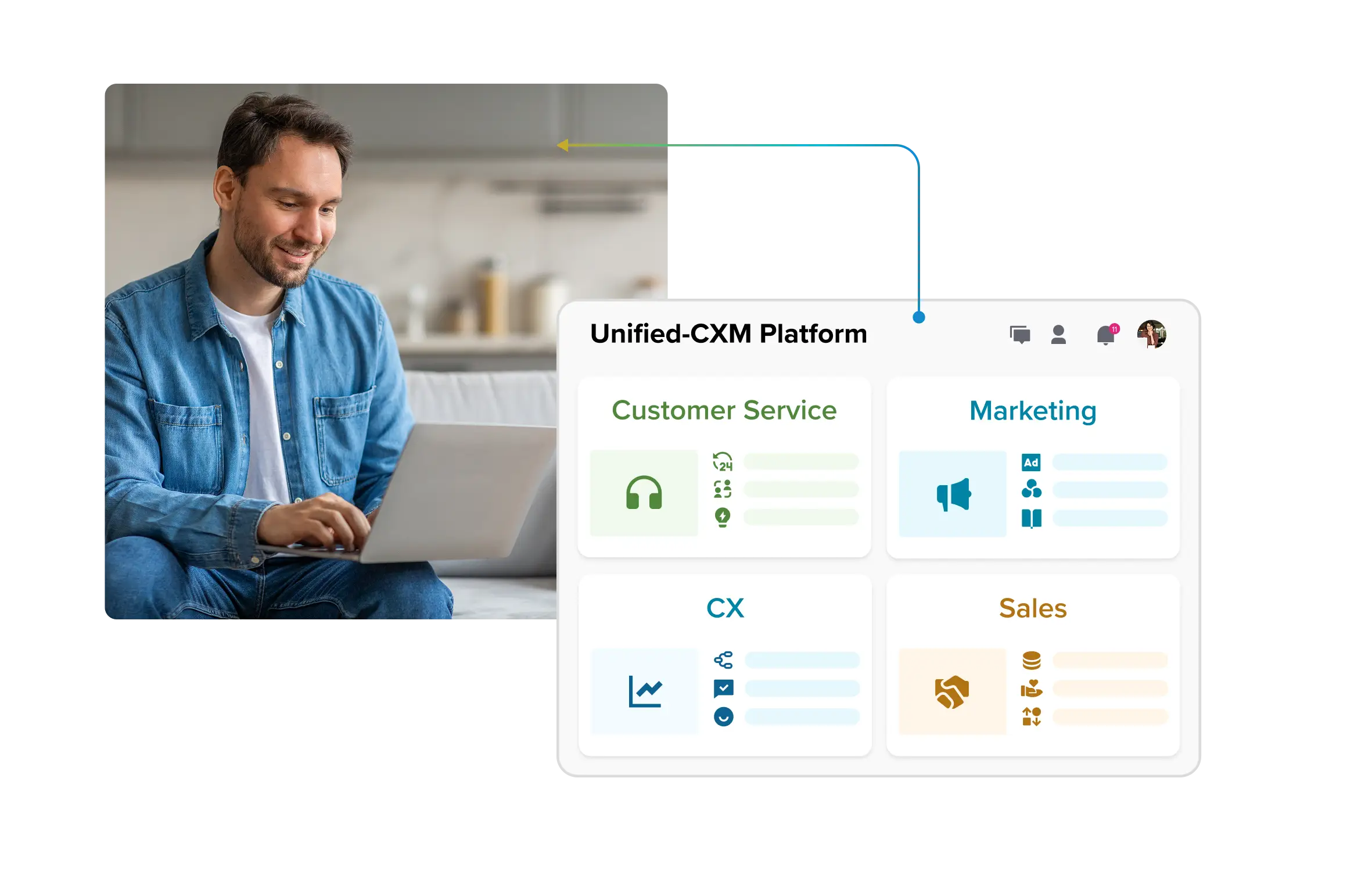
Customer experience automation has moved from a cost-cutting tactic to an operating model for how enterprises deliver connected, personalized experiences at scale. The brands pulling ahead are not the ones with the most bots; they are the ones that unified their data, automated the right journeys, and kept humans on the moments that matter. That combination of connected planning, real-time orchestration, governance, and measurement is exactly what platforms like Sprinklr Service, built on the Unified-CXM platform, are designed to support across channels. If your automation is stalling at activation, start with the data and the journey, not the next tool.
Frequently Asked Questions
Customer service automation focuses on reactive support, resolving incoming issues faster with tools like chatbots and automated ticketing. Customer experience automation is broader and proactive, coordinating automation across the full lifecycle from outreach and onboarding to support and retention. CXA aims to improve overall brand perception and loyalty, not just close tickets. In short, CSA answers the question that arrived; CXA anticipates and acts on the next one.
No, but the return scales with complexity. Organizations with many channels, regions, or teams see the biggest gains because that is where fragmentation costs the most. Smaller teams can start with a few high-volume journeys and expand. The prerequisite is the same at any size: connected data.
Lead with the numbers executives already track, not deflection rates. Frame automation against retention, revenue at risk, and the cost of unresolved contacts. With 91% of service and support leaders already reporting executive pressure to adopt AI, per Gartner, the conversation is usually about proof and sequencing rather than whether to act. Bring a phased plan with a measurable first journey and a clear ROI model.
[‘Premium customers pay’ removed with the PwC stat it referenced; the 91% figure is attributed to Gartner here since the answer may be extracted on its own.]
The software configuration is rarely the long pole. Most enterprise timelines stretch at legacy-system integration and organizational change management, and many stall at activation because of dirty or disconnected data. A realistic approach sequences data unification first, then one or two high-volume journeys, then expansion, with continuous tuning built in rather than treated as a one-time launch. Budget for ongoing engagement; CXA is a living system, not a set-and-forget deployment.
It depends on where governance and data live. If approvals, brand voice, customer data, and reporting touch every team, a unified platform reduces the integration overhead and context-drift that fragment experiences. Keep a specialized tool only where it is genuinely irreplaceable. Evaluate on total cost of ownership, including integration and governance risk, not license price alone.
Design the human handoff as carefully as the automation. Route emotionally sensitive or complex cases to agents with full interaction history so customers never repeat themselves, and use sentiment signals to trigger escalation early. Keep automation on high-volume, low-complexity work and reserve humans for judgment and empathy. Done well, automation makes the human moments better, not rarer.
As automation takes on more autonomous action, expect guardrails against hallucination, human-in-the-loop oversight, continuous monitoring, audit trails, and enterprise-grade security and compliance. In regulated industries, retrieval-augmented generation that grounds answers in your own knowledge base helps deliver accurate responses without exposing sensitive data. Treat governance as a buying criterion, because ungoverned AI rarely makes it past procurement.
Emotionally loaded, high-stakes, and legally consequential interactions — bereavement, fraud, financial hardship, serious complaints, and anything carrying regulatory weight. Automation also performs poorly wherever the underlying data is unreliable, because it will answer confidently from bad records. The practical test is whether a wrong answer would be recoverable; if it would not, keep a human in the loop.
Aksheeta Tyagi is an experienced content marketer specializing in customer service, customer experience, contact center technology and AI-powered customer support. She writes in-depth guides on customer feedback management, conversational AI, agentic AI and enterprise service transformation to help businesses deliver better customer experiences at scale.
Explore Customer Experience Management (CXM)