




The global leader in enterprise social media management
For over a decade, Sprinklr Social has helped the world’s biggest brands reimagine social media as a growth driver with a unified platform, industry-leading AI and enterprise-grade scale.



The Best Social Media Management Tools in 2026
Aishwarya Suresh is an experienced content writer specializing in social media management, social listening, social analytics, Voice of the Customer (VoC) and customer experience. She writes practical, research-backed guides that help brands understand customer conversations, measure social media performance and turn insights into meaningful business decisions.
Priyanka Malik is a content marketing professional with over nine years of experience creating content for global B2B SaaS brands. At Sprinklr she writes and strategizes across social media management, social listening, social media analytics and AI-driven social marketing, turning complex topics into clear, practical guidance for marketing and customer experience leaders.
Social media management tools let you plan, publish, engage, and measure across every social channel from one place. They matter more in 2026 because the work has outgrown manual methods. A single brand now runs Facebook, Instagram, LinkedIn, X, TikTok, YouTube, and Pinterest at once, each with its own formats, algorithms, and audience behavior, while customers expect replies in minutes and leadership wants proof of ROI. The average person moves between roughly seven networks a month, so coordinating all of that by hand across separate apps quietly drains hours and creates gaps in response time and reporting. The market reflects the pressure: social media management software grew to $32.48 billion in 2025 and is projected at $39.14 billion in 2026.
The best social media management platforms go beyond scheduling and analytics. They scale content production, detect sentiment shifts in real time, route customer conversations to the right teams automatically, and measure impact across every channel in a single workflow.
This blog evaluates the 9 best tools on features, pricing, and readiness, so your team makes a tooling decision built for the speed AI has made the new baseline.
✅ How we selected these tools: These picks were evaluated by Sprinklr's editorial team against the criteria that actually separate one platform from another: publishing capabilities, engagement and social inbox depth, analytics and reporting, AI features, collaboration and approval workflows, integrations, verified user reviews on G2, and pricing transparency. The list is not exhaustive and appears in no particular ranking order. Tools evolve, so verify current features and pricing on each vendor's site before buying.
What is social media management software?
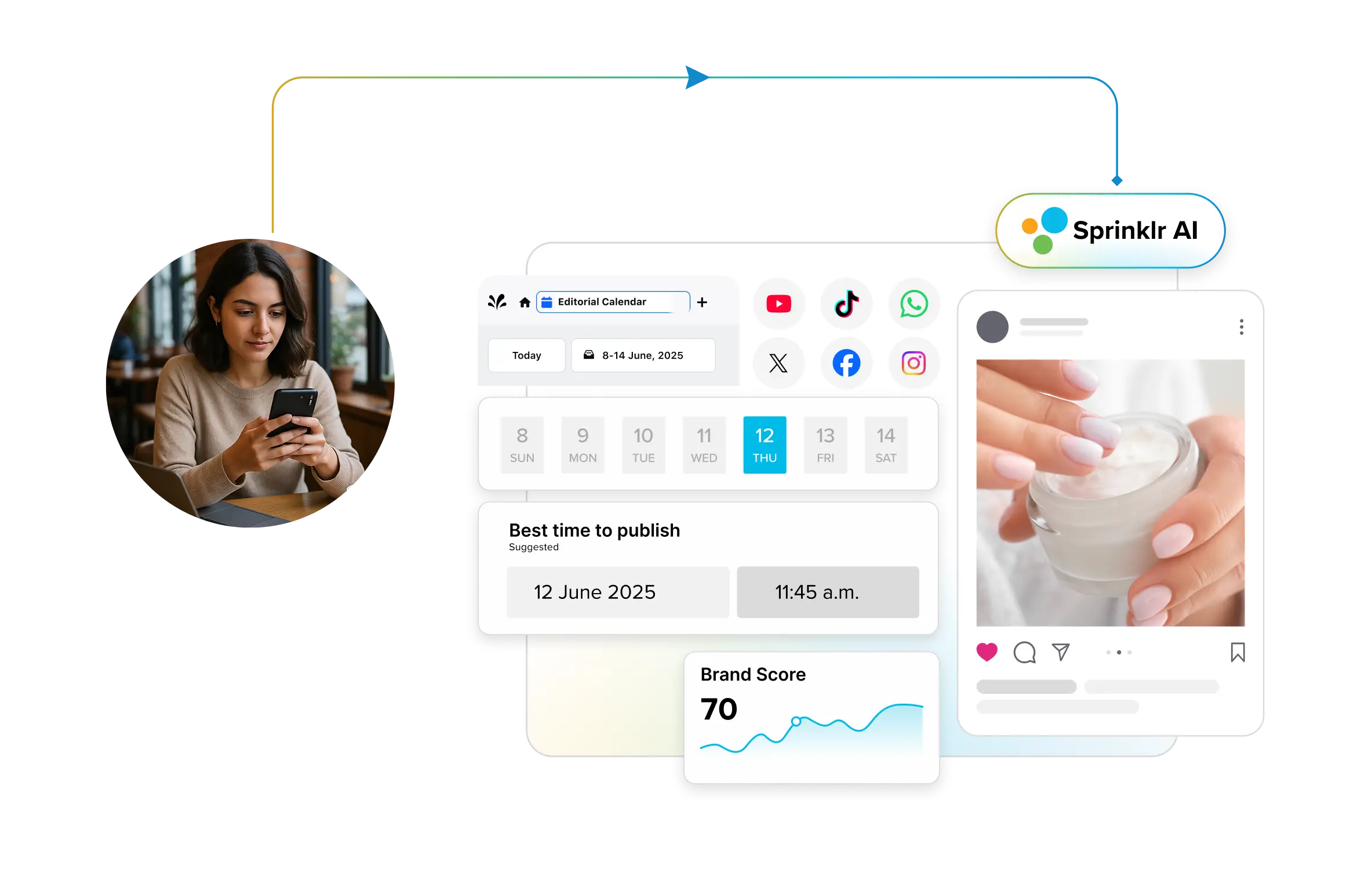
Social media management software is a platform that brings publishing, engagement, analytics, and team collaboration across multiple social networks into one place. Teams plan content, respond to customers, track performance, and move posts through approvals from a single dashboard instead of logging into each app on its own. Most platforms now build in AI to draft captions, recommend post timing, and sort incoming messages by intent.
Businesses adopt these tools because doing this manually does not scale. Once you're posting across several networks, coordinating a team, responding to customers, and reporting to leadership; spreadsheets and native schedulers break down. A good platform reduces the tool count, closes governance gaps, and gives everyone (from practitioners to the CMO) a shared view of what's happening.
Common use cases:
- Publishing and scheduling: Plan and publish platform-specific content across channels from one content calendar.
- Community management: Monitor and respond to comments, messages, and mentions through a unified social inbox.
- Social listening: Track brand mentions, competitor activity, and emerging trends beyond your owned channels.
- Analytics and reporting: Measure engagement, audience growth, and ROI in dashboards built for executive reporting.
- Team collaboration: Assign tasks, review drafts, and move content through approval workflows without email chains.
- AI content creation: Generate captions, variations, and creative concepts, then keep a human in the loop for accuracy and brand voice.
📊 Good to know Being active on social no longer guarantees being seen. Sprinklr's 2026 Social Index Report analyzed 1,160 brands across five industries over 11 months and found the median brand scores below 2.2 on a 10-point scale, a sign that most are mistaking activity for impact. The takeaway for tool selection: the right platform should help you show up in the moments that matter.
How to choose the right social media management tool
Start with how your team actually works, then match the tool to it. Here's what to weigh before you commit:
- Supported social networks: Confirm the tool natively supports every channel you post to, including newer ones like Threads, Bluesky, and Google Business Profile.
- Publishing workflows: Look for bulk scheduling, per-platform customization, a visual social media content calendar, and AI timing suggestions.
- AI features: Check how AI helps with drafting, sentiment, and message routing, and ask how accurate it is on your kind of content.
- Approval workflows: Multi-brand and regulated teams need multi-step approvals and audit trails.
- Collaboration: Role-based access, task assignments, and collision detection matter once more than two people touch the accounts.
- Analytics: Decide whether native reporting covers you, or you need cross-channel, competitor, and paid-owned-earned measurement.
- Integrations: Check connections to your CRM, DAM, Canva, and analytics stack.
- Pricing model: Compare per-seat against per-channel pricing for your actual team size. This is where 2026 budgets get blown, since costs climb fast as you add people or accounts.
- Ease of use: A powerful tool nobody adopts wastes money. Trial it with the people who'll use it daily.
Do small teams or a single person actually need a social media management tool?
Yes, even solo operators benefit once they post across more than two networks. A lightweight tool like Buffer or Later replaces manual posting, keeps a content calendar in one view, and adds basic analytics, saving hours a week. The difference at the enterprise level is scale: governance, approvals, and cross-channel reporting rather than the core act of scheduling.
Social media management tools shortlisted for comparison
Here's how the nine listed platforms compare at a glance. Pricing reflects each vendor's publicly listed rates as of 2026.
Tool | Best For | Key Strength | Pricing |
Sprinklr Social | Mid-market to large enterprise teams with complex social media needs | Unified publishing, engagement, and analytics with AI, automation and governance | Custom pricing; free demo available |
Sprout Social | Mid-market to enterprise | Deep analytics and stakeholder-ready reporting | $199/seat/month (Standard); $79/seat/month (Essentials); $299/user/month (Professional); $399/user/month (Advanced); Enterprise custom |
Brandwatch | Enterprises and agencies | Native social listening plus publishing at scale | Custom pricing on request |
Hootsuite | SMB to mid-market | Flexible multi-account publishing with broad integrations | $99/user/month (Standard); $199/user/month (Professional); up to $399/user/month (Advanced); Enterprise custom |
Agorapulse | Mid-market teams and agencies | Inbox-first workflow with built-in ROI reporting | $79/user/month (Standard); $119/user/month (Professional); $149/user/month (Advanced); Custom tier |
Zoho Social | SMBs in the Zoho ecosystem | CRM-connected publishing and monitoring | Free plan; $15/month (Standard); $40/month (Professional); $65/month (Premium); $320/month (Agency) |
Buffer | Solo creators and small teams | Simple per-channel scheduling | Free plan; $5/channel/month (Essentials); $10/channel/month (Team) |
SocialPilot | Budget-conscious teams and agencies | High-volume scheduling at low cost | From $25.50/month (annual); Enterprise custom |
Later | Creators and visual-first brands | Visual grid planning for Instagram and TikTok | $18.75/month (Starter); $37.5/month (Growth); $82.5/month (Scale); limited free plan |
9 best social media management tools
Here's a closer look at the nine social media management tools: what each does best, who it fits, and what it costs, starting with the enterprise end of the market and working down to lightweight options for creators and small teams.
📝 A note on our selection: Since this article is published by Sprinklr, we’ve included Sprinklr Social first because it is the solution we know most deeply and because it is built for teams that need social media management at scale. However, this list is not meant to suggest that one tool is the best fit for every business. Each platform has been evaluated based on its core strengths, ideal use cases, features, scalability, and where it fits best for different types of teams. We recommend comparing the tools based on your goals, team size, workflow needs, and budget before making a decision.
With that in mind, let’s dive into the tools.
Sprinklr Social
Sprinklr Social is an AI-powered social media management platform that lets brands publish, engage, and analyze performance across all major channels from a single workspace. It's built for organizations managing content at scale across brands, regions, and business units, with governance and compliance baked in. When paired with Sprinklr Insights, it extends into brand monitoring and competitive benchmarking.
Sprinklr is named a Leader in the 2026 Gartner Magic Quadrant for Social Media Management and Listening, positioned furthest on Completeness of Vision and highest on Ability to Execute.
Best all-in-one premium social media management tool
Key features:
- Unified publishing and engagement across 30+ social and messaging channels from one platform.
- Sprinklr AI+ for generative content, optimal post timing, interaction summaries, and streamlined approvals.
- Omnichannel publisher with per-channel customization, ad boosting, and AI timing recommendations.
- Engagement dashboard with sentiment analysis, auto-routing, and AI-powered compliance checks.
- Comprehensive social media analytics across paid, owned, and earned media, plus employee advocacy and distributed marketing for local teams.
- Digital Asset Manager: Organize, tag, and repurpose high-performing content with bulk uploads, version control, and team-specific access.
Pros:
✔ End-to-end platform built with advanced scheduling, engagement, and deep analytics capabilities.
✔ Built for scale, governance, and compliance across global teams.
✔ Enterprise AI with 90%+ accuracy on auto-categorization.
Good to know:
HP knew its "Get Real" campaign was a risk. A tech brand telling the world to put down their devices was always going to split opinion. What they did not anticipate was that their initial engagement spike was actually masking negative sentiment that would have quietly undermined the campaign.
Sprinklr gave HP visibility across paid, owned, and earned media in one place for the first time. That visibility let the team catch the sentiment shift early, retarget audiences, and restructure their media plan mid-campaign before the damage spread.
The result: 6% of campaign respondents either purchased or were about to. Here is how real-time intelligence made that possible.
Cons:
✖ Premium, enterprise-tier investment; best evaluated against the combined cost of the point solutions it replaces.
Pricing: Custom pricing available. Contact an expert for a tailored quote. ⬇️
Sprout Social
Sprout Social combines publishing, engagement, listening, and analytics in one platform, with particular strength in reporting and social CRM. Its intuitive Smart Inbox and stakeholder-ready reports make it a practical fit for mid-market and enterprise teams managing high conversation volumes across channels.
Best for deep analytics and stakeholder reporting
Key features:
- Smart Inbox consolidating messages, comments, and mentions into one filterable stream.
- Social CRM for building rich customer profiles with conversation history and sentiment.
- Advanced analytics covering content, team, and competitor benchmarks.
- ViralPost optimal send-time scheduling and SproutLink link-in-bio.
Pros:
✔ Intuitive UI with powerful, presentation-ready reporting.
✔ Strong CRM-style relationship tracking.
Cons:
✖ Per-seat pricing scales quickly, and social listening sits behind premium add-ons.
Pricing: From $199/seat/month (Standard, annual); Essentials $79, Professional $299, Advanced $399; Enterprise custom.
Brandwatch
Brandwatch balances content publishing, audience engagement, and deep social listening in one platform. Combining campaign orchestration with brand intelligence, it suits enterprise teams and agencies managing high content volumes and conversations across multiple regions.
Best for listening-led social management
Key features:
- Unified content calendar with structured approval flows and a central asset library.
- Customizable social inbox across Facebook, Instagram, TikTok, LinkedIn, WhatsApp, and YouTube.
- Built-in social listening across a database of over one trillion historical posts.
- Analytics and benchmarking dashboards with competitor tracking, plus influencer discovery across 30M+ creators.
Pros:
✔ Best-in-class native listening for brand monitoring and sentiment.
✔ Highly customizable inbox and analytics for enterprise use.
Cons:
✖ Publishing and engagement are more basic than dedicated management tools, and cross-posting is limited.
Pricing: Available on request
💡 Pro Tip: Enterprise social listening generates its highest value when it extends beyond the channels your brand actively publishes on. Conversations shaping brand perception often happen on Reddit, Quora, and even TV and radio broadcasts, where no one tags your social handle, and it’s difficult to capture all the relevant conversations.
To address this, we’ve created this guide to help you understand how to turn billions of social data into actionable decisions.
Hootsuite
Best flexible publishing with broad integrations
Key features:
- Unified social inbox with auto-routing, saved replies, and auto-responses.
- Wisdom AI for generating posts, images, and campaign ideas in your brand voice.
- Visual planner with bulk scheduling of up to 350 posts.
- Analytics and reporting with competitive benchmarking, plus Canva and Adobe Express integrations.
Pros:
✔ Comprehensive coverage across scheduling, engagement, and listening.
✔ Extensive integrations that fit into most tech stacks.
Cons:
✖ Pricing can increase quickly for large teams due to per-seat costs, especially on enterprise plans.
Pricing: From $99/user/month (Standard, up to 10 accounts, annual); Professional $199, Advanced $399; Enterprise custom.
Agorapulse
Best inbox-first tool for growing teams
Key features:
- All-in-one social inbox with inline translation, collision detection, and automated moderation.
- Publishing and scheduling with AI captions, bulk scheduling, and shared calendars.
- Social ROI tracking connecting posts to traffic, leads, and conversions via Google Analytics.
- Custom reporting with white-label exports and competitor benchmarking on higher tiers.
Pros:
✔ One of the most intuitive inboxes on the market.
✔ Helpful CRM features like user labels, notes and activity ranking
Cons:
✖ No single unified dashboard for tasks and alerts, and the free plan was retired in 2026.
Pricing: From $79/user/month (Standard, annual); Professional $119, Advanced $149; Custom tier for enterprises.
Zoho Social
Best CRM-connected tool for the Zoho stack
Key features:
- Zoho CRM and Desk integration for lead tracking and campaign attribution.
- Zia AI for platform-specific content generation.
- SmartQ scheduling based on audience engagement data.
- Team collaboration with built-in chat, roles, and approval flows.
Pros:
✔ Seamless CRM and social media integration for sales-marketing alignment.
✔ Strong collaborative tools at a low price.
Cons:
✖ Steeper learning curve for first-time users, especially outside the Zoho ecosystem.
Pricing: Free plan available; paid from $10/month (Standard, annual), Professional $30, Premium $40; Agency plans from $230/month.
Are free social media management tools good enough?
For one or two channels, often yes. Native schedulers like Meta Business Suite and the free tiers from Buffer or Later cover basic posting at no cost. The limits show up as you scale: capped scheduled posts, no unified inbox, thin cross-platform analytics, and no approval workflows. Once you manage several accounts or a team, a paid plan usually pays for itself in time saved.
Buffer
Best simple scheduler for creators and small teams.
Key features:
- Buffer AI Assistant for content ideas, repurposing, and optimization.
- Smart Alerts flagging questions, negative sentiment, and purchase intent.
- Ideas Kanban board for collaborative content planning.
- Start Page link-in-bio landing page.
Pros:
✔ Clean, beginner-friendly interface.
✔ Generous free plan and low per-channel pricing.
Cons:
✖ Limited listening, engagement, and advanced analytics compared to enterprise platforms.
Pricing: Free plan (3 channels); Essentials from $5/channel/month, Team $10/channel/month (annual billing).
SocialPilot
Best value for high-volume scheduling
Key features:
- Connect 50+ accounts from one dashboard.
- AI Assistant for captions, hashtags, and content variations.
- Bulk publishing of up to 500 posts via CSV.
- Integrations with Canva, Dropbox, and URL shorteners.
Pros:
✔ Extremely cost-effective for high account volumes.
✔ Minimal learning curve and strong support.
Cons:
✖ Analytics and automation are lighter than enterprise platforms.
Pricing: From $25.50/month (Essentials, annual); Standard $42.50, Premium $85, Ultimate $170; Enterprise custom.
Later
Later is a visual-first social media management platform for creators and small teams that plan and publish across Instagram, TikTok, Pinterest, Facebook, X, LinkedIn, and YouTube. Its workflow centers on visual planning, smart scheduling, and link-in-bio, making it a fit for teams where feed aesthetics drive strategy.
Best visual-first planner for Instagram and TikTok
Key features:
- Visual content calendar previewing exactly how posts appear before publishing.
- Smart Scheduling recommending optimal posting times.
- Social inbox consolidating comments and messages from the Growth plan.
- Linkin.bio shoppable link-in-bio with performance tracking.
Pros:
✔ Best-in-class visual grid planner for aesthetic-led brands.
✔ Collaboration and inbox available without enterprise pricing.
Cons:
✖ Post caps, listening, and custom analytics are gated behind the top Scale plan.
Pricing: From $18.75/month (Starter, annual); Growth $37.50, Scale $82.50; limited free plan.
⭐ The tools above cover a wide range of social media management needs, but they are not the only options available. Depending on your team size, workflow and budget, you may also want to evaluate tools like Loomly, Sendible, CoSchedule, eClincher and Vista Social. Loomly is known for social media calendar and collaboration workflows, Sendible is often used by agencies and teams managing multiple clients, CoSchedule focuses strongly on content planning and scheduling, eClincher combines publishing with inbox, analytics and brand monitoring capabilities, and Vista Social offers social media management features across publishing, engagement and reporting.
Top must-have features in a social media management platform
When selecting a social media marketing tool, it's easy to get distracted by flashy features that you may never use. However, narrowing down your feature list to focus on what's truly important can make a significant difference for your brand. Prioritizing essential features ensures you get the most value for your investment and avoid paying for extravagant options that don't align with your needs.
Here are the top features you should look for:
1. Multi-platform scheduling: Your social media management tool should have this feature because it allows you to schedule posts across platforms like Facebook, Instagram, and LinkedIn in one go.
2. Detailed analytics and reporting: Your social media tool must include social media analytics because it helps you track engagement, audience demographics, and post-performance. With these insights, you can make informed decisions to refine your strategy and create more impactful content.
3. Visual content calendar: A content calendar is essential because it helps you plan and organize your posts ahead of time. This feature makes it easy to spot gaps, maintain a consistent schedule, and align campaigns seamlessly.
4. Team collaboration and workflow management: This feature is critical because it enables you to assign tasks, review drafts, and approve posts without delays. It keeps your team aligned and reduces communication bottlenecks.
5. Real-time social listening and monitoring: This feature reveals relevant conversations within your customers, competitors, and industry in general. It enables you to respond to feedback in a timely manner and capture the voice of the customer.
Can a social media management tool handle customer service too?
Yes. Most platforms include a unified social inbox that pulls comments, DMs, and mentions into one queue, with routing and saved replies so teams respond faster. It's become a top reason brands buy these tools, since customers increasingly expect service directly on social channels rather than email or phone.
Final thoughts
Choosing the right social media management tool is not just a software decision. It is an operational one. The wrong stack fragments data, slows response times, and creates governance gaps that compound as your team and channel footprint grows.
For enterprise teams where those gaps have a direct impact on brand reputation, pipeline, and customer experience, Sprinklr Social brings publishing, listening, engagement, and analytics into one unified workflow. The result is fewer tools, faster decisions, and a social media operation that scales without adding complexity.
Frequently Asked Questions
A social media management tool is a platform that combines publishing, engagement, analytics, and collaboration across multiple social networks in one place, so teams can run their entire social presence without logging into each app separately. Most now include AI for content creation and automation.
At minimum: multi-platform scheduling, a visual content calendar, a unified social inbox for engagement, analytics and reporting, team collaboration with approval workflows, and AI-assisted content creation. Enterprise buyers should also look for social listening, governance, and integrations with CRM and DAM systems.
Scheduling tools only queue and publish posts. Management platforms add engagement, listening, analytics, collaboration, and approvals on top. If you need more than posting, you need a management platform.
For large volumes of accounts across brands and regions, Sprinklr Social and Hootsuite scale well. For agencies managing many client accounts affordably, SocialPilot (50+ accounts) and Agorapulse are strong. The right fit depends on team size and whether you're billed per seat or per channel.
Sprinklr is a Leader in the 2026 Gartner Magic Quadrant for Social Media Management and Listening and The Forrester Wave: Social Suites. Sprout Social, Hootsuite, and Brandwatch also feature in analyst and peer-review reports.
AI can automate large parts of the workflow: drafting captions and variations, recommending post times, categorizing and routing incoming messages by sentiment and intent, and summarizing conversations. It works best with human review for accuracy and brand voice, not as a full replacement for a team.
Pricing ranges widely. Free plans exist (Buffer, Zoho Social, Later). Paid tiers start around $5/channel/month (Buffer) or $10-$25/month for SMB tools, climb to $79-$399/seat/month for mid-market platforms like Agorapulse, Hootsuite, and Sprout Social, and move to custom enterprise pricing for Sprinklr and Brandwatch.
Agorapulse and Hootsuite suit growing teams that need collaboration and approval workflows without full enterprise complexity. SocialPilot is a strong budget option and Sprout Social fits teams that need deeper analytics as they scale.
Yes. A unified inbox, faster response times through auto-routing and saved replies, optimal-timing recommendations, and consistent posting all lift engagement. Analytics then show which content and cadence resonate, so you can refine what you publish.
Prioritize CRM (Salesforce, HubSpot, Zoho), a digital asset manager, design tools like Canva and Adobe Express, link shorteners, and marketing analytics (Google Analytics). Enterprise teams should also confirm API access and single sign-on.
Match the tool to your team size, channel mix, budget model (per seat vs per channel), and must-have workflows (approvals, listening, reporting). Shortlist two or three, run free trials with the people who'll use it daily, and check analyst and G2 reviews before committing.
Aishwarya Suresh is an experienced content writer specializing in social media management, social listening, social analytics, Voice of the Customer (VoC) and customer experience. She writes practical, research-backed guides that help brands understand customer conversations, measure social media performance and turn insights into meaningful business decisions.
Priyanka Malik is a content marketing professional with over nine years of experience creating content for global B2B SaaS brands. At Sprinklr she writes and strategizes across social media management, social listening, social media analytics and AI-driven social marketing, turning complex topics into clear, practical guidance for marketing and customer experience leaders.