



The global leader in enterprise social media management
For over a decade, Sprinklr Social has helped the world’s biggest brands reimagine social media as a growth driver with a unified platform, industry-leading AI and enterprise-grade scale.

Social Media Workflow: Types, Steps and Best Practices
Aishwarya Suresh is an experienced content writer specializing in social media management, social listening, social analytics, Voice of the Customer (VoC) and customer experience. She writes practical, research-backed guides that help brands understand customer conversations, measure social media performance and turn insights into meaningful business decisions.
Key Takeaways:
- A social media workflow gives every task, owner and deadline a defined place, helping teams publish faster with fewer mistakes.
- Different workflows support different activities, including content creation, approvals, publishing, community management and reporting.
- The right collaboration tools reduce manual work, improve visibility and keep campaigns moving without bottlenecks.
- Regularly reviewing and refining your workflow helps teams adapt to new platforms, content formats and business priorities.
A social media workflow is what separates a team that ships content on time from one that loses hours every week chasing approvals and digging for assets. And that time is real: social media managers now spend more than six hours a week just switching between platforms, before a single post is even created.
The pressure has only grown. Brands are publishing more than ever, and AI has made drafts cheap to produce but harder to keep on-brand. The teams keeping pace aren't the ones with the most tools. They're the ones with a social workflow that moves every post from idea to live to measured without stalling in the middle. This guide shows you how to build that.
What is a social media workflow?
A social media workflow is the structured, repeatable process your team follows to take a post from concept to published content to performance insight. It defines who owns each step, in what order and using which tools, so publishing consistently doesn't mean rebuilding the process every week.
Put simply, a scheduler answers "when does this go out?" A workflow answers everything around it: who drafts it, who approves it, where the assets live and how you learn from what went live.
Who should own a social media workflow?
While social media managers often oversee the workflow, ownership is usually shared across multiple teams. Content creators, designers, legal reviewers, community managers and marketing leaders each play a role depending on the organization's size. The key is to clearly define responsibilities, so every task has an owner, and approval delays are minimized.
Significance of a social media workflow
A well-structured social media workflow is a strategic necessity. It empowers you to efficiently manage your online presence, engage your audience, adapt to changes, and ultimately attain your social media goals.
Here are some of its benefits:
- Efficiency and consistency: Clear ownership keeps posts on-brand in style and tone, and removes the last-minute rush.
- Quality control: Built-in review checkpoints catch errors and off-tone content before anything reaches an audience.
- Better time management: Defined time slots stop social from becoming an all-day distraction.
- Stronger engagement: Planned time for replies to comments, messages and mentions shows your audience you're listening.
- Analytics and improvement: Regular tracking of engagement, reach and conversions shows what to keep and what to fix.
- Faster crisis response: A ready plan lets you respond quickly when sentiment turns, limiting the damage.
- Cleaner collaboration: Shared visibility into campaign detail keeps everyone aligned and reduces errors. By using features like Sprinklr's Third Pane, teams can delve deep into campaign specifics right from the outset.
This means instant access to comprehensive campaign overviews and insights into associated entities. Such integration not only streamlines communication but also empowers teams with real-time data, to ensure alignment and reduce errors.
- Compliance built in: Legal review steps sit inside the process, so nothing risky slips through.
- Room to scale: A structured framework lets you onboard new people and add channels without losing quality.
Quick Tip: The biggest time drain in most workflows isn't creating content, it's the back-and-forth of feedback and approvals scattered across email and chat. A unified platform like Sprinklr Social keeps that coordination, drafting, sign-off and publishing, in one place, so work stops stalling between handoffs.
5 types of social media workflows
Most teams run on five core workflows. Each owns a different stage of the content lifecycle, and together they form your social operation.
1. Social media content creation workflow
Objective: To consistently produce engaging and relevant content for social media platforms.
Use case: A clothing brand plans a social media content calendar for a new season's collection. It shortlists a few ideas, creates images and videos showcasing the latest fashion, reviews and edits the content, schedules posts and analyzes engagement to refine their strategy.
Workflow steps: Ideation and planning → Content creation (text, images, video) → Approval and revisions → Scheduling and publishing → Performance tracking
Further reading: How to build a social media content strategy
2. Social media approval workflows
Objective: To ensure every post is reviewed and signed off before it goes live.
Use case: A financial services brand routes each draft through a compliance and brand check, so nothing publishes without the right approvals and a clear record of who signed off.
Workflow steps: Submission → Stakeholder review → Revisions → Legal/brand check → Final sign-off
Learn More: 5 Types of Social Media Approval Workflows (+ Step-by-Step Creation Guide)
How do enterprise teams manage social media approvals?
Enterprise organizations typically use structured approval workflows that route content to the right stakeholders based on campaign type, region or compliance requirements. Automated approval routing, role-based permissions, and approval deadlines help reduce bottlenecks while maintaining brand governance across large teams.
3. Social media publishing workflow
Objective: To schedule and push content to the right platforms at the right time.
Use case: A retail team formats one campaign asset for Reels, carousels and Shorts, queues each at its channel's peak time and runs a final pre-publish check before it goes out.
Workflow steps: Scheduling → Platform formatting → Optimal-time placement → Pre-publish check → Publish
Here are our Top 5 Recommendations for Social Media Publishing
4. Social media community management workflow
Objective: To engage with and manage the online community across platforms.
Use case: A tech company monitors comments and mentions, responds to customer questions promptly, escalates issues to the right team, and uses the feedback to improve its support approach.
Workflow steps: Monitoring mentions and messages → Routing to the right owner → Timely response → Escalation when needed → Feeding insights back to the team
Read More: How to Build a Brand Community that Engages
5. Social media reporting workflow
Objective: To turn social performance data into decisions.
Use case: A marketing team pulls engagement, reach and conversion data each month, identifies the social media KPIs that matter, shares findings with stakeholders and adjusts the next content cycle based on what worked.
Workflow steps: Data collection → Analysis and visualization → Identifying KPIs → Sharing insights → Strategy adjustments
Other specialized social media workflows
As volume and risk grow, most teams layer three specialized workflows on top of the core five:
Workflow | Purpose | Example use case |
Social media crisis management workflow | Establishes clear escalation paths, approval chains and response timelines during brand crises, customer complaints, or unexpected events. | Brand reputation threat or viral customer complaint. |
Social media advertising workflow | Coordinates paid briefs, creative sign-off, budget approval and ROI tracking, keeping organic and paid teams aligned instead of working in parallel. | Launching a multi-channel paid campaign with multiple ad variations. |
Social media influencer collaboration workflow | Manages outreach, agreements, content review and disclosure compliance, so creator partnerships stay on-brand and within platform rules. | Product seeding program with 20 creators. |
How to create a social media workflow in 8 steps
Let’s go through the step-by-step process of creating an effective social media workflow:
1. Set your goals
- Specific objectives: Clearly define what you want to achieve, whether it's increasing brand awareness, driving website traffic or boosting sales.
- Measurable targets: Set targets you can track, like a follower count or a specific engagement rate, so you know if you're making progress.
- Timeframe: Establish a timeframe for your goals. Decide if you're looking at short-term wins or long-term growth.
2. Know your audience
- Demographics: Identify the age, gender, location, and other relevant traits of your target audience.
- Interests and preferences: Understand what interests your audience, their preferences in content type (videos, images, articles) and the platforms they frequent.
- Listen, don't just ask: Surveys and polls still help, but most of what people say about you happens without ever tagging you. AI-powered social listening reads sentiment, context and even indirect mentions in real time, so you understand your audience from what they genuinely say, not just what they report back.
3. Plan your content
- Content calendar: Map out topics, formats (videos, blogs, infographics), and a posting schedule so nothing goes out at the last minute.
- Content mix: Ensure a balanced mix of content types to cater to different audience preferences. Include promotional, educational, entertaining, and interactive content.
- Visual elements: Incorporate visually appealing images, videos, or graphics that align with your brand and resonate with your audience.
- Let AI break the blank page: Instead of building a calendar from scratch, teams now use AI to generate angles and repurpose one long-form asset, like a blog or webinar, into platform-specific posts at scale. It fills the calendar faster but keeps a human review checkpoint to ensure it aligns with your brand voice, messaging and business goals.
4. Schedule your posts
- Scheduling tools: Use trusted social media management tools to schedule posts across various platforms to ensure a steady flow of content.
- Optimal times: Determine the best times to post on social media based on your audience's activity patterns and platform insights.
- Consistency: Maintain a consistent social media posting schedule to keep your audience engaged and build a predictable presence.
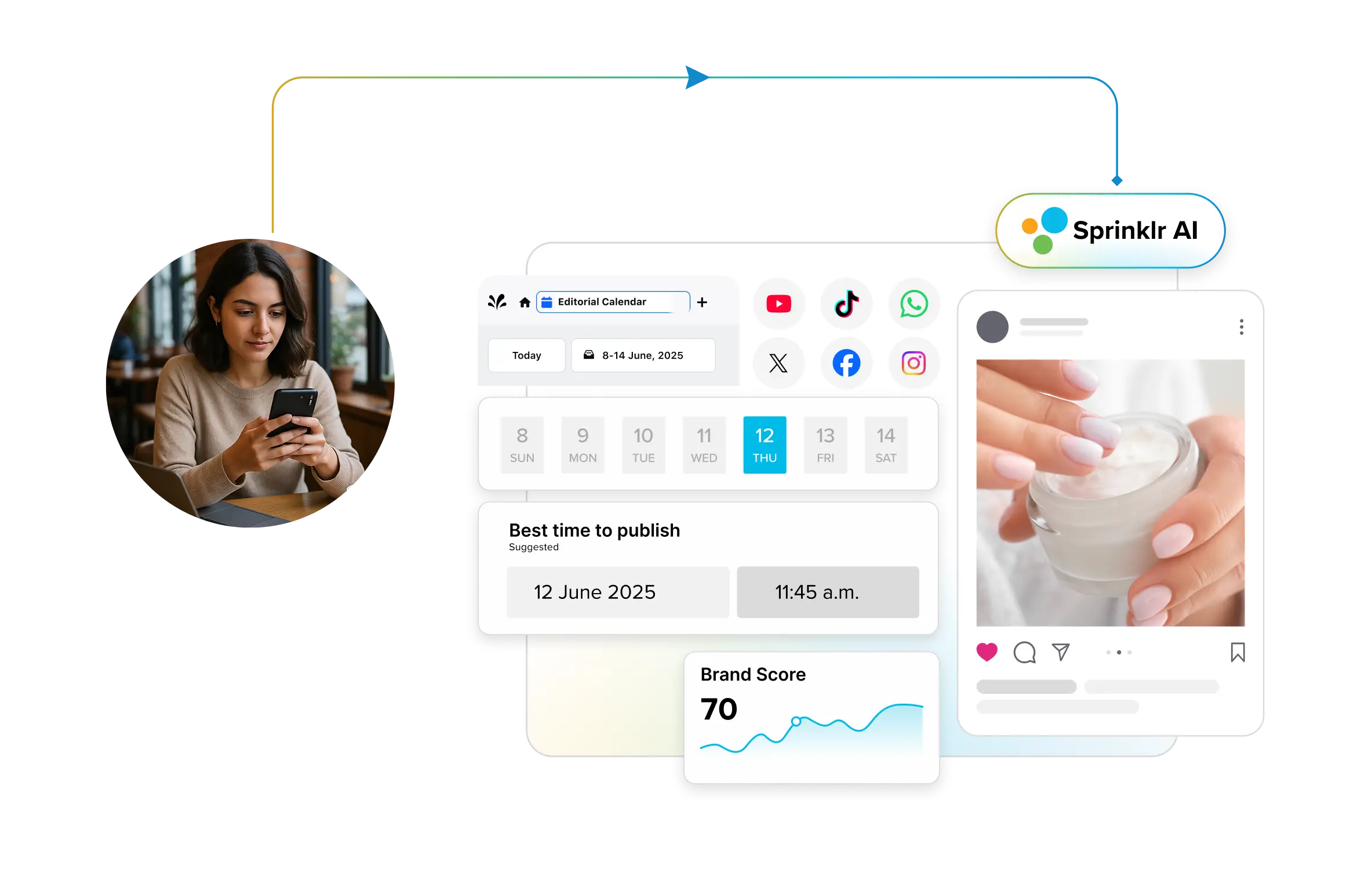
💡 Pro Tip: If timing is where your workflow slows down, let AI own that call. Sprinklr's Smart Scheduling reads the last 30 days of engagement for each account and surfaces the highest-traffic slots automatically, so you're not guessing your way through the calendar every week.

5. Engage with your audience
- Two-way communication: Respond to comments, messages and mentions promptly, so people know there's a human on the other side.
- Community building: Encourage community interaction by initiating discussions, hosting Q&A sessions, or running interactive polls and contests.
- Feedback and insights: Use audience feedback and insights from interactions to tailor your content, address concerns, and build stronger relationships.
As conversation volumes increase, AI-powered inbox prioritization and response suggestions can help teams respond faster while ensuring complex or sensitive issues are routed to the right people.
6. Track your performance
- Analytics tools: Use built-in social media analytics tools or third-party platforms to monitor key performance indicators (KPIs) such as engagement rates, reach, impressions and conversions.
- Performance metrics: Evaluate performance metrics regularly to identify trends, strengths, weaknesses, and areas for improvement.
- Benchmarking: Compare your performance against industry benchmarks or competitors to gain insights and refine your strategies.
- Let AI surface the patterns: Modern platforms now bring listening, analysis and reporting into one dashboard and flag patterns a manual review would miss, turning raw numbers into insight you can act on.
7. Make adjustments
- Data-driven decisions: Make informed decisions based on performance data and audience feedback.
- Optimization strategies: Adjust your content strategy, posting frequency, timing or formats as needed to optimize results.
- A/B testing: Conduct A/B tests on different content elements (headlines, visuals, call-to-actions) to determine what resonates best with your audience.
8. Review regularly
- Performance reviews: Conduct regular performance reviews to assess the effectiveness of your social media efforts.
- Reflection and learning: Reflect on successes, challenges, learnings and areas for improvement.
- Strategy refinement: Refine your social media strategy based on insights gained, changing trends and evolving audience preferences to maintain relevance and effectiveness.
How long does it take to build a social media workflow?
A basic workflow can be mapped in a day by defining roles, a content calendar, and a single approval path. Refining it into a reliable system usually takes a few content cycles, since you adjust ownership, timing, and review steps based on what actually slows the team down. Start lightweight, then tighten as you scale.
Tools that ease social media workflow management
Different stages of a social media workflow often require different tools. While many enterprise platforms combine several capabilities into one solution, the following tools are commonly used by marketing teams.
Tool category | Popular tools |
Social media management | Sprinklr Social, Hootsuite, Buffer, Sprout Social |
Project management | Asana, Monday.com, Trello, ClickUp |
Team communication | Slack, Microsoft Teams |
Content design | Canva, Adobe Express, Figma |
Asset management | Bynder, Brandfolder |
AI writing & ideation | ChatGPT, Jasper |
Analytics & reporting | Sprinklr Insights, Google Analytics 4, Looker Studio |
❓ Can AI improve social media workflows?
Yes. AI can support multiple stages of a social media workflow by helping teams generate content ideas, summarize conversations, recommend publishing times, prioritize incoming messages, and automate repetitive tasks. However, human oversight remains essential to ensure content is accurate, aligned with brand guidelines, and appropriate for the intended audience.
Best practices to make your social media workflow more effective
A social media workflow only delivers if your team actually sticks to it. These best practices keeps yours practical, especially now that AI has changed how much content moves through it.
- Assign clear roles and ownership. Name who creates, who approves, and who publishes. Ambiguity here is where most workflows quietly break down, so clear ownership builds accountability and keeps work moving.
- Fix approvals before anything else. Sign-offs are the most common bottleneck. Pulling reviews out of email and chat into a structured process is usually the single highest impact change a team can make.
- Keep AI output under human review. AI can draft and repurpose content fast, but that speed also multiplies brand and compliance risk. Build a human checkpoint for anything culturally timely or reputation-sensitive, so volume never comes at the cost of voice.
- Stay clear on industry rules. Every industry carries its own regulations and privacy expectations. Bake compliance steps into the workflow so you stay on the right side of the rules and keep audience trust intact.
- Run it from one unified platform. Juggling separate tools for scheduling, listening and reporting gets overwhelming fast. A single platform like Sprinklr lets you schedule, monitor and engage from one dashboard, which keeps messaging consistent and cuts the coordination lost between apps.
- Stay flexible. Algorithms shift, formats rise and fall, and audience preferences move. Review performance often and be ready to pivot, because a workflow that can't adapt is one you'll outgrow.
💡 Pro Tip: Since approvals are where most teams stall, this is worth automating. Sprinklr's Parallel Approvals let every reviewer sign off at once instead of waiting in a queue, while Smart Approvals uses AI to flag non-compliant content before it clears review, so speed never comes at the cost of brand safety.

Common social media workflow mistakes to avoid
Beyond the practices above, these are the traps teams still fall into most often today:
- Treating the calendar as the whole workflow: A calendar shows when a post goes live, not who owns it, whether the asset is ready or whether it's actually signed off. A dated post can look finished when it's nowhere close.
- Leaving handoffs undefined: When it's unclear who picks up a post after each stage, work stalls in the gaps between people. A good workflow makes the next action, and the next owner, obvious.
- Version chaos: Without a single source of truth, teams end up with multiple files scattered across tools, and the wrong version ships more often than anyone admits.
- Reporting without a next action: A report that lists top posts but never feeds back into the next cycle breaks the loop. Performance data should re-enter the workflow, not sit in a deck.
- Skipping the repurposing step. A post that performed well is an asset the workflow should route back for reuse, not a one-off that disappears after it's published.
Final thoughts
In a nutshell, a well-thought-out social media workflow is the linchpin of successful online engagement. It ensures efficiency, consistency, and goal alignment, offering improved collaboration, time savings, and enhanced quality control.
By understanding the various social media workflows and following the step-by-step process outlined in this guide, you can design a workflow that helps you attain your objectives. Additionally, with tools like Sprinklr Social, you can gain valuable insights, automate repetitive tasks and streamline your social media efforts, allowing you to focus on creating meaningful connections with your audience and achieving your online objectives more effectively.
To know more, sign up for a personalized demo.👇
Aishwarya Suresh is an experienced content writer specializing in social media management, social listening, social analytics, Voice of the Customer (VoC) and customer experience. She writes practical, research-backed guides that help brands understand customer conversations, measure social media performance and turn insights into meaningful business decisions.
Explore Social Media Management