





Transform CX with AI at the core of every interaction
Unify fragmented interactions across 30+ voice, social and digital channels with an AI-native customer experience platform. Deliver consistent, extraordinary brand experiences at scale.





Top 25 Contact Center Metrics and KPIs You Must Track
Aksheeta Tyagi is an experienced content marketer specializing in customer service, customer experience, contact center technology and AI-powered customer support. She writes in-depth guides on customer feedback management, conversational AI, agentic AI and enterprise service transformation to help businesses deliver better customer experiences at scale.
Key Takeaways
- Contact center metrics turn customer service investment into something measurable, showing where you're winning and where issues are quietly costing you.
- They fall into four groups: customer experience, operational efficiency, cost management, and the AI and automation metrics that now matter most.
- Every metric is only useful with context, so pair each one with its formula and an industry benchmark for your sector.
- Don't just track numbers. Figure out the root causes that drag each metric down and fix it at the source.
Contact center metrics tell you whether your investment in customer service operations is actually paying off. Businesses pour money into digitizing and streamlining support but the real measure of success comes down to a handful of numbers. These contact center KPIs paint a picture of how efficiently you’re resolving customer queries, whether your customers are happy and the friction areas costing your team money.
This guide breaks down 25 contact center metrics to track in 2026, grouped into customer experience, operational efficiency, cost management, and AI automation. For each one, you’ll get the formula, a plain-English interpretation of what it means for your customer service function and how you can improve it.
What are contact center metrics?
Contact center metrics refer to the quantitative measurements and key performance indicators (KPIs) used to assess the effectiveness and efficiency of a contact center. They provide a data-driven understanding of the quality of customer interactions and the overall health of your customer service function. Primarily utilized by customer service managers and contact center managers, stakeholders leverage contact center metrics to make informed choices regarding resource allocation, process improvements and overall customer service strategy formulation.
Why are contact center performance metrics important?
In the contemporary business landscape, prioritizing customer experience is a shared goal for companies, predominantly facilitated through their contact centers. The question that naturally arises is, how can you gauge your performance relative to your competitors?
This is where contact center metrics come into play, holding importance both strategically and operationally. Let's explore how they contribute.
- Strategic decision-making: Contact center performance metrics offer more than just numbers; they provide actionable data for decision-makers. For example, a deep dive into average handle time (AHT) patterns becomes a strategic tool for effective workforce management.
- Optimizing resource allocation: Insights into call volumes and peak hours empower contact centers to staff judiciously, avoiding resource underutilization or overload. This ensures a finely tuned workforce ready to meet customer demands.
- Identifying bottlenecks: A sudden spike in call abandonment rate can be a red flag, signaling potential issues in call routing or excessive wait times. Contact center metrics promptly reveal opportunities for customer service workflow enhancement and improved customer experiences by addressing these bottlenecks.
- Measuring operational efficiency: Contact center metrics provide a comprehensive view of daily contact center operations, offering clear insights into key metrics such as service level and response time. These metrics serve as valuable guides for continuous process refinement, ultimately contributing to heightened operational efficiency.
- Benchmarking against industry standards: Staying ahead in the industry requires a keen awareness of your position. Contact center metrics serve as the means to benchmark against industry standards, offering you the clarity needed to identify improvement areas and foster innovation.
Contact center metrics benchmarks by industry
Benchmarks vary widely by sector, so a single average can be misleading. The figures below are drawn from our own analysis of call and contact center KPI benchmarks by industry — use them as a starting reference for your industry rather than a universal target.
General Benchmarks
Metric | Benchmark |
First contact resolution (FCR) | ≅74% |
Average speed of answer (ASA) | 28 seconds or less |
Call abandonment rate | 2-5% (Under 5% is ideal) |
Customer effort score (CES) | A low score, nearing 1 |
Service level (SLA) | 80% of calls answered within 20 seconds |
First response time (FRT) | 1 minute or less |
Customer retention rate | 76-81% |
Average handle time by sector
Sector | Average handle time (minutes) |
Telecommunications | 8.8 |
Retail | 5.4 |
Financial services | 4.7 |
Business & IT services | 4.7 |
CSAT by industry
Sector | CSAT (%) |
Retail | 75 |
E-commerce | 80 |
Automotive | 77 |
CPG | 80 |
NPS by industry
Professional services | Technology companies | Consumer goods & services | |
Average NPS | +43 | +35 | +43 |
Median NPS | +50 | +40 | +50 |
Top quartile | +73 or higher | +64 or higher | +72 or higher |
Bottom quartile | +19 or lower | +11 or lower | +21 or lower |
For the BFSI industry, the global average NPS is +36.
25 contact center metrics to track in 2026 (+Formula)
Contact center metrics can be grouped into four broad types based on the actionable business and customer insights they provide: customer experience, operational efficiency, cost management, along with AI and automation. Let’s drill down into each one to the insights it stands for and how it affects the customer experience and organizational goals.
Customer experience (CX) metrics
Customer experience metrics, or CX metrics, are a category of contact center metrics specifically designed to gauge the quality of interactions and overall satisfaction customers have with a company's products, services or support. Here are the top CX metrics for contact centers:
1. Net promoter score (NPS)
Net promoter score measures the likelihood of customers recommending a company's products or services to others.
Formula: NPS = % of Promoters - % of Detractors
How to calculate:
NPS is calculated by subtracting the percentage of detractors (customers with a low likelihood to recommend) from the percentage of promoters (customers with a high likelihood to recommend).
Interpretation: A positive NPS indicates satisfied and loyal customers.
How to improve: Act on detractor verbatims within a fixed window and route recurring themes back to product or policy, since NPS moves when the causes of detraction get fixed, not when you resurvey.
Learn More: How to Improve the Net Promoter Score of Your Brand
2. Customer satisfaction score (CSAT)
CSAT measures customer satisfaction with a specific interaction. Customers are commonly asked to rate their satisfaction level on a customer satisfaction survey, on a scale ranging from 1 to an agreed maximum, usually 5 or 10. For instance:
"On a 5-point scale from 'very unsatisfied' to 'very satisfied,' how would you rate your experience with the quality of product delivery?"
How to calculate: CSAT Score = [Total responses/Positive responses]×100
Interpretation: A higher CSAT score indicates higher satisfaction.
How to improve: Trigger the survey immediately after resolution and read low scores by contact reason, so you’re fixing the specific interactions that disappoint rather than chasing an average.
Read More: How to Measure Customer Satisfaction Without Surveys
3. Customer effort score
Customer effort score (CES) is the amount of time or ease with which a customer can find appropriate support information and get issues resolved. The metrics to measure CES can vary for different companies, but ironing out the customer journey is the difference between low and high effort.
How to calculate:
There are multiple methods to collect feedback from users, such as the 1-10 scale, Likert scale and the Emoji scale, and the formula to calculate CES from them varies based on the method used.
· 1-10 scale: The user is posed with a direct question such as “How easy was it to get your issue(s) resolved?” with a response range from 1 to 10, and any responses above 7 are considered a good standard.
· Likert scale: This system has a standard 5- or 7-point response template, where users can answer anything between “Strongly agree” and “Strongly disagree.”
· Emoji scale: This method mostly uses three emojis, happy, neutral and sad, to gauge customer satisfaction and the average score is calculated based on the percentage of happy and sad emoji faces recorded.
Interpretation: CES responses should be segmented based on various factors such as customer demographics, product/service usage, or interaction channels. This segmentation helps identify specific areas where customers may be experiencing higher levels of effort. Additionally, tracking CES scores over time allows you to assess trends and monitor changes, enabling you to gauge the effectiveness of implemented initiatives or improvements. Comparing scores before and after implementing changes provides valuable insights into the impact of your efforts on reducing customer effort.
How to improve: Kill the effort points customers hate most, which are repeating information, channel switching and having to call back, because effort needs to be pulled out of the customer journey itself.
4. First contact resolution (FCR)
First contact resolution is the percentage of issues resolved during the first interaction.
How to calculate: FCR = (Number of issues resolved on first contact / Number of total issues) x 100
Interpretation: Higher FCR indicates efficient problem-solving, reducing customer effort and repeat calls. Always aim for an FCR of 70% or higher.
How to improve: Give frontline agents the authority and knowledge to close the top contact reasons without escalating, since most first-contact failures are permission and information gaps, and skill gaps.
5. Average speed of answer (ASA)
The average speed of answer measures the average time it takes for your customer service team to answer a call after it enters the queue.
How to calculate: Average speed of answer = Number of answered calls/Total waiting time for answered calls
Interpretation: Lower ASA indicates faster customer response times, improving customer experience and reducing abandonment rates. An average speed of answer of 20 seconds or less is highly desirable.
How to improve: Forecast intraday demand and add self-service or callbacks at the peaks, because answer speed collapses during spikes, not across the average day.
6. Average hold time
The average hold time refers to the average duration a customer spends on hold before speaking to a contact center agent.
How to calculate: Average hold time = Total hold time ÷ Total number of calls
Interpretation: A low average hold time is generally considered positive. It indicates that customers spend minimal time waiting for assistance.
How to improve: Push the answers agents reach for onto their screen mid-call so they stop parking customers to go hunting for information. This is often best solved by equipping your agents with a unified agent desktop.
7. Call abandonment rate
The call abandonment rate is the percentage of callers who hang up the phone before they’re connected with a live agent.
How to calculate: Call abandonment rate = (Abandoned calls ÷ Total incoming calls) × 100
Interpretation: A consistently high call abandonment rate can be concerning. It may indicate challenges in managing call volumes, leading to frustrated customers who end the call prematurely.
How to improve: Offer a queue callback and an honest wait-time estimate, since most drop-offs come from uncertainty about the wait time rather than the wait time itself.
8. Customer retention rate
Customer retention rate measures the percentage of customers a business keeps over a given period. Contact center experience is a major driver of it, which is why it belongs alongside the core CX metrics.
How to calculate: Customer retention rate = ((Customers at end of period − New customers acquired) ÷ Customers at start of period) × 100
Interpretation: A higher retention rate signals that resolved interactions are translating into loyalty. Reading it alongside CSAT and FCR shows whether service quality is protecting revenue.
How to improve: Close the loop on detractor feedback and prioritize first-contact resolution so customers have fewer reasons to leave.
Operational efficiency metrics
Operational efficiency metrics in a contact center encompass a range of quantitative metrics that evaluate the efficiency and effectiveness of key operational processes. Here are the top operational efficiency metrics for contact centers:
9. IVR containment rate
The IVR containment rate measures the proportion of customer interactions resolved entirely within the IVR system.
How to calculate: IVR containment rate = (Interactions resolved within IVR ÷ Total IVR interactions) × 100
Interpretation: A higher IVR containment rate indicates successful utilization of the IVR system to address customer needs without agent involvement.
How to improve: Reduce your call abandonment rate with Conversational IVR
Conversational IVR offers self-service options that enable callers to resolve simple inquiries or complete transactions without speaking to a live agent. Empowering customers to help themselves, it supports natural language inputs instead of keyboard inputs of traditional IVRs. This way, it reduces call volumes and wait times, leading to lower abandonment rates.
Check out Sprinklr’s advanced conversational IVR solution to optimize incoming call handling and contact center metrics.
How to improve: Rebuild the menu around your actual top intents and let callers speak in natural language, so the IVR resolves what people really call about instead of forcing them to a person.
10. Average first response time
Average first response time or FRT, is the time to reply to a customer query. Chatbots and IVR are great ways to automate first response and collect customer context even before an agent picks up a request.
How to calculate: First response time = Total number of initial customer contacts/ Total time taken to respond to all initial customer contacts
Interpretation: A low average first response time is generally favorable. It indicates that the contact center is responsive to customer inquiries, providing timely initial acknowledgment.
How to improve: Auto-acknowledge with context capture and let a bot handle the opening exchange, so the clock stops early and agents inherit a pre-qualified conversation.
Editor’s Pick: 5 Ways to Improve Customer Response Time with AI
11. Average handle time (AHT)
Average handle time or AHT, shows how much time your agents spend on a support ticket across contact center channels.
How to calculate: AHT = (Total talk time + Total hold time + Total after-call work) ÷ Total calls handled
Interpretation: While lower AHT is desirable, it’s important to prioritize first-call resolution over rushing interactions.
How to improve: Automate the after-call work like summaries, tagging and disposition, since wrapping up a case is where the handle time often balloons.
Good to know: Modern agent console software consolidates multiple channels onto a single screen, reducing average handle time by 30%. Powered by Sprinklr AI, it offers real-time conversation monitoring, aiding agents with prompts, recommendations and alerts for enhanced efficiency and customer satisfaction.
12. Average resolution time
Average resolution time measures how long it takes to fully resolve a customer issue from first contact to closure — including any follow-ups, unlike AHT, which covers a single interaction.
How to calculate: Average resolution time = Total resolution time ÷ Number of resolved tickets
Interpretation: A low average resolution time suggests issues are being closed quickly and completely; a high one points to backlogs or repeated touchpoints.
How to improve: Give agents clear escalation paths and decision-making authority to cut back-and-forth.
13. Resolution rate
The resolution rate is the number of tickets successfully closed over a defined timeline.
How to calculate: Resolution rate = (Tickets resolved ÷ Total tickets received) × 100
Interpretation: A higher resolution rate suggests that many customer concerns are resolved successfully and on time.
How to improve: Prioritize the queue by age and complexity, so older tickets don't get stalled while simpler issues get cleared first.
14. Service level agreement (SLA) adherence
Service level agreement (SLA), often calculated as a percentage, is the number of calls answered within the agreed-upon time frame.
How to calculate: SLA adherence = (Calls answered within target time ÷ Total calls) × 100
Interpretation: Meeting SLA commitments ensures efficient call handling and reduces customer wait times.
How to improve: Alert supervisors before a case breaches, not after, so they can reassign while there's still time to save the SLA.
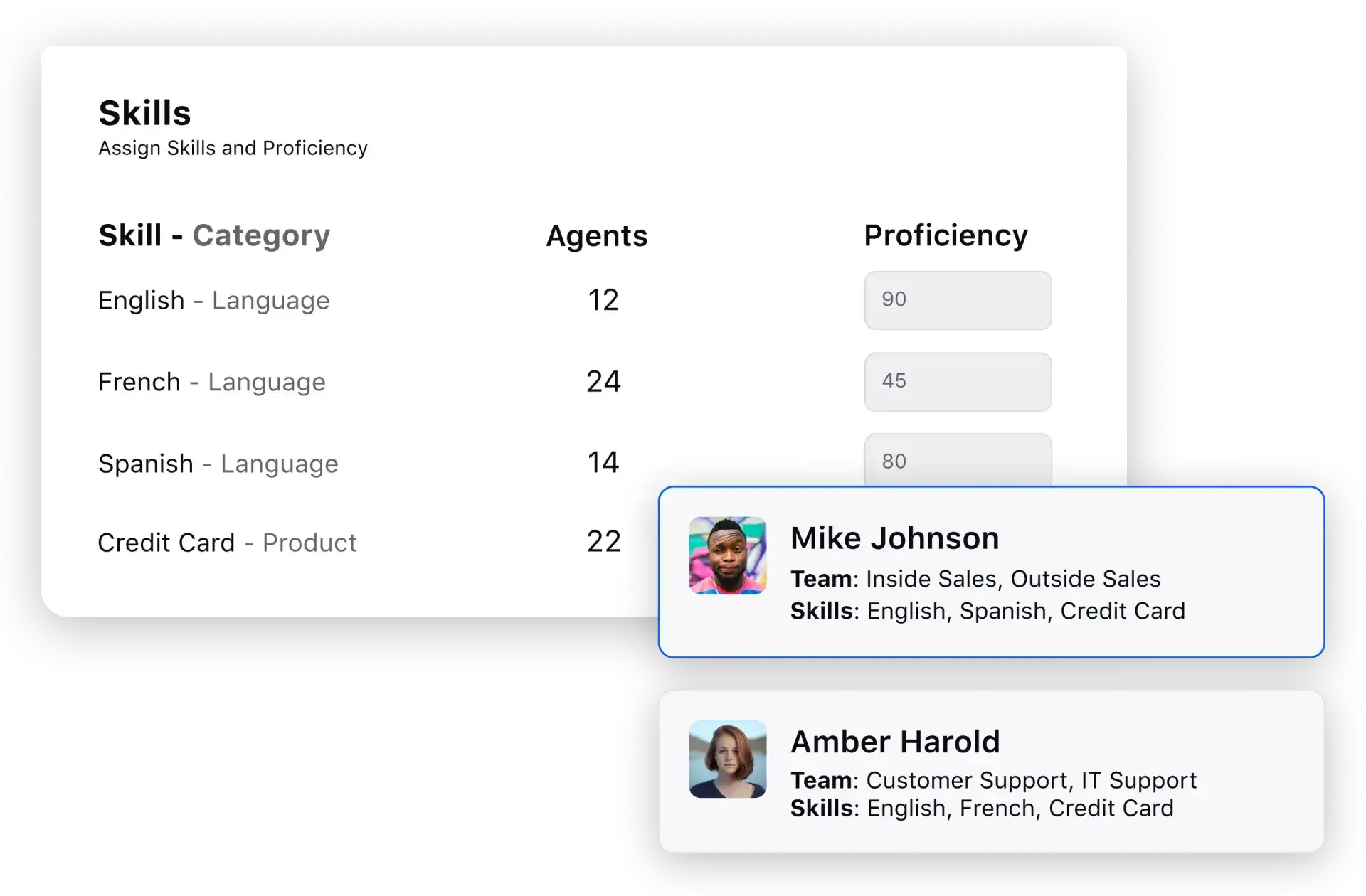
First response time and especially SLA adherence both dwindle when customer cases land with the wrong agent, which is why a strong routing logic is prudent.
Sprinklr's Omnichannel Routing assigns each interaction by skill and intent from the first touch, holding these metrics steady even when volume spikes. Using Sprinklr Service, Uber cut its first response time by 33% and lifted the share of cases answered within SLA by 8%, while trimming average case handle time by nearly a minute and a half.
15. Agent occupancy rate
Agent occupancy rate denotes the percentage of time agents are engaged in call-handling activities.
How to calculate: Agent occupancy = (Total handle time ÷ Total logged-in time) × 100
Interpretation: Aim for a balance between high occupancy (efficient resource utilization) and breaks/administrative time for agent well-being and productivity. Learn more about call center shrinkage.
How to improve: Cross-train agents to switch channels so you can absorb unexpected peaks without burning out a single skill group.
16. Escalation rate
Escalations are customers’ way of signaling that they are unhappy with the support provided. This could either be a result of delayed support or inadequate resolution.
How to calculate: Escalation rate = (Escalated contacts ÷ Total contacts) × 100
Interpretation: A higher escalation rate may indicate challenges in resolving issues at the frontline, requiring intervention from higher-tier support or management.
How to improve: Close the loop on the reasons why cases get escalated back into frontline enablement, since a rising escalation rate is a picture of exactly where your tier-one resolution workflows are under-equipped.
17. Average call transfer rate
The average call transfer rate is a crucial metric that signifies the frequency of calls being transferred from one agent to another during a support request. While call transfers may be necessary for handling complex situations, they can create a less-than-ideal customer experience.
How to calculate: Average call transfer rate = (Transferred calls ÷ Total calls) × 100
Interpretation: A lower call transfer rate is often considered favorable. It may indicate that agents can efficiently handle various issues, resulting in fewer transfers and a smoother customer experience. Learn how call transfer works with Sprinklr.
How to improve: Transfers are often a routing issue, not a scope or knowledge gap. So, getting it right on the first attempt is essential. Give agents the right context to finish adjacent requests themselves.
18. Repeat call rate
Repeat call rate is the percentage of customers who call back about the same issue within a set period. It is effectively the inverse of FCR and exposes issues that only look resolved.
How to calculate: Repeat call rate = (Repeat calls for the same issue ÷ Total calls) × 100
Interpretation: A high repeat call rate points to issues that aren’t being fully resolved on first contact, driving up volume and frustration.
How to improve: Use interaction analytics to surface recurring root causes and feed them into agent training and knowledge-base updates.
Cost management metrics
Cost management metrics are essential for monitoring and optimizing operational expenses. Here are some key cost management metrics:
19. Cost per call
Cost per call is the average cost of handling a single call in your contact center.
How to calculate: Cost Per Call = (Total number of calls handled/ Total cost of operating the contact center)×100
💡How to improve: To reduce the cost per call, leveraging trained contact center agents proves crucial. Their efficiency translates into quicker issue resolution. Additionally, incorporating customer self-service options empowers customers to address issues independently, eliminating the need for agent intervention. This dual approach optimizes workforce management, resulting in substantial savings on carrier costs.
Interpretation: Lower cost per call suggests efficient resource utilization and cost-effective operations.
20. Cost per resolution
Cost per resolution goes a step beyond cost per call by measuring what it costs to actually solve a customer’s issue — a truer read on value, since a cheap call that resolves nothing generates an expensive repeat contact.
How to calculate: Cost per resolution = Total contact center costs ÷ Total number of resolved issues
Interpretation: A low cost per resolution paired with high FCR indicates genuinely efficient operations, not just fast call handling.
How to improve: Raise first-contact resolution, because the cheapest resolution is the one that doesn't generate multiple contacts.
21. Agent turnover rate
It’s the percentage of agents who leave your contact center within a given period.
How to calculate: Agent turnover rate = (Agents who left ÷ Average number of agents) × 100
💡 Pro Tip:
Consider industry benchmarks and use contact center dashboards to track and present your metrics for insightful decision-making effectively.
Interpretation: Low agent turnover rates are desirable. They indicate a stable and engaged workforce, crucial for maintaining consistent service quality and productivity.
How to improve: Take the repetitive, low-value work off agents' plates with automation, since attrition is driven more by grind than by pay.
AI and Automation Metrics
As contact centers deploy AI agents, copilots and automation, a new class of metrics has become essential in 2026. These measure how well AI resolves issues on its own and how effectively it supports human agents.
22. Bot / Virtual Agent Resolution Rate
Bot resolution rate is the percentage of digital interactions a virtual agent resolves end-to-end without handing off to a human. It is the digital-channel counterpart to IVR containment. Explore Sprinklr's AI agents for automated resolution across channels.
How to calculate: Bot resolution rate = (Interactions fully resolved by the bot ÷ Total bot interactions) × 100
Interpretation: A higher resolution/containment rate means the virtual agent is successfully deflecting volume from human agents, but always read it alongside CSAT to confirm containment isn't frustrating customers.
How to improve: Train the AI agent on your agents' actual resolved cases and connect it to backend systems so it can act with information borrowed from your internal knowledge system.
Bot resolution rate and AI-to-agent escalation rate move in opposite directions, and both come down to how well the AI is trained.
Sprinklr's AI Agent Platform builds agents on your own business knowledge and hands off to a human with full context only when a query needs it, so more conversations resolve in the bot without frustrating the customer. After deploying a GenAI chatbot on Sprinklr, Jordanian telecom Umniah reduced agent handovers by 53% and lifted chatbot efficiency from 55% to 80%, with average handling time falling from 53 minutes to five.
23. Intent recognition accuracy
Intent recognition accuracy measures how accurately an AI solution understands the intent behind a customer's written or spoken request.
How to calculate: Intent recognition accuracy = (Correctly identified intents ÷ Total intents) × 100
Interpretation: High accuracy typically leads to higher first-contact resolution and better satisfaction, because the AI either answers correctly or routes to the right human agent.
How to improve: Reinforce AI agent training with real misclassified transcripts on a periodic cadence. Accuracy only improves from the queries the model gets wrong, not right.
24. AI-to-agent Escalation Rate
Also called handoff rate, this is the rate at which an AI agent reroutes interactions to a human representative.
How to calculate: AI-to-agent escalation rate = (Bot interactions escalated to a human ÷ Total bot interactions) × 100
Interpretation: A high escalation rate can mean knowledge gaps in the AI, or simply that customers bring complex queries that need human nuance. Segment by intent to tell the two apart.
How to improve: Segment escalations by intent to separate genuine complexity from bot knowledge gaps, then close the gaps and route the complex ones straight to the right skill.
25. Agent copilot adoption
Agent copilot adoption tracks how often agents actually use AI-assist suggestions, including next-best actions, summaries or knowledge surfaced during an interaction. It tells you whether your AI investment is being put to work on the floor. See Sprinklr's Agent Copilot.
How to calculate: Agent copilot adoption = (Interactions where copilot suggestions were used ÷ Total interactions with copilot available) × 100
Interpretation: Low adoption may mean the suggestions need refining or agents need coaching; high adoption alongside falling AHT signals the assist is genuinely helping.
How to improve: Tie copilot suggestions to the moments agents actually feel friction and coach on the low-adoption cases, so the assist earns use instead of being ignored.
Power up contact center performance with Sprinklr Service
Understanding and optimizing the end-to-end customer journey is paramount in the fast-paced customer service landscape. Yet, many businesses struggle to harness the wealth of customer interaction data, leading to missed opportunities and suboptimal performance.
Enter Sprinklr analytics and reporting software – your comprehensive solution to drive positive business outcomes and empower your teams with actionable insights. With Sprinklr, you can seamlessly monitor the entire customer journey, from initial interaction to resolution, using multi-level drill-downs that provide unparalleled visibility into every touchpoint.
Talk to our experts to discover how Sprinklr can help you with data visualization and customizable report generation for different stakeholders.
Frequently Asked Questions
Call center metrics primarily focus on voice interactions, while contact center metrics encompass a broader range of channels, including chat, email and social. The latter gives a more comprehensive view of customer interactions across multiple touchpoints.
Real-time analytics provide instant insight into customer interactions, agent performance and operational efficiency, enabling immediate adjustments that optimize the customer experience.
Implement robust data-validation processes, regularly audit data sources, set data-quality standards and use reliable analytics tools to maintain accuracy and reliability.
Most teams start with a balanced core: CSAT and NPS for satisfaction, first contact resolution and average handle time for efficiency, service level and abandonment rate for responsiveness, and — increasingly in 2026 — bot containment and AI-to-agent escalation for automation performance.
The net FCR benchmark for global service desks is around 74%, per Sprinklr’s industry benchmarks. Because FCR can be measured several ways, it’s most useful tracked consistently over time rather than compared in isolation.
Add total talk time, total hold time and total after-call work, then divide by the number of calls handled. AHT varies widely by sector — about 5.4 minutes in retail and up to 8.8 minutes in telecom, per Sprinklr’s industry benchmarks.
There’s no fixed number — focus on the handful that map to your current goals rather than tracking everything. Start with a few CX, efficiency and cost metrics, then layer in AI metrics as you deploy automation.
Aksheeta Tyagi is an experienced content marketer specializing in customer service, customer experience, contact center technology and AI-powered customer support. She writes in-depth guides on customer feedback management, conversational AI, agentic AI and enterprise service transformation to help businesses deliver better customer experiences at scale.