



The global leader in enterprise social media management
For over a decade, Sprinklr Social has helped the world’s biggest brands reimagine social media as a growth driver with a unified platform, industry-leading AI and enterprise-grade scale.



Social Media Dashboard Examples and Custom Tools
Priyanka Malik is a content marketing professional with over nine years of experience creating content for global B2B SaaS brands. At Sprinklr she writes and strategizes across social media management, social listening, social media analytics and AI-driven social marketing, turning complex topics into clear, practical guidance for marketing and customer experience leaders.
Karishma Borkakoty is a senior content marketer who lives and breathes long-form content in the form of eBooks, whitepapers and thought-leadership guides people actually bookmark and come back to. She has a knack for taking a big, messy topic and turning it into something genuinely useful and easy to follow.
Key takeaways
- Social media dashboards fix reporting before they fix data. They standardize how teams track, compare, and communicate performance across platforms and stakeholders.
- The structure of a dashboard matters as much as the metrics inside it. Reporting should be designed around purpose, audience, and decision-making needs.
- Consistency beats volume. A focused set of reliable KPIs is more valuable than an overloaded dashboard that is harder to interpret and trust.
- Dashboards reduce the gap between insight and action. By surfacing trends early and keeping reporting consistent, they make it easier to respond to performance changes.
Social media reporting loses value the moment no one can explain what changed or why it matters. Social media dashboards exist because leadership does not evaluate social media through platform screenshots or isolated engagement numbers. They want one clear view of what changed across channels, what caused it, and what the business should do next.
This blog breaks down social media dashboards by role and purpose. You will see how executive, campaign and operational dashboards differ, which metrics belong in each view, and the tools teams use to standardize reporting and support faster, more confident decisions.
What is a social media dashboard?
A social media dashboard is a centralized workspace that brings together performance data from multiple social platforms. It helps teams track results, compare channels, and keep reporting consistent across stakeholders.
A strong social media dashboard should track the metrics that explain performance clearly. That includes reach and impressions to measure visibility, engagement metrics such as likes, comments and shares to assess content response, follower growth to track audience momentum and clicks or conversions to connect social activity to business outcomes.
When these metrics are organized by platform, campaign and time period, teams can compare trends more easily and report performance with greater consistency. Most social media dashboards also support workflows such as brand monitoring, real-time alerts and report generation, but their core value lies in giving teams one reliable view of performance.
Why social media dashboards play a critical role in reporting
Social media reporting becomes harder when it needs to meet the needs of multiple audiences. Leaders want a clear view of business impact, campaign owners track performance metrics, and social teams need alignment with social media trends. Without a consistent system, teams end up telling the same story in different formats, creating misalignment, delays, and conflicting views of performance.
Social media dashboards fix this by turning fragmented reporting into a structured system that teams can rely on:
- Centralized data across accounts and platforms Consolidate performance data from multiple social profiles into one view, eliminating fragmented reporting and ensuring all stakeholders work with the same metrics.
- Real-time visibility into performance trends Track metrics such as reach, engagement and conversions in one place, making it easier to identify shifts in performance without switching between platforms.
- Consistent and comparable reporting formats Standardize how metrics are structured across campaigns, channels and teams, so performance can be compared and explained without conflicting interpretations.
- Integrated signals beyond core performance metrics Combine engagement data with brand mentions and audience activity to provide a more complete view of how content and campaigns are performing.
- Automated report generation and reduced manual effort Remove the need to export and consolidate data manually by generating structured reports that are ready for stakeholder review.
- Faster, action-oriented decision-making Shift reporting from compiling numbers to analysing trends, enabling teams to identify what to scale, what to fix and where to optimize next.
As reporting grows more complex across channels, campaigns and stakeholders, dashboards stop being a supporting tool and become core infrastructure. They make performance easier to align on, easier to communicate and easier to act on at scale.
Can social media dashboards prove ROI or only show channel activity?
Dashboards can prove ROI only when they include outcome-based KPIs such as clicks, conversions, revenue, or cost metrics. If they only track reach and engagement, they show activity, not business impact. The difference comes from KPI selection, not the dashboard itself.
What should a social media dashboard include?
A social media dashboard should focus on the metrics that help teams evaluate performance, compare channels, and explain results clearly. Instead of tracking every available data point, dashboards should organize metrics into a few core reporting areas that reflect visibility, engagement, growth, and business impact.
Reporting focus | Key metrics to include | How to use them |
Visibility and distribution | Reach, impressions, video views | Understand how far content is spreading and whether distribution is improving or declining across platforms |
Engagement quality | Engagement rate, comments, shares, saves | Identify whether audiences are interacting meaningfully with content or passively consuming it |
Audience growth and composition | Net follower growth, growth rate, audience demographics | Track audience momentum and ensure growth aligns with target segments |
Content performance | Top-performing posts, CTR, posting frequency | Evaluate which formats, themes or campaigns consistently drive results |
Traffic and business impact | Link clicks, conversions, cost per click (for paid campaigns) | Connect social activity to measurable outcomes such as traffic, leads or revenue |
Brand perception and sentiment | Brand mentions, sentiment score, trending topics | Understand how audiences are responding to the brand beyond owned content and campaigns |
Competitive performance | Share of voice, competitor engagement, mention volume | Benchmark performance against competitors to identify category trends and relative positioning |
Note: A strong dashboard does not try to show everything at once. It prioritizes the metrics that matter for the reporting objective, whether that is executive reporting, campaign analysis, or operational tracking.
How should social media dashboards differ for executive and operational teams?
Executive dashboards should focus on a small set of outcome-driven metrics such as reach, engagement trends, and conversions. Operational dashboards should go deeper into channel-level performance, content breakdowns, and audience signals. Trying to serve both audiences through a single dashboard usually leads to clutter and unclear reporting.
Social media dashboard examples
Social media dashboards come in various types, each catering to specific social media goals. Below are detailed examples of different types of dashboards, their use cases, key benefits and who they’re most useful for.
1. Social media KPI dashboard
Overview: A social media KPIs dashboard focuses on tracking key performance indicators (KPIs) like engagement rates, reach, impressions, and click-through rates. It provides a high-level overview of how your social campaigns are performing.
Key benefits:
- Helps identify what’s driving success and where improvements are needed.
- Simplifies client reporting by highlighting the most critical metrics.
- Enables goal tracking to ensure campaigns align with business objectives.
Useful for: Social media managers, marketing teams and agencies needing clear, data-driven insights for decision-making.
2. Social media management dashboard
Overview: This dashboard is designed to manage and schedule posts across multiple social media platforms. It provides an organized view of your content calendar, scheduled posts and drafts.
Key benefits:
- Saves time by centralizing scheduling and publishing.
- Ensures consistency across platforms with a unified content calendar.
- Reduces errors by allowing teams to collaborate and approve content seamlessly.
Useful for: Teams managing multiple accounts or businesses looking to streamline their content scheduling.
Interesting Read: Posting to All Social Media at Once Made Easy in 8 Steps
3. Social media monitoring dashboard
Overview: A social media monitoring dashboard tracks brand mentions, hashtags, keywords and sentiment analysis in real-time. It helps monitor what people are saying about your brand across platforms.
Key benefits:
- Enables quick responses to customer feedback or issues.
- Provides insights into audience sentiment and trends.
- Helps protect brand reputation by identifying and managing crises early.
Useful for: Brands with a strong online presence or businesses wanting to stay ahead of public sentiment.
4. Social media analytics dashboard
Overview: This dashboard focuses on in-depth social media analytics, offering insights into audience demographics, behavior trends, and platform-specific performance metrics.
Key benefits:
- Provides detailed data to revamp social media strategies.
- Helps identify the most effective content types and posting times.
- Supports A/B testing by providing performance comparisons.
Useful for: Data-driven marketers and analysts focused on maximizing ROI from social media efforts.
Check out the best social media analytics tools in the market.
3 essential analytics to monitor in your social media calendar
📈Seasonal trends
Staying on top of seasonal themes and events will keep your content timely and relevant.
💬 Audience feedback
Consistently review and incorporate audience feedback to ensure your content hits the mark.
Competitor analysis
Stay informed on competitor activities to find gaps and opportunities for your content strategy.
5. Social media engagement dashboard
Overview: This dashboard tracks audience interactions, including likes, comments, shares and direct messages, to measure engagement levels.
Key benefits:
- Improves community management by tracking and responding to interactions quickly.
- Provides insights into the type of content that resonates most with the audience.
- Helps build stronger relationships by maintaining active engagement.
Useful for: Community managers and brands prioritizing audience relationships and responsiveness.
6. Social media advertising dashboard
Overview: This dashboard is tailored for managing and analyzing paid campaigns, offering insights into ad performance, spending and conversions.
Key benefits:
- Tracks ROI by monitoring cost-per-click (CPC), impressions and conversions.
- Helps optimize ad budgets by identifying high-performing campaigns.
- Provides a clear view of ad performance across multiple platforms in one place.
Useful for: Digital advertisers and agencies running paid campaigns and social media advertisements.
Each of these social media dashboards serves a unique purpose, allowing you to focus on the metrics and workflows that matter most. By choosing the right type — or combining several — you can tackle every aspect of social media management efficiently.
Best tools to build social media dashboard
Once you’ve identified what you need in a social media reporting dashboard, it’s time to explore the tools that deliver.
To get you started, here are three popular tools that stand out for their reporting capabilities and user-friendly features.
1. Sprinklr Social
Sprinklr Social provides an enterprise-grade social media dashboard designed for large-scale businesses to manage multiple social platforms seamlessly. It offers AI-powered analytics, real-time monitoring, and advanced collaboration tools to enhance social media strategy and execution.
Key features:
- AI-powered analytics: Provides detailed insights into audience behavior, sentiment and trends to help boost your social media and content strategy.
- Multi-platform integration: Connects with over 30+ platforms, ensuring all your accounts are tracked in one place.
- Customizable reporting dashboards: Allows you to build tailored reports to showcase performance data to clients or stakeholders.
- Collaboration tools: Includes features for team task management and post approvals, making it ideal for agencies or large teams.
2. Hootsuite
Hootsuite is a versatile social media management tool that helps users schedule posts, track performance metrics, and manage engagement across multiple platforms. It’s ideal for businesses of all sizes to streamline their social media workflows.
Key features
- Scheduling and publishing: Lets you plan and post across multiple platforms using an intuitive drag-and-drop content calendar.
- Analytics and reporting: Offers pre-designed and customizable templates for performance tracking and insights.
- Social listening: Tracks brand mentions and keywords in real-time, so you stay informed about conversations relevant to your brand.
- Integration options: Supports over 20 platforms, including LinkedIn, Instagram and YouTube, along with third-party tools like Canva.
3. Zoho Social
Zoho Social is a comprehensive dashboard that allows users to schedule posts, monitor brand mentions, and analyze performance metrics. Its seamless integration with Zoho CRM makes it a great choice for businesses looking to align social media efforts with customer management.
Key features
- Detailed analytics: Tracks metrics like engagement, clicks and reach, with easy-to-read charts and graphs.
- Bulk scheduling: Enables you to schedule multiple posts in advance, saving time on repetitive tasks.
- CRM integration: Syncs with Zoho CRM, allowing you to manage audience relationships and track lead generation efforts.
- Customizable reporting: Provides templates that can be adjusted to fit your specific needs for client presentations or team reviews.
Each of these social media reporting tools offers unique strengths, catering to different workflows and business goals, making them reliable choices for managing and reporting your social media performance.
How to build a social media dashboard (step-by-step)
Building a social media dashboard is less about adding more data and more about structuring the right data for the right audience. A well-designed dashboard should reflect your reporting goals, not just available metrics.
Follow these steps to build a dashboard that supports consistent and actionable reporting:
- Define the reporting objective first Start by identifying who the dashboard is for and what decisions it needs to support. For example, an executive dashboard should focus on high-level performance and outcomes, while a campaign dashboard should track channel-level trends and content effectiveness.
- Select a focused set of metrics Choose metrics that align with your reporting objective. Prioritize visibility, engagement, growth, and outcome-based metrics instead of tracking every available data point.
- Structure the dashboard by platform, campaign or timeframe Organize data in a way that makes performance easy to compare. Group social media metrics consistently so users can quickly identify trends, outliers, and performance shifts.
- Combine performance data with contextual signals Include supporting data such as engagement patterns, audience behavior, or brand mentions to provide a clearer understanding of factors driving performance.
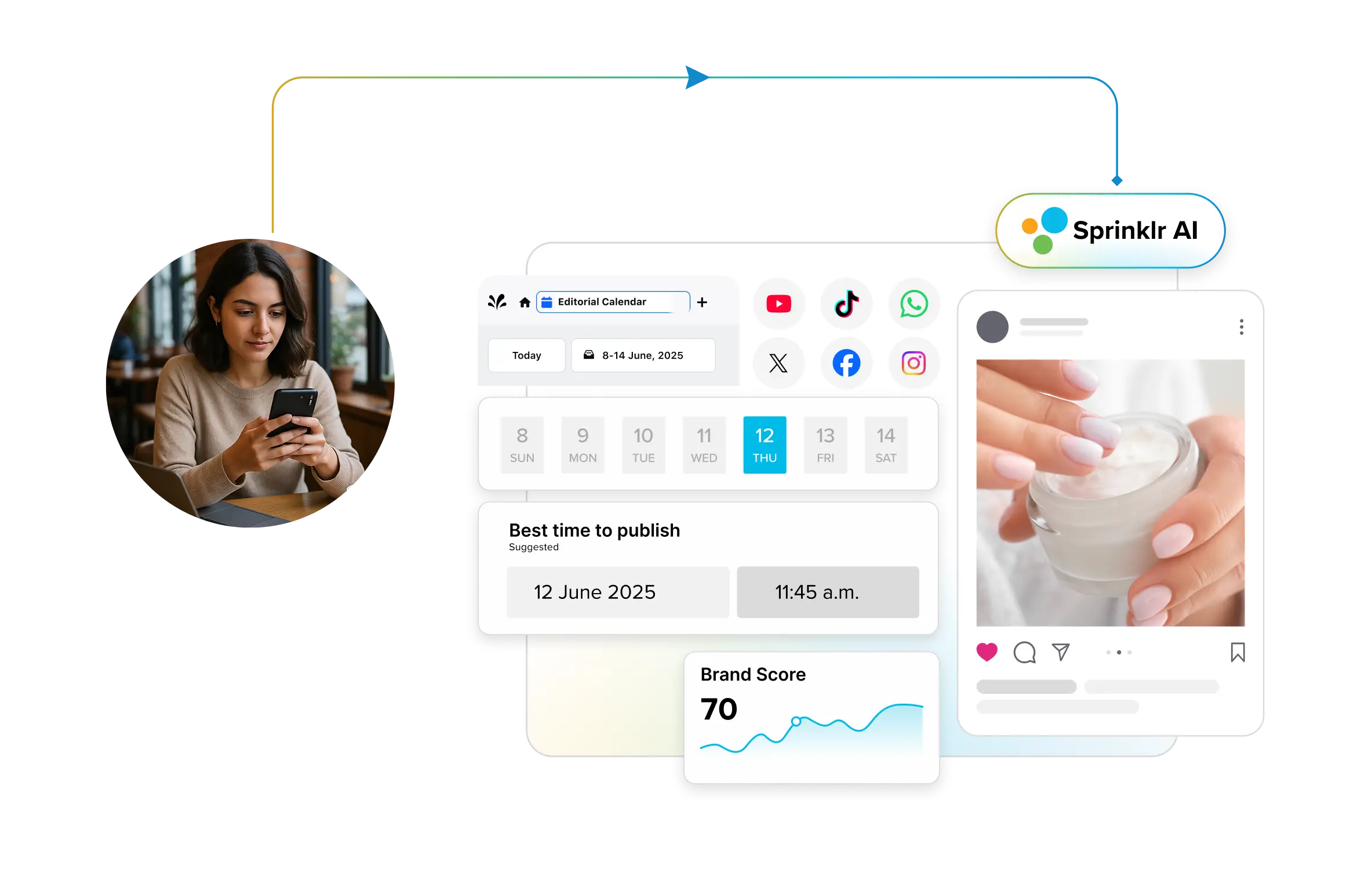
- Use customizable templates to accelerate setup Instead of building dashboards from scratch, use pre-built templates to create structured views for reporting. Platforms like Sprinklr allow teams to customize dashboards based on specific goals, metrics, and workflows without redesigning reports each time.
- Automate data collection and reporting workflows Connect all relevant social accounts and enable real-time data updates, so dashboards remain current without manual effort. Automated reporting ensures stakeholders always have access to consistent, up-to-date performance insight
- Iterate based on reporting needs Review how the dashboard is used over time and refine it by removing unnecessary metrics or adding views that improve clarity and usability
A well-built social media dashboard evolves with your reporting needs. As campaigns, teams and stakeholders change, the dashboard should continue to provide a clear, consistent view of performance that supports faster and more confident decisions.
How often should a social media dashboard be reviewed and updated?
Review dashboards on the cadence of the decisions they support. Operational dashboards should update continuously or daily, campaign dashboards weekly, and executive dashboards monthly or quarterly. The review cycle should match how quickly the team is expected to act.
Final Thoughts
Social media dashboards are no longer just a way to track performance. They define how teams interpret data, align stakeholders and act on insights. The difference between a dashboard that reports activity and one that drives decisions comes down to how well it is structured, maintained and scaled.
As social operations grow more complex, teams need dashboards that can adapt to different reporting needs without adding manual effort or inconsistency. Platforms like Sprinklr Social support this by combining real-time data integration, configurable templates and flexible reporting views, allowing organizations to build dashboards that evolve with their workflows. The result is reporting that stays consistent, actionable, and aligned with business impact.
Book a free demo now and see how customizable social media dashboards can revolutionize the way you work.
Priyanka Malik is a content marketing professional with over nine years of experience creating content for global B2B SaaS brands. At Sprinklr she writes and strategizes across social media management, social listening, social media analytics and AI-driven social marketing, turning complex topics into clear, practical guidance for marketing and customer experience leaders.
Karishma Borkakoty is a senior content marketer who lives and breathes long-form content in the form of eBooks, whitepapers and thought-leadership guides people actually bookmark and come back to. She has a knack for taking a big, messy topic and turning it into something genuinely useful and easy to follow.